

U3000 on 2017-2020 Land Rover Discovery: Control Module Failure Explained
U3000 on a 2017-2020 Land Rover Discovery means 'Control Module Internal Failure'. It's a generic code, so the true problem depends on which module stored it (e.g., suspension, telematics, camera). The fix is often a software update or addressing the specific issue cited by the module's suffix code, not always a module replacement. A weak main battery is a very common trigger for this and other electronic faults.
- U3000 is a generic 'Control Module Failure' code. You MUST use a high-level scanner to find out which module is at fault and get the two-digit suffix code.
- Do not automatically replace the module. Check for Technical Service Bulletins (TSBs) first, as the fix is very often a software update performed by a dealer or specialist.
- Always test the main vehicle battery. Low voltage is a very common cause of random U3000 codes on this platform.
- Specific codes have specific, non-obvious fixes. U3000-05 (suspension) requires a diagnostic reset, and U3000-96 (camera) may require no action at all if there are no symptoms.
What's Unique About the 2017-2020 Land Rover DISCOVERY

The 2017-2020 Discovery (L462 generation) is a highly complex 🎬 Watch: Discovery 5 buyer’s guide and common reliability issues. vehicle with numerous interconnected electronic modules built on the D7u platform. The U3000 code is frequently used across various systems to report internal software or hardware faults. Land Rover has issued multiple Technical Service Bulletins (TSBs) acknowledging that many U3000 instances are due to software glitches that can be resolved with a module re-flash, rather than an expensive hardware replacement. [SSM74543, SSM73553, N135NAS2] These vehicles are also known to be very sensitive to battery voltage, and a weak battery can trigger a cascade of U-codes, including U3000, during startup. A recall was also issued for some 2019-2020 models for an insufficient battery ground stud connection that could cause various electrical faults.
Diagnostic Flowchart

Tap your situation to follow the diagnostic path that matches what you're seeing on this vehicle.
Symptoms You May Notice

- "SOS Limited Functionality" or "SOS Limited Availability" message on the instrument cluster. [SSM74052]
- "Air suspension not in customer mode" message on the instrument cluster. [SSM74086]
- "Suspension fault, Drive with care" or "Adaptive dynamics fault" message on the instrument cluster. [SSM73441, N135NAS2]
- Blind Spot Monitor warning messages or system malfunction. [SSM73553]
- No functional effect on the vehicle or camera system, despite the code being present. [SSM74543]
- A cluster of multiple, seemingly unrelated warning lights, often triggered by low battery voltage.
- Steering becomes heavy, interior lights dim, or all electronics shut off and on while driving, indicating a severe voltage or grounding problem.
- Replacing a control module without checking for software updates first. Many U3000 issues are resolved with a simple re-flash, saving hundreds or thousands of dollars. [10, SSM73553, N135NAS2]
- Replacing the Chassis Control Module for a U3000-05 code, when the vehicle simply needs to be taken out of 'tight tolerance mode' via a diagnostic tool.
- Replacing the Telematics Control Unit (TCU) for a U3000-49 code when only the internal backup battery has failed.
Most Likely Causes

- Software Glitch in a Control Module 🔴 High Probability The vehicle's complex software can have bugs that cause modules to falsely report internal failures. Land Rover has issued multiple TSBs to address these issues with software updates for various modules including the CHCM, IPMB, and SODL/R. [SSM74543, SSM73553, N135NAS2]
How to confirm: Use a JLR-specific scan tool to identify the module and suffix code, then check for applicable TSBs. For example, TSB SSM74052 addresses U3000-49 in the TCU, and SSM73553 addresses a false U3000-49 in the blind spot modules. [SSM74052, SSM73553]
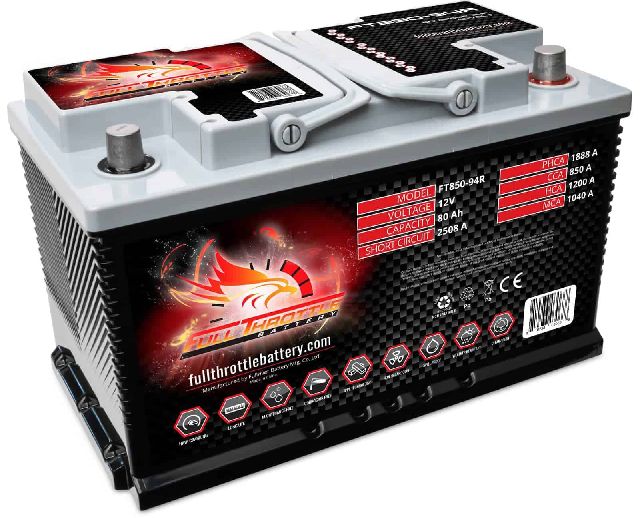
Typical fix: Update the software of the affected module using a dealer or specialist tool. In some cases, like a false U3000-49 in a blind spot module with no symptoms, the fix is to simply clear the code. [SSM73553] - Weak or Failing Main Vehicle Battery 🔴 High Probability → Shop Vehicle Battery Land Rover's electronic systems are extremely sensitive to voltage. A weak battery can cause modules to glitch during startup, logging various internal fault codes like U3000. Forum users frequently report that a new battery solves a host of electrical issues.
How to confirm: Test the main battery's voltage at rest (should be above 12.4V) and perform a load test. Check for a cascade of seemingly unrelated U-codes across multiple modules. A Jaguar TSB for a related platform notes that U3000-04 can be set specifically due to low voltage during engine crank.
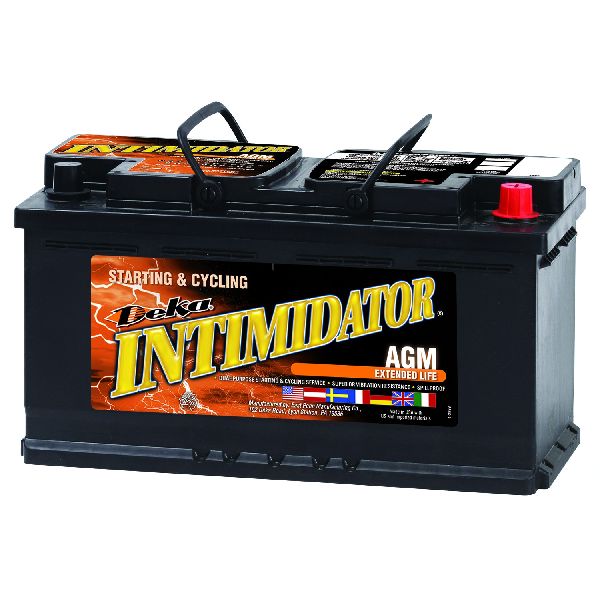
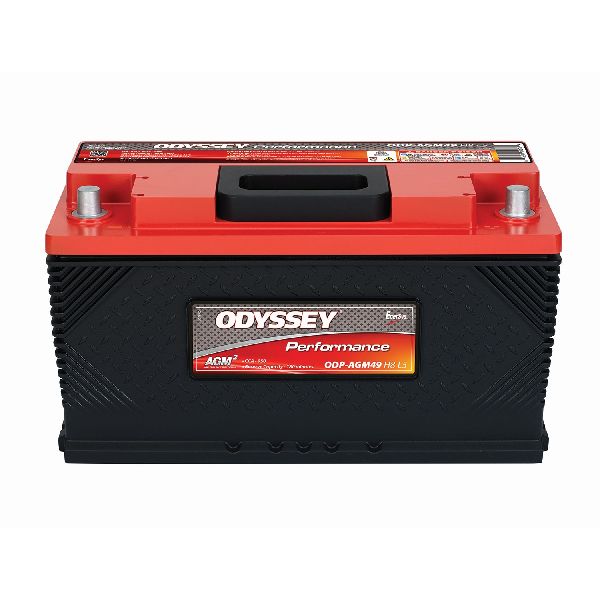
Typical fix: Charge or replace the battery with a high-quality AGM (Absorbent Glass Mat) battery of the correct specification (e.g., H8 or H9). Clean and tighten all battery terminals and main ground connections. Some owners on forums have found that bridging two specific ground studs near the battery is necessary to resolve a poor grounding issue. - Failed Telematics Control Unit (TCU) Backup Battery 🟡 Medium Probability → Shop Telematics Interface Module The small internal lithium-ion battery that powers the SOS/eCall system has a finite lifespan of 3-5 years and its failure is a very common issue, triggering a U3000-49 code in the TCU.
How to confirm: The "SOS Limited Functionality" message is displayed, and code U3000-49 is logged in the TCU. This is a well-documented issue on forums for this platform.
Typical fix: Replace the TCU's internal backup battery. The TCU module is located behind the C-pillar trim on the driver's side (US models). After replacement, the warning light may remain on until the vehicle has been driven for up to an hour, as noted by owners and in some TSBs. Caution is advised during replacement as the connector on the circuit board can be fragile.
Est. part cost: $50-$130 - Suspension in 'Tight Tolerance Mode' 🟡 Medium Probability This is a specific procedural state for service, not a component failure. It triggers code U3000-05 in the Chassis Control Module (CHCM) and is intentional.
How to confirm: The code U3000-05 will be present in the CHCM, and the message "Air suspension not in customer mode" may be displayed. [SSM74086]
Typical fix: Do not replace any parts. A technician must use a diagnostic tool (like Pathfinder) to run the 'Suspension geometry set-up' function and select 'Normal mode' to exit the tight tolerance state. It can also be manually entered/exited via a specific sequence of brake pedal presses and door opening/closing.
Est. part cost: $0 - Adaptive Damping Software Fault ⚪ Low Probability A software calibration issue, particularly on 2017 models, can cause the Chassis Control Module (CHCM) to intermittently store a U3000-04 fault, triggering suspension warnings. [SSM73441, 33]
How to confirm: The message "Adaptive dynamics fault" or "Suspension fault" is displayed, and a scan reveals code U3000-04 in the CHCM. [SSM73441, N135NAS2]
Typical fix: A software re-configuration of the CHCM is required using the JLR Pathfinder diagnostic tool, as specified in TSBs N135NAS2 and SSM73441. No parts are replaced. [N135NAS2, SSM73441]
Est. part cost: $0
Rare But Worth Checking
- Internal Module Hardware Failure: While many U3000 codes are software-related, a true internal hardware failure of a module (like the CHCM, IPMB, or TCU) can occur. This should only be considered after all TSBs, software updates, and wiring checks have been exhausted. One owner on a forum had to have the TCU replaced for starting issues related to this fault.
- Damaged Wiring or Poor Connection: A damaged wire or corroded connector leading to a specific module can cause it to lose communication or power, sometimes resulting in an internal fault code. One owner on a forum discovered their 'SOS Limited Functionality' issue was due to improperly repaired wiring from a previous collision. Another known issue is chafing of the adaptive damping wiring at the top of the suspension struts.
- Insufficient Battery Ground Stud Contact: → Shop Vehicle Battery A recall (N248/N489, NHTSA 21V457) was issued for 2019-2020 Discovery models where the main battery ground stud may have insufficient contact with the chassis. This can cause a wide range of severe electrical faults, including intermittent no-start conditions or a complete loss of power while driving. An owner of a 2019 model not on the recall list experienced the exact same issue, which was resolved by replacing the loose ground stud.
Diagnosis Steps
- Connect a professional-grade scanner capable of reading all Land Rover-specific modules (e.g., JLR Pathfinder, Autel MaxiSys, Gap IIDTool).
- Perform a full vehicle health scan. Check and record the main battery voltage first. A healthy AGM battery should be between 12.6V and 12.8V at rest. Perform a load test to ensure voltage does not drop below 10.5V during cranking.
- Identify which specific module has logged the U3000 code (e.g., CHCM, TCU, IPMB, SODL/R).
- Record the two-digit suffix code (e.g., -04, -05, -49, -96), as this is critical for diagnosis.
- Search for Land Rover Technical Service Bulletins (TSBs) or Special Service Messages (SSMs) that match the module and suffix code.
- If TSB SSM74052 applies to U3000-49 in the TCU ('SOS Limited Functionality'), the fix is likely a software update or, more commonly, replacing the TCU backup battery. [SSM74052, 12]
- If TSB SSM74086 applies to U3000-05 in the CHCM, use the scan tool's ECU functions to set the suspension to 'Normal mode'. Do not replace parts.
- If TSBs N135NAS2 or SSM73441 apply to U3000-04 in the CHCM ('Adaptive Dynamics Fault'), perform a software re-configuration of the module. [N135NAS2, SSM73441]
- If TSB SSM74543 applies to U3000-96 in the IPMB and there are no camera symptoms, no action is required. If symptoms are present, a software update is the fix. [SSM74543]
- If TSB SSM73553 applies to U3000-49 in a blind spot module (SODL/R) with no symptoms, clear the code. If a warning is present, re-flash the module software. [SSM73553]
- Inspect the wiring and connectors for the affected module for any signs of damage, corrosion, or looseness. Check main chassis ground points, especially the one near the battery which was subject to a recall.
- If all else fails, the module itself may have an internal hardware failure and require replacement and programming.
Parts You'll Likely Need
- Telematics Control Unit (TCU) Backup Battery
(OEM #LR094259)
Technical Service Bulletins (TSBs) & Recalls

- SSM74543
- SSM74052
- SSM74086
- N135NAS2
- SGI17-59
- SSM73441
- SSM73553
Platform-Specific Known Issues
- TSB SSM74543 states that code U3000-96 can be stored in the Image Processing Module B (IPMB) without any actual camera system problems due to a software error. If there are no symptoms, no action is needed. If there are symptoms, a software update is the fix.
- TSB SSM74086 clarifies that U3000-05 in the Chassis Control Module (CHCM) is not a fault but an indicator that the suspension is in 'tight tolerance mode' for service, and explicitly states 'Do not replace any parts'.
- TSB SSM73553 addresses U3000-49 being falsely logged in the Side Object Detection (Blind Spot) modules. It advises clearing the code if no symptoms are present, or re-flashing the modules if the 'Blind Spot Monitor Not Available' message is displayed.
- TSBs N135NAS2 & SSM73441 address U3000-04 in the CHCM on 2017 models, which causes an 'Adaptive Dynamics Fault' message. The fix is a software re-configuration, not part replacement.
Mechanic-Grade Diagnostic Values
- Main AGM Battery Voltage (at rest, engine off) — expected: 12.6V to 12.8V. Failure: A reading below 12.4V indicates a discharged or failing battery that can cause numerous electronic faults.
- Main AGM Battery Voltage (during engine crank) — expected: Should remain above 10.5V. Failure: A drop below 10.5V indicates a weak battery. TSBs for related platforms confirm that low voltage during cranking is a specific trigger for U3000-04 in the CHCM.
- TCU Backup Battery Voltage (Live Data) — expected: Above 3.9V. Failure: A reading below 3.9V will trigger an 'SOS Limited Availability' warning. The engine must be running for at least 60 minutes to attempt to charge it before condemning the battery.
Hidden / Shadow Codes Worth Checking
- U3000-04: Control Module System Internal Failure. Often stored in the Chassis Control Module (CHCM) due to low voltage during startup, causing 'Adaptive Dynamics Fault' messages. [SSM73441, N135NAS2] (see via JLR-specific scan tool (Pathfinder, GAP IIDTool, etc.))
- U3000-05: Control Module System Internal Failure. Stored in the CHCM when the air suspension is placed in 'Tight Tolerance Mode' for service. This is informational, not a fault. [SSM74086] (see via JLR-specific scan tool (Pathfinder, GAP IIDTool, etc.))
- U3000-49: Control Module Internal Electronic Failure. Commonly logged in the Telematics Control Unit (TCU) due to a failed internal backup battery, causing 'SOS Limited Functionality' warnings. Also seen in Side Object Detection (SODL/R) modules, often as a false code. [SSM74052, SSM73553] (see via JLR-specific scan tool (Pathfinder, GAP IIDTool, etc.))
- U3000-96: Component Internal Failure. Can be stored in the Image Processing Module B (IPMB) with no functional effect on the camera system. Per TSB, it can be ignored if no symptoms are present. [SSM74543] (see via JLR-specific scan tool (Pathfinder, GAP IIDTool, etc.))
Scan Tool Commands That Help
- JLR Pathfinder / equivalent professional scanner: Suspension geometry set-up — This function is required to clear a U3000-05 code in the Chassis Control Module (CHCM). The technician must select 'Normal mode' within this function to take the suspension out of the service 'Tight Tolerance Mode'. Do not replace parts for this code.
- JLR Pathfinder / equivalent professional scanner: Configure new module / Software Update — This is used to resolve software-related U3000 faults, such as U3000-04 in the CHCM or U3000-49 in the SODL/R modules, as specified by various TSBs. It is also required after replacing a module to program it to the vehicle. [N135NAS2, SSM73553]
- Manual Procedure (No Tool Required): Exit Tight Tolerance Mode — As an alternative to a scan tool for U3000-05, this mode can be exited by simply turning the engine off or driving the vehicle over 5 mph (8 km/h).
Wiring & Ground Locations
- Telematics Control Unit (TCU) — Located behind the interior trim panel on the driver's side C-pillar (for US/LHD vehicles).. This module contains the backup battery that commonly fails, logging a U3000-49 code and causing the 'SOS Limited Functionality' message.
- Chassis Control Module (CHCM) — Located under the driver's seat, beneath the floor covering.. This module logs U3000-04 for adaptive damping faults and U3000-05 when the suspension is in tight tolerance mode.
- G4D178 (or similar) — The main startup battery ground stud, located on the chassis in the rear loadspace/trunk area near the battery.. A poor connection at this specific ground point was the subject of recall N248/N489. A loose stud here can cause intermittent no-start conditions and a host of seemingly random electronic faults, including U3000 codes across various modules.
Real Owner Repair Stories
- landroverforums.com user 'Donc98' (2017 Discovery HSE (Gas)) — 'SOS System Limited Functionality' error message on the dash.
❌ Tried (didn't work) Initial diagnosis pointed towards a complex telematics system issue.
✅ What actually fixed it The user replaced the small internal backup battery inside the Telematics Control Unit (TCU). The job took about 20 minutes after removing the driver's side C-pillar trim. The user noted that after replacement, the warning light may stay on until the vehicle is run for up to an hour, as stated in a TSB. - disco5.co.uk forum user (2017 Discovery 5) — Intermittent 'Adaptive Dynamics Fault' message with code U3000-04 stored in the CHCM.
❌ Tried (didn't work) Dealer performed a software update as per the TSB, but the fault returned.
✅ What actually fixed it The root cause was a weak main vehicle battery. Replacing the original AGM battery with a new, high-quality one permanently resolved the fault. The low voltage during engine startup was causing the CHCM to log the internal fault code, even though the module itself was fine. - aulro.com (Australian Land Rover Owners) user 'LGM' (2019 Discovery SD4 (Not on the official recall list)) — Intermittent no-start condition where the instrument dials would just flick, but the engine would not crank.
❌ Tried (didn't work) Disconnecting and reconnecting the battery would temporarily resolve the issue, suggesting a 'reboot' was needed., No relevant fault codes were stored.
✅ What actually fixed it The owner diagnosed a significant voltage drop at the main battery ground stud. The stud was found to be loose with visible arcing marks. After temporarily bridging the ground to another post, the problem disappeared. The final fix was replacing the defective ground stud, which was the exact same issue described in recall N248/N489 for other VINs.
When the Usual Fixes Don't Work
- In at least one owner's experience, the TSB-recommended software update for the U3000-04 'Adaptive Dynamics Fault' did not provide a permanent fix. The fault continued to appear intermittently until the main vehicle battery was replaced. This highlights that even when a specific software glitch is identified by the manufacturer, an underlying power supply issue (a weak battery) can be the true root cause that must be addressed first.
OEM Part Supersession History
LR094259→LR089861 (for some applications)— Part consolidation/update.
Heads up: While LR089861 is listed for the Discovery 5, some vendors list different part numbers for newer models like the Defender (e.g., LR132077). It is critical to verify the correct part number for the specific vehicle VIN, as they are physically similar but may have different specifications. Using a non-OEM battery or an old stock battery is known to cause the 'SOS' fault to return quickly.
Model Year Variations Within This Range
- 2017 only: TSB SSM73441, which addresses an intermittent 'Adaptive dynamics fault' and code U3000-04 in the CHCM, is noted as being applicable to 2017 model year vehicles only. [SSM73441]
- 2019-2020: A specific range of 2019-2020 Discovery models were subject to recall N248 / NHTSA 21V457 for an insufficient battery ground stud connection, which could cause a multitude of electrical failures.
Helpful Videos

![How To Test CAN BUS With A Multimeter [CAN Bus Resistance Check] Mechanic Mindset](https://img.youtube.com/vi/JPE42HSJxAk/mqdefault.jpg)



We Have This Part in Stock



The information in this article is provided for general reference and educational purposes only. Vehicle specifications, procedures, and part compatibility can vary by production date, trim level, and region. Always consult your vehicle's factory service manual and verify part numbers before purchasing or performing repairs. Safety-critical components such as airbags, seat belts, and braking systems should be installed by a qualified professional.
- Land Rover DISCOVERY:
- 🧭 Diagnostic Flowchart
- 🎬 Helpful Videos
- 🛍️ Shop This Part
- What's Unique About the 2017-2020 Land Rover DISCOVERY
- Symptoms You May Notice
- Most Likely Causes
- Rare But Worth Checking
- Diagnosis Steps
- Parts You'll Likely Need
- Technical Service Bulletins (TSBs) & Recalls
- Platform-Specific Known Issues
- Mechanic-Grade Diagnostic Values
- Hidden / Shadow Codes Worth Checking
- Scan Tool Commands That Help
- Wiring & Ground Locations
- Real Owner Repair Stories
- When the Usual Fixes Don't Work
- OEM Part Supersession History
- Model Year Variations Within This Range
- 🎟️ Get 5% Off