

OBD-II Code U3579: Invalid Data Received From Battery Energy Control Module
The Ultimate 2026 Guide to U3579: Causes, Symptoms, and Definitive Fixes for GM Ultium EVs
- Code U3579 on GM Ultium vehicles is triggered by a known software bug in the Battery Energy Control Module (BECM), not a physical battery failure.
- Tow the vehicle immediately; driving with code U3579 carries a 100% risk of sudden, complete motive power loss at any speed.
- Refuse any $1,000+ hardware replacement quotes until a GM dealer performs the mandatory BECM software update outlined in TSB #PIP6021.
- Expect a $0 repair bill, as this specific BECM reprogramming procedure is fully covered under GM's 8-year/100,000-mile EV propulsion warranty.
What Does U3579 Mean?
Code U3579 is a network communication error indicating a critical control module is receiving corrupt data. On General Motors (GM) Ultium electric vehicles, this specifically points to the Battery Energy Control Module (BECM) failing due to a software anomaly. The BECM receives data from the battery's wireless cell monitors, but the data fails integrity checks, forcing the system to declare a fault.
Technical definition: The official SAE/OBD-II definition for U3579 is 'Invalid Data Received From Another Control Module'. On GM Ultium vehicles (Hummer EV, Cadillac Lyriq, Blazer EV), it is triggered by a software anomaly within the K16 Battery Energy Control Module (BECM). This glitch causes the BECM to misinterpret data from the wireless cell monitoring units (CMUs), inaccurately reporting the battery's state of charge or cell health, and triggering critical system shutdowns.
Can I Drive With U3579?
No — Do Not Drive. Do not drive the vehicle. The primary risk is a sudden, complete loss of motive power at any speed with zero warning. This creates a severe collision risk, especially on highways. Tow the vehicle to a qualified GM EV service center immediately.
Common Causes
- Outdated Battery Energy Control Module (BECM) Software (Very Common) — The most frequent cause for this code is a software bug within the BECM. GM has issued multiple Technical Service Bulletins (TSBs) instructing dealers to update the software rather than replace any hardware.
- Failed Over-the-Air (OTA) Update (Common) — An incomplete or failed OTA software update corrupts the BECM's programming, triggering communication faults and the U3579 code. A stable connection during updates is critical.
- Discharged 12V Accessory Battery (Less Common) — A communication fault in the high-voltage system prevents the 12V accessory battery from charging via the DC-to-DC converter. While a weak 12V battery causes various communication errors, for U3579, it is almost always a secondary symptom rather than the root cause.
- Water Intrusion at High-Voltage Connectors (Rare) — Early production models like the GMC Hummer EV suffered from water intrusion into high-voltage connectors, causing corrosion and disrupting communication. Investigate this only after ruling out software issues.
- CAN Bus Wiring Failure (Rare) — A physical fault on the Controller Area Network (CAN) bus triggers this code. This includes a short or open in the wiring harness, a bent pin at a module connector, or network interference from another failing module.
- Failed BECM Hardware (Very Rare) — A physical hardware failure of the BECM is highly unlikely. TSBs explicitly warn technicians not to replace the module unless the software update fails and further diagnostics confirm a hardware fault.
Symptoms
- Service High Voltage System Message — A critical warning message appears on the driver's information center, indicating a severe high-voltage fault.
- Vehicle Shutdown While Driving — The software glitch forces the vehicle to shut down unexpectedly while in motion, resulting in a complete loss of motive power.
- Inability to Charge — The vehicle refuses to initiate charging for its high-voltage battery as a built-in safety measure.
- Vehicle Will Not Start or Shift — The vehicle fails to enter the 'Ready' state or refuses to shift out of Park.
- Discharged 12V Battery — The conventional 12-volt battery dies because the high-voltage system fault prevents the DC-DC converter from charging it.
- Stored Cluster of Communication Codes (scan-tool only — no driver-felt sign) — A scan tool reveals U3579 alongside a specific family of related codes (P2C8A, U3577, etc.). This cluster is the definitive diagnostic clue pointing to the software bug.
Diagnostic Flowchart
Tap your situation to follow the diagnostic path that matches what you're seeing on this code.
Common Fixes & Costs
- Reprogramming the Battery Energy Control Module (BECM) — Parts: $0, Labor: $300-$400, ~1.5 hr book time (Professional)
- Over-the-Air (OTA) Software Update — Parts: $0, Labor: $0 (Beginner)
- Replacing the 12V Battery
— Parts: $200-$350, Labor: $50-$100, ~0.5 hr book time
(DIY)
Cadillac Lyriq (2023-2025): OEM ACDelco Gold (Group 47, 600 CCA) (Alt: Bosch S6 High Performance AGM (92332VVTB)) - Repairing a Wiring Harness or Connector — Parts: $20-$100, Labor: $150-$300, ~1.5 hr book time (Intermediate)
- Replacing the Battery Energy Control Module (BECM)
— Parts: $800-$1200, Labor: $200-$300, ~5.3 hr book time
(Professional)
Chevrolet Blazer EV: OEM 24061756 (Alt: Not available. Dealer-only programmable module.)
Used vs. New Parts: Buying Guide
When a used part is worth it: Never for this specific repair. The primary fix is a software update to the existing module. A used module is a high-risk option.
Donor-vehicle mileage cap: roughly under 20000 miles for the part to have meaningful remaining life.
Donor quality checklist:
- Modern GM modules are VIN-locked. Swapping modules renders both the module and the vehicle inoperable.
- Ensure the seller guarantees the module can be reprogrammed by a GM dealer.
Decision logic:
- If The issue is confirmed to be code U3579 on an Ultium platform vehicle → Do not buy any part. Take the vehicle to a dealer for the software update specified in the TSB.
- If A GM dealer and GM Technical Assistance confirm the BECM hardware has failed → Buy a new OEM part. A used module carries significant risk of VIN-lock issues and immediate failure.
Warranty tradeoff: Used parts: 30-90 day warranty. OEM new: 12-month/12,000-mile part warranty, and the repair is covered by the 8-year/100,000-mile EV propulsion warranty.
Worst-case if a used part fails: $500-$800 if a used BECM is purchased and cannot be programmed by the dealer.
What Happens If You Wait — Timeline
- 0-24 hours: Code U3579 is set. 'Service High Voltage System' message appears. Vehicle fails to start, refuses to charge, or shuts down while driving. (MPG impact: 100% (Vehicle is likely inoperable)% · Added cost: $150-$300 (Towing fee from a highway or inconvenient location).)
- 1-7 days: The BECM fault prevents the DC-to-DC converter from charging the 12V battery. The 12V battery completely discharges. (MPG impact: 100% (Vehicle is fully disabled)% · Added cost: $200-$350 (Cost of a new 12V battery, which does not fix the root problem).)
- 1-4 weeks: A technician unfamiliar with the specific TSBs misdiagnoses the problem, wasting time and money on incorrect repairs like replacing the 12V battery. (MPG impact: 100% (Vehicle remains out of service)% · Added cost: $500-$1000+ (Wasted labor costs and unnecessary non-warranty parts).)
- 1+ month: The software bug creates 'phantom' data suggesting a battery cell has failed. A technician incorrectly recommends replacing a high-voltage battery module. (MPG impact: 100% (Vehicle remains out of service)% · Added cost: $5,000-$20,000+ (Catastrophic cost of an unnecessary high-voltage battery replacement).)
Cost of Not Fixing It
- Immediate: Sudden, complete loss of motive power while driving. Inability to start or shift the vehicle. (Added cost: Potential for a serious collision or a $150-$300 towing bill from a dangerous location.)
- Days to Weeks: Complete discharge of the 12V accessory battery, leaving the vehicle unable to power on at all. (Added cost: $200-$350 for a new 12V battery, which will not solve the underlying problem.)
- Weeks to Months: Unnecessary replacement of expensive components (like the BECM or 12V battery) by technicians unfamiliar with the specific GM TSBs. (Added cost: $1000-$1500+ for an unnecessary BECM replacement, plus repeated labor charges.)
Diagnosis Steps
- Check for Technical Service Bulletins (TSBs)
Check for TSBs related to code U3579. For GM vehicles, TSBs #PIP6081B, #PIP6021, and #25-NA-044 point directly to a software update as the primary fix.
Tools: Internet access, OEM Service Information subscription (Beginner) - Read Fault Codes with an Advanced Scan Tool
Use an OBD-II scanner to confirm U3579 is present alongside the full cluster of related codes (P2C8A, U3577, etc.) specified in the TSBs. TSB PIP6021 applies only if the entire group of codes is set.
Tools: Advanced OBD-II Scan Tool (GM GDS2 recommended) (Intermediate) - Perform Hybrid/EV Battery Data Retrieval (Dealer Step)
Per GM TSB 25-NA-044, a dealer technician MUST use the GM Service Programming System (SPS2) to retrieve battery data BEFORE clearing codes or reprogramming. This generates a Warranty Claim Code (WCC) required for the repair.
Tools: GM SPS2 Software, MDI2 Interface (Advanced) - Update the BECM Software (Dealer Step)
Reprogram the K16 Battery Energy Control Module with the latest software using the GM SPS2. This is a dealer-only procedure.
Tools: GM SPS2 Software, MDI2 Interface (Advanced) - Perform Manual Reset Procedure (Dealer Step)
After reprogramming, disconnect the 12V battery negative cable, wait 15 minutes, reconnect it, cycle the vehicle to 'Ready' for 10 seconds, turn it off, remove the key fob 10ft away, and wait another 15 minutes. Repeat this entire cycle twice.
Tools: Basic hand tools (Advanced) - Charge and Test the 12V Battery
After software updates and resets, clear all DTCs, then fully charge and test the 12V battery using a professional tester to ensure it is healthy.
Tools: Battery charger, Professional battery tester (Beginner) - Verify CAN Bus Integrity
If software updates fail, check the communication network integrity. Use a multimeter to verify 60 Ohms resistance between CAN High and CAN Low with the battery disconnected.
Tools: Digital Multimeter (Professional) - Analyze CAN Bus Waveform
Use a two-channel oscilloscope to visualize the network data. Distortions, noise, or incorrect voltage levels indicate a physical network problem like a short or interference.
Tools: Two-Channel Oscilloscope (Professional)
When This Code Triggers (Freeze-Frame Conditions)
- Vehicle State: Startup or Driving (The fault logs when the vehicle is first powered on and modules perform initial communication checks, or while driving.)
- High-Voltage Battery State of Charge (SOC): Any (This fault occurs on a fully charged or partially depleted battery, as it relates to data interpretation, not actual energy level.)
- Module Communication Status: Invalid Data Received (The BECM receives messages, but the data within them is corrupt or fails integrity checks, directly triggering U3579.)
Related Codes
- U3577-U3584 — Part of the same family of 'Invalid Data Received' codes. TSBs group them with U3579 as being caused by the identical BECM software anomaly.
- P2C8A, P2C8B — High-voltage powertrain DTCs set alongside U3579. The 'U' code indicates the communication problem, while the 'P' code indicates the resulting performance fault. Fixed simultaneously by the BECM software update.
- U2BAA, U2BAB — 'Lost Communication' codes covered by TSB #PIP6081B. Both types of codes point to the same BECM software bug.
- U35AF — Part of the cluster of communication faults listed in TSB PIP6021. Its presence alongside U3579 is a key condition for the specific reprogramming procedure.
Climate & Environmental Factors
- Cold Weather: Extreme cold exacerbates the BECM software sensitivity. Low temperatures increase internal battery cell resistance, causing voltage readings that the buggy software misinterprets as a fault, triggering U3579.
- High Humidity / Water Exposure: Early production Hummer EVs suffered from poorly sealed high-voltage battery connectors. Water intrusion causes corrosion and short circuits on the communication bus, leading to U3579.
How to Talk to a Mechanic About This Code
Say this: "My vehicle has a 'Service High Voltage System' warning and code U3579. I need to schedule a diagnostic and want to ensure the technician consults TSBs like #PIP6021 and #25-NA-044. Please perform the BECM software update before replacing any hardware like the 12V battery."
This directs the service advisor to the correct, warranty-covered repair procedure (software update) and prevents you from paying for unnecessary parts like a 12V battery or a BECM replacement.
Avoid saying:
- My car won't start, I think the battery is dead.
- My check engine light is on, can you just look at it?
- Just do whatever you think is necessary.
Questions to ask before authorizing the repair:
- Can you confirm you will follow the procedure in TSB #PIP6021, which is to reprogram the BECM before replacing any parts?
- Is this repair being processed under the 8-year/100,000-mile EV propulsion warranty?
- Will the technician perform the mandatory 'Hybrid/EV Battery Data Retrieval' before starting the work?
- Does the repair procedure include the double 'Manual Reset Process' after the software update is complete?
Where to Take It: Dealer vs Independent vs Chain
- Dealer:
Required. The fix involves proprietary GM software (SPS2) and specific service bulletins that only an authorized dealer can access and perform correctly.
Best for: This is the ONLY recommended option for code U3579 on a GM Ultium vehicle.
Downsides: Higher labor rates if the repair is not covered by warranty., Potential for long wait times for an appointment with a certified EV technician. (Typical cost: +50% vs. baseline) - Independent Shop:
AVOID. An independent shop is not equipped to resolve this software-based fault. You will waste time and money on incorrect diagnostics and unnecessary parts.
Best for: General maintenance and repairs on out-of-warranty, non-EV, or less complex vehicles.
Downsides: Lacks the required GM SPS2 software to update the BECM. They cannot fix this code and are highly likely to misdiagnose it as a hardware failure. (Typical cost: +0% vs. baseline) - Chain Shop:
DO NOT USE. These shops have no capability to address a U3579 fault and recommend expensive, incorrect, and potentially damaging repairs.
Best for: Simple services like tires, oil changes, and conventional brake jobs.
Downsides: Completely unequipped and untrained for high-voltage EV diagnostics or proprietary software updates. High risk of misdiagnosis. (Typical cost: -10% vs. baseline)
When to Walk Away From the Repair
This repair is covered by GM's 8-year/100,000-mile EV propulsion warranty, making the cost to you $0. A 'walk away' decision is only relevant if the vehicle is out of warranty AND suffers a rare, catastrophic hardware failure.
- Car worth $45000, fix is $0: Fix it. The BECM software update is covered by the EV propulsion warranty.
- Car worth $35000, fix is $400: Fix it. If the vehicle is out of warranty, paying the dealer's labor rate for the software update is a minor cost relative to the vehicle's value.
- Car worth $35000, fix is $16500: Walk away. In the extremely rare case that the vehicle is out of warranty and the dealer confirms both the BECM hardware ($1,500) and a section of the main battery ($15,000) have failed, the repair cost is nearly 50% of the car's value.
What Scan Tool You Need for This Code
Minimum: A tool that reads manufacturer-specific codes (including 'U' codes) from all vehicle modules, not just generic OBD-II engine codes.
A basic $20 code reader will not see the U3579 code or the cluster of related faults from the BECM. You need to confirm the specific codes to have an informed conversation with the dealer.
Budget: BlueDriver Pro (~$100) — Connects to a smartphone app and performs a full system scan, reading the specific manufacturer codes (like U3579) from modules like the BECM on GM vehicles.
Mid-range: Foxwell NT510 Elite with GM Software (~$220) — A powerful handheld tool offering deep, manufacturer-specific diagnostics for GM vehicles. It reliably pulls the entire family of codes related to the BECM fault.
Professional: Autel MaxiCOM MK808S / MK900BT (~$450-900) — A professional-level tablet scanner providing comprehensive, OE-level diagnostics for all vehicle systems and supporting newer protocols like CAN FD used on Ultium vehicles. It CANNOT perform the required SPS2 online programming to fix the U3579 code.
Rent vs buy: Rent or borrow. Since you cannot fix this code yourself, the only purpose of a scanner is to read the codes for confirmation.
How to Clear the Code After You Fix It
- The primary repair is dealer-level BECM reprogramming, NOT just clearing codes.
- After reprogramming, perform a specific 'Manual Reset Process' TWICE.
- Disconnect the 12V negative cable, wait 15 minutes, reconnect, power the vehicle to 'Ready' for 10 seconds, power off, remove the key fob 10ft away, and wait another 15 minutes.
- Use a scan tool like GM GDS2 to clear all DTCs.
- Charge and test the 12V battery to ensure it is healthy post-repair.
Drive cycle (~60 minutes): A standard drive cycle is insufficient to clear this fault. The official procedure is the dealer-level software update and manual reset. A normal drive verifies the fix is stable.
Readiness monitors affected: Traditional emissions readiness monitors do not apply to EVs., Ensure all high-voltage system self-tests complete without setting new faults.
Before emissions retest: drive at least 50 miles to fully set monitors.
Watch out for:
- Clearing the code with a generic scanner fails; the fault is in the module's software and returns immediately.
- Skipping the mandatory double 'Manual Reset Process' after reprogramming causes the fix to fail.
- Replacing the 12V battery does not fix the root cause and drains the new battery.
Will This Fail Emissions / State Inspection?
Yes — this code typically fails an OBD-II emissions inspection.
- California: An illuminated Check Engine Light is an automatic failure of the smog inspection. While pure EVs are exempt from the tailpipe emissions test, the OBD-II system check is still performed.
- New York: Pure electric vehicles are exempt from the emissions inspection but must pass an annual safety inspection. An illuminated Check Engine Light indicates a system malfunction that fails the safety inspection.
- Texas: An illuminated Check Engine Light is an automatic failure in emissions counties. In safety-only counties, an inspector fails the vehicle due to the CEL indicating a serious safety-related fault.
Most Commonly Affected Vehicles
- GMC Hummer EV Pickup & SUV (2022-2026) — Highly prone to software bugs causing this code, documented in TSB PIP6081B.
- Cadillac Lyriq (2023-2025) — Affected by the same BECM software anomaly, noted in TSBs PIP6021 and 25-NA-044.
- Chevrolet Blazer EV (2024-2025) — A stop-sale was issued in late 2023 for significant software problems, including U3579, before resuming in March 2024.
- Chevrolet Silverado EV (2024-2025) — Susceptible to the software faults in the BECM that trigger this code, referenced in TSB 25-NA-044.
- Chevrolet Equinox EV (2024-2025) — Included in the list of vehicles affected by the BECM software issue in TSB PIP6021.
- Cadillac OPTIQ (2025-2026) — Explicitly named in GM TSBs as potentially affected by the same BECM software issues.
- Cadillac VISTIQ (2026-2027) — Explicitly named in GM TSBs as potentially affected by the same BECM software issues.
- Other EV/PHEV Models (Various) (2020-2026) — While U3579 is specific to GM, similar symptoms caused by software defects are common across many EV brands.
Manufacturer-Specific Notes
- General Motors: TSBs explicitly warn technicians NOT to replace hardware before performing a software update and a specific manual reset procedure.
- General Motors: A mandatory 'Hybrid/EV Battery Data Retrieval' must be performed using the dealer scan tool BEFORE any reprogramming or code clearing.
- General Motors: The repair requires a 'Manual Reset Process' performed twice, involving a specific 15-minute 12V battery disconnect/reconnect sequence.
- General Motors: The 'Battery Maintenance Mode' keeps 12V battery cables energized even when the vehicle is off, creating a shock hazard during service if not properly disabled.
Real Owner Stories
2024 Chevrolet Blazer EV with recurring 'Service High Voltage System' failure.
Owner stranded three times in less than three months. The vehicle suddenly stopped charging and displayed high voltage system warnings.
Outcome: The issue was not resolved, and the owner pursued a lemon law claim after the third failure.
Lesson: If critical safety issues persist after dealer repair attempts, meticulously document every service visit and be prepared to explore lemon law options.
2025 GMC Hummer EV with repeated, misdiagnosed high-voltage faults.
Vehicle experienced multiple 'Service High Voltage System' messages and an inability to charge, resulting in 30 days out of service.
Outcome: The dealer finally cited TSB PIP6081B and noted a potential battery cell issue but stated they could not fix it until GM pushed a new update.
Lesson: Initial repairs often address symptoms instead of the root cause. Specifically ask the service advisor to consult TSBs like PIP6081B or PIP6021.
2023 Cadillac Lyriq with charging and software glitches on a road trip.
During a 600-mile road trip, the owner experienced slow DC fast charging and flickering backup cameras.
Outcome: The root cause was a software issue affecting thermal management or charging communication, similar to what triggers U3579.
Lesson: Software issues manifest as performance problems (like slow charging) without triggering a persistent U3579 code immediately. Slow charging speeds indicate a software issue needing dealer attention.
How to Prevent This Code From Triggering
- Promptly install all Over-the-Air (OTA) software updates. (As they become available) — The root cause of U3579 is a software bug. Keeping your vehicle's software current prevents this and other software-related faults.
- Ensure a stable Wi-Fi connection when installing updates. (During any OTA update) — A failed or corrupt OTA update causes module programming issues, leading to communication codes like U3579.
- Precondition the vehicle before driving in extreme cold. (Whenever temperatures are near or below freezing) — Extreme cold causes voltage readings that the buggy BECM software misinterprets as a fault. Preconditioning warms the battery to an optimal temperature.
Frequently Asked Questions
Can I fix code U3579 myself?
No, this is not a DIY repair. The fix requires a software update using proprietary tools (GM's SPS2) and specific procedures only available at a dealership.
Will clearing the code make it go away?
Clearing the code with a standard scanner will not fix the problem. The code returns immediately because the underlying software issue in the control module remains unresolved.
My dealer says the 12V battery is dead and needs to be replaced. Will this fix the U3579 code?
No. A dead 12V battery is a symptom of this fault, not the cause. Replacing the 12V battery without performing the BECM software update leads to the new battery discharging as well. The TSB directs technicians to reprogram the BECM first.
Why are there so many other codes (P2C8A, U3577, etc.) along with U3579?
This cluster of codes is the definitive indicator of the specific software bug. Seeing them all together confirms to the technician that the software update procedure from the TSB is the correct fix.
The scan report shows a fault with a specific battery cell. Does the whole high-voltage battery need to be replaced?
No. The BECM software bug creates erroneous reports about battery cell performance. The official GM procedure requires data retrieval and reprogramming specifically to avoid unnecessary battery replacements.
My mechanic wants to replace the Battery Control Module. Should I let them?
No. GM TSBs clearly state that reprogramming the module is the first and most likely final step. Replacing the module is a costly mistake if the issue is just software.
Is this repair covered under warranty?
Yes, this repair is fully covered under the federal 8-year/100,000-mile warranty for electric vehicle propulsion components. TSB 25-NA-044 provides a specific labor operation code for warranty claims related to this issue.
What does the 'Service High Voltage System' warning mean?
It means the vehicle's computer has detected a serious fault in the high-voltage battery system. Do not drive the vehicle; seek professional service immediately, as a complete vehicle shutdown is imminent.
Key Takeaways
- Code U3579 on GM Ultium vehicles is triggered by a known software bug in the Battery Energy Control Module (BECM), not a physical battery failure.
- Tow the vehicle immediately; driving with code U3579 carries a 100% risk of sudden, complete motive power loss at any speed.
- Refuse any $1,000+ hardware replacement quotes until a GM dealer performs the mandatory BECM software update outlined in TSB #PIP6021.
- Expect a $0 repair bill, as this specific BECM reprogramming procedure is fully covered under GM's 8-year/100,000-mile EV propulsion warranty.
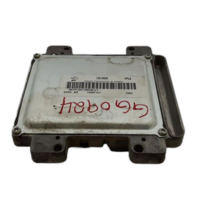
Shop the Parts Behind U3579
Below are the parts most often responsible for code U3579, ranked by how frequently each one is the actual culprit (per the diagnosis above). Tap any to see what we have for your vehicle.


The information in this article is provided for general reference and educational purposes only. Vehicle specifications, procedures, and part compatibility can vary by production date, trim level, and region. Always consult your vehicle's factory service manual and verify part numbers before purchasing or performing repairs. Safety-critical components such as airbags, seat belts, and braking systems should be installed by a qualified professional.
- 🧭 Diagnostic Flowchart
- 🛍️ Shop This Part
- What Does U3579 Mean?
- Can I Drive With U3579?
- Common Causes
- Symptoms
- Common Fixes & Costs
- Used vs. New Parts: Buying Guide
- What Happens If You Wait — Timeline
- Cost of Not Fixing It
- Diagnosis Steps
- When This Code Triggers (Freeze-Frame Conditions)
- Related Codes
- Climate & Environmental Factors
- How to Talk to a Mechanic About This Code
- Where to Take It: Dealer vs Independent vs Chain
- When to Walk Away From the Repair
- What Scan Tool You Need for This Code
- How to Clear the Code After You Fix It
- Will This Fail Emissions / State Inspection?
- Most Commonly Affected Vehicles
- Manufacturer-Specific Notes
- Real Owner Stories
- 2024 Chevrolet Blazer EV with recurring 'Service High Voltage System' failure.
- 2025 GMC Hummer EV with repeated, misdiagnosed high-voltage faults.
- 2023 Cadillac Lyriq with charging and software glitches on a road trip.
- How to Prevent This Code From Triggering
- Frequently Asked Questions
- Can I fix code U3579 myself?
- Will clearing the code make it go away?
- My dealer says the 12V battery is dead and needs to be replaced. Will this fix the U3579 code?
- Why are there so many other codes (P2C8A, U3577, etc.) along with U3579?
- The scan report shows a fault with a specific battery cell. Does the whole high-voltage battery need to be replaced?
- My mechanic wants to replace the Battery Control Module. Should I let them?
- Is this repair covered under warranty?
- What does the 'Service High Voltage System' warning mean?
- Key Takeaways
- 🎟️ Get 5% Off