

OBD-II Code U3582: Battery Energy Control Module Communication Fault
What U3582 means, why it triggers, and how to fix it
- Code U3582 is a General Motors-specific communication error affecting Ultium platform EVs like the Hummer EV and Cadillac Lyriq.
- Over 90% of U3582 cases stem from a software glitch in the Battery Energy Control Module (BECM), requiring a dealer-installed update rather than a physical part replacement.
- Test your 12V auxiliary battery first; a resting voltage below 12.4V causes network dropouts that trigger this exact code.
- Driving with U3582 triggers a reduced power 'limp mode' and risks a complete no-start condition, requiring an immediate trip to the dealer.
What Does U3582 Mean?
Code U3582 means the Battery Energy Control Module (BECM) lost communication with the vehicle's network. The BECM manages high-voltage battery health, charging, and performance. On General Motors' Ultium platform vehicles, a software glitch—not a broken part—causes this error.
Technical definition: U3582 is a manufacturer-specific communication error for the K16 Battery Energy Control Module (BECM). It indicates a loss of communication or invalid data on the Controller Area Network (CAN) bus between the BECM and critical modules like the Engine Control Module (ECM) or Body Control Module (BCM).
Can I Drive With U3582?
Yes, But With Caution. You can drive short distances, but the vehicle enters a reduced power ('limp') mode to protect the high-voltage battery system, capping acceleration. Continuing to drive risks a complete no-start condition, leaving you stranded. Delaying the necessary software update prolongs this risk.
Common Causes
- Software Anomaly in the Battery Energy Control Module (BECM) (Very Common) — A software bug within the BECM disrupts network communication. Manufacturer Technical Service Bulletins (TSBs) confirm this requires a software update (reprogramming) via dealer tools, not a physical part replacement.
- Low or Unstable 12V Battery Voltage (Common) — The BECM relies on a stable power supply from the 12V auxiliary battery. A weak, failing, or drained 12V battery causes intermittent communication faults across the vehicle network, triggering U3582.
- Failed Over-The-Air (OTA) Update (Uncommon) — An OTA software update that fails to install correctly corrupts the communication software. This leaves modules in a confused state and requires a manual update at the dealership.
- Failed Battery Energy Control Module (BECM) (Rare) — If software updates and wiring checks fail to resolve the code, the BECM has suffered an internal hardware failure. This prevents network communication and requires module replacement.
- Wiring, Connector, or CAN Bus Fault (Rare) — Damaged wires, corroded connectors, or a short circuit on the CAN bus interrupt communication signals between the BECM and the main data network. Moisture intrusion or physical damage are the primary culprits.
- Interference from Aftermarket Electronics (Rare) — Improperly installed aftermarket accessories (dash cams, alarms) tapped into the vehicle's data or power circuits create electrical noise, disrupting CAN bus communication.
- High-Voltage Battery Pack Hardware Failure (Very Rare) — Severe underlying problems within the high-voltage battery pack (internal coolant leaks or cell failures) cause recurring communication faults. This extreme scenario typically follows multiple failed repair attempts.
Symptoms
- "Service High Voltage System" Message — A prominent warning message appears on the driver information center (DIC).
- Reduced Power Mode ('Limp Mode') — The vehicle severely limits acceleration to prevent stress on the battery system.
- Check Engine Light — The Malfunction Indicator Lamp or a red battery warning light illuminates on the dashboard.
- Disabled Regenerative Braking — Features dependent on the high-voltage battery system, such as 'One-Pedal Driving', are disabled.
- No-Start or No-Charge Condition — The communication fault prevents the vehicle from starting or initiating a charging session as a safety precaution.
- Erratic Instrument Cluster Displays — The dashboard displays fluctuating battery levels or incorrect range information due to missing BECM data.
Diagnostic Flowchart
Tap your situation to follow the diagnostic path that matches what you're seeing on this code.
Common Fixes & Costs
- Software Update of the Battery Energy Control Module (BECM) — Parts: $0, Labor: $150-$300, ~1.5 hr book time (Professional)
- Replace 12V Auxiliary Battery — Parts: $200-$300, Labor: $50-$100, ~0.8 hr book time (Beginner)
- Replace Battery Energy Control Module (BECM) — Parts: $300-$500, Labor: $450-$750, ~4.0 hr book time (Professional)
- Repair Wiring Harness or Connectors — Parts: $20-$100, Labor: $200-$500, ~3.0 hr book time (Professional)
- Replace High-Voltage Battery Pack — Parts: $15,000-$30,000, Labor: $1,000-$2,500, ~11.3 hr book time (Professional)
DIY vs Professional
- Software Update of the Battery Energy Control Module (BECM) 🟢 Beginner
Tools: OEM programming subscription, interface tool, stable vehicle power supply. - Replace 12V Auxiliary Battery 🟢 Beginner
Tools: Basic hand tools (wrench set, socket set). - Replace Battery Energy Control Module (BECM) 🟢 Beginner
Tools: High-voltage safety gear, specialized tools, OEM programming software. - Repair Wiring Harness or Connectors 🟢 Beginner
Tools: Multimeter, oscilloscope, wiring diagrams, depinning tools. - Replace High-Voltage Battery Pack 🟢 Beginner
Tools: Vehicle lift, high-voltage battery lifting table, high-voltage PPE.
Used vs. New Parts: Buying Guide
When a used part is worth it: Never. The BECM is a safety-critical, VIN-locked control module that cannot be reprogrammed to a different vehicle.
Donor quality checklist:
- Avoid used BECMs entirely. They are electronically locked to the original vehicle's VIN.
- GM's programming system rejects attempts to install a used or refurbished BECM.
Decision logic:
- If The fix requires BECM replacement → Buy a new, genuine OEM part from a certified dealer to ensure successful programming.
- If Someone offers to sell you a used BECM → Decline the offer. The part is unusable.
Warranty tradeoff: Used parts have no warranty and are non-functional. A new OEM BECM installed by a dealer includes a 12-24 month part and labor warranty.
Worst-case if a used part fails: $750-$1250 for the cost of the useless used part plus repeat labor to install the correct new part.
What Happens If You Wait — Timeline
- 0-1 month: Intermittent 'Service High Voltage System' message appears. Vehicle briefly enters 'limp mode' then returns to normal. (Added cost: $0)
- 1-3 months: Warnings become frequent. 'Limp mode' triggers consistently. The vehicle occasionally refuses to start or charge, requiring a 12V battery reset. (Added cost: $100-$300)
- 3-6 months: Vehicle becomes unreliable. No-start conditions are common. The constant communication fault drains the 12V battery. (Added cost: $300-$800)
- 6+ months: Chronic failure renders the vehicle undriveable. The 12V battery is permanently damaged from repeated deep discharges. (Added cost: $800-$1500)
Cost of Not Fixing It
- 0-1 month: Intermittent 'Service High Voltage System' warnings and occasional entry into reduced power ('limp') mode. (Added cost: Negligible, other than inconvenience.)
- 1-6 months: Increased frequency of limp mode and a high risk of a no-start or no-charge condition, leaving you stranded. (Added cost: $100-$500 for towing and emergency transportation.)
- 6+ months: Chronic fault rendering the vehicle unreliable and frequently undriveable. Constant communication faults drain and destroy the 12V battery. (Added cost: $500+ for cumulative towing costs, plus $200-$300 for a replacement 12V battery.)
Diagnosis Steps
- Verify the Code and Document Freeze Frame Data
Use an OBD-II scanner to confirm U3582 is active. Document the freeze frame data to capture vehicle parameters at the moment of failure. Note any accompanying U-series codes.
Tools: OBD-II Scanner (Beginner) - Perform a Comprehensive 12V System Test
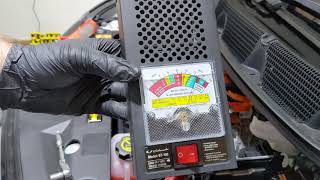
Test the 12V auxiliary battery before diagnosing high-voltage components. A healthy AGM battery shows 12.6V-12.8V at rest. A reading below 12.4V requires charging, and a failed load test (dropping below 9.6V) requires replacement.
Tools: Digital Battery Tester, Multimeter (Beginner) - Check for Technical Service Bulletins (TSBs)
Search for TSBs related to U3582 for your specific vehicle. For GM EVs, TSB #PIP6081 (and revisions) dictates a software update as the primary fix.
Tools: Internet Access (Beginner) - Attempt a 12V Hard Reset
Disconnect the negative terminal of the 12V battery for 15 minutes to force all modules to reboot. If communication is restored, it confirms a software glitch that still requires the official dealer update for a permanent fix.
Tools: Wrench Set (Intermediate) - Monitor Module Status with a Professional Scan Tool
Use an OEM-level scan tool (like GM GDS2) to view the communication status of all modules. Verify the Battery Energy Control Module (K16) is flagged as 'Not Communicating'.
Tools: Professional Scan Tool (Advanced) - Schedule Dealer Service for Software Update
Schedule an appointment with a certified EV dealer to reprogram the BECM using proprietary software (e.g., GM SPS2). Do not authorize module replacement unless this update fails.
Tools: None (Intermediate) - Inspect BECM Wiring and Connectors
If the software update fails, inspect the BECM wiring harness and connectors for damage, corrosion, or looseness. This requires high-voltage safety protocols.
Tools: Multimeter, Shop Manual, High-Voltage PPE (Advanced) - Verify CAN Bus Integrity
With the 12V battery disconnected, measure resistance between CAN High (Pin 6) and CAN Low (Pin 14) at the OBD-II port. A healthy network reads 60 Ohms. Use an oscilloscope to verify the mirror-image square waveform of the CAN signals.
Tools: Multimeter, Automotive Oscilloscope (Advanced) - Test the BECM Hardware
Verify power, ground, and communication signals directly at the BECM connector. Replace the module only if it fails these pinpoint tests and the manufacturer's technical assistance center authorizes it.
Tools: Advanced Scan Tool, Multimeter (Advanced)
When This Code Triggers (Freeze-Frame Conditions)
- 12V System Voltage: 11.8V - 13.5V (Fault triggers when voltage drops below stable operating thresholds.)
- Vehicle State: Startup or during driving (Communication check fails upon module wakeup or during active operation.)
Related Codes
- U3577-U3584 — Indicates lost communication with specific battery cell groups. U3582 is a broader communication loss with the entire BECM. They share the same software glitch root cause and are resolved by the same update.
- P2C8A — Translates to 'Drive Motor Generator Battery Control Module Requested MIL Illumination.' The BECM detects an internal fault and requests the Check Engine Light, while U3582 specifies the fault is a communication loss.
- U2BAA-U2BAE — Indicates a loss of communication between the BECM and other specific modules. Points to the same core software communication problem on the Ultium platform.
- U2624 — A generic 'Communication Bus A Off' code indicating a general shutdown on the primary high-speed data bus, preventing the BECM from communicating.
Climate & Environmental Factors
- Cold Weather: Cold temperatures increase the internal resistance of the 12V auxiliary battery, reducing its ability to provide stable voltage. This voltage drop triggers communication faults like U3582.
- Humidity / Moisture: Water intrusion causes corrosion on wiring connectors and module pins, disrupting communication. GM issued software updates to improve the BECM's ability to detect moisture within the high-voltage battery enclosure.
How to Talk to a Mechanic About This Code
Say this: "I'm scheduling service for a U3582 fault code and a 'Service High Voltage System' message. Research indicates this relates to GM TSB #PIP6081, requiring a BECM software update. I'd like to have the BECM reprogrammed per the TSB."
This language directs the service advisor to the manufacturer-documented solution, preventing unnecessary diagnostics or immediate suggestions for expensive part replacements.
Avoid saying:
- 'My check engine light is on, can you just fix it?'
- 'The car is acting weird, I don't know what's wrong.'
- 'Just do whatever you think is necessary.'
Questions to ask before authorizing the repair:
- Can you confirm you will start by attempting the BECM software update as described in the TSB?
- Is this software update covered under my vehicle's EV powertrain warranty?
- If you recommend replacing the BECM, can you provide documentation showing the software update failed to resolve the code?
Where to Take It: Dealer vs Independent vs Chain
- Dealer:
Required. The dealer is the only facility with guaranteed access to the necessary software and certified technicians.
Best for: Vehicles under warranty., Code U3582, as it requires proprietary GM software (SPS2) and high-voltage systems training.
Downsides: Higher labor rates for out-of-warranty vehicles., Long wait times for appointments. (Typical cost: +50% vs. baseline) - Independent Shop:
Not Recommended. Only highly specialized EV shops have the required OEM-level tools.
Best for: Out-of-warranty vehicles with common, non-specialized repairs.
Downsides: Lack the expensive subscription to OEM programming software., Technicians lack specific high-voltage training. (Typical cost: +0% vs. baseline) - Chain Shop:
AVOID. These shops cannot handle high-voltage EV system diagnostics or software repairs.
Best for: Simple maintenance like tires and 12V battery replacement.
Downsides: Completely lack proprietary software and high-voltage training., High risk of misdiagnosis. (Typical cost: -10% vs. baseline)
When to Walk Away From the Repair
If the estimated repair cost exceeds 40-50% of the car's current market value, consider alternatives. For code U3582, this threshold is highly unlikely to be met.
- Car worth $65000, fix is $300: Fix it. The out-of-warranty software update cost is a negligible fraction of the vehicle's value.
- Car worth $45000, fix is $1250: Fix it. Even if the BECM module requires replacement, the cost is minor compared to the vehicle's value.
- Car worth $70000, fix is $25000: Evaluate Lemon Law / Warranty. A full high-voltage battery replacement is a major financial decision where trading in the vehicle might be considered if out of warranty.
What Scan Tool You Need for This Code
Minimum: A scanner that reads manufacturer-specific 'U' (network) codes and displays live data for 12V system voltage.
Cheap code readers only display generic 'P' (powertrain) codes and miss U3582 entirely.
Budget: BlueDriver Pro (~$100) — Confirms U3582, reads freeze-frame data, and monitors live 12V battery voltage.
Mid-range: Foxwell NT510 Elite (with GM Software) (~$159) — Provides OEM-level diagnostics, showing the communication status of all modules to visualize the network fault.
Professional: Autel MaxiCOM MK808 (~$500) — Offers professional-level diagnostics with a full network topology map. Programming still requires a separate OEM subscription.
Rent vs buy: Rent or borrow. The scan only confirms the code before a dealer software repair. Renting from an auto parts store is the most cost-effective option.
How to Clear the Code After You Fix It
- Dealer performs the BECM software update.
- Dealer clears the code using an OEM scan tool (e.g., GDS2).
- Perform a 15-minute test drive with one key cycle to confirm the fix.
Drive cycle (~15 minutes): A traditional drive cycle is for verification, not repair. A 15-minute test drive with at least one key cycle (turning the vehicle off and on) confirms network communication is restored.
Readiness monitors affected: Communication codes do not directly affect traditional emissions readiness monitors.
Watch out for:
- Clearing the code with a basic scanner will not solve the problem; the code returns until the software is updated.
- Disconnecting the 12V battery clears the code temporarily but erases other module settings, causing new issues.
Will This Fail Emissions / State Inspection?
Yes — this code typically fails an OBD-II emissions inspection.
- California: An illuminated 'Service' or 'Check Engine' light causes an automatic failure of the OBD-II Smog Check. EVs must be free of active fault codes to pass.
- New York: EVs are exempt from emissions inspections but undergo an annual safety inspection. An illuminated dashboard warning light is grounds for a safety inspection failure.
- Texas: An active OBD-II fault code with an illuminated warning light results in an automatic test failure in emissions-testing counties.
Most Commonly Affected Vehicles
- GMC Hummer EV Pickup & SUV (2022-2026) — The primary vehicle where U3582 is documented, caused by a software anomaly in the BECM on the Ultium platform.
- Cadillac Lyriq (2023-2026) — Built on the GM Ultium platform, susceptible to the same software-related BECM communication faults.
- Chevrolet Silverado EV (2024-2026) — Shares the Ultium platform and battery architecture, experiencing 'Service High Voltage System' warnings linked to this code.
- Chevrolet Blazer EV (2024-2026) — Early 2024 models faced a stop-sale due to significant software issues, including BECM communication faults.
- Chevrolet Equinox EV (2024-2026) — Utilizes the GM Ultium platform and requires dealer-level reprogramming for early production software bugs.
- Honda Prologue (2024-2026) — Built on the GM Ultium platform through a partnership, sharing the same underlying battery and control module architecture.
- Acura ZDX (2024-2026) — Based on the GM Ultium platform and exhibits the same BECM communication faults as its GM counterparts.
- BrightDrop Zevo 400/600 (2022-2026) — GM's commercial electric vehicle brand utilizes the same Ultium battery and software technology.
Manufacturer-Specific Notes
- General Motors (GM): On the Ultium EV platform, this code almost exclusively points to a software bug requiring a dealer update, not a hardware failure. Addressed by TSBs like #PIP6081.
- Ford: Ford EVs use different codes (e.g., U0111) for BECM communication faults. The diagnostic principle remains identical: check 12V battery health first, then update software.
- Stellantis: Stellantis vehicles use U0111 for BECM communication issues. Technicians frequently trace these to 12V battery state of charge or failed software updates.
- Hyundai/Kia: A faulty Integrated Charging Control Unit (ICCU) causes 12V battery charging problems, leading to secondary BECM communication codes.
Real Owner Stories
2023 Cadillac Lyriq with shifting failure
Owner received a '12v battery fault' and 'Conditions not correct for shift' message after an OTA update. The vehicle would not shift into Drive.
What they tried:
- Performed a hard reset by disconnecting the 12V battery, which provided temporary power before draining again.
Outcome: The 12V battery was depleted. Recharging the 12V battery resolved the shifting issue and cleared the error messages.
Lesson: A weak 12V battery causes a cascade of severe error messages. Always test the 12V system first, especially after a software update.
2022 GMC Hummer EV with intermittent warning
Owner received a 'Service Lithium Ion Battery' alert that disappeared after 48 hours.
What they tried:
- Kept the dealer appointment despite the message clearing.
Outcome: The dealer found stored communication codes and performed a multi-day software update to resolve the underlying BECM glitch.
Lesson: Do not ignore a high-voltage warning that goes away. The fault is stored, and proactively getting the software update prevents a future no-start condition.
New GMC Hummer EV with electrical gremlins
Vehicle delivered with a 'Service Driver Assist System' message and other electrical faults.
What they tried:
- Disconnected the negative 12V battery terminal for 10 minutes.
Outcome: The 12V battery reset temporarily cleared the faults while waiting for a dealer appointment for the main software update.
Lesson: A 12V battery 'hard reset' is a useful temporary fix for intermittent glitches, but a dealer visit for the software update is required for a permanent solution.
How to Prevent This Code From Triggering
- Maintain 12V Battery Health (Ongoing) — Connecting a 'smart' trickle charger once a month for infrequently driven vehicles prevents voltage drops that cause modules to malfunction.
- Install Software Updates Promptly (As available) — Promptly installing OTA updates and authorizing dealer software updates ensures control modules run the most stable versions, preventing communication bugs.
- Ensure Proper Vehicle Shutdown (Every time you park) — Allow the vehicle to shut down completely before connecting or disconnecting accessories to prevent modules from entering a confused state.
Frequently Asked Questions
Is it safe to drive with code U3582?
You can drive short distances, but the vehicle enters a reduced power 'limp mode'. Schedule service immediately to avoid a no-start condition that leaves you stranded.
Can I fix code U3582 myself?
No. The primary repair requires a proprietary software update performed by a certified dealer. Working on high-voltage systems without training is lethal.
Will clearing the code make it go away?
Clearing the code with a scanner is a temporary band-aid. The code returns immediately upon the next network communication failure until the dealer updates the software.
Does U3582 mean I need a new battery?
No. This code indicates a communication fault with the battery's control module, fixed via software. It rarely points to a physical failure within the high-voltage battery pack.
What are common misdiagnosis mistakes for U3582?
The biggest mistake is replacing the expensive BECM before performing the required software update. Overlooking a weak 12V auxiliary battery is another frequent error that causes unnecessary high-voltage diagnostics.
Is the U3582 software update covered under warranty?
Yes. If your vehicle is within its EV powertrain warranty (typically 8 years/100,000 miles for GM), the software update is free. Out of warranty, expect to pay one to two hours of labor.
How much does it cost to fix U3582?
Under warranty, the software update costs $0. Out of warranty, dealer labor for reprogramming ranges from $150 to $300.
Can a bad 12V battery really cause this high-voltage system code?
Yes. The BECM requires a stable 12V power source to communicate on the network. A voltage drop causes the module to shut down or transmit invalid data, triggering U3582.
Key Takeaways
- Code U3582 is a General Motors-specific communication error affecting Ultium platform EVs like the Hummer EV and Cadillac Lyriq.
- Over 90% of U3582 cases stem from a software glitch in the Battery Energy Control Module (BECM), requiring a dealer-installed update rather than a physical part replacement.
- Test your 12V auxiliary battery first; a resting voltage below 12.4V causes network dropouts that trigger this exact code.
- Driving with U3582 triggers a reduced power 'limp mode' and risks a complete no-start condition, requiring an immediate trip to the dealer.
Helpful Videos

Shop the Parts Behind U3582
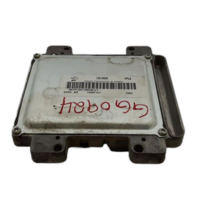
Below are the parts most often responsible for code U3582, ranked by how frequently each one is the actual culprit (per the diagnosis above). Tap any to see what we have for your vehicle.


The information in this article is provided for general reference and educational purposes only. Vehicle specifications, procedures, and part compatibility can vary by production date, trim level, and region. Always consult your vehicle's factory service manual and verify part numbers before purchasing or performing repairs. Safety-critical components such as airbags, seat belts, and braking systems should be installed by a qualified professional.
- 🧭 Diagnostic Flowchart
- 🎬 Helpful Videos
- 🛍️ Shop This Part
- What Does U3582 Mean?
- Can I Drive With U3582?
- Common Causes
- Symptoms
- Common Fixes & Costs
- DIY vs Professional
- Used vs. New Parts: Buying Guide
- What Happens If You Wait — Timeline
- Cost of Not Fixing It
- Diagnosis Steps
- When This Code Triggers (Freeze-Frame Conditions)
- Related Codes
- Climate & Environmental Factors
- How to Talk to a Mechanic About This Code
- Where to Take It: Dealer vs Independent vs Chain
- When to Walk Away From the Repair
- What Scan Tool You Need for This Code
- How to Clear the Code After You Fix It
- Will This Fail Emissions / State Inspection?
- Most Commonly Affected Vehicles
- Manufacturer-Specific Notes
- Real Owner Stories
- 2023 Cadillac Lyriq with shifting failure
- 2022 GMC Hummer EV with intermittent warning
- New GMC Hummer EV with electrical gremlins
- How to Prevent This Code From Triggering
- Frequently Asked Questions
- Is it safe to drive with code U3582?
- Can I fix code U3582 myself?
- Will clearing the code make it go away?
- Does U3582 mean I need a new battery?
- What are common misdiagnosis mistakes for U3582?
- Is the U3582 software update covered under warranty?
- How much does it cost to fix U3582?
- Can a bad 12V battery really cause this high-voltage system code?
- Key Takeaways
- 🎟️ Get 5% Off