

2007-2011 Nissan Altima Hybrid Power Converter: Solving the Mystery of the Dead 12V Battery
This guide explains why the DC/DC Power Converter, not a bad battery or alternator, is often the real reason your Altima Hybrid's 12V system is failing.
- This part acts as the alternator; if it fails, your 12V battery will not charge, leading to a dead battery and a no-start condition.
- A repeatedly dead 12V battery is the #1 symptom. Don't assume the battery is bad; test the charging voltage when the car is in 'Ready' mode.
- Replacement is extremely dangerous due to high voltage. You MUST disable the hybrid system by removing the service plug before working on this part.
- The correct OEM part number is 292A0JA810. A used OEM unit is a cost-effective repair, but ensure it comes with a warranty.
What is the Power Converter and What Does It Do?

In the 2007-2011 Nissan Altima Hybrid, there is no traditional belt-driven alternator. Instead, the job of charging the 12-volt battery and powering the car's electronics falls to a component called the DC/DC Power Converter. This converter is a crucial part of the hybrid system, located in the trunk and attached to the main high-voltage (HV) battery assembly. Its primary function is to convert the 245-volt direct current (DC) from the HV battery into approximately 14-volt DC. This ensures the 12V battery stays charged and all the vehicle's computers, sensors, and accessories have the stable power they need to operate correctly.
Symptoms of a Failing Power Converter

When the DC/DC converter begins to fail, it can create a cascade of confusing electrical issues. Because it's responsible for the entire 12V system, the symptoms often look like a bad 12V battery or a faulty alternator.
- Repeatedly Dead 12V Battery: This is the most common symptom. You might replace the 12V battery, only for it to die again within a few days or weeks because it is not being recharged by the converter.
- Hybrid System Warning Lights: You will likely see the main hybrid system warning light, a 'Charging System Fault' message, or the 'Check Engine' light on your dashboard.
- Electrical 'Gremlins': As the 12V system voltage drops, you may experience flickering dashboard lights, a radio that cuts out, slow-moving power windows, or other seemingly random electronic issues.
- No-Start or 'Click, No-Start': If the 12V battery is completely drained, there won't be enough power to activate the car's computers and main relays, preventing the car from entering the 'Ready' mode.
- Engine Stalling at Highway Speeds: In some cases, a failing converter can cause the vehicle to shut down the gasoline engine and unexpectedly switch to EV mode while driving, which can be dangerous at high speeds.
Common Diagnostic Trouble Codes (DTCs)
A professional scan tool can pull specific codes that point directly to the converter. The most common code is:
- P0A94 - DC/DC Converter Performance: This code is set when the hybrid control module detects that the voltage going into or out of the converter is not within the expected range.
Other related codes may include P0AC4 (Hybrid Powertrain Control Module) and P0A08 (DC/DC Converter Fault Circuit).
Pro Tip: You can perform a basic check with a multimeter. With the car in 'Ready' mode, check the voltage across the terminals of the 12V battery in the trunk. A healthy charging system should read between 13.5 and 14.5 volts. If the voltage is stuck around 12V or lower while the car is on, the DC/DC converter is likely not charging the battery.
Buying a Used Power Converter: What to Look For

Since new aftermarket converters for this model are not available, a used OEM unit is the most practical and cost-effective solution. Here’s what to check before you buy.
- Verify the Part Number: The correct OEM part number for the 2007-2011 Altima Hybrid is 292A0JA810. Always match this number exactly to ensure compatibility.
- Inspect for Physical Damage: Even though it's an electronic part, a visual inspection is important. Look for signs of corrosion on the aluminum casing and electrical connectors. Check that all connector pins are straight and not damaged. Avoid any units with dents, cracks, or signs of being dropped.
- Check the Source Vehicle: If possible, find out the mileage of the vehicle the part came from. A part from a lower-mileage vehicle is always preferable. More importantly, ensure the part came from a vehicle that did not have flood or fire damage, as this can destroy electronics.
- Buy From a Reputable Seller: Purchase from an auto recycler that offers a warranty. A 90-day or 6-month warranty provides peace of mind and protects you if the part is defective. Electronic parts can fail without warning, so a warranty is crucial.
- Why Used OEM is a Good Choice: The original Nissan converter is designed specifically for the Altima's hybrid system. It communicates properly with the vehicle's other computers. A used OEM part that has been tested and warrantied offers the same performance and fit as a new one at a fraction of the price.
Known Issues, Recalls, and Technical Service Bulletins (TSBs)
There are no specific recalls or TSBs from Nissan that directly address a widespread failure of the DC/DC power converter for the 2007-2011 Altima Hybrid. However, failure of this component is a known issue discussed by owners in online forums, with symptoms consistently pointing to a no-charge condition for the 12V battery.
Replacement Cost Breakdown
Replacing the DC/DC converter involves significant labor due to the safety precautions required for the high-voltage system. Here is an estimated cost breakdown:
| Part/Service | Estimated Cost |
|---|---|
| New OEM Part | $1,200 - $1,400 |
| Used OEM Part | $75 - $350 |
| New Aftermarket Part | Not Available |
| Shop Labor | $250 - $500 (2-3 hours) |
DIY Replacement Guide & Difficulty
Difficulty: 4/5 (Advanced)
While mechanically straightforward, this job is rated as advanced due to the extreme danger of the high-voltage system. It should only be attempted by those with experience and knowledge of hybrid vehicle safety protocols.
Warning: The hybrid system operates at over 245 volts, which can cause severe injury or death. The system can remain energized for up to 10 minutes after the car is turned off. NEVER work on any orange-cabled components without first disconnecting the 12V battery and removing the high-voltage service plug.
Step-by-Step Walkthrough:
- Disable the Vehicle: Park on a level surface, engage the parking brake, and turn the vehicle completely off.
- Access the Trunk: Remove the trunk floor covering and any trim panels necessary to access the high-voltage battery assembly.
- Disconnect the 12V Battery: Using a 10mm wrench, disconnect the negative terminal from the 12V battery first, then the positive terminal.
- REMOVE THE HV SERVICE PLUG: This is the most critical step. Locate the high-voltage service plug on the battery assembly. Follow the manufacturer's procedure to remove it, which typically involves pulling a handle down or out and then pulling the entire plug assembly to disconnect the high-voltage circuit.
- Wait 10 Minutes: Allow at least 10 minutes for the capacitors in the system to fully discharge before proceeding.
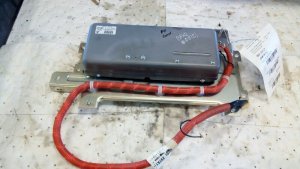
- Remove the Converter: The DC/DC converter is a silver or gray metal box attached to the main battery assembly. Disconnect the electrical connectors attached to it. Then, remove the nuts and bolts securing it to the battery frame.
- Install the New Converter: Bolt the replacement converter into place. Reconnect all electrical connectors securely.
- Re-install the HV Service Plug: Carefully re-insert the high-voltage service plug until it clicks and locks into place.
- Reconnect the 12V Battery: Reconnect the positive terminal first, then the negative terminal.
- Test the System: Start the car and let it go into 'Ready' mode. Use a multimeter to confirm the charging voltage at the 12V battery is now between 13.5V and 14.5V. Check that all warning lights have turned off.
- Reassemble: Re-install all trunk trim and floor coverings.
Frequently Asked Questions (FAQ)
Can I drive my Altima Hybrid with a bad power converter?
No. The vehicle will run off the 12V battery's reserve charge for a very short time, but once that battery is depleted, the car's computers will shut down, and the vehicle will stall and will not restart. It is unsafe to drive.
Why did my brand new 12V battery die so quickly?
A new battery died because the DC/DC power converter is not recharging it. The car is running solely on the battery's stored power, which gets used up quickly, leaving it dead. The root cause is the charging system (the converter), not the battery itself.
Is the power converter the same as the inverter?
No, they are different components, though they are often located near each other. The DC/DC Power Converter changes high-voltage DC to low-voltage DC (for the 12V system). The Inverter changes high-voltage DC from the battery into AC (alternating current) to power the electric traction motor that moves the wheels.
Do I need to program a replacement power converter?
No, this component does not typically require any special programming or calibration after installation. It is a plug-and-play part, provided you use the correct OEM part number.
Helpful Videos
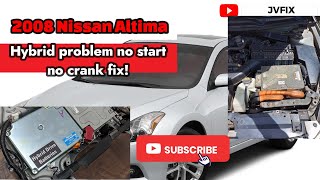
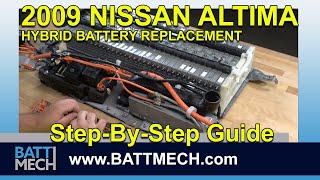
Technical Specifications
OEM Part Numbers: 292A0JA810
Input: ~245V DC, Output: ~14V DC
We Have This Part in Stock

The information in this article is provided for general reference and educational purposes only. Vehicle specifications, procedures, and part compatibility can vary by production date, trim level, and region. Always consult your vehicle's factory service manual and verify part numbers before purchasing or performing repairs. Safety-critical components such as airbags, seat belts, and braking systems should be installed by a qualified professional.
- Nissan Altima:
- 🎬 Helpful Videos
- 🛍️ Shop This Part
- What is the Power Converter and What Does It Do?
- Symptoms of a Failing Power Converter
- Common Diagnostic Trouble Codes (DTCs)
- Buying a Used Power Converter: What to Look For
- Known Issues, Recalls, and Technical Service Bulletins (TSBs)
- Replacement Cost Breakdown
- DIY Replacement Guide & Difficulty
- Step-by-Step Walkthrough:
- Frequently Asked Questions (FAQ)
- 🎟️ Get 5% Off