

1984-1995 GMC G2500 Brake Light Switch: A Comprehensive Guide
If your G2500's brake lights are failing or stuck on, the brake light switch is a common and simple part to replace.
- A faulty switch is a very common cause of brake light failure and was the subject of a historical recall on similar GM trucks.
- You MUST verify if your van has cruise control before ordering, as the switches use different connectors (2-prong vs. 4-prong).
- Replacement is a simple DIY job that usually takes less than 30 minutes and requires only basic hand tools.
- Driving without functional brake lights is illegal and critically unsafe; this repair should not be delayed.
Signs of a Failing Brake Light Switch
A bad brake light switch can cause several obvious and dangerous symptoms. Because these vans are straightforward mechanically, diagnosing the problem is usually simple.
- Brake Lights Don't Work: The most common and dangerous symptom is when your brake lights fail to illuminate when you press the pedal.
- Brake Lights Stay On: The switch can also fail in the 'on' position, causing the brake lights to remain lit even when your foot is off the pedal, which can drain your battery and confuse other drivers.
- Intermittent Brake Lights: The lights may flicker or only work some of the time, indicating a worn-out internal connection in the switch.
- Cruise Control Won't Disengage: If your van has cruise control, a faulty switch may prevent it from turning off when you tap the brake pedal.
Historical Recall Information
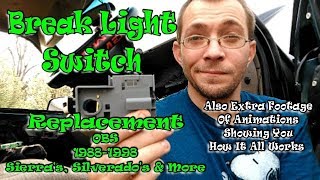
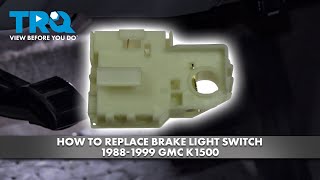
It's important to note that General Motors issued a recall (NHTSA Campaign ID: 99V025000 🎬 Watch: Step-by-step brake light switch replacement for GM trucks) for similar era trucks due to premature brake light switch failure. This recall addressed switches that could wear out and prevent the brake lights from activating. While the recall period is long past, it highlights that this specific part is a known failure point on these vehicles.
Choosing the Right Aftermarket Brake Light Switch
For a vehicle like the 1984-1995 G2500, aftermarket parts offer excellent value. The technology is simple, and quality aftermarket brands often meet or exceed the original specifications. The most critical factor is ensuring you buy the correct switch for your van's options—specifically, whether or not it has cruise control.
Brand Quality Tiers
- OE & Standard Replacement Brands (Standard Ignition, Rostra Powertrain): Brands like Standard Ignition have a long-standing reputation for producing reliable electronic components that are considered a trusted choice by many mechanics. Rostra is known for manufacturing a wide range of automotive electronics, including some original equipment parts for major automakers, indicating a high level of quality control. These brands are a solid choice for a durable, long-lasting repair.
- Economy Brands (Skyward, Vemo): These brands provide a functional and cost-effective solution. For a simple part like a brake light switch, they are a viable option if budget is the primary concern. They are designed to be direct-fit replacements but may not have the same long-term durability as more established brands.
| Brand | Our Price Range | Quality Tier |
|---|---|---|
| Rostra Powertrain | $15 - $37 | OE / Standard |
| Standard Ignition | $10 - $25 | OE / Standard |
| Vemo | $8 - $20 | Economy |
| Skyward | $5 - $15 | Economy |
Common Ordering Mistake
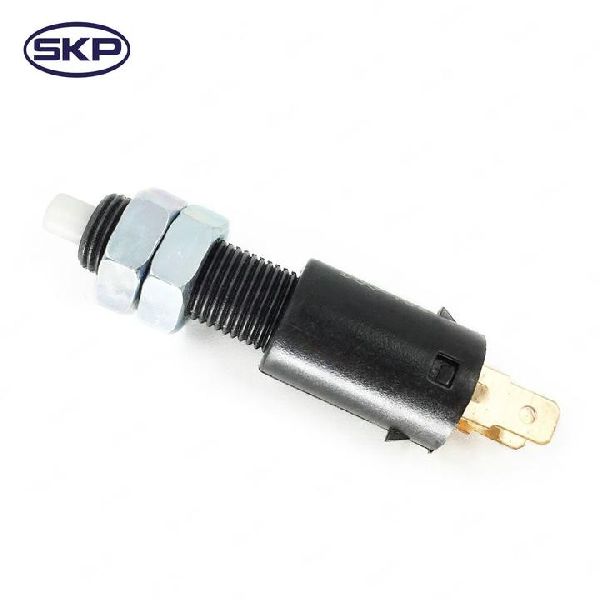
Before ordering, visually inspect your current brake light switch. The primary difference is the number of electrical terminals. Switches for vans with cruise control typically have four prongs, while those without cruise control have two. Ordering the wrong one will mean the connector won't fit or your cruise control won't work.
DIY Replacement Guide
Replacing the brake light switch on a G2500 is a beginner-friendly job that requires minimal tools and time.
- Locate the Switch: The switch is mounted on the brake pedal support bracket, just above the pedal arm. You will need to look up from the driver's side floor.
- Disconnect Power: It is always a good practice to disconnect the negative battery terminal before working on electrical components.
- Remove the Old Switch: Unplug the electrical connector. The switch is typically held in place by a metal retaining clip or by its own design, where it slides onto a post and into a bracket. Pry off the clip with a screwdriver 🎬 See how to replace the switch on models without clips or simply pull the switch firmly downwards to release it from its mount.
- Install the New Switch: Slide the new switch into place, ensuring it's properly seated on the pedal assembly and bracket. Re-install the retaining clip if it has one.
- Connect and Test: Plug the electrical connector back in and reconnect the battery. Have a helper confirm that the brake lights turn on when you press the pedal and turn off when you release it.
Frequently Asked Questions (FAQ)
Can I still drive my G2500 with a bad brake light switch?
No. Driving without functioning brake lights is illegal and extremely dangerous. If your brake lights are stuck on, you risk draining the battery and confusing other drivers. This part should be replaced immediately.
Where is the brake light switch located?
It is located under the driver's side dashboard, attached to the brake pedal's support structure. It makes contact with the pedal arm itself.
Do I need to adjust the new brake light switch?
Most aftermarket switches for this van are self-adjusting or do not require adjustment. Once installed, pressing and releasing the brake pedal a few times will typically set it to the correct position.
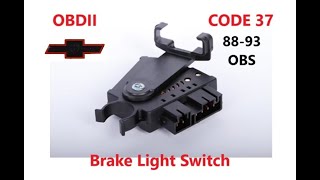
🎬 Watch this walkthrough to fix brake codes and install switchesIs an OEM switch better than aftermarket for this part?
For this specific part and vehicle age, a quality aftermarket switch from a reputable brand like Standard Ignition or Rostra is just as reliable as an OEM part, and often more affordable. Given the history of OEM switch failures on these trucks, a modern aftermarket part may even be an improvement.
Helpful Videos
Technical Specifications
OEM Part Numbers: 25524845
Mechanical switch activated by the brake pedal arm. Mounts to the pedal support bracket. Available in multiple configurations, most commonly with 2 or 4 electrical blade terminals depending on the cruise control option.
We Have This Part in Stock


The information in this article is provided for general reference and educational purposes only. Vehicle specifications, procedures, and part compatibility can vary by production date, trim level, and region. Always consult your vehicle's factory service manual and verify part numbers before purchasing or performing repairs. Safety-critical components such as airbags, seat belts, and braking systems should be installed by a qualified professional.
- GMC G2500: