

Choosing the Best Front Disc Brake Pads for Your 1986-1994 Hyundai Excel
Find the right stopping power and value for your Excel with this guide to aftermarket brake pads.
- For most 1986-1994 Excel owners, a mid-tier 'Daily Driver' brake pad from brands like Centric, Wagner, or Bosch offers the best combination of performance and value.
- Due to the vehicle's age, aftermarket parts are the standard. Don't overpay for OEM parts, if you can even find them.
- Always inspect and likely replace your brake rotors when installing new pads to ensure proper performance and longevity.
- Listen for squealing noises as the first sign of wear; address grinding noises immediately to prevent more expensive damage.
Signs of Worn Brake Pads
Your Hyundai Excel will give you clear warnings when the brake pads are getting low. Ignoring them can lead to more expensive repairs. Look out for these common symptoms:
- Squealing or Screeching: Most brake pads have a small metal tab called a wear indicator. When the pad material wears down, this tab scrapes against the brake rotor, making a high-pitched noise when you brake. This is the first sign to get your brakes checked.
- Grinding Noises: If you hear a deep, metallic grinding sound, it means the friction material is completely gone. The metal backing plate of the pad is now grinding against the rotor. This is a serious issue that can quickly destroy your rotors, leading to a more costly repair.
- Longer Stopping Distances: If you notice your car takes longer to stop than it used to, your brake pads may be worn out and unable to create enough friction.
- Spongy or Soft Brake Pedal: While this can also indicate problems with brake fluid or the master cylinder, it can be a symptom of extremely worn pads.
Early Model Recall Notice
In March 1986, Hyundai recalled the very first Excels sold in the U.S. for a potential issue with a cotter pin in the brake pedal linkage that could lead to a loss of braking power. This issue applied to as many as 4,000 of the first cars sold and was addressed by dealers. While this is not related to the brake pads themselves, it is a significant part of the vehicle's brake system history.
Choosing the Right Aftermarket Brake Pads
For a vehicle like the 1986-1994 Excel, original equipment manufacturer (OEM) parts are often unavailable or unnecessarily expensive. The aftermarket offers a wide range of quality pads that meet or exceed original specifications. The key is to choose a pad that matches your driving style and budget.
Brake Pad Tiers for Your Excel
We can group the available brands into three main categories:
- Economy Pads (Good): These are the most affordable options, designed for basic transportation and low-mileage drivers. They provide safe, reliable stopping power for everyday use. Brands in this tier include Pronto and Total Stopping Solutions.
- Daily Driver Pads (Better): This is the best choice for most Excel owners. These pads offer a fantastic balance of durability, low noise, and consistent performance, similar to what the car had when it was new. Reputable brands like Centric, Wagner, Raybestos, Bendix, and Bosch fall into this category. They are often available in ceramic or semi-metallic formulas.
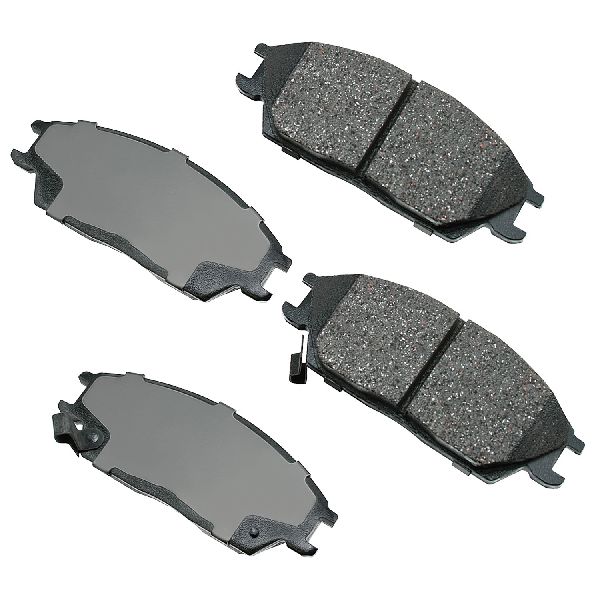
- Premium Pads (Best): These pads are designed for enhanced performance, offering benefits like lower dust, even quieter operation, or better bite. For an Excel, these are generally overkill but can be a good choice if you want the longest life and quietest performance. Brands include Akebono, Brembo, Powerstop, and Pagid.
| Pad Tier | Price Range (Front Set) | Common Brands | Best For |
|---|---|---|---|
| Economy | $16 - $30 | Pronto, Total Stopping Solutions | Basic, low-cost repairs |
| Daily Driver | $25 - $55 | Centric, Wagner, Bosch, Raybestos | Most owners; best balance of price and quality |
| Premium | $50 - $92+ | Akebono, Brembo, Powerstop | Maximum quietness and low-dust performance |
Ceramic vs. Semi-Metallic
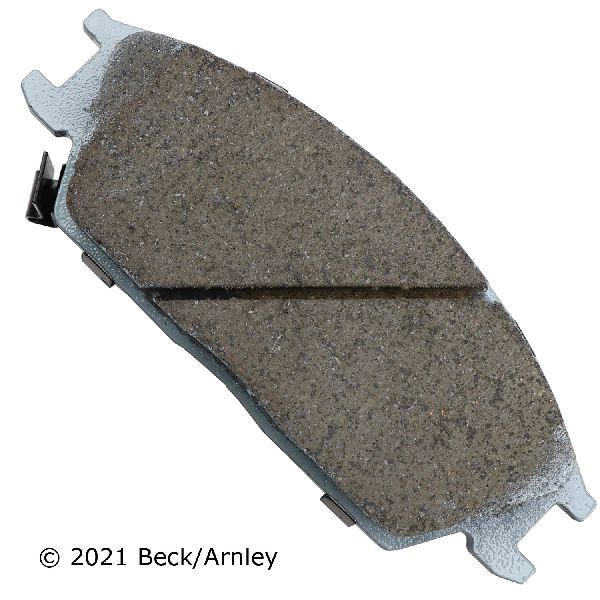
For the Excel, either material is a good choice. Ceramic pads are known for being very quiet and producing less brake dust, keeping your wheels cleaner. Semi-metallic pads offer excellent performance and durability, though they can sometimes be slightly noisier and dustier than ceramics. For general driving, a quality ceramic pad from a daily-driver brand is often the ideal pick.
Frequently Asked Questions
Should I replace my brake rotors at the same time?
It is highly recommended. If your old pads were grinding, the rotors are almost certainly damaged and must be replaced. Even if they weren't, installing new pads on a worn, uneven rotor surface can cause noise, vibration, and reduced pad life. Given the low cost of new rotors for the Excel, replacing them with the pads is a smart investment.
What is a Technical Service Bulletin (TSB) and are there any for my Excel's brakes?
A TSB is a notice from the manufacturer to its dealers about a common problem and a recommended fix. While specific TSBs for a 1986-1994 Excel are now historical, general Hyundai TSBs recommend best practices like cleaning and lubricating caliper slide pins and hardware with every brake job to prevent pads from sticking or wearing unevenly.
Is it hard to replace the brake pads on my Excel myself?
No, this is a very straightforward job for a DIY mechanic. The Excel's simple brake system makes pad replacement one of the easier maintenance tasks you can perform. You will need a jack, jack stands, a lug wrench, a basic socket set, and a C-clamp to compress the caliper piston.
Do I need to 'bed-in' my new brake pads?
Yes, bedding-in is the process of transferring an even layer of friction material from the new pads onto the rotors. This ensures smooth, quiet, and powerful braking. The procedure usually involves a series of moderate stops from different speeds without coming to a complete stop. Always follow the specific instructions provided by the brake pad manufacturer.
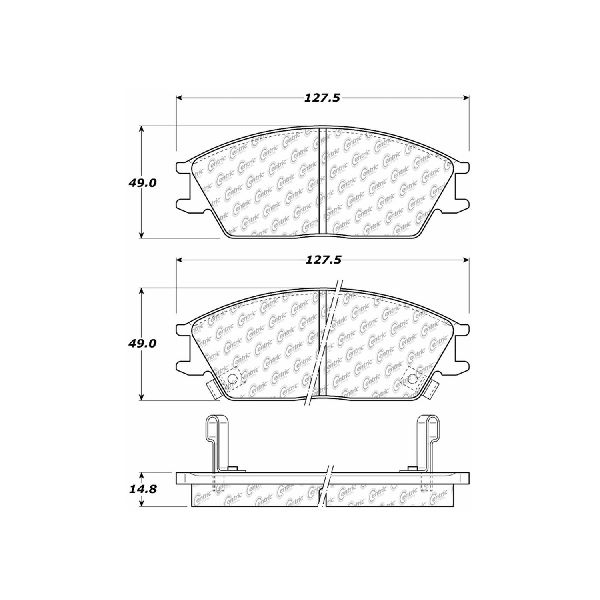
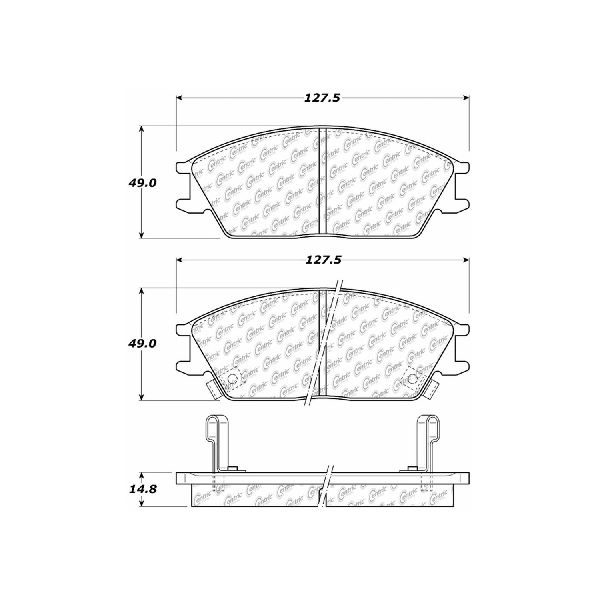
Technical Specifications
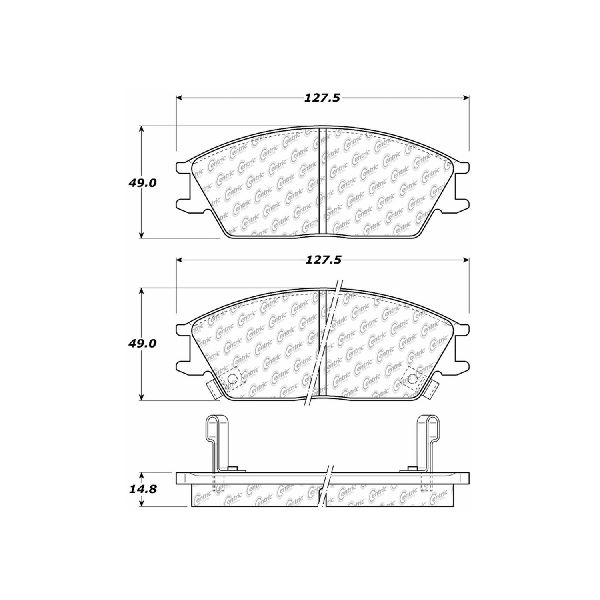
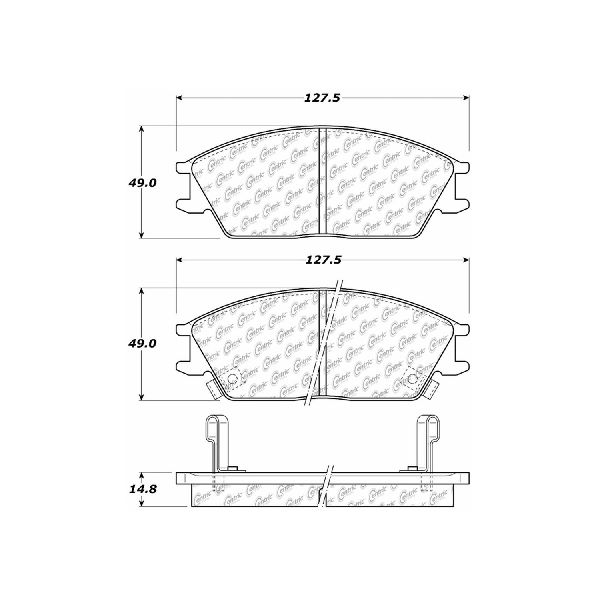
Position: Front Axle
We Have This Part in Stock

The information in this article is provided for general reference and educational purposes only. Vehicle specifications, procedures, and part compatibility can vary by production date, trim level, and region. Always consult your vehicle's factory service manual and verify part numbers before purchasing or performing repairs. Safety-critical components such as airbags, seat belts, and braking systems should be installed by a qualified professional.
- Hyundai Excel: