

GMC C3500 Instrument Panel Dimmer Switch Guide (1988-2000)
Having trouble with flickering or dead dash lights in your GMC C3500? Your dimmer switch is the likely culprit.
- A flickering or dead instrument panel is a very common and easy-to-fix issue on 1988-2000 C3500s, almost always caused by the dimmer switch.
- Replacement is a simple DIY job that takes under 30 minutes and requires no special tools.
- Choose a quality aftermarket brand like Standard Ignition for a reliable, long-term repair.
- Always check the fuse first, but if wiggling the switch affects the lights, the switch is the confirmed problem.
Is Your GMC C3500's Dash Dark?
A common issue on the 1988-2000 GMC C3500 is the failure of the instrument panel dimmer switch. Over time, the internal components of the switch wear out, corrode, or get dirty, leading to a poor electrical connection. This can cause your dash lights to flicker, work only on the brightest setting, or stop working altogether. Since this switch also controls the dome light override on many models, a failure can sometimes cause the interior lights to stay on.
Symptoms of a Failing Dimmer Switch
- Flickering Dash Lights: The lights for your speedometer, radio, and climate control may flicker or cut in and out randomly.
- No Dimming Control: You might find the lights are stuck on full brightness or won't turn on at all until you jiggle the switch.
- Complete Dash Blackout: The most common symptom is a total loss of instrument backlighting, even though the headlights and exterior lights work fine. 🎬 Watch this video to diagnose a total dash light blackout.
- Dome Light Issues: In some cases, a faulty dimmer switch can prevent the dome light from turning off.
Check the Simple Things First
Before replacing the switch, always check the fuse for the instrument panel lights (often labeled "ILLUM" or "INST"). While less common, a bad ground connection can also cause flickering lights. However, if the lights come back when you wiggle the dimmer wheel, the switch itself is almost certainly the problem.
Choosing the Right Aftermarket Switch
For a vehicle of this age, finding a new OEM (Original Equipment Manufacturer) part from a GM dealer is highly unlikely. Aftermarket parts are the go-to solution. The good news is that for this component, quality aftermarket brands offer reliable, long-lasting replacements.
Standard Ignition (Standard Motor Products - SMP): This is a well-regarded brand in the aftermarket world. They have a long history of producing quality electrical components that meet or exceed original specifications. For a critical part like a headlight and dimmer switch, choosing a trusted brand like Standard Ignition is a smart move to ensure reliability and proper fit. Cheaper, unbranded switches are available, but they have a higher risk of premature failure.
| Brand Tier | Our Price Range | Notes |
|---|---|---|
| Premium Aftermarket (e.g., Standard Ignition) | $49.98 - $141.33 | Offers the best reliability and fit, often with materials that resist corrosion better than the original. The price varies based on the specific model year and whether it includes features like fog light controls. |
Installation Tip
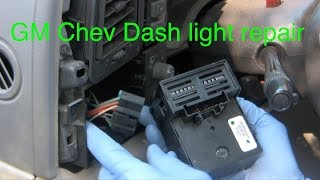
Replacing the dimmer switch on a GMT400 truck is a straightforward DIY job that usually takes less than 30 minutes. The switch is part of the headlight switch assembly, which is held into the dash bezel by clips. You'll need to carefully pry the bezel away from the dashboard, unplug the old switch, and snap the new one in. No special tools are required, though a plastic trim removal tool can help prevent scratching the dash.
🎬 Learn how to fix and reset flickering dashboard lights.Frequently Asked Questions
My headlights work, but my dash lights don't. Is it the dimmer switch?
Yes, this is the classic symptom of a failed dimmer switch in a GMC C3500. The headlight function and the instrument light function are separate circuits within the same switch assembly. The dimmer portion, which uses a component called a rheostat, is what typically fails.
Can I just clean the old switch?
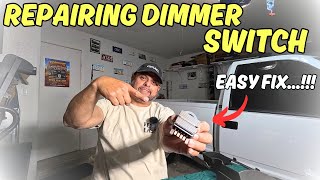
Some owners have had temporary success by taking the switch apart and cleaning the internal contacts 🎬 See how to repair a dimmer switch on OBS trucks. with an electrical cleaner. However, this is often a short-term fix. The contacts and resistor track are usually worn out or corroded, and the problem will likely return. Given the low cost of a new, reliable aftermarket switch, replacement is the recommended long-term solution.
Are there any recalls for the dimmer switch on my truck?
No, there are no specific recalls for the instrument panel dimmer switch on the 1988-2000 GMC C3500. While GM has had major recalls for ignition switches on other vehicles, this part is not included.
Why do some replacement switches cost more than others?
The price difference usually comes down to the brand's quality control and whether the switch includes controls for other options, like fog lights. A base model switch will be less expensive than one for a fully-optioned truck. Always match the new part to your vehicle's specific features.
Helpful Videos

Technical Specifications
OEM Part Numbers: 1995394
The switch is a combination headlight switch, rotary dimmer (rheostat), and dome light override switch. It mounts directly into the driver-side dash bezel.
We Have This Part in Stock


The information in this article is provided for general reference and educational purposes only. Vehicle specifications, procedures, and part compatibility can vary by production date, trim level, and region. Always consult your vehicle's factory service manual and verify part numbers before purchasing or performing repairs. Safety-critical components such as airbags, seat belts, and braking systems should be installed by a qualified professional.
- GMC C3500: