

1990-2000 Mazda Miata Brake Light Switch: A Complete Replacement Guide
Diagnose and fix common brake light and cruise control issues in your NA or NB Miata.
- A bad brake light switch is a critical safety issue; do not drive if your brake lights are not working.
- Symptoms include non-working brake lights, lights that stay on, cruise control failure, or being stuck in Park.
- Before replacing the switch, check the fuse, bulbs, and the small plastic stopper pad on the brake pedal arm.
- Replacement is an easy DIY job that takes less than 30 minutes, but proper adjustment of the new switch is essential.
Is Your Miata's Brake Light Switch Failing?
A faulty brake light switch is a common issue on the first and second-generation (NA/NB) Mazda Miata due to age and constant use. The symptoms can sometimes be confusing, but the fix is usually simple and inexpensive. Because non-working brake lights are a major safety hazard, this is a part you should address immediately if you suspect it has failed.
Safety First: Check Before You Drive
Driving without functional brake lights is illegal and extremely dangerous, as it significantly increases your risk of being rear-ended. If you suspect your brake lights are not working, confirm by backing up to a wall or garage door at night and pressing the pedal. If they don't light up, do not drive the car until it is repaired.
Common Symptoms of a Bad Brake Light Switch
Before you replace the switch, always check the simple things first: the brake light bulbs and the "STOP" fuse in the fuse box. If those are good, your switch is the next likely culprit. Look for these signs:
- Brake Lights Don't Work: The most obvious symptom. If all brake lights fail to illuminate when you press the pedal, the switch has likely failed in the open position.
- Brake Lights Stay On: The switch can also fail in the closed position, causing the brake lights to remain on even when your foot is off the pedal. This will drain your battery.
- Cruise Control Won't Set or Disengages: If the switch is faulty, it may not send the correct signal to the cruise control module, preventing it from working.
- Can't Shift Out of Park (Automatic Models): A bad switch won't signal the shift interlock solenoid, leaving your gear selector stuck in Park.
Check the Pedal Stopper Pad First!
Many Miatas use a small plastic or rubber pad on the brake pedal arm that presses the switch's plunger. Over time, this pad can become brittle and disintegrate. If it falls out, the switch plunger will go right through the hole where the pad used to be, causing the brake lights to stay on constantly. Check to make sure this pad is intact before buying a new switch.
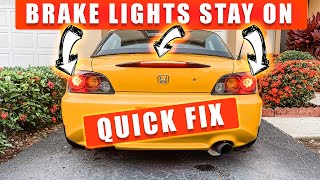
🎬 Watch: How to fix brake lights that stay on constantly.Choosing the Right Aftermarket Brake Light Switch
For a simple component like a brake light switch, a quality aftermarket part is a reliable and cost-effective choice. The original Mazda part is also a safe bet, but reputable aftermarket brands offer comparable performance for less money. Be sure to buy the correct switch for your car (with or without cruise control).
Brand Quality Tiers
- Tier 1: Reputable OE-Style Replacements: Brands like Beck Arnley and Standard Ignition (SMP) have a long history of providing parts that meet or exceed original specifications. They are trusted choices for a direct-fit, reliable replacement. Rostra is another solid manufacturer of automotive electronics.
- Tier 2: Standard Aftermarket: Brands like Facet offer a functional and budget-friendly alternative. While reviews are generally positive, quality control may not be as consistent as Tier 1 brands.
Cost to Replace a 1990-2000 Miata Brake Light Switch
| Part Type | Cost Range |
|---|---|
| New OEM (Mazda) | $25 - $45 |
| New Aftermarket | $18.19 - $48.87 |
| Shop Labor | $50 - $90 |
Frequently Asked Questions (FAQ)
Is replacing the brake light switch a DIY job?
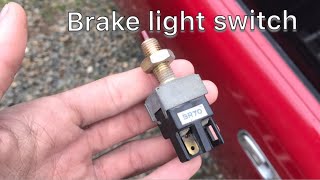
Yes, this is a very easy DIY job for most owners. The switch is located above the brake pedal and is held in by a retaining nut. The job requires basic hand tools, can be done in under 30 minutes, and involves working in the driver's footwell.
🎬 See this walkthrough on how to change the switch.How do I adjust the new brake light switch?
Proper adjustment is critical. After installing the new switch, you need to adjust its position. The goal is to have the brake lights turn on the instant you touch the pedal and turn off completely when the pedal is released. Loosen the retaining nut, turn the switch to move it closer to or further from the pedal arm, and then tighten the nut once it's in the correct position.
Are there any recalls for the Miata brake light switch?
No, there are no specific recalls or Technical Service Bulletins (TSBs) from Mazda or the NHTSA for the brake light switch on the 1990-2000 Mazda Miata. Failures are typically due to normal wear and tear over many years of use.
My cruise control doesn't work, but the brake lights do. Could it be the switch?
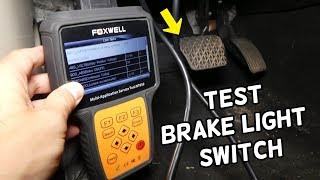
Yes. Some brake light switches have separate internal circuits for the brake lights and the cruise control signal. It's possible for one circuit to fail while the other continues to work. Given the low cost of the part, it's a good item to replace when troubleshooting cruise control issues.
🎬 Watch: How to diagnose and fix your Miata's cruise control.Helpful Videos
Technical Specifications
OEM Part Numbers: B001-66-490A B001-66-490
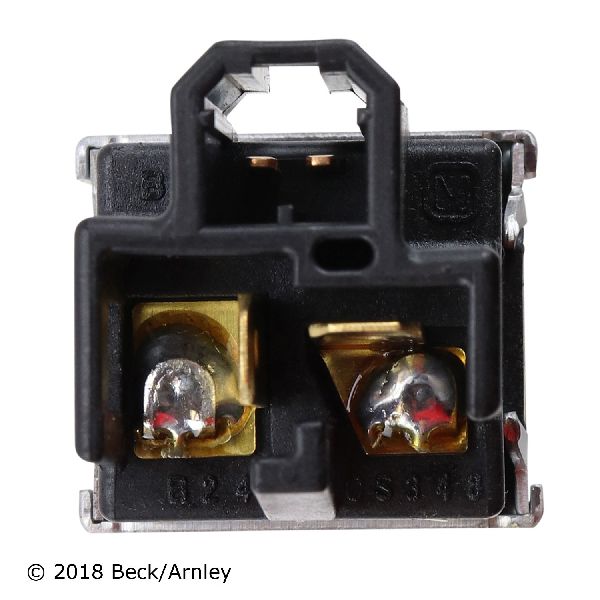
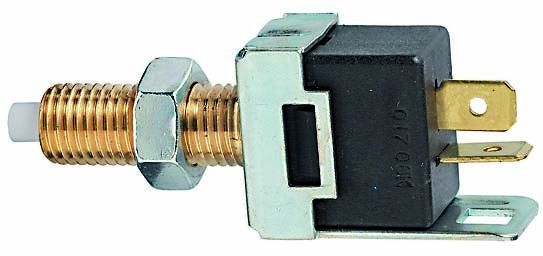
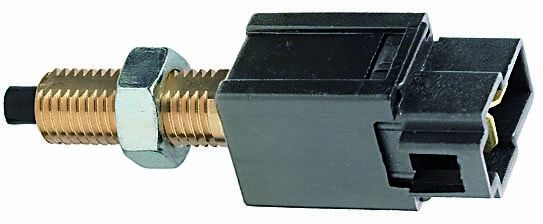
Located above the brake pedal arm. Typically a 2-pin or 4-pin configuration depending on whether the vehicle has cruise control.
We Have This Part in Stock


The information in this article is provided for general reference and educational purposes only. Vehicle specifications, procedures, and part compatibility can vary by production date, trim level, and region. Always consult your vehicle's factory service manual and verify part numbers before purchasing or performing repairs. Safety-critical components such as airbags, seat belts, and braking systems should be installed by a qualified professional.
- Mazda Miata:
- 🎬 Helpful Videos
- 🛍️ Shop This Part
- Is Your Miata's Brake Light Switch Failing?
- Safety First: Check Before You Drive
- Common Symptoms of a Bad Brake Light Switch
- Check the Pedal Stopper Pad First!
- Choosing the Right Aftermarket Brake Light Switch
- Brand Quality Tiers
- Cost to Replace a 1990-2000 Miata Brake Light Switch
- Frequently Asked Questions (FAQ)
- 🎟️ Get 5% Off