

Choosing the Right Disc Brake Rotors for Your 1990-2003 Mazda Protege
Eliminate brake vibration and noise by selecting the correct new rotors for your Protege.
- Before ordering, you must verify if your Protege has rear disc or drum brakes.
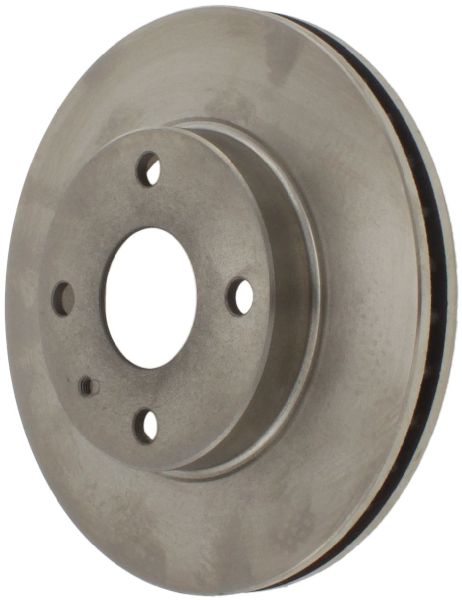
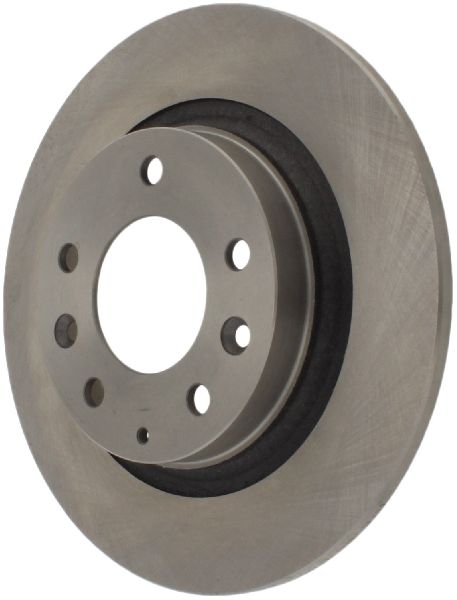
- Confirm if your wheels have a 4-lug or 5-lug pattern, as this determines which rotor fits.
- Warping is a common issue, often caused by seized caliper slide pins. Always clean and lubricate pins during replacement.
- For most drivers, a quality coated aftermarket rotor from a brand like Centric or Raybestos is the best value.
Is It Time for New Rotors?
On the 1990-2003 Mazda Protege, rotor issues are common and noticeable. Don't ignore these signs, as worn rotors can seriously reduce your stopping power.
Symptoms of Failing Brake Rotors
- Vibration or Pulsing: A common complaint is a shaking steering wheel or a pulsing brake pedal when you brake from higher speeds. This is often called 'warping' and can be caused by uneven rotor wear or seized caliper components.
- Grinding or Squealing Noises: A metal-on-metal grinding sound means your brake pads are likely worn out and are now damaging the rotors. Squealing can also indicate worn components.
- Visible Grooves or Damage: Look at the rotor's surface. If you see deep lines, grooves, or a pronounced 'lip' on the outer edge, it's time for a replacement.
- Poor Brake Performance: If your car takes longer to stop than it used to, worn rotors could be a major reason.
Known Vehicle Issues
Owners of the 1990-2003 Protege have reported a few common issues. Seized caliper slide pins are a frequent problem. When the pins don't slide freely, the brake pads wear unevenly, causing the rotor to overheat and warp. Rear calipers on models with four-wheel disc brakes are also known to seize, leading to accelerated wear of the rear pads and rotors. A Technical Service Bulletin (TSB) was also issued for older models (1989-1998) regarding a 'popping' noise during light braking, caused by a worn caliper slide pin.
Critical: Avoid Common Ordering Mistakes
Before you buy, you MUST confirm two things about your specific Mazda Protege:
- Rear Brakes: Disc or Drum? Base models like the DX and LX often came with rear drum brakes. Higher trims like the ES, MP3, Mazdaspeed, and the Protege5 wagon typically have four-wheel disc brakes. Look through your rear wheel spokes: if you see a flat, solid disc, you have disc brakes. If you see a large, enclosed metal 'drum', you have drum brakes and only need front rotors.
- Wheel Lug Pattern: 4-Lug or 5-Lug? Early and base models often use a 4-lug wheel pattern (4x100 bolt pattern). Later models and performance trims (like the Protege5 and Mazdaspeed) use a 5-lug pattern (5x114.3). Count the lug nuts on your wheel. Ordering a rotor with the wrong number of holes is a very common mistake.
Choosing the Right Aftermarket Rotors
For a vehicle like the Protege, high-quality aftermarket rotors offer the best balance of performance and price. OEM rotors are available but are often more expensive without a significant performance benefit for daily driving. Aftermarket brands can be grouped into tiers.
Tier 1: Daily Driver / OEM-Equivalent
These brands provide reliable, quiet performance for everyday commuting. They are a significant step up from budget 'white box' parts that tend to warp easily. Many offer a black or grey coating on the hat and edges to prevent rust and keep them looking good.
- Centric (Premium): A highly recommended choice for a standard replacement. Avoid their cheapest 'C-Tek' line, as some users report issues; the 'Premium' line is the way to go.
- Raybestos (Element3 Coated): Known for their rust-preventative coating, which is a great feature. They are a solid, dependable option.
- Bosch, Beck Arnley, Pronto: All offer quality OEM-style replacement rotors that will restore original braking performance.
Tier 2: Performance / Enthusiast Upgrade
If you drive more aggressively or want a sportier look, these brands offer kits that often include drilled or slotted rotors with matching performance pads. The slots help clear gas and dust, while the drilling helps with cooling, but they can sometimes create more noise than a blank rotor.
- PowerStop: Offers popular all-in-one kits (Z17 for daily driving, Z23 for a sport upgrade) that include rotors, pads, and hardware.
- StopTech & Hawk Performance: These brands are well-known in the performance aftermarket and offer slotted or drilled rotors that provide improved bite and heat dissipation.
- EBC Brakes & Brembo: Premium choices for drivers seeking the highest level of braking performance.
Pro Tip: Do the Job Right
Always replace your brake pads when you install new rotors. Also, take the time to clean and lubricate the caliper slide pins with high-temperature brake grease. This is the #1 way to prevent the uneven wear that causes rotors to warp on the Protege.
Cost of New Aftermarket Disc Brake Rotors (1990-2003 Mazda Protege)
| Rotor Type | Price Range (Per Rotor) | Notes |
|---|---|---|
| Economy Aftermarket | $25 - $40 | Basic, uncoated rotors. Higher risk of premature warping. |
| Daily Driver (Coated) | $31 - $75 | Recommended for most owners. Brands like Centric Premium, Raybestos Element3. |
| Performance (Drilled/Slotted) | $60 - $150 | For enhanced performance and appearance. Brands like PowerStop, StopTech. |
| High-Performance/Premium | $150 - $254+ | Top-tier brands for maximum performance. |
Frequently Asked Questions
Why do my Protege rotors keep warping?
The most common cause is not the rotor itself, but a seized caliper slide pin or piston. This causes the brake pad to drag constantly on one side of the rotor, creating intense, uneven heat that leads to warping or uneven pad material deposits. Always service your calipers when changing rotors to prevent this.
Are drilled and slotted rotors better for my Protege?
For daily driving, a quality blank rotor is often the best choice for quiet, smooth, and reliable operation. Drilled and slotted rotors can offer better cooling and wet-weather performance, but may also produce more noise and dust. For a daily driven Protege, the benefits are mostly aesthetic unless you are doing performance driving.
Do I need to replace all four rotors at once?
No, but you must always replace them in pairs (both front rotors or both rear rotors). Replacing only one rotor on an axle will cause dangerously unbalanced braking.
What is the difference between front and rear rotors?
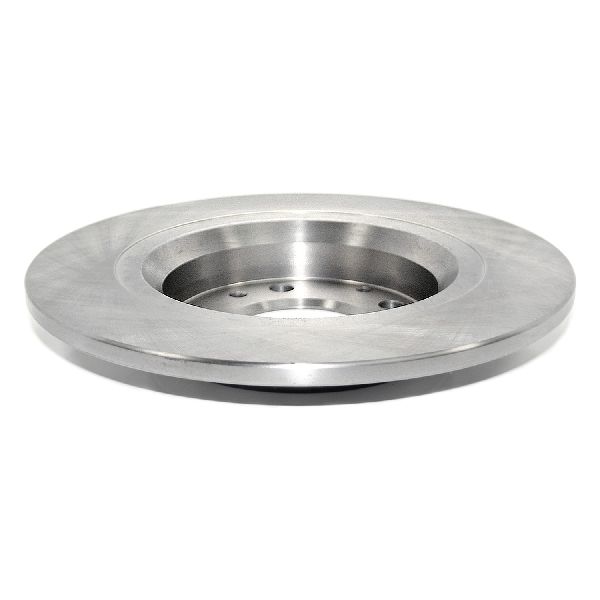
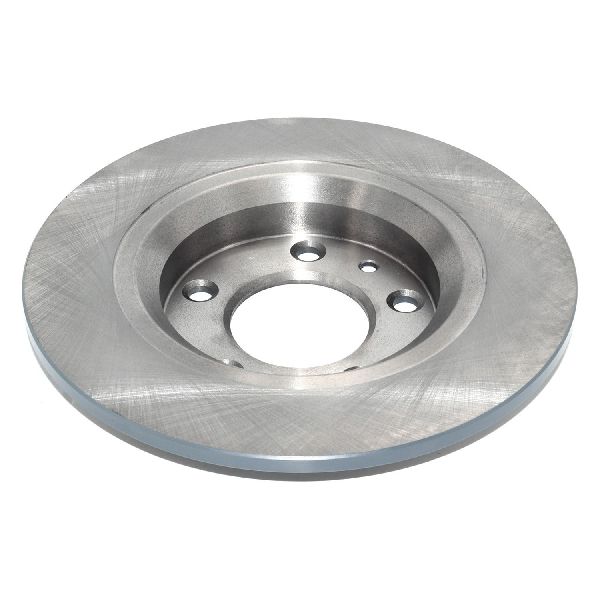
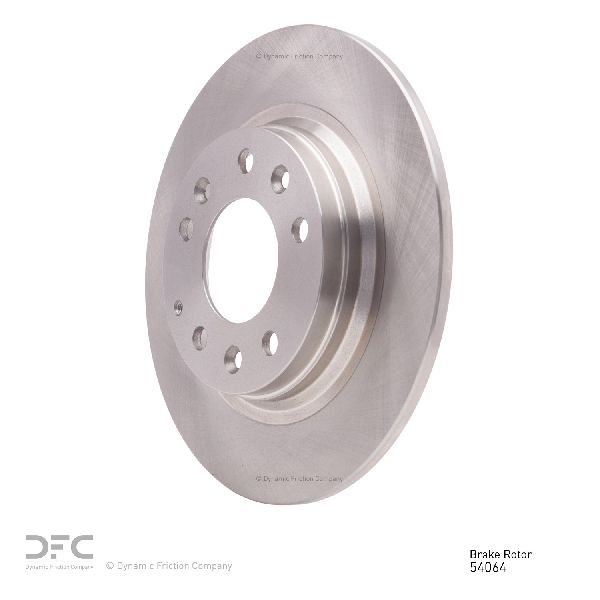
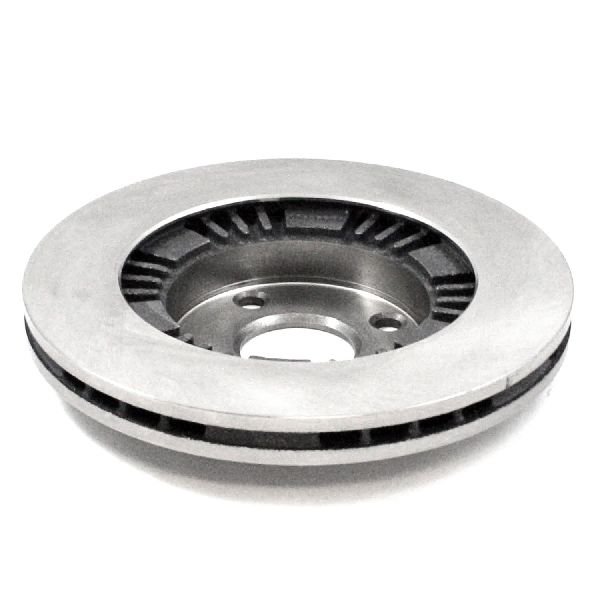
Front rotors on the Protege are almost always 'vented' (with a gap and cooling fins between the two rotor faces) because they handle most of the braking force. Rear rotors, if your car has them, are often smaller and may be solid (a single slab of iron) or vented on performance models. They are not interchangeable.
Technical Specifications
Varies significantly by year, trim, and factory options. Key variations include: - **Front Brakes:** Vented rotors. Diameter and lug count vary. Common patterns are 4x100 and 5x114.3. - **Rear Brakes:** Can be either drum brakes or disc brakes. Disc rotors are typically smaller than the front and can be solid or vented. Lug pattern matches the front.
We Have This Part in Stock

The information in this article is provided for general reference and educational purposes only. Vehicle specifications, procedures, and part compatibility can vary by production date, trim level, and region. Always consult your vehicle's factory service manual and verify part numbers before purchasing or performing repairs. Safety-critical components such as airbags, seat belts, and braking systems should be installed by a qualified professional.
- Mazda Protege:
- 🛍️ Shop This Part
- Is It Time for New Rotors?
- Symptoms of Failing Brake Rotors
- Known Vehicle Issues
- Critical: Avoid Common Ordering Mistakes
- Choosing the Right Aftermarket Rotors
- Tier 1: Daily Driver / OEM-Equivalent
- Tier 2: Performance / Enthusiast Upgrade
- Pro Tip: Do the Job Right
- Cost of New Aftermarket Disc Brake Rotors (1990-2003 Mazda Protege)
- Frequently Asked Questions
- 🎟️ Get 5% Off