

Ford Explorer ABS Wheel Speed Sensor Guide for 1991-1997 Models
Fix your ABS light and restore proper anti-lock brake function on your first-generation Explorer.
- First, identify your system: a single sensor on the rear differential (RWAL) or sensors at all four wheels (4WABS).
- An illuminated ABS light is the primary symptom, but unwanted pedal pulsation at low speeds also points to a bad sensor.
- Replacement is DIY-friendly, but sensors can be seized and break during removal; be prepared to carefully work them out.
- There are no specific recalls for the sensors, but Ford did issue technical bulletins (TSBs) for diagnosing faulty sensors and false activation.
Is Your ABS Light On?
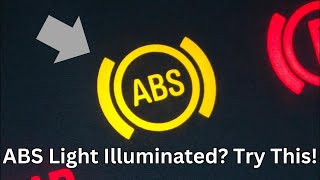
A steady ABS warning light on your dashboard is the most common sign of a failing wheel speed sensor. When the sensor stops sending a signal, or the signal is erratic, the main computer shuts the ABS system down as a safety measure and turns on the light. Your normal brakes will still work, but the anti-lock feature will be disabled.
Unwanted ABS Activation
Sometimes, a failing sensor causes the opposite problem. You might feel the brake pedal pulse or push back against your foot, especially when braking gently at low speeds. This can be accompanied by a grinding or buzzing noise as the ABS pump activates when it shouldn't. This happens because the faulty sensor sends a false signal that a wheel is locked up.
Which Sensor Do You Need? Rear-Only vs. Four-Wheel ABS
The single most important step is to know which ABS system your 1991-1997 Explorer has. Ford offered two types, and they use different sensors.
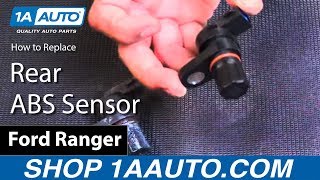
- Rear-Wheel Anti-Lock (RWAL): This was the standard system. It uses only one ABS sensor, which is mounted on the top of the rear differential. 🎬 Watch: How to replace the rear ABS sensor on Ford trucks. This single sensor monitors the speed of both rear wheels at the same time.
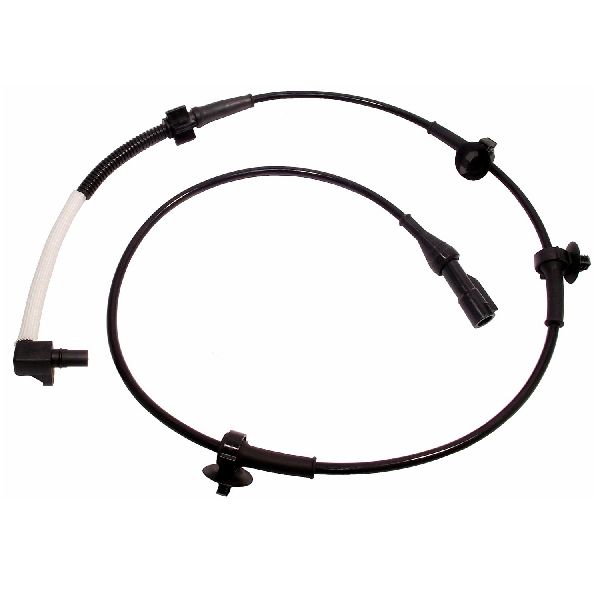
- Four-Wheel Anti-Lock (4WABS): This was an optional system. It uses a sensor at each of the four wheels. The front sensors are located on the steering knuckle behind the brake rotor, and there is one sensor for each rear wheel.
How to Tell Which System You Have
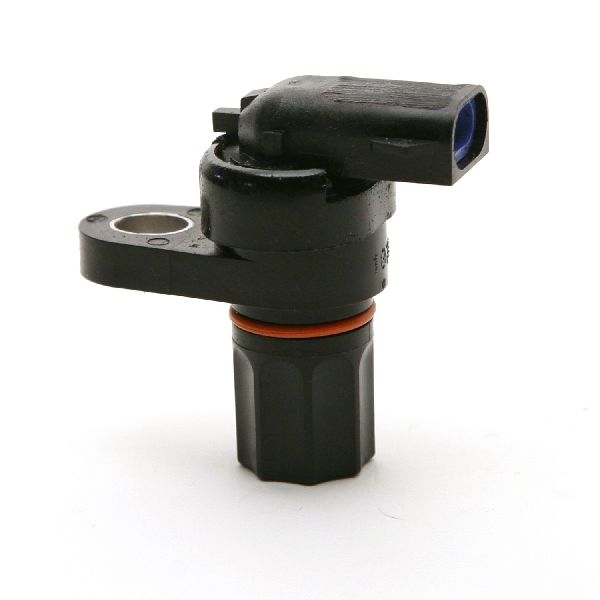
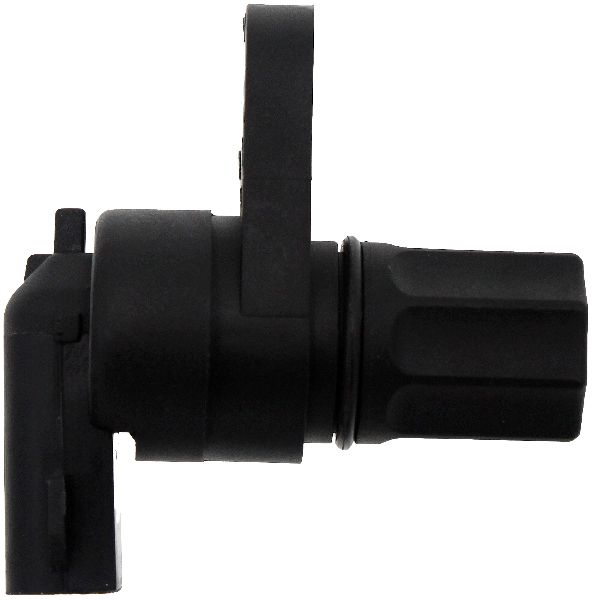
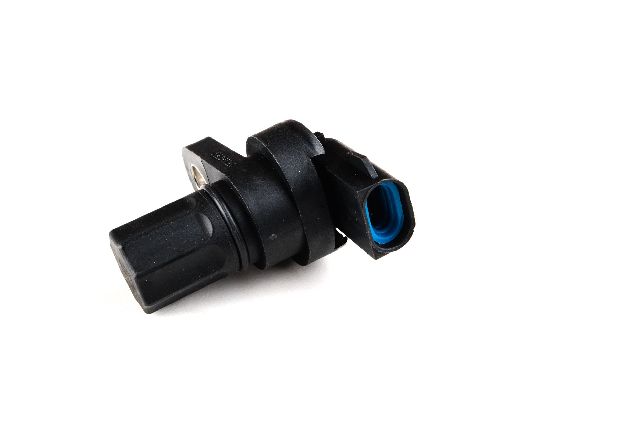
The easiest way to check is to look at the top of your rear differential housing (the pumpkin-shaped part in the middle of the rear axle). If you see a small, black plastic sensor with a wire coming out of it, held in by a single bolt, you have the RWAL system. If there is no sensor there, you likely have the 4WABS system and should check your front wheel knuckles for sensors.
Choosing the Right Aftermarket Sensor
With original Ford sensors often discontinued, the aftermarket is your best bet. Quality can vary, so it's helpful to understand the brands available.
- Premium Aftermarket (Delphi, SKF, NGK): These brands are well-known for producing parts that meet or exceed original equipment (OE) quality. They are a top choice for reliability and longevity, making them a smart investment for a critical safety part.
- Reputable Aftermarket (Standard Ignition): Standard Motor Products (SMP) is a long-standing, trusted name in the industry. Their parts are known to be a solid, reliable choice that offers a good balance of quality and value.
- Value-Focused (Dorman, Holstein, URO Parts): These brands offer a cost-effective solution. Dorman is widely available and offers a huge catalog of parts, including for older vehicles like this Explorer. While they can be a good budget option, it's important to ensure you're getting the latest design revision for the best performance.
Cost of Replacing an ABS Sensor on a 1991-1997 Explorer
| Category | Estimated Cost |
|---|---|
| New Aftermarket Part | $22.18 - $139.08 |
| New OEM Part (If available) | $80 - $150+ |
| Shop Labor | $100 - $200 |
| Total Estimated Cost (DIY) | $22.18 - $139.08 |
| Total Estimated Cost (Shop) | $122 - $340 |
Frequently Asked Questions
Can I replace just one bad sensor?
Yes. You only need to replace the sensor that has failed. If your Explorer has the 4WABS system, you will need a diagnostic scan tool to determine which of the four sensors is faulty. If you have the RWAL system, there is only one sensor to replace.
What's the difference between replacing a front and rear sensor?
The rear sensor on RWAL systems is on top of the differential and is usually easier to access, held by one bolt. However, it can be seized in the housing and break during removal. Front sensors on 4WABS systems require removing the wheel, brake caliper, and brake rotor for access, making the job more involved.
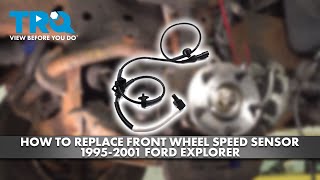
🎬 See this walkthrough for replacing a front wheel speed sensor.Do I need to reset the ABS light after replacement?
Often, the ABS light will turn off by itself after a few drive cycles once the new sensor is installed and the computer receives a good signal. If it stays on, the code may need to be cleared with a scan tool, or you can try disconnecting the battery for about 30 minutes to reset the computer.
🎬 Watch: How to fix a Ford ABS light that is stuck on.Is a cheap sensor worth the risk?
While budget-friendly sensors can work, this is a part of your braking safety system. A poor-quality sensor might fail prematurely or provide an inaccurate signal, leading to unwanted ABS activation. Investing in a reputable brand is recommended for peace of mind and long-term reliability.
Known Issues for This Vehicle
Ford issued Technical Service Bulletins (TSBs) for these Explorers related to ABS problems. TSB #13229 specifically addressed "false ABS activation while light braking at low speeds," which is a classic symptom of a failing sensor. Another TSB provided dealers with updated instructions for diagnosing faulty sensors, showing it was a common issue. This means that if you are experiencing these issues, a bad sensor is a very likely cause.
Helpful Videos
Technical Specifications
OEM Part Numbers: F1TZ-2L373-A F57Z-2C204-A F57Z-2C204-GD F5TZ-2C190-C
System Type: Rear-Wheel Anti-Lock (RWAL) or Four-Wheel Anti-Lock (4WABS). Sensor Type: Magnetic Variable Reluctance. Common Locations: Top of rear differential (RWAL); Steering knuckle/hub assembly (4WABS Front); Rear axle (4WABS Rear).
We Have This Part in Stock


The information in this article is provided for general reference and educational purposes only. Vehicle specifications, procedures, and part compatibility can vary by production date, trim level, and region. Always consult your vehicle's factory service manual and verify part numbers before purchasing or performing repairs. Safety-critical components such as airbags, seat belts, and braking systems should be installed by a qualified professional.
- Ford Explorer:
- 🎬 Helpful Videos
- 🛍️ Shop This Part
- Is Your ABS Light On?
- Unwanted ABS Activation
- Which Sensor Do You Need? Rear-Only vs. Four-Wheel ABS
- How to Tell Which System You Have
- Choosing the Right Aftermarket Sensor
- Cost of Replacing an ABS Sensor on a 1991-1997 Explorer
- Frequently Asked Questions
- Known Issues for This Vehicle
- 🎟️ Get 5% Off