

Ford Explorer Intake Air Temperature Sensor Replacement Guide (1991-2002)
Fix poor fuel economy and a rough idle in your Ford Explorer by diagnosing and replacing a faulty Intake Air Temperature sensor.
- A bad IAT sensor commonly causes a Check Engine Light, poor fuel economy, and a rough idle.
- Before buying, you MUST check if your Explorer has a separate IAT sensor in the intake tube or one integrated into the MAF sensor.
- Reputable aftermarket brands like NGK (NTK) and Standard Ignition offer OEM-quality performance for less money.
- This is a very easy and inexpensive DIY replacement that can be done in under 30 minutes with basic tools.
Is Your Explorer Running Rough? It Could Be the IAT Sensor.
If your 1991-2002 Ford Explorer is suffering from poor gas mileage, a rough idle, or has the Check Engine Light on, a failing Intake Air Temperature (IAT) sensor is a likely suspect. This small, inexpensive sensor plays a big role in how your engine runs. When it fails, it sends incorrect information to the engine's computer, leading to a host of performance issues. Replacing it is a simple job that most owners can do themselves.
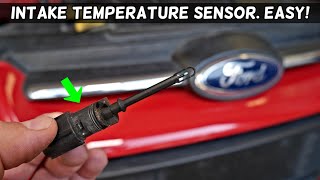
🎬 Watch this simple walkthrough for replacing the air temperature sensor.Symptoms of a Bad IAT Sensor on a Ford Explorer
A bad IAT sensor can make your Explorer's engine behave unpredictably. Here are the most common signs:
- Check Engine Light: This is often the first sign. You may see codes like P0110, P0112, or P0113. 🎬 Watch: How to fix the P0113 code in three minutes.
- Poor Fuel Economy: The engine computer may default to a rich fuel mixture, causing you to fill up more often.
- Rough Idle: Your engine might shake or run unevenly when stopped.
- Hard Starting: The engine may struggle to start, especially in cold weather, because the fuel mixture is wrong for the conditions.
- Engine Hesitation or Stalling: You might notice a lack of power when you press the gas pedal or the engine may stall at low speeds.
Common Ordering Mistake: Check Your MAF Sensor First!
Before buying a new IAT sensor, you must check your specific vehicle. On some 1991-2002 Ford Explorer models, the IAT sensor is a separate, standalone part that screws into the air intake duct. On other models, it is integrated into the Mass Airflow (MAF) sensor assembly. If you cannot find a small, two-wire sensor plugged into your intake tube, it is likely part of the MAF. Visually inspect your engine bay to confirm which type you have before ordering a part you may not need.
🎬 See this video to find your Ford's IAT sensor location.Choosing the Right Aftermarket IAT Sensor
For a part like the IAT sensor, a high-quality aftermarket brand is a reliable and cost-effective choice. There is no significant benefit to paying extra for a dealer OEM part in this case.
- Tier 1 (OEM Equivalent): NGK - NGK's sensor brand is NTK. They are a well-respected OEM supplier for many car manufacturers. Choosing an NTK sensor is essentially getting an OEM-quality part without the dealership price tag.
- Tier 2 (Trusted Aftermarket): Standard Ignition - Standard Motor Products (SMP) is a long-standing, reputable aftermarket manufacturer. Their parts are known to be reliable, direct-fit replacements that meet or exceed original specifications.
- Tier 3 (Value): True Tech - True Tech is often associated with parts stores and repair networks like NAPA. These parts are designed to be a budget-friendly alternative. They can be a good choice for a simple sensor on an older vehicle, offering a balance of value and acceptable quality.
| Part Type | Estimated Cost |
|---|---|
| New OEM | $50 - $90 |
| New Aftermarket (Our Range) | $15.14 - $44.05 |
| Shop Labor for Installation | $50 - $120 |
Frequently Asked Questions (FAQ)
Where is the IAT sensor located on my 1991-2002 Explorer?
It can be in one of two places. Look at the plastic air intake tube between the air filter box and the engine's throttle body. It may be a small, two-wire sensor that plugs or screws into this tube. If you don't see it there, it is likely integrated into the larger Mass Airflow (MAF) sensor, which is located right after the air filter box.
Can I just clean my IAT sensor?
Sometimes, cleaning the sensor tip with electrical parts cleaner can temporarily improve performance if it's covered in dirt or oil. However, given the low cost of a new sensor and the fact that the electronics inside can fail, replacement is often the best and most permanent solution.
What's the difference between the IAT and ECT sensor?
They are both temperature sensors, but they measure different things. The IAT (Intake Air Temperature) sensor measures the temperature of the air entering the engine. The ECT (Engine Coolant Temperature) sensor measures the temperature of the engine's coolant. Both are critical, but they are not interchangeable.
What happens if I don't replace a bad IAT sensor?
Your vehicle will continue to run, but it will perform poorly. You will experience lower gas mileage, rough running, and potentially fail an emissions test. Over time, running a consistently rich fuel mixture can lead to other problems, like fouled spark plugs or damage to the catalytic converter.
Helpful Videos

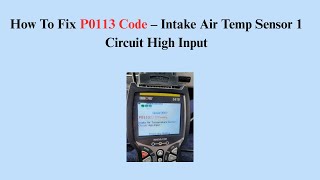
![How to Fix P0113 Engine Code in 3 Minutes [2 DIY Methods / Only $7.76]](https://img.youtube.com/vi/G2TGoI6ozA8/mqdefault.jpg)

Technical Specifications
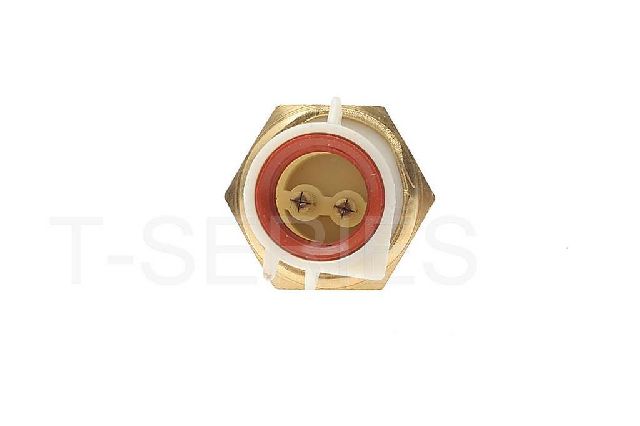
2-wire thermistor sensor, typically located in the air intake path before the throttle body.
We Have This Part in Stock


The information in this article is provided for general reference and educational purposes only. Vehicle specifications, procedures, and part compatibility can vary by production date, trim level, and region. Always consult your vehicle's factory service manual and verify part numbers before purchasing or performing repairs. Safety-critical components such as airbags, seat belts, and braking systems should be installed by a qualified professional.
- Ford Explorer: