

Choosing the Right Brake Pads for Your 1995-2003 Mazda Protege
Stop guessing and find the perfect aftermarket brake pads for your Protege's specific needs and budget.
- First, confirm if your Protege has rear disc brakes or drum brakes; many base models use drums and don't need rear pads.
- For most daily drivers, a quality aftermarket ceramic pad from brands like Bosch, Akebono, or Wagner offers the best combination of quiet operation, low dust, and reliable stopping power.
- Always service the caliper slide pins when changing pads to prevent the common Protege issue of uneven brake wear.
- Consider replacing your brake rotors at the same time as your pads for the best performance and safety.
Symptoms of Worn Brake Pads
Your Protege will give you clear signs when it's time for new brake pads. Ignoring them can lead to more expensive repairs. The most common symptom is a high-pitched squealing noise when you apply the brakes. This is caused by a small metal tab called a wear indicator, which is designed to make noise when the pads are thin. Other signs include:
- Grinding Noise: A loud, metal-on-metal grinding sound means the pads are completely worn away. This is a serious safety issue and is damaging your brake rotors.
- Vibration or Pulsing: If you feel a pulsing in the brake pedal or steering wheel when braking, it could be from worn pads or warped rotors.
- Longer Stopping Distances: If your car takes longer to stop than it used to, your brake pads are likely worn out and can't create enough friction. 🎬 Watch this quick walkthrough of a Mazda Protege brake job.
- Spongy or Soft Brake Pedal: A brake pedal that feels soft or goes closer to the floor can indicate worn pads or other system issues, like air in the lines.
Critical: Check Your Rear Brakes First!
Before buying any parts, you must know if your Protege has rear disc brakes or rear drum brakes. Many base model Protege DX and LX trims from 1995-2003 came with rear drum brakes, which do not use disc brake pads. Higher trims like the ES, MP3, and the Protege5 wagon typically have four-wheel disc brakes. Look through the spokes of your rear wheel; if you see a flat, shiny disc, you have disc brakes. If you see a large, round metal drum, you have drum brakes and only need to buy front brake pads.
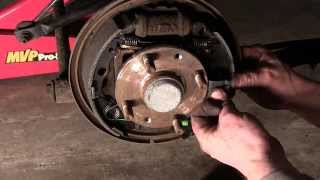
🎬 See how to replace rear drum brakes on your Protege.Choosing the Right Aftermarket Pads for Your Protege
Aftermarket brake pads often provide better value and performance than original parts. For a car like the Protege, you don't need to pay dealership prices for quality. Pads are generally made of three types of material: organic, ceramic, and semi-metallic. For the Protege, most owners will be choosing between ceramic and semi-metallic.
Brand & Quality Tiers
We can group the available brands into three main categories based on their intended use and owner feedback.
Tier 1: Economy & Daily Driver
These brands offer a good balance of performance and price for normal commuting. They meet or exceed the quality of the original factory pads. Many owners find these to be the best value.
- Bosch QuietCast: A very popular choice known for being quiet and low-dust. A great all-around option for daily driving.
- Wagner OEX / Wagner ThermoQuiet: Wagner is a trusted brand that offers reliable, quiet performance and is easy to install.
- Akebono ProACT: Often considered an OEM-quality upgrade, Akebono pads are known for their excellent low-dust and quiet operation.
- Centric / StopTech Street: Centric provides solid, reliable options. Their Posi Quiet pads are a good daily-driver choice, while the StopTech Street series offers a slight step up in performance.
- Raybestos Element3: A well-regarded mid-tier brand that offers good performance and durability for the price.
Tier 2: Performance Street & Enthusiast
If you drive your Protege more aggressively or have a performance model like the MP3 or Mazdaspeed Protege, these pads offer better stopping power and heat resistance. They may produce more dust and noise than daily driver pads.
- PowerStop Z23 Evolution Sport: This is a popular kit that often includes drilled and slotted rotors. Owners report good stopping power, but they may need to warm up to perform their best and can make some noise.
- Hawk Performance HPS (High Performance Street): A long-time favorite for street performance, offering a significant bite improvement over stock.
- EBC Greenstuff: A good entry-level performance pad that offers better bite than stock with reasonable dust levels. Ideal for spirited daily driving.
Tier 3: Aggressive Street / Autocross
For the most demanding drivers, including those who participate in autocross or track days. These pads offer the highest performance but come with trade-offs like significant dust, noise, and faster rotor wear.
- EBC Yellowstuff: A street and track pad that works well from cold but gets stronger with heat. Expect more dust than other pads.
- Hawk Performance HP Plus: Known for its aggressive bite, this pad is excellent for autocross but can be noisy and dusty for daily street use.
Pro Tip: Service Your Caliper Pins
A very common issue on the Mazda Protege is sticking or seized caliper slide pins. When you replace your brake pads, always take the time to remove, clean, and re-lubricate the caliper slide pins with high-temperature brake grease. This ensures the caliper moves freely and prevents uneven pad wear, which is a frequent problem.
🎬 Learn how to clean and lubricate your caliper slide pins.Frequently Asked Questions (FAQ)
Do I need to replace my rotors with my pads?
It is highly recommended. If your rotors are old, have a noticeable lip on the edge, show signs of heavy scoring, or if you feel a vibration when braking, you should replace them. Installing new pads on old, worn rotors will reduce the performance and lifespan of the new pads.
What's the difference between ceramic and semi-metallic pads?
Ceramic pads are generally quieter, produce less brake dust, and are gentler on rotors. Semi-metallic pads typically offer better initial bite and performance in a wider range of temperatures, but can be noisier and dustier. For most Protege daily drivers, a quality ceramic pad like the Bosch QuietCast or Akebono ProACT is an excellent choice.
What is the 'bedding-in' process?
Bedding-in, or break-in, is the process of depositing an even layer of friction material from the new pads onto the rotors. This ensures smooth, powerful, and quiet braking. Follow the manufacturer's specific instructions, but it typically involves a series of moderate-to-hard stops from various speeds to get the pads hot, followed by a cool-down period.
Are there any recalls on the 1995-2003 Protege brakes?
Yes, there was a recall (NHTSA ID: 01V024) for some 2000-2001 Protege models concerning a damaged left rear brake hose that could leak fluid and reduce brake performance. While this is not related to the pads themselves, it highlights the importance of inspecting the entire brake system during a pad change.
Helpful Videos
Technical Specifications
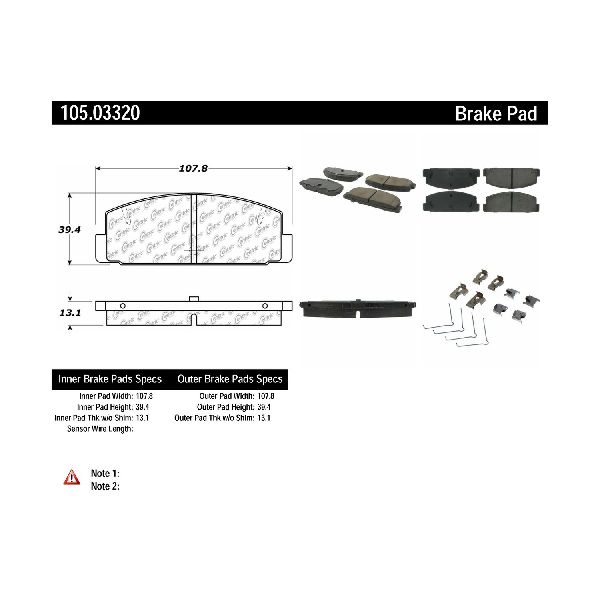
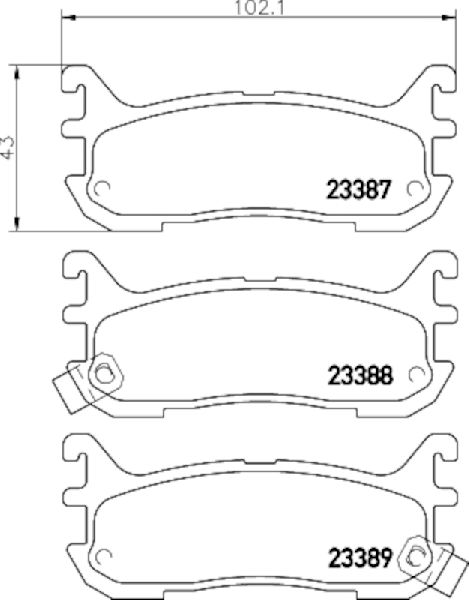
Varies by trim and year. Key factors are whether the vehicle has rear disc or drum brakes, and the wheel lug pattern (4-lug for most, 5-lug for Protege5/Mazdaspeed). Always verify fitment for your specific model.
We Have This Part in Stock

The information in this article is provided for general reference and educational purposes only. Vehicle specifications, procedures, and part compatibility can vary by production date, trim level, and region. Always consult your vehicle's factory service manual and verify part numbers before purchasing or performing repairs. Safety-critical components such as airbags, seat belts, and braking systems should be installed by a qualified professional.
- Mazda Protege: