

1996-2000 Ford Explorer Headlight Switch: A Guide for Owners
If your Explorer's headlights or dash lights are acting up, the problem is often the switch itself.
- A failing switch is a common issue, with symptoms ranging from flickering dash lights to complete headlight failure.
- The plastic mounting posts for the switch are a known weak point and often break, causing the switch to fall into the dash.
- Aftermarket brands like Standard Ignition offer reliable quality, while 'Replacement' branded parts provide a functional, budget-friendly option.
- Replacing the switch is an easy DIY job that can be completed in under an hour with basic tools.
Common Symptoms of a Failing Headlight Switch
When the headlight switch in a '96-'00 Explorer starts to fail, the signs are usually obvious. You are the first line of defense in diagnosing this issue. Look for these common symptoms:
- Intermittent or Inoperable Headlights: Your headlights may flicker, or refuse to turn on at all, even with good bulbs and fuses.
- Flickering or Dim Dash Lights: The lights on your instrument cluster may flicker or go out completely. This is often related to the dimmer portion of the switch failing.
- Switch is Hot to the Touch: A switch that feels warm or hot after use is a serious warning sign. This indicates high resistance inside the switch, which can lead to melting and a potential fire hazard.
- Only Certain Lights Work: You might find that your parking lights work but not your main headlights, or that your high beams work but not your low beams.
- Dome Light Issues: If the switch controls the dome light, you may lose the ability to turn it on manually using the switch dial.
A Common Mechanical Failure
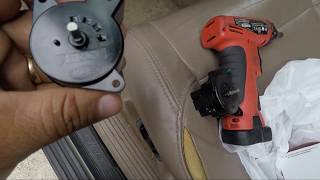
Beyond electrical failure, a very common issue on this generation of Explorer is the plastic mounting structure inside the dashboard breaking. The screw posts that hold the switch in place become brittle with age and crack, causing the entire switch to feel loose or fall back into the dashboard. 🎬 See how to repair a loose or broken headlight switch. When this happens, replacement of the switch is often the best repair, as new switches come with the necessary mounting points.
Choosing the Right Aftermarket Headlight Switch
For the 1996-2000 Explorer, you don't need to pay dealership prices for a quality replacement part. Aftermarket options provide excellent value. Here’s how to understand the brands available:
- Standard Ignition (Standard Motor Products): A well-known and respected aftermarket manufacturer. They produce a wide range of automotive electrical components and are known for quality control and using durable materials like copper alloy conductors. This is considered a premium aftermarket choice.
- Replacement: This brand offers a direct, budget-friendly alternative to the original part. These parts are designed to match the fit and function of the factory switch and are a good option for owners looking for a cost-effective repair.
Pro Tip: Check Your Connector
When you remove the old switch, inspect the wiring harness connector for any signs of melting, discoloration, or burnt plastic. A failing switch can generate excess heat and damage the connector. If the connector is damaged, it should be replaced along with the switch to ensure a safe and lasting repair.
Estimated Replacement Costs
The cost to replace the headlight switch is very reasonable, especially if you do it yourself. The part itself is affordable, and the job requires minimal time.
| Part or Service | Estimated Cost |
|---|---|
| New Aftermarket Headlight Switch | $35 - $60 |
| Shop Labor | $60 - $120 |
| Total Professional Replacement | $95 - $180 |
Frequently Asked Questions
Is replacing the headlight switch a difficult DIY job?
No, this is a great job for a beginner. The replacement process is straightforward and typically takes less than an hour. It involves carefully removing the plastic dash trim, unscrewing the old switch, unplugging it, and installing the new one. The most common tool needed is a Phillips screwdriver.
🎬 Watch this step-by-step guide to replacing your Explorer's switch.Why do my dash lights flicker but my headlights seem fine?
This is a classic symptom of a failing headlight switch. The part of the switch that controls the dash light brightness (the rheostat or dimmer) often fails before the part that controls the headlights. The flickering is caused by a poor internal connection.
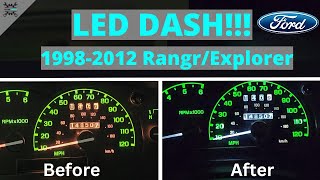
🎬 Learn how to replace your dash lights while the trim is off.Do I need any special tools to replace the switch?
Typically, you only need basic hand tools like a Phillips head screwdriver and possibly a small flathead screwdriver or trim removal tool to gently pry the dash bezel away. No specialized automotive tools are required.
Could a blown fuse cause the same problems?
A blown fuse can cause the headlights to stop working, but it would not typically cause flickering or make the switch feel hot. If your lights suddenly go out completely, checking the fuse is a good first step. However, if you have intermittent issues, the switch itself is the more likely culprit.
Helpful Videos
Technical Specifications
OEM Part Numbers: F57B-11654-AF 2L5Z-11654-AA 3L5Z-11654-AA
Controls headlights, parking lights, instrument panel dimmer, and dome light override. Mounts to the driver-side dashboard panel.
We Have This Part in Stock


The information in this article is provided for general reference and educational purposes only. Vehicle specifications, procedures, and part compatibility can vary by production date, trim level, and region. Always consult your vehicle's factory service manual and verify part numbers before purchasing or performing repairs. Safety-critical components such as airbags, seat belts, and braking systems should be installed by a qualified professional.
- Ford Explorer: