

GMC K2500 Parking Brake Cable Guide (1996-2000)
Everything you need to know before replacing the parking brake cables on your GMT400 truck.
- The system uses multiple cables (front, intermediate, rear L/R); you must identify which one has failed.
- Rust and stretching are the primary causes of failure due to the cables' exposed location under the truck.
- Verify your truck's cab and bed configuration to ensure you order the correct length for the front/intermediate cable.
- Dorman is a common and affordable aftermarket solution for these aging trucks.
Is Your Parking Brake Pedal Hitting the Floor?
A parking brake that doesn't hold is more than an annoyance; it's a critical safety failure, especially on a heavy-duty truck like the K2500. If your pedal feels spongy, goes too far down, or the truck still rolls when parked, it's a clear sign your cables need attention. These parts don't last forever, and on the GMT400 platform, they are known to fail from rust and simple wear and tear.
Symptoms of a Failing Parking Brake Cable
Watch for these common warning signs that one or more of your cables are on their way out:
- Spongy or Loose Pedal: The most common symptom is a pedal that feels weak or travels nearly to the floor before engaging. This indicates a stretched cable.
- Truck Rolls When Parked: If you set the brake and the truck still moves, the cable has either snapped or stretched beyond its limit. This is a serious safety hazard.
- Brake Won't Release: A rusted or seized cable can keep the parking brake partially engaged even after you release the pedal. You might feel a dragging sensation, notice sluggish performance, or smell burning from the rear brakes.
- Visible Rust or Fraying: A quick look under the truck can tell you a lot. If you see a cable that is visibly rusted, frayed, or broken, it needs to be replaced.
Drag and Wear Warning
A cable that is seized or won't fully release can cause the parking brake shoes to constantly drag against the drum. This not only hurts fuel economy but can also overheat the rear brakes and cause premature wear of the brake linings.
Choosing the Right Aftermarket Cable
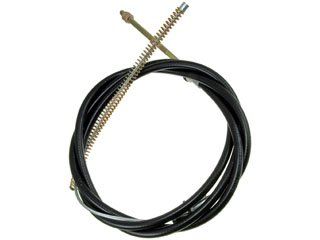
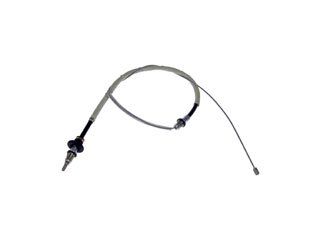
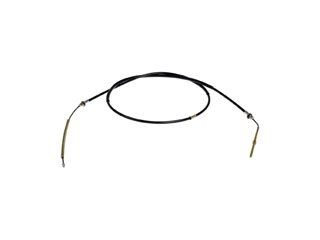
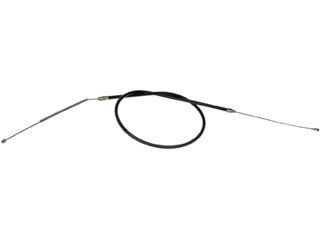
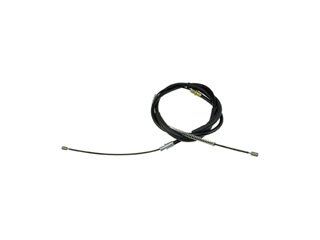
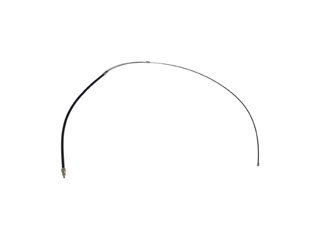
The parking brake system on the 1996-2000 K2500 consists of multiple cables: a front cable (from the pedal), an intermediate cable, and two rear cables (left and right). You must first identify which cable has failed to order the correct part. Often, it's best to replace them in sets (e.g., both rear cables) if one is rusted, as the others are likely in similar condition.
Dorman is the most widely available aftermarket brand for these cables. For a vehicle of this age, Dorman parts are a practical and budget-friendly choice that restores function. While some professional mechanics have mixed feedback on the fit-and-finish of aftermarket cables compared to original GM parts, Dorman cables are generally considered a reliable repair for these trucks. Given the age of the K2500, finding new OEM cables can be difficult and expensive.
Check Your Configuration!
A common mistake is ordering the wrong front or intermediate cable. The correct cable length often depends on your truck's wheelbase, which is determined by your cab type (e.g., Regular Cab, Extended Cab) and bed length. Always verify that the part fits your specific configuration before ordering.
Parking Brake Cable Replacement Costs
| Part Type | Estimated Cost |
|---|---|
| New Aftermarket Cable (Dorman, etc.) | $30 - $52 (per cable) |
| Shop Labor | $120 - $250 |
| Total Professional Replacement | $150 - $300+ (per cable) |
Cost estimates are approximate and can vary by location and which cables are being replaced.
Frequently Asked Questions
How do I know which cable to replace?
Visually inspect all cables running from the front pedal to the rear wheels. Look for the one that is broken, frayed, or severely rusted. If the pedal feels loose but all cables are intact, the front cable is the most likely one to have stretched. If one rear wheel isn't holding, inspect the cable leading to it. Often, if one rear cable is rusted, the other is not far behind.
Can I just adjust my old parking brake cable?
Your K2500 has an adjustment point, typically where the front cable meets the rear cables. If your cable has only stretched slightly, an adjustment might provide a temporary fix. However, if the cable is rusted, frayed, or stretched significantly, adjustment won't solve the problem and replacement is the only safe option. The primary adjustment for the parking brake shoes themselves is done at the star wheel inside the brake drum.
Are all 1996-2000 K2500 parking brake cables the same?
No. The rear cables are specific to the driver (left) and passenger (right) side, with the passenger side being longer. The front and intermediate cable lengths can vary based on your truck's cab and bed size (wheelbase). It is critical to buy the part listed for your exact vehicle configuration.
What tools are needed to replace a parking brake cable?
You will need basic hand tools like wrenches, sockets, and pliers. Needle-nose pliers are especially helpful for manipulating clips. Since the cables are under the truck, you will also need a jack and jack stands for safety. A pry bar can be useful for releasing old, rusted cable ends from their brackets. Penetrating oil is highly recommended to deal with rusted fasteners.
Technical Specifications
OEM Part Numbers: 15045982 15721416 15027138
System Type: Mechanical multi-cable system. Consists of a front cable, intermediate cable, and two rear cables (left/right). Actuation: Foot-pedal operated. Brake Type: Engages internal shoes within the rear brake drum/rotor assembly.
We Have This Part in Stock

The information in this article is provided for general reference and educational purposes only. Vehicle specifications, procedures, and part compatibility can vary by production date, trim level, and region. Always consult your vehicle's factory service manual and verify part numbers before purchasing or performing repairs. Safety-critical components such as airbags, seat belts, and braking systems should be installed by a qualified professional.
- GMC K2500: