

Chevrolet Astro Ignition Control Module Guide: 1997-2005
Is your Astro van stalling, misfiring, or refusing to start? Your ignition module could be the problem.
- A stalling or no-start Astro van often points to a bad ignition module.
- Heat is the primary cause of failure; using new thermal paste during installation is mandatory for the part's survival.
- Choose a quality aftermarket brand like Delphi or Standard Ignition for a reliable repair without the high OEM cost.
- There are no specific recalls for this part on the 1997-2005 Astro.
Is Your Ignition Control Module Failing?
The ignition control module (ICM) on the 1997-2005 Chevrolet Astro is a common failure point, often due to years of heat exposure from the engine. When it starts to go bad, it can cause problems that seem random at first, making diagnosis tricky. Because it controls the spark, a failing module can leave you stranded without warning.
Key Failure Symptoms:
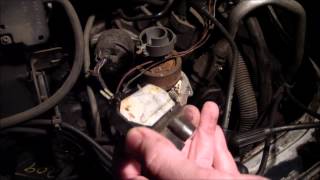
- No-Start or Hard Starting: The engine cranks but won't fire up, or takes a long time to start. This happens when the module completely fails to send a signal to the coil. 🎬 Watch a real-world diagnosis of an Astro no-start condition.
- Engine Stalling: The van may stall unexpectedly while driving, especially after it has warmed up. This is a classic sign of an ICM overheating and temporarily shutting down.
- Rough Idle and Misfires: You might feel a shudder or vibration when stopped, or a hesitation during acceleration. This is caused by inconsistent or incorrectly timed spark.
- Check Engine Light: A failing ICM can trigger the check engine light, often with codes related to engine misfires (such as P0300).
Heat is the Enemy
The number one killer of ignition control modules is heat. The module is mounted on a metal bracket that acts as a heat sink. It is critical to apply a fresh layer of thermal paste between the new module and the bracket during installation. Failing to do so will cause the new module to overheat and fail prematurely.
Choosing a New Aftermarket Ignition Module
For the 1997-2005 Astro, the original ACDelco module has a long history, but quality aftermarket options offer a reliable repair at a better price. The key is to avoid no-name, cheap parts, as they are known to fail quickly.
OEM (ACDelco): This is the original part your van came with. ACDelco is GM's official parts brand. While it's a benchmark for quality, it is also the most expensive option, often costing significantly more than top-tier aftermarket parts.
Delphi: Delphi was originally a part of General Motors and a major OEM supplier. Choosing a Delphi module is often the closest you can get to OEM quality without the OEM price tag. They have a strong reputation for reliability in GM applications.
Standard Ignition (SMP): Standard Motor Products is a well-respected aftermarket manufacturer known for producing quality electronic components that meet or exceed OEM specifications. Forum discussions among mechanics and DIYers often recommend SMP as a dependable alternative to OEM parts. Be sure to get their main line, not a budget or T-series part.
Both Delphi and Standard Ignition are solid choices for your Astro van. The decision between them often comes down to price and availability. You can confidently install either brand, provided you use the included thermal paste.
Replacement Cost
Replacing the ignition module is a common repair. The part itself is the main cost, as labor is minimal. A professional mechanic can typically complete the job in under an hour.
| Part Type | Estimated Cost |
|---|---|
| New Aftermarket (Delphi, Standard) | $132 - $139 |
| New OEM (ACDelco) | $238 - $308 |
| Shop Labor | $87 - $128 |
| Total Professional Replacement (Aftermarket) | $219 - $267 |
Frequently Asked Questions
Where is the ignition module located on the Astro van?
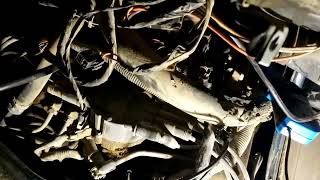
The ignition control module is located on the top of the engine, near the back. It is mounted to a metal bracket right next to the ignition coil. 🎬 See exactly where the module and coil are located. To access it, you will need to remove the interior engine cover, often called the "doghouse."
Is this a difficult part to replace myself?
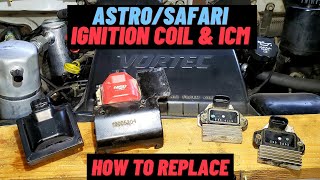
No, this is a very DIY-friendly job. The difficulty is low, requiring basic hand tools like a socket set. 🎬 Watch this step-by-step walkthrough to replace your ignition module. The entire process should take less than an hour. The main steps are removing the engine cover, disconnecting a few electrical plugs, and removing two small bolts (often 5.5mm) that hold the module to its bracket.
Do I really need to use the thermal grease that comes with it?
Yes, absolutely. This is the most critical step of the installation. The white thermal grease helps transfer heat from the module to its metal mounting bracket, which acts as a heat sink. Without this grease, the new module will quickly overheat and fail, sometimes within minutes of starting the engine.
Are there any recalls for the Astro ignition module?
No, as of early 2026, there are no specific recalls or technical service bulletins (TSBs) from GM or the NHTSA for the ignition control module on the 1997-2005 Chevrolet Astro. Recalls for other GM vehicles around that time were typically for the ignition switch or lock cylinder, which are different parts.
Helpful Videos
Technical Specifications
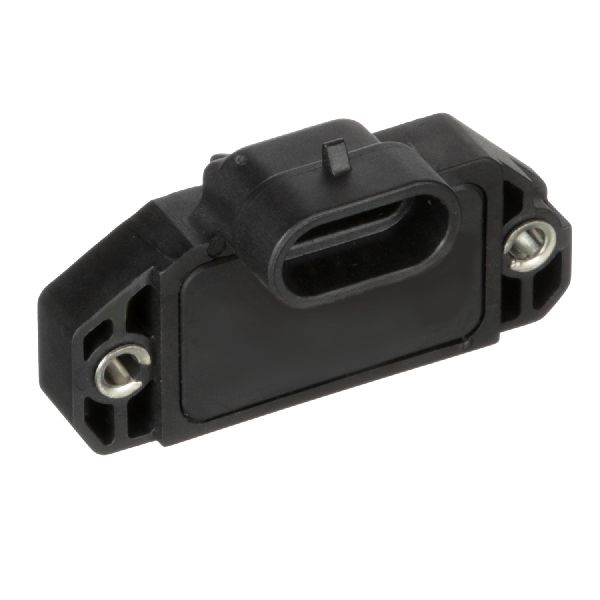
OEM Part Numbers: 19352931 16132799 19179578
4-pin rectangular connector, bolt-on mount. Mounts to ignition coil bracket.
We Have This Part in Stock


The information in this article is provided for general reference and educational purposes only. Vehicle specifications, procedures, and part compatibility can vary by production date, trim level, and region. Always consult your vehicle's factory service manual and verify part numbers before purchasing or performing repairs. Safety-critical components such as airbags, seat belts, and braking systems should be installed by a qualified professional.
- Chevrolet Astro: