

Guide to the Rear ABS Wheel Speed Sensor for 1998-2001 Mazda B2500
If your ABS light is on and your speedometer is acting erratically, this single sensor is the most likely cause.
- This single sensor on the rear differential controls your ABS, speedometer, and automatic transmission shifting.
- Symptoms almost always include an ABS light combined with an erratic or dead speedometer.
- Before replacing the sensor, always inspect the exposed wiring harness leading to it for corrosion or breaks.
- Replacement is very easy, requiring only basic tools to remove a single 10mm bolt, making it a great DIY repair.
Is Your Mazda B2500 Speedometer Acting Crazy?
If you own a 1998-2001 Mazda B2500, you have a truck that is mechanically identical to a Ford Ranger. This is important because they share a very common issue: failure of the rear ABS wheel speed sensor. This isn't just a part for your anti-lock brakes. It's the main source of speed information for your whole truck. When it starts to fail, it can cause a strange set of problems that might seem unrelated.
Symptoms of a Failing Rear ABS Sensor
A bad rear ABS sensor will make its presence known with some very specific symptoms. You will likely experience more than one of these at the same time.
- ABS Warning Light: The 'ABS' light on your dashboard will turn on and stay on.
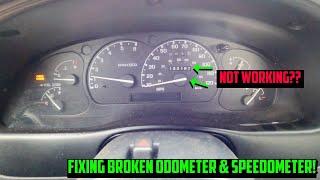
- Erratic or Dead Speedometer: This is the most common sign. The speedometer needle might bounce around, drop to zero while you're driving, or stop working completely.
- Harsh Shifting (Automatic Transmission): The truck's computer needs a correct speed reading to shift gears smoothly. Without it, the transmission may shift hard, late, or get stuck in one gear.
- Flashing 'O/D OFF' Light: The overdrive light on your gear shifter may start to flash, which signals a transmission-related fault often caused by this sensor.
- Cruise Control Stops Working: Cruise control needs a steady speed signal to work. If the signal is gone, cruise control will not engage.
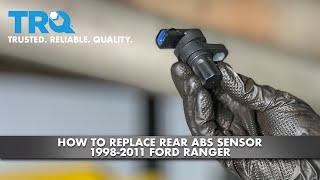
- Check Engine Light: A fault in the speed sensor circuit can trigger the check engine light, often storing the code P0500. 🎬 Watch this video to see how P0500 causes speedometer failure.
Check the Wires First!
Before you buy a new sensor, take a look at the wiring harness that plugs into it. This harness is exposed under the truck and can get brittle or corroded. A broken wire can cause the exact same symptoms as a bad sensor. Wiggling the wires near the sensor while the truck is on might make the speedometer jump, confirming a wiring issue.
Choosing the Right Aftermarket Sensor
For a simple part on an older truck like the B2500, you don't necessarily need to buy an expensive OEM (Original Equipment Manufacturer) part from the dealer. Aftermarket brands offer good value, and the replacement job is easy enough that the risk of using an aftermarket part is low. However, not all aftermarket brands are the same quality.
Here's a general breakdown of the available brands:
- Tier 1 (Good Quality): Brands like Standard Ignition (SMP) and NGK/NTK are well-regarded in the industry for sensors and electronics. They are known for good quality control and are a solid choice if you want reliability that is close to OEM.
- Tier 2 (Standard/Value): Brands like Dorman, Holstein, and Walker Products are very common and offer a good balance of price and quality. Dorman is widely available and a popular choice for this specific repair. While some mechanics have mixed opinions on these brands, they are generally a reliable option for this simple sensor.
- Tier 3 (Economy): The lowest-priced sensors from unknown brands can be a gamble. While they may work, some user reports mention them failing quickly or being dead out of the box. Given the small price difference, it's often worth stepping up to a Tier 1 or Tier 2 brand.
Pro Tip: When replacing the sensor, it can be stuck in the differential housing. After removing the single 10mm bolt, you may need to gently twist it with pliers or carefully pry under its edge with a flat-blade screwdriver to work it loose. Clean the mounting hole with a rag before installing the new sensor and apply a small amount of clean oil to the new O-ring for an easier installation.
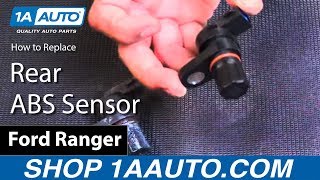
🎬 See this step-by-step walkthrough for replacing the rear sensor.Cost of Replacing the ABS Wheel Speed Sensor
| Part/Service | Estimated Cost |
|---|---|
| New Aftermarket Part | $22 - $73 |
| New OEM Part | $90 - $150 |
| Shop Labor | $50 - $120 |
| Total DIY Cost | $22 - $73 |
| Total Shop Cost | $72 - $270 |
Frequently Asked Questions
Is this a difficult repair to do myself?
No, this is one of the easiest repairs you can do. It requires only basic hand tools, and the sensor is held in by a single bolt. The difficulty is rated 1 out of 5, and it should take less than 30 minutes.
Where is the ABS sensor located on my B2500?
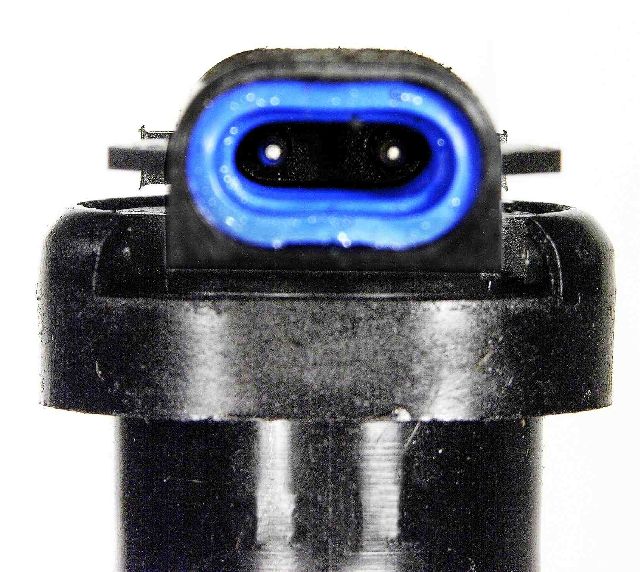
The sensor is located directly on top of the rear differential housing, which is the round 'pumpkin' in the middle of your rear axle. 🎬 Watch a quick guide on locating and swapping the sensor. It has a two-wire electrical connector plugged into it.
Are there any recalls for this part?
No, there are no active NHTSA recalls for the ABS wheel speed sensor on the 1998-2001 Mazda B2500. The issue is a common failure but not subject to a safety recall.
Is the Mazda B2500 sensor the same as a Ford Ranger sensor?
Yes. The 1998-2001 Mazda B-Series trucks are rebadged Ford Rangers, and they share the same rear ABS speed sensor. A part listed for a 1998-2000 Ford Ranger will fit your Mazda B2500.
My truck has 4-wheel ABS. Does it have front sensors too?
Some 4x4 models may have front wheel speed sensors, but the sensor on the rear differential is the one that provides the signal for the speedometer and is the most common one to fail, causing the symptoms described in this article. If your speedometer is not working, the rear sensor is the problem.
Helpful Videos
Technical Specifications
OEM Part Numbers: F85Z-2C204-AA F85Z-2C204-AB ZZL0-43-72Y
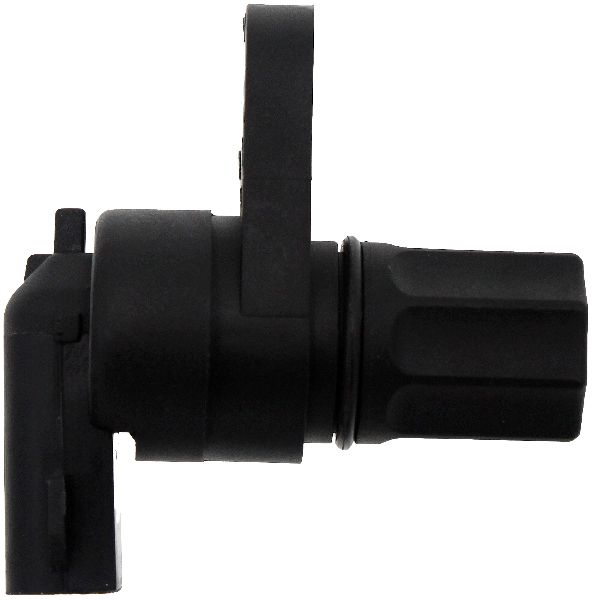
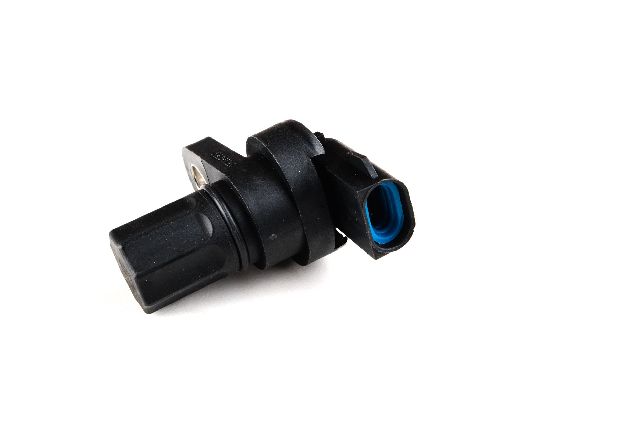
Mounts on top of the rear differential housing. Held in by one bolt. Features a 2-pin electrical connector.
We Have This Part in Stock


The information in this article is provided for general reference and educational purposes only. Vehicle specifications, procedures, and part compatibility can vary by production date, trim level, and region. Always consult your vehicle's factory service manual and verify part numbers before purchasing or performing repairs. Safety-critical components such as airbags, seat belts, and braking systems should be installed by a qualified professional.
- Mazda B2500: