

Guide to the 1998-2006 Lincoln Navigator Brake Light Switch
Fix common electrical issues like brake light failure and being stuck in Park by understanding this critical part.
- A faulty brake light switch is a major safety issue; replace it immediately if your brake lights are not working.
- Symptoms include brake lights failing or staying on, being stuck in Park, and cruise control not working.
- Replacement is a simple DIY task that takes less than 30 minutes for most owners.
- Owners of 1998-2002 models must verify the separate, critical fire-risk recall for the underhood cruise control switch has been completed.
Symptoms of a Failing Brake Light Switch
A faulty brake light switch is a common problem on the 1998-2006 Lincoln Navigator. Because it's used constantly, this small plastic part can wear out and cause several electrical issues. Here are the most common signs of failure:
- Brake Lights Don't Work: The most dangerous symptom is when your brake lights fail to turn on, making you invisible to drivers behind you when you slow down.
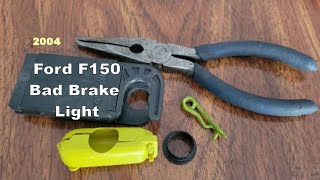
- Brake Lights Stay On: The switch can fail in the 'on' position, leaving your brake lights illuminated even when the car is off, which will drain your battery. 🎬 See how to replace a switch when brake lights stay on
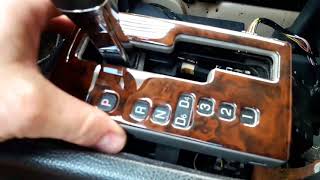
- Cannot Shift Out of Park: The switch sends a signal to the shift interlock solenoid. If this signal fails, your gear selector will be stuck in Park, even with your foot on the brake. 🎬 Watch: How to fix a Navigator gear selector stuck in Park
- Cruise Control Malfunctions: The cruise control system relies on the brake switch to disengage. A faulty switch can prevent the cruise control from setting or cause it to turn off unexpectedly.
- ABS or Warning Lights: A bad brake light switch can sometimes trigger the ABS or other warning lights on your dashboard.
Important Recall for 1998-2002 Models
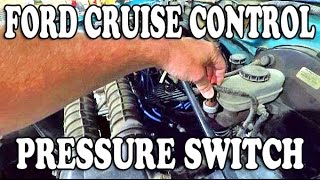
There was a major NHTSA recall (05S28) for a different part called the Speed Control Deactivation Switch on 1998-2002 Navigators. This switch is located on the master cylinder under the hood, not by the pedal. It could leak brake fluid and cause a fire, even with the engine off. It is critical to verify this recall has been completed on your vehicle. This is separate from the brake light switch 🎬 Watch: Important details on the Ford cruise control fire hazard recall discussed in this article.
Choosing the Right Aftermarket Brake Light Switch
When replacing your brake light switch, you have several options. For this part, the quality differences are important.
- OEM (Motorcraft): Motorcraft is Ford's official parts brand. It is the direct replacement for the part your Navigator came with from the factory. Owners often report that using the OEM switch resolves electrical issues that sometimes persist with aftermarket alternatives. If you want to ensure a perfect fit and function without any guesswork, Motorcraft is the best choice.
- Premium Aftermarket (Standard Ignition, Rostra): Brands like Standard Ignition (SMP) and Rostra are well-known in the industry. They produce quality replacement parts that are designed to meet or exceed original specifications. These are a solid choice if the OEM part is unavailable or if you're looking for a reliable alternative.
- Standard Aftermarket (Vemo, Replacement): These brands offer a more budget-friendly option. While they can function correctly, some users across various forums report less consistent long-term reliability compared to OEM or premium brands. For a critical safety part like a brake light switch, it's often worth spending a little more for a trusted brand.
| Part Type | Price Range |
|---|---|
| New OEM (Motorcraft) | $35 - $75 |
| New Aftermarket | $20.79 - $87.22 |
| Shop Labor | $49 - $71 |
Check the Basics First
Before you buy a new switch, check the simple things. Make sure the brake light fuse isn't blown and that the bulbs are good. If your brake lights are stuck on, check for a broken plastic stopper on the brake pedal arm that presses the switch's plunger.
Frequently Asked Questions
Can I replace the brake light switch myself?
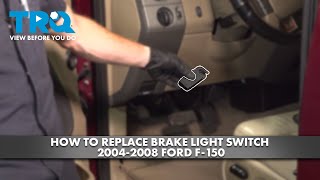
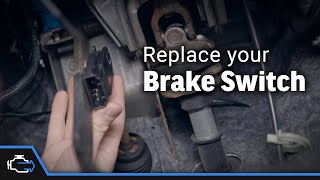
Yes, this is a very simple DIY job for most owners. The switch is located on the brake pedal support bracket. It usually requires twisting the switch to remove it and then disconnecting an electrical connector. The entire process typically takes less than 30 minutes and requires no special tools.
Where is the brake light switch located on my Navigator?
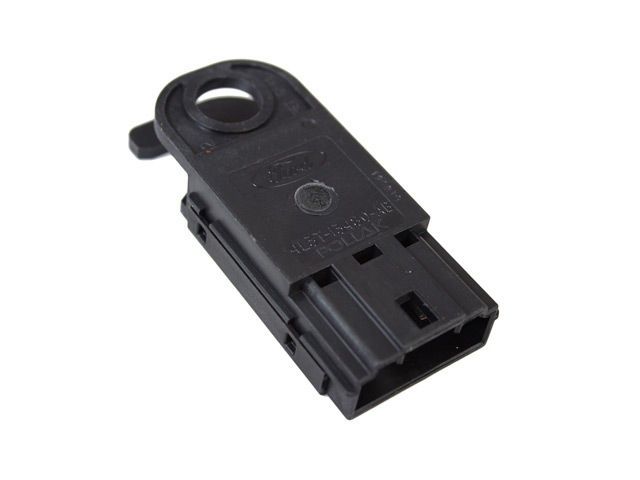
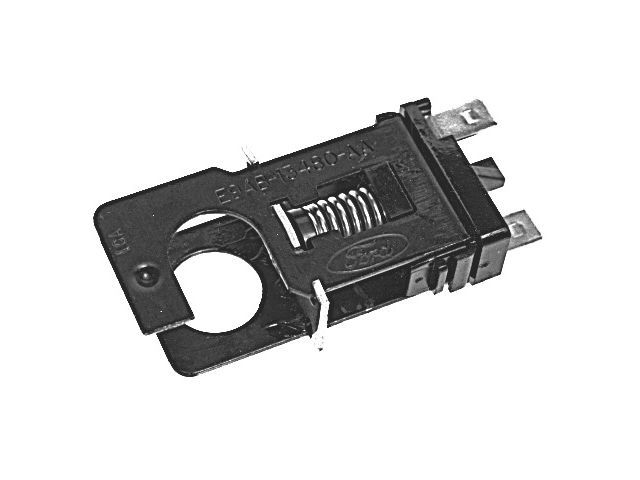
The brake light switch is mounted to a bracket above the brake pedal arm. You will need to look up under the dashboard in the driver's footwell to see it. It's a small, typically blue or black, switch with a plunger and an electrical connector.
Why are my brake lights stuck on and draining my battery?
This usually happens when the switch fails in the 'closed' or 'on' position, or if the small plastic stopper on the pedal arm breaks and no longer pushes the switch's plunger in. This creates a constant electrical circuit, keeping the lights on and draining the battery.
Is there a recall on the brake light switch for my Navigator?
There was no direct recall for the brake light switch itself on the 1998-2006 models. However, a recall for 2009 models noted that improper switch adjustment could delay brake light illumination. More importantly, 1998-2002 models had a critical recall (05S28) for the separate cruise control deactivation switch, which could cause a fire.
Helpful Videos
Technical Specifications
OEM Part Numbers: F87Z-13480-AA 2L1Z-13480-AA 4L3Z-13480-AA SW-2237 SW-6239
Located on the brake pedal support bracket. Typically a 4-pin, twist-in style switch that controls brake lights, shift interlock, and cruise control deactivation.
We Have This Part in Stock


The information in this article is provided for general reference and educational purposes only. Vehicle specifications, procedures, and part compatibility can vary by production date, trim level, and region. Always consult your vehicle's factory service manual and verify part numbers before purchasing or performing repairs. Safety-critical components such as airbags, seat belts, and braking systems should be installed by a qualified professional.
- Lincoln Navigator: