

Volkswagen Golf 1998-2007 Camshaft Position Sensor: A Comprehensive Guide
If your Mk4 Golf is stalling, running rough, or won't start, the camshaft position sensor could be the problem.
- The sensor's location and replacement difficulty vary drastically by engine; some are easy (2.0L, VR6) while others require timing belt removal (1.8T).
- A P0341 fault code does not always mean the sensor is bad; it can also indicate timing belt or oil pressure issues.
- Symptoms of failure are serious and include stalling, hard starting, and rough running.
- For this critical sensor, it is strongly recommended to use an OEM or high-quality aftermarket brand like Bosch to avoid premature failure.
Is Your Golf's Camshaft Position Sensor Failing?
When the camshaft position sensor starts to fail, it sends incorrect or no data to the engine's computer. This can cause a range of noticeable problems. The first and most common sign is the Check Engine Light illuminating on your dashboard. You may also experience engine sputtering, a rough idle, poor acceleration, or a general loss of power. In more serious cases, your Golf might take a long time to start, or it may fail to start at all. It is also common for the engine to stall unexpectedly while driving or idling.
Warning: A Fault Code Doesn't Always Mean a Bad Sensor
The most common trouble codes associated with this sensor are P0340 (Camshaft Position Sensor Circuit Malfunction) and P0341 (Camshaft Position Sensor Circuit Range/Performance). However, especially on these Volkswagen engines, these codes do not automatically mean the sensor itself has failed. These codes can also be triggered by other issues, such as a stretched timing belt, incorrect engine timing, a failing timing belt tensioner, or even low engine oil pressure. Before replacing the sensor, it's wise to check your oil level and consider a full diagnosis if the problem isn't straightforward.
Finding the Sensor: Location Varies by Engine
On the 1998-2007 (Mk4) Golf, the difficulty of this job depends entirely on which engine you have.
- 2.0L 8v & VR6 (12v/24v) Engines: On these engines, the sensor is typically located on the cylinder head 🎬 Watch: How to replace the sensor on VR6 engines and is held in place by a single bolt (usually a 5mm Allen or T30 Torx). It is relatively easy to access and can be replaced by a DIYer with basic tools in under an hour. 🎬 Watch: Step-by-step guide for the 2.0L engine sensor
- 1.8T & some 1.6L/TDI Engines: On these engines, the job is much more difficult. The sensor is located behind the camshaft timing gear. 🎬 See this walkthrough for the 1.8T sensor replacement To replace it, the timing belt must be removed. This is a significantly more labor-intensive job that requires special tools and knowledge of engine timing. If you are not experienced with timing belt replacements, this job is best left to a professional mechanic.
Choosing the Right Aftermarket Part
When it comes to critical electronic sensors on a Volkswagen, quality matters. While budget-friendly aftermarket sensors are available, many mechanics and experienced owners strongly advise against using them for this specific part. Low-cost, generic sensors have a reputation for failing quickly or being defective right out of the box. This can leave you stranded and force you to do the repair all over again.
Pro Tip: For a part like this, it is highly recommended to choose an OEM-quality brand (like Bosch) or a reputable aftermarket brand known for electronics. The extra cost is a worthwhile investment in reliability, especially if your engine requires the more difficult, labor-intensive replacement procedure.
Cost to Replace a VW Golf Camshaft Position Sensor
| Part/Service | Estimated Cost |
|---|---|
| New OEM Part | $80 - $150 |
| New Aftermarket Part | $27 - $65 |
| Shop Labor (Easy Location) | $100 - $180 |
| Shop Labor (Behind Timing Gear) | $350 - $600+ |
Cost estimates are approximate and can vary based on your location and the specific repair shop. The significant range in labor cost is due to the different sensor locations by engine type.
Frequently Asked Questions
Can I drive my Golf with a bad camshaft position sensor?
You can, but it is not recommended. The engine may stall at any time, including in traffic, which is a serious safety risk. You could also be left stranded if the engine refuses to restart.
Why is my Check Engine Light still on after replacing the sensor?
There are a few possibilities. The original fault code may need to be cleared from the computer with a scan tool. The new sensor could be faulty (a known risk with cheaper parts), or the wiring connector could be loose or contaminated with oil. Lastly, the code may have been caused by a different issue, like the timing belt, and not the sensor at all.
Is a cheap aftermarket sensor okay for my Golf?
For critical engine sensors on German vehicles, it is generally a poor idea to use the cheapest available part. The risk of premature failure is high. Investing in an OEM or a top-tier aftermarket brand is highly recommended for reliability.
Are there any recalls for this sensor on my 1998-2007 Golf?
No, as of early 2026, there are no specific recalls from the NHTSA for the camshaft position sensor on the 1998-2007 Volkswagen Golf.
Helpful Videos
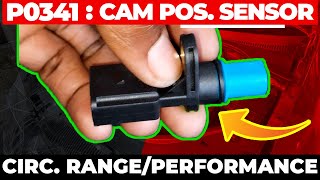
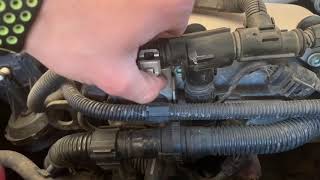
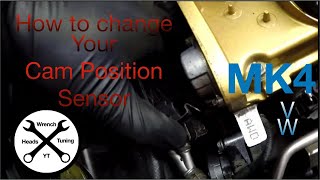
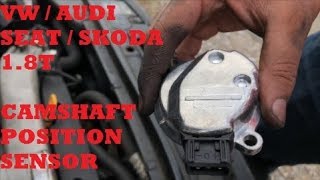
Technical Specifications
OEM Part Numbers: 06A905161B 058905161B 030907601E
Typically a 3-pin Hall Effect sensor. Location and mounting style vary by engine (e.g., 2.0L, 1.8T, VR6).

The information in this article is provided for general reference and educational purposes only. Vehicle specifications, procedures, and part compatibility can vary by production date, trim level, and region. Always consult your vehicle's factory service manual and verify part numbers before purchasing or performing repairs. Safety-critical components such as airbags, seat belts, and braking systems should be installed by a qualified professional.
- Volkswagen Golf: