

Dodge Durango 1998-2010 Engine Crankshaft Position Sensor Guide
Stalling or no-start issues on your Durango? The crankshaft position sensor is a likely culprit.
- A failing crankshaft sensor is a critical issue that can cause your Durango to stall while driving or fail to start.
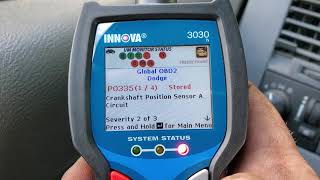
- Symptoms include stalling, no-start, a check engine light (P0335, P0336), and rough running.
- For this specific part, spending more on a Mopar or premium aftermarket brand (Delphi, NGK, Standard) is highly recommended to avoid premature failure.
- Replacement can be difficult due to the sensor's tight location on the bellhousing, but it is possible for a DIYer with patience.
Is Your Durango Stalling? It Could Be the Crankshaft Position Sensor
A failing crankshaft position sensor is a very common problem on 1998-2010 Dodge Durangos. When this part starts to go bad, it can leave you stranded. The symptoms often start as intermittent issues, like stalling at a stoplight, but can quickly become a major problem where the engine won't start at all. Because this sensor is so important for engine operation, you should not ignore these warning signs.
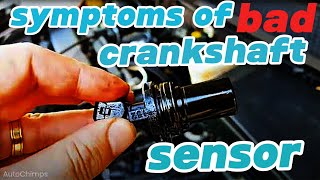
Common Symptoms of a Failing Crankshaft Sensor
- Engine Stalling: The engine may suddenly shut off while driving or when idling. This is a dangerous situation.
- No-Start Condition: The engine will crank over but will not fire up.
- Check Engine Light: You will likely see the check engine light on your dash, with codes such as P0335 or P0336. 🎬 Watch a detailed breakdown of common crankshaft sensor failure symptoms.
- Rough Idle and Misfires: The engine may run poorly, shake, or vibrate because the computer can't time the spark correctly.
- Poor Acceleration: Your Durango may feel sluggish and lack power.
OEM vs. Aftermarket: A Word of Caution
When it comes to electronic sensors on Dodge vehicles, quality matters. Many Durango owners and mechanics strongly recommend using the original Mopar sensor or a premium aftermarket brand. Cheaper, economy-level sensors have a reputation for failing prematurely or not working correctly right out of the box, causing you to do the job twice. While you might save a few dollars initially, it can lead to more headaches down the road.
Choosing the Right Aftermarket Sensor
Not all aftermarket parts are created equal. Here’s a breakdown of brand quality based on owner experiences and brand reputation:
- Premium Aftermarket (Recommended): Brands like Delphi, NGK/NTK, and Standard Motor Products (SMP) are often considered OE-equivalent or high-quality alternatives. They invest in engineering and testing to meet or exceed original specifications. These are a solid choice if you want reliability without paying the full price for a Mopar part.
- Standard Aftermarket: Brands like Dorman and Walker Products offer a balance of price and quality. They are generally reliable for most daily driving needs.
- Economy Brands: While the low price is tempting, be cautious with the cheapest options available. These sensors may have a shorter lifespan and less consistent performance. For a critical part like a crankshaft sensor that can leave you stranded, it's often worth spending a little more for a better-quality part.
| Part/Service | Estimated Cost |
|---|---|
| New OEM (Mopar) Part | $80 - $150 |
| New Aftermarket Part | $17.63 - $149.28 |
| Shop Labor | $66 - $97 |
Installation Tips
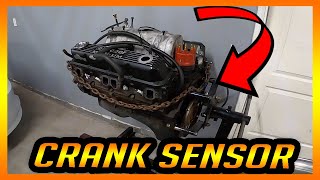
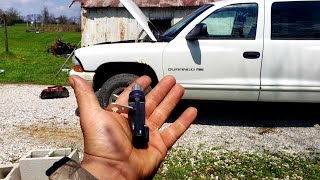
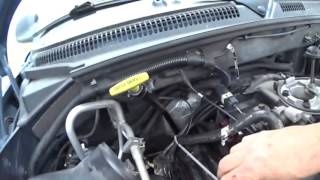
Replacing the sensor can be challenging due to its location. On many Durango engines (like the 4.7L, 5.2L, and 5.9L), the sensor is on the passenger side, at the top of the transmission bellhousing. Access is tight, and it's often done by feel from the top of the engine bay. You may need a long extension and a swivel for your ratchet. Disconnecting the battery before you start will reset the computer, allowing it to properly learn the new sensor.
Frequently Asked Questions
Can I still drive my Durango with a bad crankshaft sensor?
It is not recommended. A failing sensor can cause the engine to stall at any time, which is a serious safety risk, especially in traffic or at high speeds. If the sensor fails completely, your vehicle will not start, leaving you stranded.
Are there any recalls for the crankshaft sensor on the 1998-2010 Durango?
Searches of the NHTSA database did not show any direct recalls for the crankshaft position sensor itself on 1998-2010 Dodge Durangos. However, there have been recalls on other Dodge vehicles for issues with the tone wheel, which the crankshaft sensor reads. These specific recalls did not apply to the Durango models in this year range.
Where is the crankshaft sensor located on my Durango?
For most V8 engines in this generation (4.7L, 5.2L, 5.9L), the sensor is located on the passenger side of the engine, near the back, where the engine meets the transmission. The electrical connector is often near the distributor. Its location makes it difficult to see and reach. For V6 models or later generation Durangos, the location can be different, sometimes accessed from the wheel well.
Why do mechanics recommend Mopar or premium brands for this sensor?
The engine computer is calibrated to the specific signal and voltage range of the original Mopar sensor. Cheaper aftermarket sensors can sometimes have slightly different electronic properties, which can cause issues even if the part is new. Premium brands like Delphi or NGK are often the original equipment manufacturer for many car brands, so their quality is trusted.
Helpful Videos
Technical Specifications
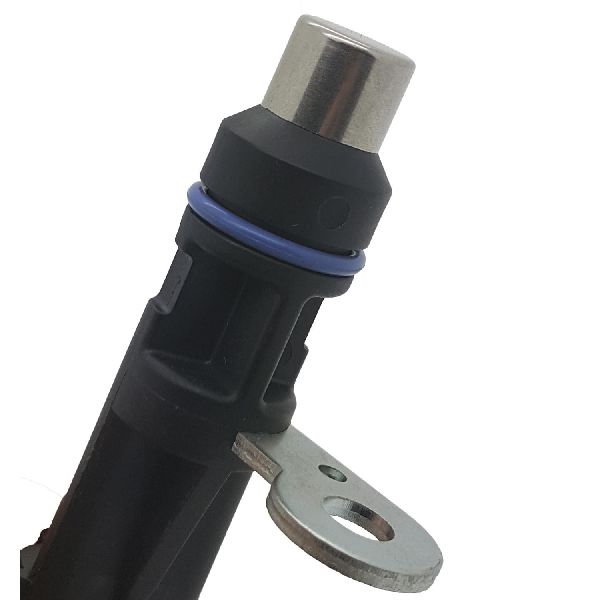
OEM Part Numbers: 56027865 56027865AB PC129 5S1723
Typically a 2-bolt or 1-bolt magnetic sensor with an integrated wiring harness and a 3-pin connector. The design varies slightly depending on the specific engine (4.7L, 5.9L, etc.).
We Have This Part in Stock


The information in this article is provided for general reference and educational purposes only. Vehicle specifications, procedures, and part compatibility can vary by production date, trim level, and region. Always consult your vehicle's factory service manual and verify part numbers before purchasing or performing repairs. Safety-critical components such as airbags, seat belts, and braking systems should be installed by a qualified professional.
- Dodge Durango: