

Ford F-250 Wiper Switch Guide for 1999-2005 Models
Having trouble with your wipers? Here’s what you need to know before replacing the wiper switch on your Super Duty.
- Symptoms like wipers not turning off or erratic operation strongly point to a failing multi-function switch.
- This is a DIY-friendly repair that can be done in under an hour with basic tools.
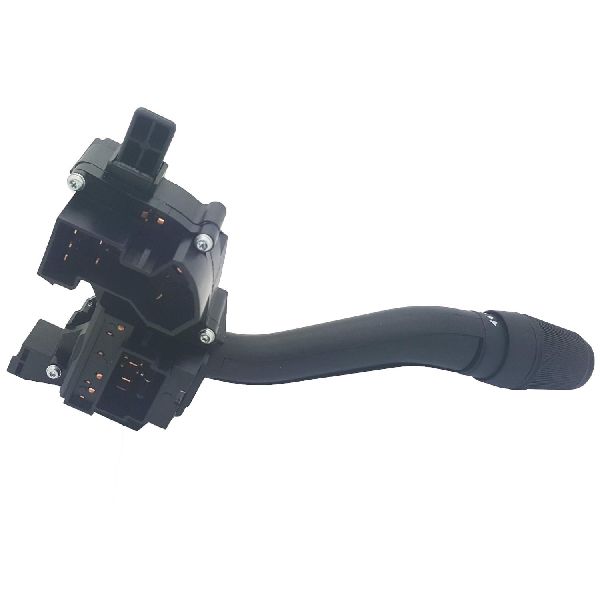
- The wiper switch is integrated with the turn signal and high beam controls; the entire unit must be replaced.
- While the switch is the most common cause, also consider the wiper motor and wiring as potential issues.
Is Your F-250 Wiper Switch Failing?
Problems with the wiper system on the 1999-2005 F-250 are common, and the multi-function switch is often the culprit. Symptoms can range from a minor annoyance to a serious safety issue in bad weather. Because the switch controls multiple systems, diagnosing the problem correctly is key.
Common Failure Symptoms:
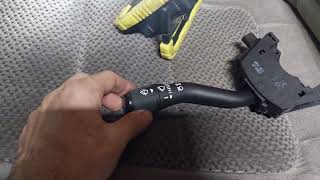
- Wipers Won't Turn Off: 🎬 Watch this video if your wipers won't shut off. The wipers may continue to run even when the switch is in the 'off' position, sometimes stuck on an intermittent setting. This can be caused by a fault inside the switch itself.
- Wipers Won't Turn On: You might find that the wipers don't respond at all when you try to activate them.
- Loss of Specific Speeds: One or more speed settings (low, high, or intermittent) may stop working, while others still function.
- Erratic Operation: Wipers may turn on and off by themselves, stop in the middle of the windshield, or only move a few inches at a time.
- Washer Pump Issues: The washer pump might stay on continuously after being pressed, or not work at all.
Other Possible Causes
While the switch is a frequent failure point, similar symptoms can be caused by a bad wiper motor, a faulty wiper motor park switch, or wiring issues. Forum users have reported that wiring near the cowl can sometimes get damaged, leading to erratic wiper behavior. It's wise to rule out these other components before replacing the switch.
Choosing an Aftermarket Wiper Switch
When shopping for a replacement, you'll find both OEM (Original Equipment Manufacturer) Motorcraft parts and various aftermarket brands. For a truck of this age, a quality aftermarket part can offer a good balance of price and reliability.
Brand Quality Tiers:
- Standard Ignition (SMP): Often considered a premium aftermarket brand, Standard Motor Products is a popular choice for professional technicians. Their parts are known for matching OE design and undergoing rigorous testing for performance and durability.
- True Tech: Information on the "True Tech" brand specifically is not widely available in search results. It may be a private label or a newer brand. When considering a lesser-known brand, focus on seller reputation and warranty coverage.
- Other Aftermarket Options: Brands like Dorman are also commonly used for these repairs, with some owners finding them to be a cost-effective solution.
Pro Tip: When replacing a critical electronic part like a multi-function switch, sticking with a well-regarded aftermarket brand like Standard Ignition or the OEM Motorcraft part is often worth the extra cost over a budget option to ensure reliability and proper fitment.
Known Issues, Recalls, and TSBs
While no recalls specifically target the wiper switch for the 1999-2005 F-250, there was a significant recall for the wiper motor on some 2000-2001 models (NHTSA Campaign ID: 01V258000). This recall addressed a defect in the wiper motor gear case that could cause the motor to overheat and fail. There was also a major recall (NHTSA ID: 05S28) for 1994-1999 F-250 Light Duty models concerning the speed control deactivation switch, which could leak and cause a fire, but this does not apply to the Super Duty models in the 2000-2005 range.
How to Replace Your F-250 Wiper Switch
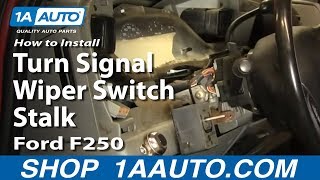
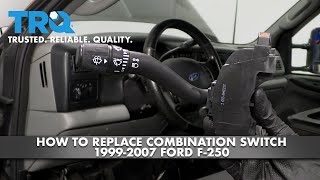
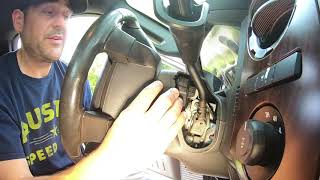
Replacing the wiper switch is a straightforward DIY job that most owners can complete with basic hand tools. 🎬 See how to replace the combination switch on your truck. The process involves disconnecting the battery, removing the plastic shrouds around the steering column, and then unscrewing the switch itself.
Tools Needed: Phillips and flat-blade screwdrivers, and a Torx driver (usually a T20).
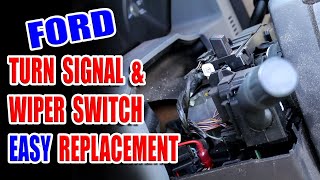
General Steps: 🎬 Follow this step-by-step guide to replace your multi-function switch.
- Disconnect the negative battery terminal.
- Remove the lower dash panel and the steering column shrouds (held by Phillips or 5.5mm screws).
- You may need to remove the ignition lock cylinder to get the top shroud off.
- Unscrew the two Torx screws holding the multi-function switch in place.
- Disconnect the two electrical connectors from the back of the switch.
- Install the new switch and reassemble everything in reverse order.
Frequently Asked Questions
Q: Why do my wipers run even when the switch is off?
A: This is a classic symptom of a failed multi-function switch. The internal contacts can fail, causing the wipers to run constantly or intermittently. However, it can also be caused by a problem in the wiper motor's park circuit.
Q: Do I need to replace the whole multi-function stalk for a wiper problem?
A: Yes. On the 1999-2005 F-250, the wiper controls, turn signals, and high beam switch are all integrated into one unit. You must replace the entire assembly.
Q: Is an aftermarket switch as good as the Ford OEM part?
A: For a vehicle of this age, a high-quality aftermarket switch from a reputable brand like Standard Ignition can be a reliable and cost-effective alternative to the more expensive OEM Motorcraft part. Budget-tier parts may have a higher failure rate.
Q: My turn signals work but my wipers don't. Could it still be the switch?
A: Yes. The multi-function switch is actually several individual switches in one housing. It is possible for the wiper control portion to fail while the turn signal function remains intact.
Helpful Videos
Technical Specifications
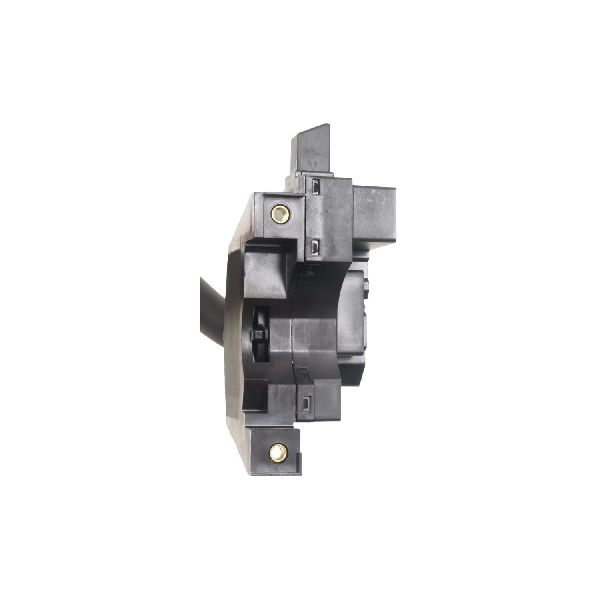
OEM Part Numbers: EC3Z13K359AA SW-7016-1X
The wiper switch for this generation F-250 is a multi-function lever mounted on the steering column that controls wipers, washers, turn signals, and high beams.
We Have This Part in Stock


The information in this article is provided for general reference and educational purposes only. Vehicle specifications, procedures, and part compatibility can vary by production date, trim level, and region. Always consult your vehicle's factory service manual and verify part numbers before purchasing or performing repairs. Safety-critical components such as airbags, seat belts, and braking systems should be installed by a qualified professional.
- Ford F-250: