

A Guide to the 1999-2007 Volkswagen Golf Brake Light Switch
Solve common electrical problems like an EPC light or failing brake lights by understanding this critical part.
- A faulty brake light switch is a very common failure and the likely cause of an EPC light on a Mk4 Golf.
- Symptoms include no brake lights, cruise control failure, and being unable to shift out of park.
- This was the subject of a major safety recall (NHTSA #07V063000); always use the updated (often green) switch design.
- Replacement is a simple DIY job that can be completed in under an hour with basic tools.
A Small Part That Causes Big Problems

A failing brake light switch is a very common issue on the Mk4 generation Volkswagen Golf. This small, inexpensive plastic switch is located above the brake pedal and is in constant use while you drive. Over time, the internal electrical contacts can wear out or the plastic housing can fail, leading to a variety of seemingly unrelated electrical symptoms. Fortunately, it is an easy and affordable part to replace.
Official Recall Information
Volkswagen issued a safety recall for the brake light switch on 1999-2006 Golf models (NHTSA Campaign ID# 07V063000). The original switches were prone to malfunction, which could cause the brake lights to stop working or stay on continuously. Dealers were instructed to replace the faulty switch with a newly designed part free of charge. While this recall was issued many years ago, it highlights the known issues with the original part. Any replacement you buy today will be the updated, more reliable design.
Symptoms of a Failing Brake Light Switch

When this switch starts to fail, your Golf can show several signs. Here are the most common issues owners experience:
- EPC Warning Light: The Electronic Power Control (EPC) light on your dashboard is one of the most common symptoms of a bad brake light switch on a VW. The ECU detects an 'implausible signal' from the switch and triggers the warning light.
- Brake Lights Don't Work or Stay On: The most obvious sign is when your brake lights either fail to illuminate when you press the pedal or they get stuck and stay on, draining your battery.
- Cruise Control Won't Engage: Because the switch tells the car when the brakes are applied, a faulty one will prevent the cruise control system from activating.
- Can't Shift Out of Park (Automatic Transmission): For safety, automatic models require the brake pedal to be pressed before you can shift out of Park. If the switch is bad, the car doesn't receive this signal, and the shifter will be locked.
- Flashing Glow Plug Light (TDI Diesel Models): On TDI diesel engines, a bad brake light switch will often cause the glow plug indicator light to flash.
Choosing the Right Aftermarket Brake Light Switch

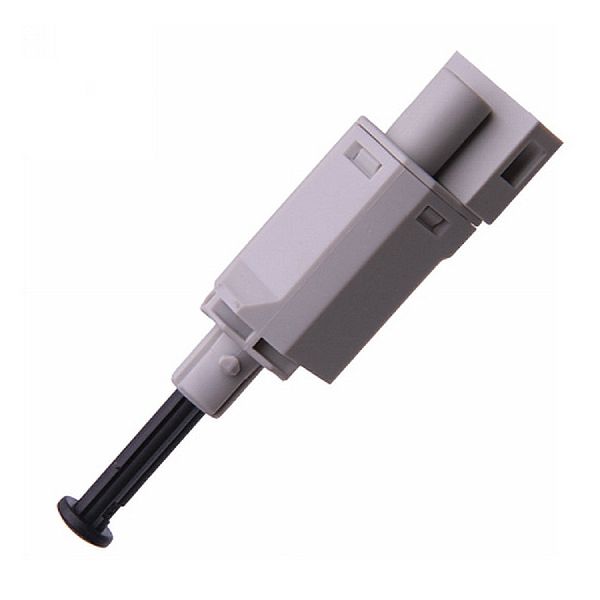
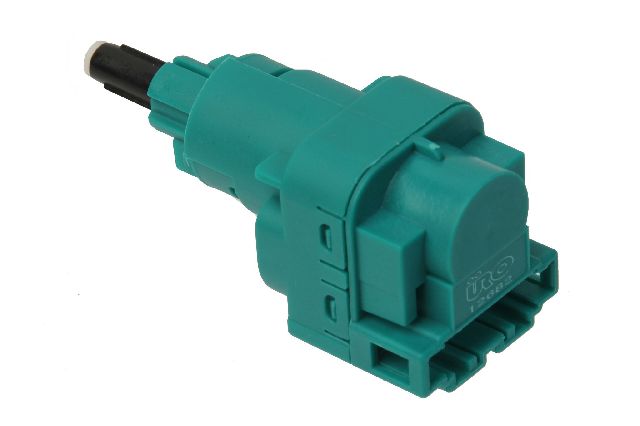
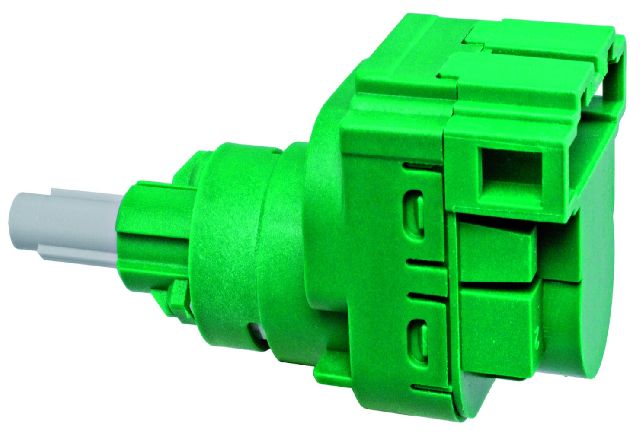
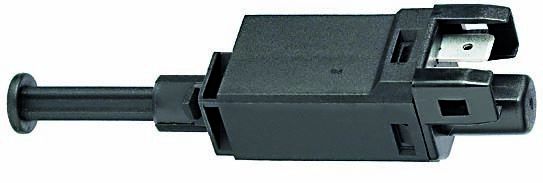
For this specific part, you don't need to buy an expensive OEM (Original Equipment Manufacturer) part from the dealership. Many aftermarket brands offer quality replacements that meet or exceed the original specifications. The key is to buy the updated version of the switch, which is often identified by its green color. These newer designs are more robust and easier to install than the older black or purple versions.
| Tier | Brands | Notes |
|---|---|---|
| Top Tier | Hella, Vemo | Hella is a well-regarded German brand and often an OEM supplier to Volkswagen. Vemo is another quality brand known for its electronic components. These are excellent choices for fit and longevity. |
| Mid Tier | Standard Ignition, Facet, Calorstat | These are reputable aftermarket brands that produce reliable parts. They offer a good balance of quality and price and are a solid choice for most owners. |
| Economy Tier | URO Parts, Rostra Powertrain | These brands provide a budget-friendly option. While they may not have the same long-term durability as higher-tier brands, they are functional replacements that can solve the immediate problem. Some users report fitment can be tricky. |
Installation is Simple
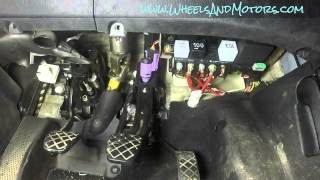
Replacing the brake light switch is a job most DIYers can handle in under an hour with basic tools. It involves removing the lower dash panel, twisting the old switch to remove it, disconnecting the electrical plug, and installing the new one in reverse order. The newer green switches are self-adjusting and don't require any special tricks to install.
Frequently Asked Questions (FAQ)

Why did my EPC light turn on?
The EPC light often indicates a problem with the throttle system, but on a 1999-2007 Golf, it is very frequently triggered by a faulty brake light switch. 🎬 Watch: Learn more about EPC light causes and fixes. The car's computer gets a conflicting signal from the switch and illuminates the light. Getting the fault codes read with a scanner can confirm the issue.
🎬 See how to test and replace the switch yourself.Can I replace the brake light switch myself?
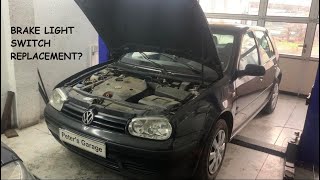
Yes, this is a great DIY task for beginners. The switch is located above the brake pedal and is accessible by removing the driver's side lower dash panel, which is typically held on by three T20 Torx screws. 🎬 Watch: Right-hand drive brake light switch replacement guide. You simply twist the old switch about 45 degrees counter-clockwise to pull it out, unplug it, and install the new one.
What is the difference between the green, black, or purple switches?
The different colors represent different revisions of the part. The original switches (often black or purple) were part of the recall and were known to fail. The updated design is typically green and is more reliable and easier to install. You should always install the newest version available.
Is it safe to drive with a bad brake light switch?
No. If your brake lights are not working, other drivers will not know you are slowing down, which can easily lead to a crash. If your brake lights are stuck on, it can confuse other drivers and drain your battery. This part should be replaced as soon as possible.
Helpful Videos
Technical Specifications
OEM Part Numbers: 1C0945511A 1J0945511A 1J0945511B 1J0945511C 1J0945511D 6Q0945511
4-pin electrical connector, plunger-style switch, mounts to pedal bracket.
We Have This Part in Stock


The information in this article is provided for general reference and educational purposes only. Vehicle specifications, procedures, and part compatibility can vary by production date, trim level, and region. Always consult your vehicle's factory service manual and verify part numbers before purchasing or performing repairs. Safety-critical components such as airbags, seat belts, and braking systems should be installed by a qualified professional.
- Volkswagen Golf: