

Ford F-550 Super Duty (1999-2010) Brake Light Switch: A Complete Guide
Solve common brake light, cruise control, and shifting problems by understanding this critical part.
- A bad brake light switch can cause brake light failure, prevent shifting from Park, and disable cruise control.
- This is a very common, inexpensive, and easy part to replace yourself in under 30 minutes.
- If your brake lights are stuck on, check for a broken plastic bushing on the pedal arm before replacing the switch.
- Aftermarket brands like Standard Ignition and Rostra Powertrain are reliable alternatives to the OEM part.
Is a Faulty Brake Light Switch Causing Problems in Your F-550?
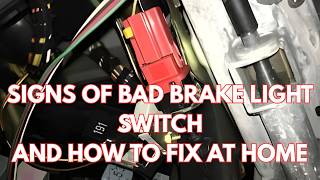
A failing brake light switch, also known as a Brake-On-Off (BOO) switch, is a common issue on Ford Super Duty trucks that can cause a surprising range of symptoms. 🎬 Watch this video to identify common signs of a failing switch. Because it's tied into multiple vehicle systems, a bad switch can lead to everything from non-working brake lights to being unable to shift out of park. Understanding these symptoms is the first step to a quick and affordable fix.
Safety First: Check Your Brake Lights
Before driving, always confirm if your brake lights are working. A complete failure of the brake lights is a critical safety hazard. If your brake lights are stuck on, it can confuse other drivers and drain your battery. If they don't light up at all, you risk a rear-end collision.
Choosing the Right Aftermarket Brake Light Switch
When replacing the brake light switch, you don't need to go back to the dealer. Aftermarket options offer a balance of quality and value. The brands available—Standard Ignition, Rostra Powertrain, and generic "Replacement" parts—are all viable choices for your F-550.
- Standard Ignition: Often considered a top-tier aftermarket brand, Standard Motor Products (SMP) has a long-standing reputation. Reviews for their switches are generally positive, with customers noting good fit and function. They are a reliable choice for a direct OE-quality replacement.
- Rostra Powertrain: Rostra is a well-known manufacturer of vehicle electronics, including cruise control systems and various switches. Their parts are engineered to be direct-fit OE replacements and are 100% tested for reliability. This makes them a strong contender for a durable, long-lasting part.
- Replacement (Value/Budget): This category represents various manufacturers that produce direct-fit, lower-cost alternatives. While they meet basic requirements, their long-term durability may vary. They can be a good option for a quick, budget-friendly fix, but it's important to ensure you're getting the correct part for your specific year and model.
Pro Tip: Check Your Pins
When ordering, pay close attention to the number of electrical pins on the connector. Switches can have different pin counts (e.g., 2-pin, 4-pin, 5-pin) depending on the vehicle's options. Always match the new part to the old one to ensure compatibility.
Cost of Replacing Your F-550 Brake Light Switch
This is one of the more affordable repairs you can perform on your truck. The part itself is inexpensive, and the labor is straightforward.
| Part/Service | Estimated Cost |
|---|---|
| New OEM Part | $30 - $50 |
| New Aftermarket Part | $20.79 - $55.93 |
| Shop Labor | $50 - $100 |
| DIY Total | $20.79 - $55.93 |
Frequently Asked Questions (FAQ)
Can I replace the brake light switch myself?
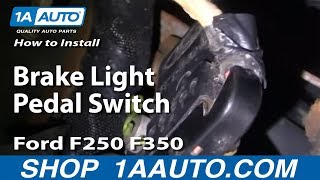
Yes, this is a very DIY-friendly repair. The switch is located on the brake pedal support bracket under the dashboard. The replacement process typically involves removing a lower dash panel, disconnecting the electrical connector, and rotating the switch to remove it. The entire job can usually be done in under 30 minutes with basic hand tools.
🎬 Follow this step-by-step guide to replace the switch yourself.Why can't I shift my truck out of Park?
Your F-550 has a safety feature called a shift interlock that prevents you from shifting out of Park unless the brake pedal is pressed. The brake light switch is what sends the signal to release the interlock. If the switch fails, the transmission shifter can get stuck in Park.
My cruise control stopped working. Could it be the brake light switch?
Yes. The brake light switch is designed to immediately cancel the cruise control when you tap the brakes. If the switch is faulty and sending an incorrect signal (or no signal at all), it can prevent the cruise control from engaging or cause it to turn off unexpectedly.
Are there any recalls for the brake light switch on my F-550?
Searches did not find any specific recalls for the brake light switch itself on the 1999-2010 Ford F-550. There was a recall (04S12) for some Super Duty trucks around 2004 for the switch and wiring harness, but it's crucial to check your specific VIN with Ford or NHTSA to confirm if your vehicle was affected. Newer model year Super Duty trucks have had recalls related to the brake system, but not specifically the switch for this year range.
What is the little plastic bushing on the brake pedal?
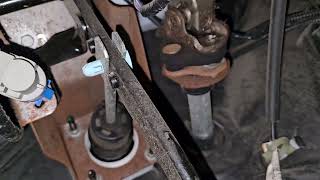
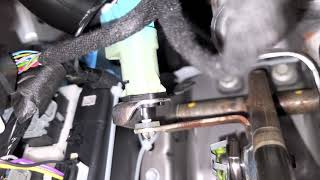
Some Ford trucks have a small plastic bushing on the brake pedal arm that makes contact with the switch's plunger. Over time, this bushing can become brittle and disintegrate. If it falls off, it creates a gap, and the switch may think the pedal is always pressed, causing the brake lights to stay on constantly. If your brake lights are stuck on, check for pieces of this plastic bushing on your floor mat.
🎬 See how to fix brake lights that stay on constantly.Helpful Videos
Technical Specifications
OEM Part Numbers: F87Z13480AA SW5219
Located on the brake pedal support bracket. Typically a twist-in style switch with a 2, 4, or 5-pin electrical connector.
We Have This Part in Stock


The information in this article is provided for general reference and educational purposes only. Vehicle specifications, procedures, and part compatibility can vary by production date, trim level, and region. Always consult your vehicle's factory service manual and verify part numbers before purchasing or performing repairs. Safety-critical components such as airbags, seat belts, and braking systems should be installed by a qualified professional.
- Ford F-550 Super Duty:
- 🎬 Helpful Videos
- 🛍️ Shop This Part
- Is a Faulty Brake Light Switch Causing Problems in Your F-550?
- Safety First: Check Your Brake Lights
- Choosing the Right Aftermarket Brake Light Switch
- Pro Tip: Check Your Pins
- Cost of Replacing Your F-550 Brake Light Switch
- Frequently Asked Questions (FAQ)
- 🎟️ Get 5% Off