

Mitsubishi Lancer Brake Light Switch Guide for 2002-2012 Models
Having issues with your brake lights or getting stuck in park? Your brake light switch is the likely culprit.
- You MUST physically check if your Lancer needs a 2-prong or 4-prong switch before buying.
- Symptoms include brake light failure, getting stuck in park, and cruise control issues.
- This is a critical safety part; driving with a faulty switch is not recommended.
- Replacement is simple, inexpensive, and can be done at home in under an hour with basic tools.
Is Your Lancer's Brake Light Switch Failing?
A brake light switch can fail from normal wear and tear. When it does, it can cause several confusing problems. Recognizing the signs can save you from a misdiagnosis.
Common Symptoms of Failure
- Brake Lights Don't Work: The most obvious and dangerous symptom is when your brake lights do not light up at all when you press the pedal.
- Brake Lights Stay On: The switch can fail in the 'on' position, leaving your brake lights constantly illuminated, which can drain your battery. 🎬 See this quick fix for brake lights that won't turn off.
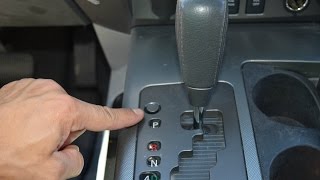
- Cannot Shift Out of Park: On automatic models, a bad switch won't send the signal that the brake is applied, so the safety interlock will not release the gear shifter. 🎬 Watch: How to fix a shifter stuck in park.
- Cruise Control Won't Engage or Disengages: The cruise control system relies on the brake switch to know when to turn off. A faulty switch can prevent it from working correctly.
- ABS or Traction Control Light: A failing switch can send an incorrect signal to the anti-lock brake and traction control systems, causing a warning light on your dash.
Known Issues for 2002-2012 Lancer
Mitsubishi issued Technical Service Bulletin TSB-12-35-003 for 2008-2012 Lancer models. This bulletin clarifies the correct procedure for installing and adjusting the brake light switch. Improper adjustment can cause the symptoms of a failed switch even with a new part. It's important that the switch is installed correctly to ensure proper pedal travel before the lights activate.
🎬 Watch: How to properly adjust your new brake light switch.Choosing the Right Aftermarket Switch
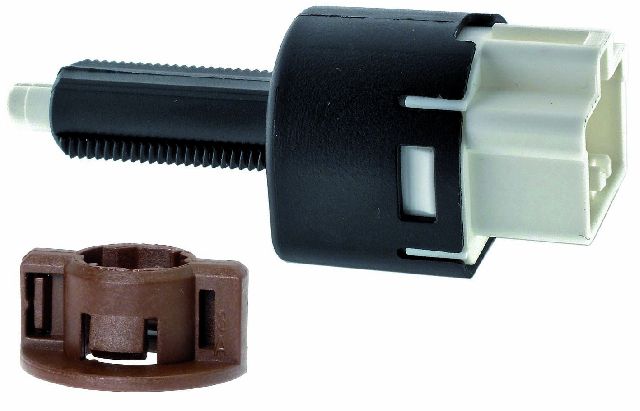
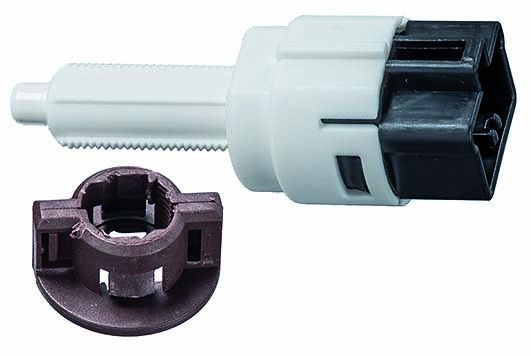
Before you buy, you must check which switch your Lancer uses. There are two common types for this generation, and they are not interchangeable.
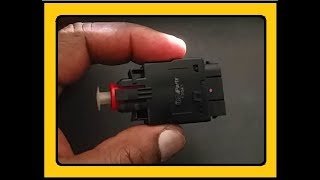
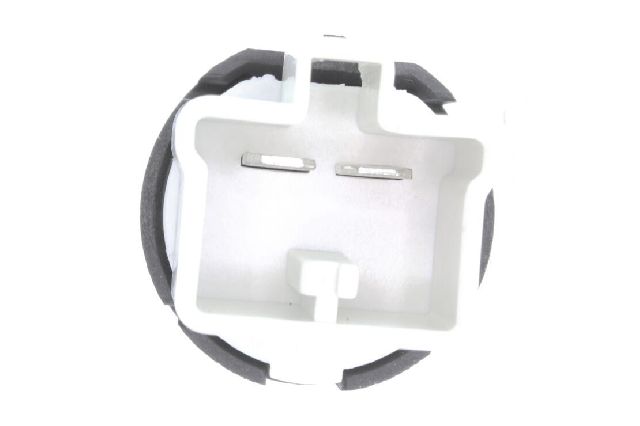
Pro-Tip: The easiest way to ensure you buy the right part is to look at the existing switch on your brake pedal. Check the number of electrical pins on the connector.
- 2-Prong Switch (OEM #MR228924): Typically found on earlier models (approx. 2002-2007) or those without cruise control.
- 4-Prong Switch (OEM #8614A183): Typically found on later models (approx. 2008-2012) and models equipped with cruise control.
Aftermarket Brand Quality
For the Lancer, several aftermarket brands offer a good balance of quality and value compared to the OEM part from a dealer.
- Standard Ignition (SMP): A well-regarded brand in the US, often trusted by professional mechanics. Reviews for their switches are consistently positive, citing good fit and reliability. This is a solid choice for a dependable, long-lasting repair.
- Vemo: A German brand that offers a wide range of electronic parts. Customer feedback is generally positive, often purchased to solve specific issues like brake lights staying on or not working. It's a reliable mid-tier option.
- Facet: An Italian manufacturer with a long history. Facet is a well-known aftermarket brand that provides a cost-effective alternative to OEM. User reviews indicate they are a decent choice for the price.
Cost of Replacing a Lancer Brake Light Switch
| Part Type | Price Range |
|---|---|
| New OEM (Dealer) | $28 - $39 |
| New Aftermarket | $17 - $42 |
| Shop Labor | $80 - $150 |
Frequently Asked Questions (FAQ)
Can I replace the brake light switch myself?
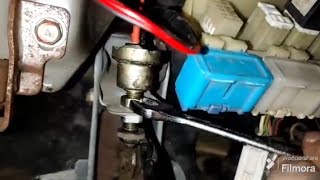
Yes, this is a very DIY-friendly job. The switch is located above the brake pedal. The replacement usually involves removing a small plastic panel under the dash, unplugging the electrical connector, and then twisting or unbolting the old switch. The entire process typically takes less than an hour with basic hand tools.
How do I know if I need a 2-prong or 4-prong switch?
The only way to be 100% sure is to visually inspect the switch currently in your vehicle before ordering a new one. The number of metal pins (prongs) in the electrical connector will tell you which version you need. Generally, models with cruise control use the 4-prong switch, while base models may use the 2-prong version.
I replaced the switch, but the brake lights still don't work. What now?
Before assuming the new switch is bad, check other simple things first. Make sure the brake light fuse isn't blown. Also, check the brake light bulbs themselves. While it's rare for both to burn out at once, it can happen. Finally, inspect the electrical connector for any signs of melting or corrosion, as a bad connection can mimic a failed switch.
What happens if I ignore a bad brake light switch?
Ignoring a bad switch is a serious safety risk. If your brake lights don't work, drivers behind you won't know you are slowing down, which can easily lead to a rear-end collision. If the switch fails and keeps the lights on, it will drain your battery. If you can't shift out of park, you will be stranded.
Helpful Videos
Technical Specifications
OEM Part Numbers: 8614A183 MR228924 8614A018 8614A049
Located above the brake pedal arm. Available in 2-prong and 4-prong connector types.
We Have This Part in Stock


The information in this article is provided for general reference and educational purposes only. Vehicle specifications, procedures, and part compatibility can vary by production date, trim level, and region. Always consult your vehicle's factory service manual and verify part numbers before purchasing or performing repairs. Safety-critical components such as airbags, seat belts, and braking systems should be installed by a qualified professional.
- Mitsubishi Lancer: