

Land Rover Range Rover (2002-2014) Brake Light Switch Guide
A failing brake light switch in your L322 Range Rover can cause more than just brake light problems; it can trigger a cascade of warning lights.
- A failing brake light switch can cause numerous, seemingly unrelated electronic faults on an L322 Range Rover.
- Symptoms include brake light failure, multiple dash warnings (HDC, Air Suspension), and being unable to shift from Park.
- Replacement is a simple, quick DIY job located above the brake pedal.
- Consider using a genuine or OEM-equivalent brand for this part to avoid premature failure and compatibility issues.
Is Your Range Rover L322 Acting Up? It Could Be the Brake Light Switch
If you're seeing a sudden Christmas tree of warning lights on your dash—like "HDC INACTIVE," "AIR SUSPENSION INACTIVE," or a transmission fault—your first thought might be a major, expensive repair. However, on the 2002-2014 (L322) Range Rover, these issues can often be traced back to a simple, inexpensive part: the brake light switch. This switch does more than just operate the brake lights; it tells multiple computer systems that the brakes are being applied. When it fails, it can send confusing signals throughout the vehicle's network.
Symptoms of a Failing Brake Light Switch
A bad brake light switch can cause a variety of symptoms, some of which may not seem related to the brakes at all. Here’s what to watch for:
- Brake lights don't work: The most obvious sign is when your brake lights fail to illuminate when you press the pedal.
- Brake lights stay on: The switch can fail in the 'on' position, leaving your brake lights illuminated constantly, which can drain your battery.
- Multiple dashboard warning lights: You may see warnings for Hill Descent Control (HDC), Dynamic Stability Control (DSC), ABS, and air suspension.
- Transmission or gear shifter issues: The vehicle may not let you shift out of Park because it doesn't detect that the brake pedal is pressed.
- Cruise control won't engage: The cruise control system relies on the brake switch signal to operate and will not set if the switch is faulty.
- Ignition key won't turn: In some cases, a fault related to the brake light switch can prevent the ignition key from turning.
Check Your Battery First
The L322 Range Rover is known to be sensitive to battery voltage. Before replacing the brake light switch, ensure your battery is fully charged and in good health. A weak or failing battery can cause similar electronic issues and warning lights.
Choosing the Right Aftermarket Brake Light Switch
When it comes to electronics on a Land Rover, part quality matters. While many aftermarket options are available, owner experiences suggest that not all are created equal. Some budget-friendly switches may fail prematurely or have slight differences in construction, like a shorter plunger, that can cause intermittent issues.
Here’s a general breakdown of the brands available:
- OEM-Equivalent Brands (Hella, Vemo, Febi): These brands often have a strong reputation for producing parts that meet or exceed original specifications. Hella, in particular, is a known OEM supplier for many European vehicles. Choosing one of these is a solid bet for reliability.
- Reputable Aftermarket Brands (Standard Ignition, Facet): Brands like Standard (SMP) and Facet are well-established in the aftermarket and generally offer good quality and fit. An Intermotor-branded switch is also listed as an OEM part by some retailers.
- Value-Oriented Brands (Calorstat, True Tech, Rostra): These brands can provide a cost-effective solution. However, for a critical electronic part that integrates with multiple vehicle systems, it's often worth spending a few extra dollars for a brand with a more established track record for this specific vehicle to avoid potential issues.
Pro Tip: Consider an OEM Part
Forum discussions among Land Rover owners often recommend using a genuine Land Rover part for electronic components like the brake light switch to ensure perfect compatibility and longevity. While aftermarket parts can be a good value, the small price difference may be worth the peace of mind that comes with a genuine part, especially given the switch's integration with safety systems.
Brake Light Switch Cost for 2002-2014 Range Rover
| Part Type | Estimated Cost |
|---|---|
| New Aftermarket | $20.54 - $41.75 |
| New OEM (Genuine Land Rover) | $45 - $65 |
| Shop Labor | $50 - $100 |
Cost estimates are approximate and can vary based on supplier, brand, and location.
Frequently Asked Questions (FAQ)
Where is the brake light switch located on my Range Rover?
The brake light switch is located above the brake pedal, attached to the pedal box bracket. You will need to remove the lower dash panel under the steering wheel to access it.
Is replacing the brake light switch a DIY job?
Yes, this is a very feasible DIY job for most owners. It requires removing one trim panel and then twisting the switch to remove it from its bracket. No special tools are needed, though access can be a bit tight. The entire process typically takes less than 30 minutes.
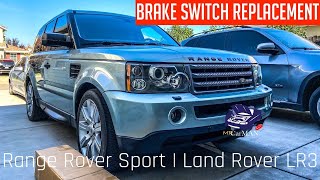
🎬 Watch a step-by-step guide on replacing the brake light switch.Are there any recalls for the brake light switch on this Range Rover?
There were recalls (NHTSA #07V-041, Land Rover P002/P004) related to the brake light switch, but they were for the 2002-2005 Land Rover Freelander, not the Range Rover. Another recall for the 2013-2014 Range Rover involved a brake vacuum hose, not the switch itself.
What is the part number for the brake light switch?
The primary OEM part number for the 2003-2012 L322 Range Rover is XKB000022. For later models and other Land Rovers, you may see part number XKB500110, which supersedes XKB500030. Always verify the correct part number for your specific vehicle's VIN before ordering.
Helpful Videos
Technical Specifications
OEM Part Numbers: XKB000022 XKB500110 XKB500030
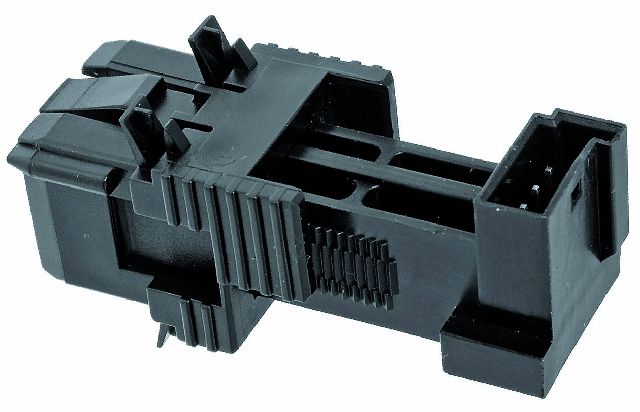
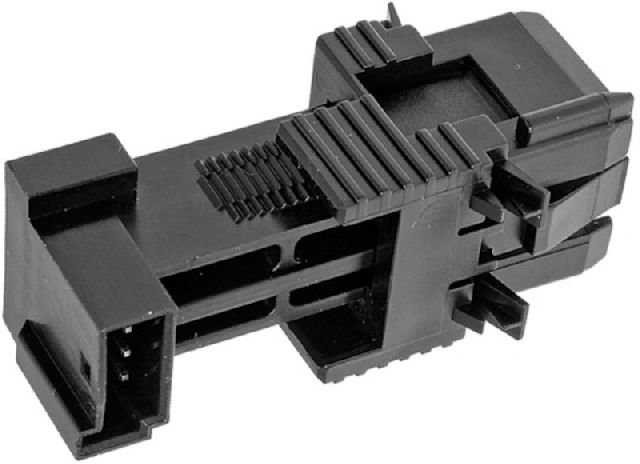
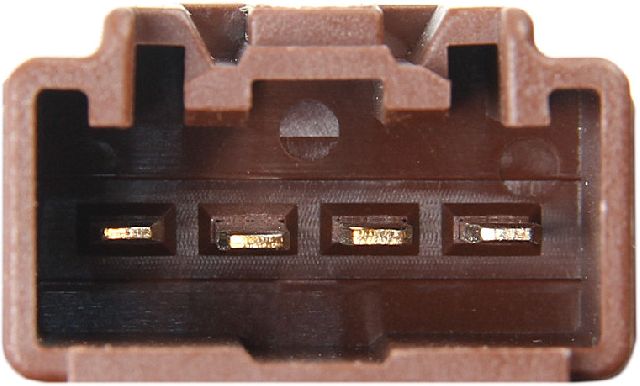
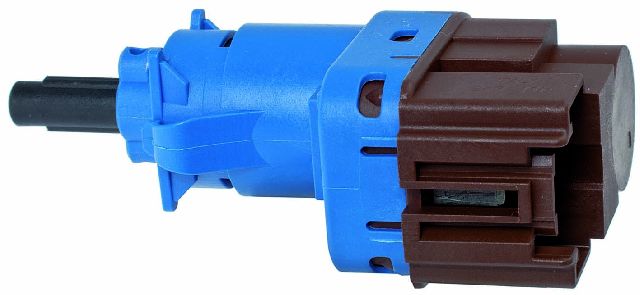
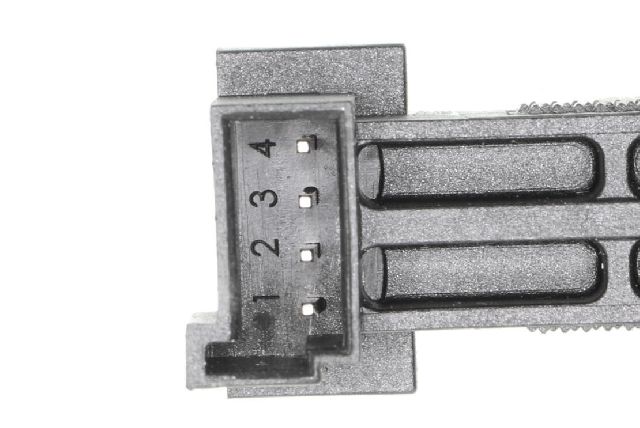
Located on the brake pedal bracket, this is a plunger-style switch with a multi-pin electrical connector. It contains two separate internal switches for redundancy and to communicate with different vehicle modules.
We Have This Part in Stock


The information in this article is provided for general reference and educational purposes only. Vehicle specifications, procedures, and part compatibility can vary by production date, trim level, and region. Always consult your vehicle's factory service manual and verify part numbers before purchasing or performing repairs. Safety-critical components such as airbags, seat belts, and braking systems should be installed by a qualified professional.
- Land Rover Range Rover:
- 🎬 Helpful Videos
- 🛍️ Shop This Part
- Is Your Range Rover L322 Acting Up? It Could Be the Brake Light Switch
- Symptoms of a Failing Brake Light Switch
- Check Your Battery First
- Choosing the Right Aftermarket Brake Light Switch
- Pro Tip: Consider an OEM Part
- Brake Light Switch Cost for 2002-2014 Range Rover
- Frequently Asked Questions (FAQ)
- 🎟️ Get 5% Off