

Chevrolet SSR Mass Air Flow Sensor: A Guide for V8 Owners
Keep your SSR's V8 running strong by learning to spot, diagnose, and replace a failing mass air flow sensor.
- A failing MAF sensor on your SSR can cause a Check Engine Light, rough idle, hesitation, and poor gas mileage.
- Replacement is a simple DIY job that takes less than 30 minutes with basic hand tools.
- For reliability, choose an OEM-equivalent brand like Delphi or a reputable aftermarket brand like Walker Products or Standard Ignition.
- Before buying a new part, try cleaning the sensor with a dedicated MAF cleaner spray, as this can sometimes fix the issue.
Why the MAF Sensor Matters for Your SSR
Your Chevrolet SSR is a unique truck with a powerful V8 heart. Whether you have the early 5.3L or the later 6.0L LS2, the Mass Air Flow (MAF) sensor is essential for performance. When it works correctly, your engine is responsive and efficient. When it fails, it can cause a range of frustrating problems, from poor gas mileage to stalling. Because the sensor can get dirty or fail over time, it's a common replacement item for many vehicle owners.
Symptoms of a Failing MAF Sensor
A bad MAF sensor can make your SSR run poorly. Here are the most common signs:
- Check Engine Light: This is often the first sign. The computer will detect a problem with the MAF sensor's signal and trigger a light. Common codes include P0101, P0102, and P0103.
- Rough Idle: The engine may shake, sputter, or vibrate at a stop because the air-fuel mixture is unstable.
- Hesitation and Stalling: The truck may hesitate, jerk, or even stall when you accelerate or come to a stop. This happens because the engine isn't getting the right amount of fuel for the air it's receiving.
- Poor Fuel Economy: If the sensor tells the computer there is more air than there actually is, the engine will run rich (too much fuel), wasting gas.
- Black Smoke from Exhaust: This is a clear sign of an engine running rich, as unburned fuel is pushed out the tailpipe.
Choosing the Right Aftermarket MAF Sensor
When replacing the MAF sensor on your SSR, you have several options. While an OEM part from the dealer is one choice, quality aftermarket parts can offer the same performance for less money. It's important to know that not all aftermarket sensors are created equal.
Brand Quality Tiers
- OEM-Equivalent Brands (Delphi, NGK): Delphi was an original parts supplier for GM, so their parts are often identical to the original ACDelco part, just in a different box. They are highly recommended for fit and performance. NGK (and their NTK sensors division) is also a top-tier supplier known for quality electronics.
- Quality Aftermarket (Walker Products, Standard Ignition, Hella): These brands have a long-standing reputation for producing reliable replacement parts that meet or exceed OEM specifications. They are a solid choice for a dependable repair without the OEM price tag.
- Economy/Remanufactured (Cardone, Spectra, DriveWire): Brands like Cardone often offer remanufactured units, which are original parts that have been rebuilt. Quality can sometimes be inconsistent with remanufactured electronics. Spectra offers new sensors, but some user reviews suggest they can be hit-or-miss. These brands can be a budget-friendly option, but there may be a higher risk of getting a part that doesn't perform correctly right out of the box.
Pro Tip: Before replacing your MAF sensor, try cleaning it with a dedicated MAF sensor cleaner spray. Sometimes, oil and dirt from the air filter can coat the sensor wire and cause incorrect readings. A simple cleaning can sometimes restore performance and save you the cost of a new part.
Installation Guide
Replacing the MAF sensor on a 2003-2006 SSR is a straightforward job that most DIYers can do in under 30 minutes with basic tools.
- Locate the MAF Sensor: Open the hood and find the sensor on the large plastic air intake tube, right after the air filter box.
- Disconnect the Battery: It's always a good safety practice to disconnect the negative battery terminal before working on electrical components.
- Unplug the Electrical Connector: Carefully unplug the wiring harness from the sensor. There may be a small locking tab you need to release.
- Loosen the Clamps: Using a flathead screwdriver or an 8mm socket, loosen the hose clamps on either side of the MAF sensor housing.
- Remove the Old Sensor: Gently pull the intake tubes apart and remove the entire MAF sensor assembly.
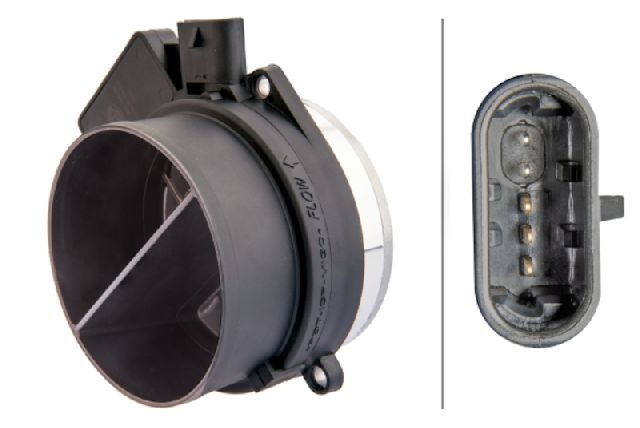
- Install the New Sensor: Place the new sensor in position, making sure the arrow indicating airflow direction points towards the engine. Reconnect the intake tubes and tighten the clamps.
- Reconnect and Test: Plug the electrical connector back in, reconnect the battery, and start the engine. The check engine light may need to be cleared with a scan tool.
Frequently Asked Questions (FAQ)
Is the MAF sensor the same for the 5.3L and 6.0L SSR engines?
Yes, the same MAF sensor part number is listed for all 2003-2006 Chevrolet SSR models, covering both the 5.3L (2003-2004) and 6.0L LS2 (2005-2006) engines.
Can I just clean my old MAF sensor instead of replacing it?
Sometimes, yes. If the sensor is just dirty, a cleaning with a specialized MAF sensor cleaner spray can solve the problem. However, if the internal electronics have failed, cleaning will not help and the sensor must be replaced.
Do I need to reset the computer after replacing the MAF sensor?
It is a good practice to clear the diagnostic trouble codes (DTCs) with a scan tool after installation. The computer will eventually adapt to the new sensor on its own after a few drive cycles, but clearing the codes ensures it starts fresh with the new sensor's readings.
Are there any recalls for the SSR MAF sensor?
No, a search of the National Highway Traffic Safety Administration (NHTSA) database shows no recalls specifically for the Mass Air Flow sensor on the 2003-2006 Chevrolet SSR.
Technical Specifications
OEM Part Numbers: 25318411 25168491 15904068 19330121
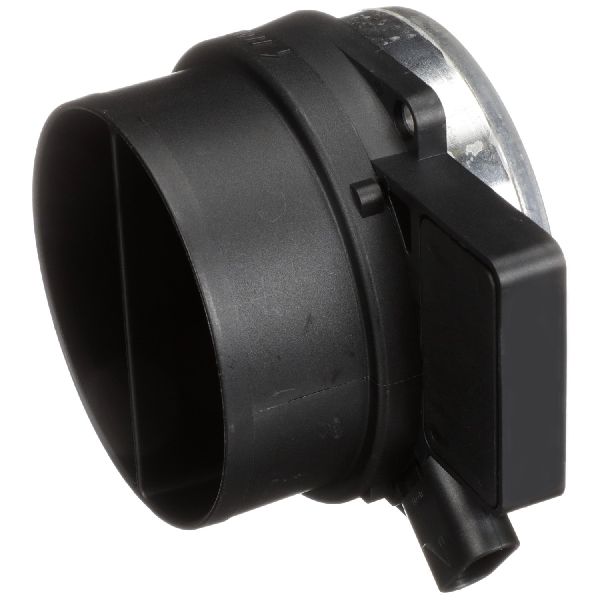
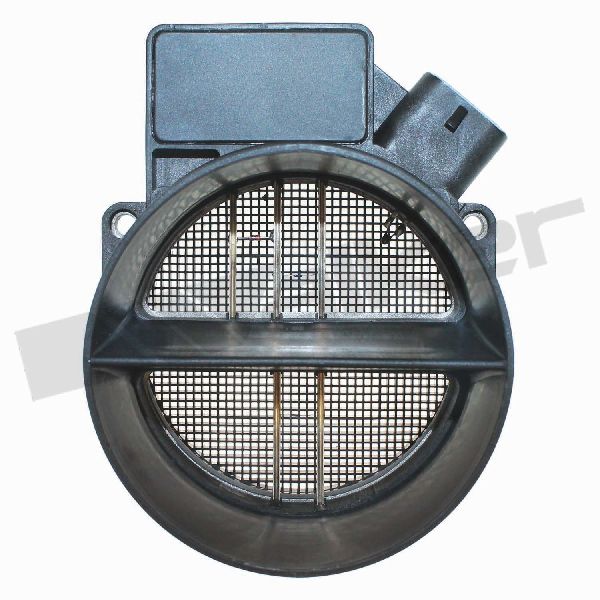
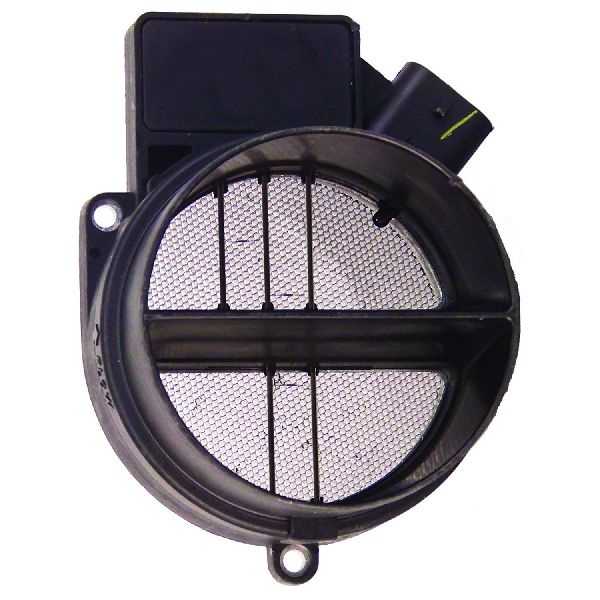
5-pin, hot-wire type sensor with integrated housing. Fits both 5.3L and 6.0L V8 engines for the specified model years.
We Have This Part in Stock



The information in this article is provided for general reference and educational purposes only. Vehicle specifications, procedures, and part compatibility can vary by production date, trim level, and region. Always consult your vehicle's factory service manual and verify part numbers before purchasing or performing repairs. Safety-critical components such as airbags, seat belts, and braking systems should be installed by a qualified professional.
- Chevrolet SSR: