

Dodge Durango 2003-2009 Disc Brake Hardware Kit: A Complete Guide
Don't let old hardware ruin your new brake job; here's what every 2003-2009 Durango owner needs to know.
- Always replace the disc brake hardware kit when changing brake pads to prevent noise and uneven wear.
- Verify the correct part for your specific model year, as the 2003 (1st Gen) and 2004-2009 (2nd Gen) Durango may use different hardware.
- Use a wire brush to clean the caliper bracket and apply high-temperature brake grease to slide pins and clip contact points.
- Quality aftermarket brands like Centric and Raybestos offer reliable performance at a better price than OEM for this part.
Why You Can't Skip Replacing Your Brake Hardware
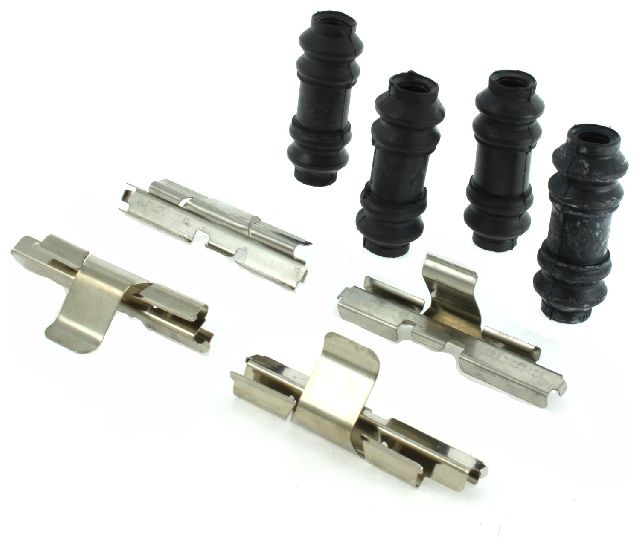
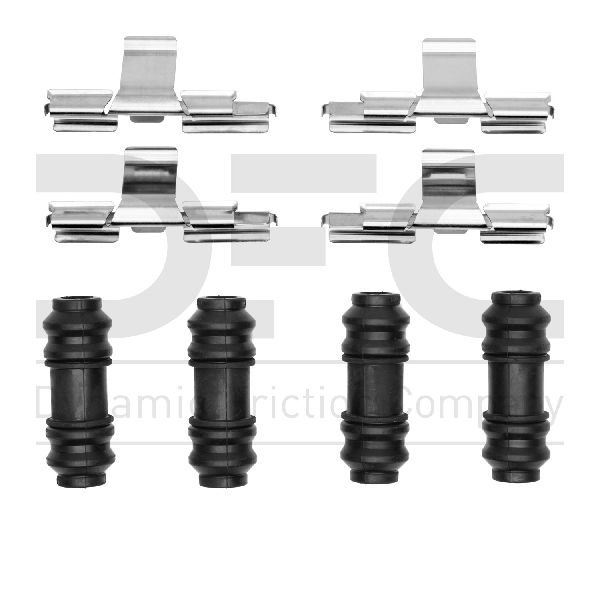
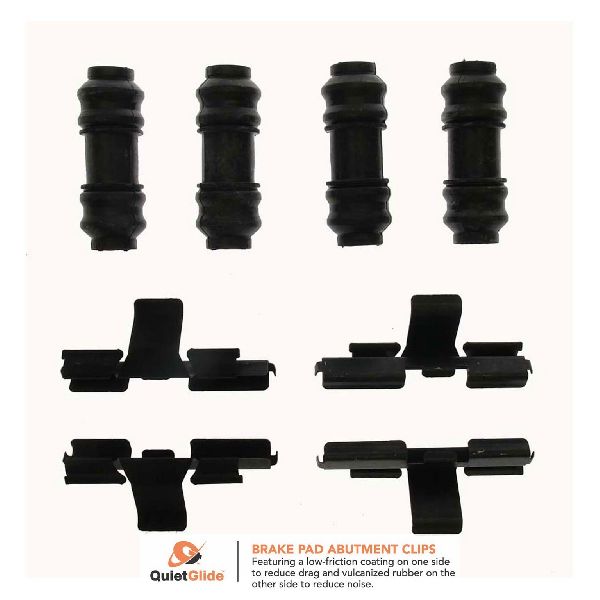
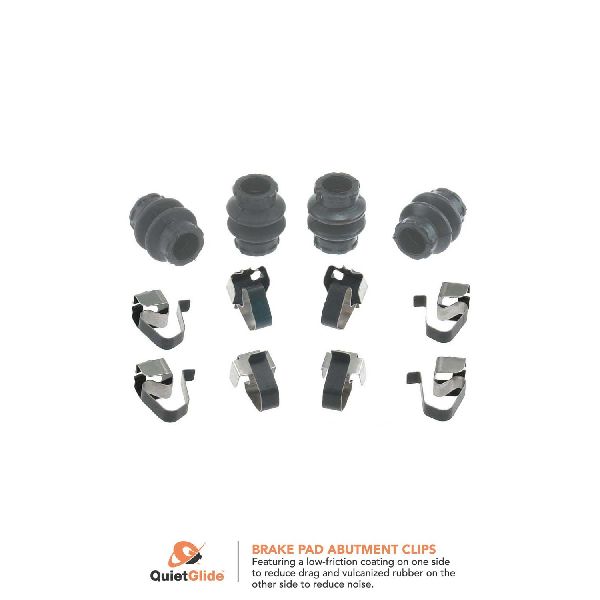
When performing a brake job on your Dodge Durango, it's tempting to save a few dollars by reusing the old disc brake hardware. This is a common mistake. The small metal clips and rubber boots in the kit are exposed to extreme heat, moisture, and road salt. The clips lose their spring tension over time, and the rubber boots for the caliper pins can crack or tear. Reusing worn hardware can lead to brake noise, uneven pad wear, and calipers that stick or seize. Always install a new hardware kit whenever you replace your brake pads to ensure a quiet, long-lasting brake job.
A Note on Model Years: 2003 vs. 2004-2009
The specified year range covers two different generations of the Dodge Durango. The 2003 model is the final year of the first generation, while 2004-2009 models belong to the second generation. (Note: There was no 2010 model year produced.) While the function of the brake hardware is the same, the exact shape and size of the clips and pins may differ between these generations. Always confirm the exact fitment for your specific year before purchasing.
Symptoms of Worn or Failing Brake Hardware
Failing brake hardware often produces symptoms that are mistaken for bad brake pads or rotors. Knowing what to listen for can help you diagnose the problem correctly.
- Squealing or Scraping Noises: When clips lose tension or pins seize, the brake pads can vibrate or drag against the rotor, causing a high-pitched squeal or a scraping sound.
- Rattling or Clunking: Loose or missing anti-rattle clips will allow the brake pads to shift and clunk within the caliper bracket, especially over bumps or during slow-speed stops.
- Uneven Brake Pad Wear: If a caliper slide pin is seized due to a torn boot and corrosion, it will prevent the caliper from applying even pressure. This forces one pad to do more work, causing it to wear out much faster than the other.
- Vehicle Pulling to One Side: A sticking caliper caused by bad hardware can make the vehicle pull to the left or right when you apply the brakes.
Choosing the Right Aftermarket Hardware Kit
For a part like a disc brake hardware kit, a quality aftermarket brand is often just as good as the OEM part, but at a much lower cost. The key is choosing a brand known for using quality materials that resist corrosion and heat. Here’s a breakdown of available brands.
Tier 1: Premium Aftermarket (Recommended)
- Centric / Raybestos: These brands are widely respected in the aftermarket for providing quality that is equivalent to OEM standards. They are a top choice for daily drivers, offering durability and a precise fit. Some sources suggest Raybestos may now be a value line under the same parent company as Centric, but both remain solid choices.
Tier 2: Quality Budget Options
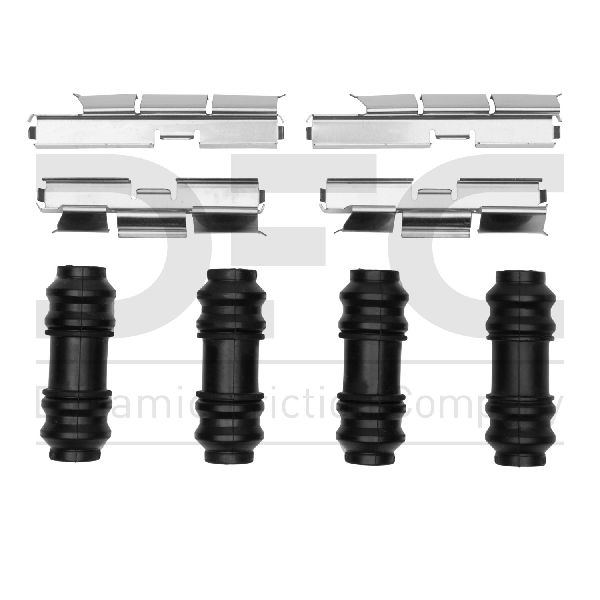
- Carlson / Dynamic Friction / Dorman: These brands provide a reliable and cost-effective solution for your Durango. They meet the basic requirements for fit and function and are a significant upgrade over reusing old, worn-out hardware. For a daily-driven vehicle, these kits offer excellent value.
Pro Tip: Don't Forget the Grease!
When installing your new hardware, make sure to clean the caliper bracket thoroughly with a wire brush. Apply a thin layer of high-temperature brake grease to the areas where the new clips will sit and, most importantly, lubricate the caliper slide pins before inserting them into their new boots. This ensures smooth caliper movement and prevents future seizing.
Estimated Cost for a New Disc Brake Hardware Kit
| Part Type | Price Range |
|---|---|
| New Aftermarket Hardware Kit | $13.12 - $30.93 |
| New OEM (Mopar) Hardware Kit | $40 - $70 (estimated) |
Prices are estimates and may vary based on brand, location, and whether the kit is for the front or rear axle. Labor costs are not included.
Frequently Asked Questions (FAQ)
Can I just clean and reuse my old brake hardware?
It is strongly advised not to. The metal clips lose their specific tension from thousands of heat cycles, and old rubber boots may have microscopic cracks you can't see. For the low cost of a new kit, replacement is the only way to guarantee proper performance and avoid issues.
Do new brake pads come with hardware?
Some premium brake pad sets include a new hardware kit, but many do not. Always check the product description to see if hardware is included. If not, you must purchase it separately.
Is the front hardware different from the rear hardware?
Yes, the front and rear brake systems on the Durango are different sizes and use different calipers and pads. The hardware kits are specific to the front or rear axle and are not interchangeable.
My brakes still make noise after replacing everything, including hardware. What could it be?
If you've replaced pads, rotors, and hardware but still hear a scraping noise, check the thin metal dust shield (backing plate) behind the rotor. It can easily get bent during a brake job and make contact with the spinning rotor. If the noise is a grind, it could also be a bad wheel bearing, which is a separate issue.
Technical Specifications
OEM Part Numbers: Varies by year and front/rear position. Check with a dealer using your VIN for exact numbers.
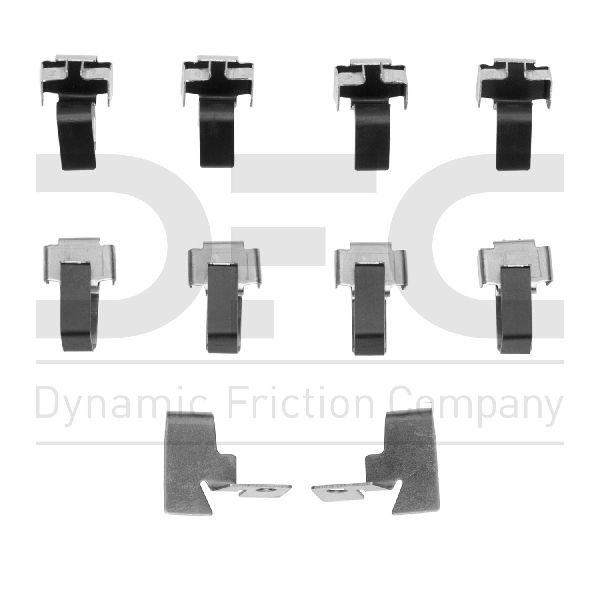
Kit typically includes anti-rattle clips, caliper slide pin boots, and guide pins.
We Have This Part in Stock

The information in this article is provided for general reference and educational purposes only. Vehicle specifications, procedures, and part compatibility can vary by production date, trim level, and region. Always consult your vehicle's factory service manual and verify part numbers before purchasing or performing repairs. Safety-critical components such as airbags, seat belts, and braking systems should be installed by a qualified professional.
- Dodge Durango:
- 🛍️ Shop This Part
- Why You Can't Skip Replacing Your Brake Hardware
- A Note on Model Years: 2003 vs. 2004-2009
- Symptoms of Worn or Failing Brake Hardware
- Choosing the Right Aftermarket Hardware Kit
- Pro Tip: Don't Forget the Grease!
- Estimated Cost for a New Disc Brake Hardware Kit
- Frequently Asked Questions (FAQ)
- 🎟️ Get 5% Off