

Ford Explorer Vehicle Speed Sensor & Output Speed Sensor Guide (2003-2010)
Fix your Explorer's erratic shifting, speedometer problems, and flashing O/D light by understanding its speed sensors.
- A bad Output Shaft Speed (OSS) sensor is a primary cause of shifting problems, while bad ABS sensors cause ABS lights and speedometer issues.
- The OSS sensor is located on the driver's side of the transmission, not on the rear differential.
- Symptoms include harsh shifting, a flashing O/D light, and a Check Engine Light with code P0720.
- Replacement is a simple DIY job for most owners, requiring basic tools and access from underneath the vehicle.
Understanding Speed Sensor Issues on Your Explorer
If your 2003-2010 Ford Explorer is experiencing strange shifting behavior or speedometer issues, a failing speed sensor is a likely culprit. These trucks use two main types of speed sensors: one for the transmission (often called the OSS or VSS) and individual sensors at each wheel for the ABS system. Confusingly, both can affect how your truck drives, but they cause different symptoms.
Transmission Output Shaft Speed (OSS) Sensor vs. ABS Wheel Speed Sensor
It's critical to know which sensor is causing your problem. A bad Output Shaft Speed (OSS) Sensor on the transmission will primarily cause powertrain issues. You'll notice harsh shifting, a flashing "O/D OFF" light, or the transmission getting stuck in one gear. On the other hand, a bad ABS Wheel Speed Sensor will usually trigger the ABS and traction control warning lights and can cause your speedometer to stop working or behave erratically. This article focuses on the OSS sensor located on the transmission, as it's a common failure item that owners can often replace themselves.
Common Ordering Mistake
Many owners confuse the transmission-mounted OSS sensor with the rear differential ABS sensor. On many Explorers, there is a sensor on top of the rear differential that reads wheel speed for the ABS system. The OSS sensor for the transmission is located on the transmission housing itself, usually on the driver's side. Always verify the location of your faulty sensor before ordering a replacement.
Choosing the Right Aftermarket Speed Sensor
For a part like the OSS sensor, aftermarket options provide excellent value. The technology is not complex, and quality aftermarket brands produce reliable replacements. OEM from Motorcraft is always a safe bet, but you can save money without sacrificing quality if you choose wisely.
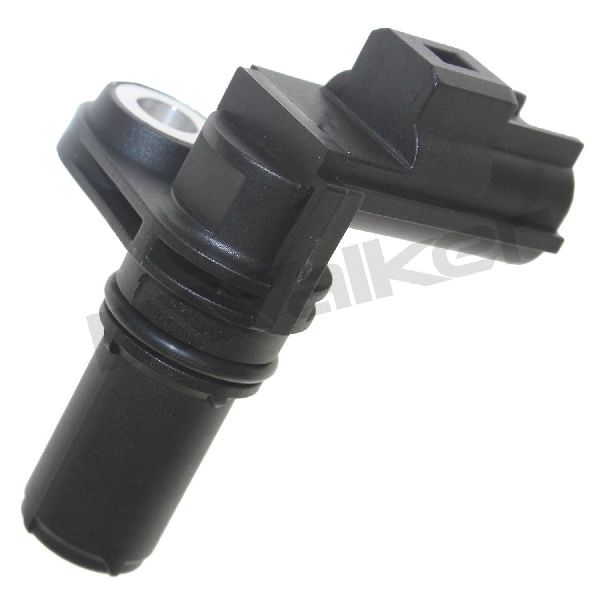
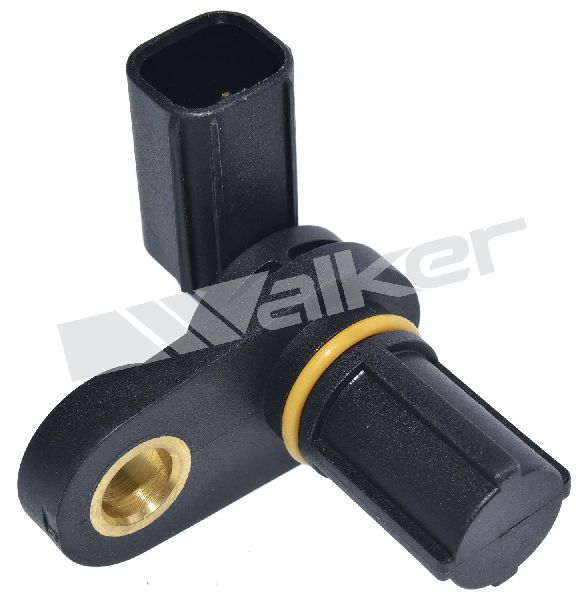
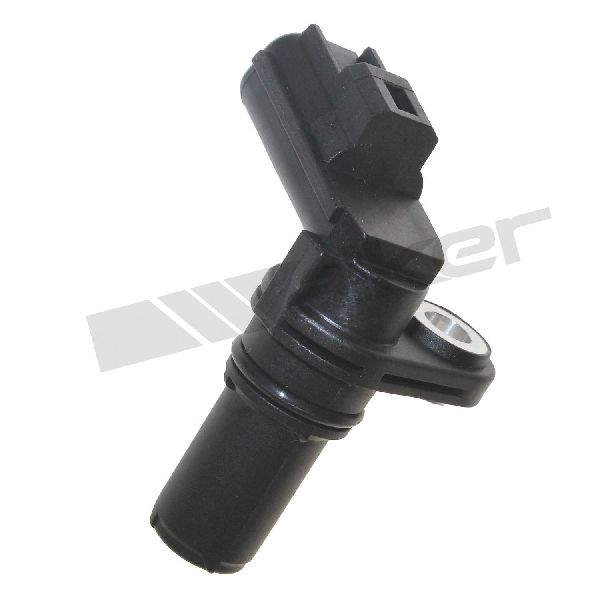
- Premium Aftermarket (Standard Ignition, Walker Products): Brands like Standard Motor Products (SMP) and Walker are often considered top-tier aftermarket choices. They have a strong reputation for producing sensors that meet or exceed OEM specifications for fit and function. These are a solid choice for owners who want near-OEM quality without the dealer price tag.
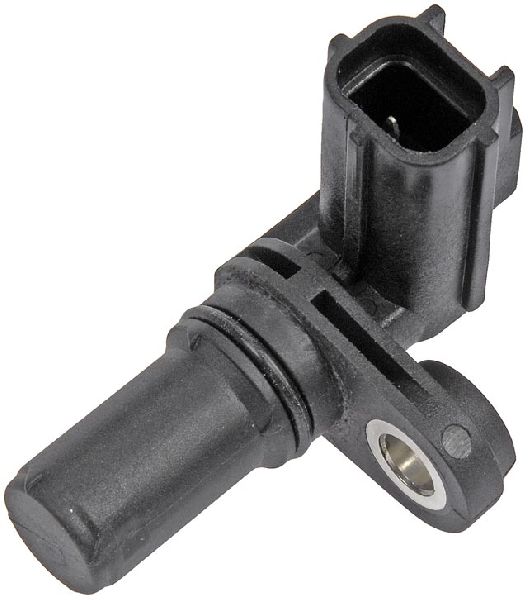
- Value Aftermarket (Dorman, Global Parts): Dorman is a widely available brand that offers a cost-effective solution. While some users have good experiences with Dorman sensors, others report mixed longevity. They are a good budget-friendly option, especially if the replacement is easy to access for a potential future swap. Global Parts (GPD) is another value-oriented brand.
Pro Tip: Before replacing the sensor, inspect the wiring and connector. Wires can become brittle from heat and age, and connectors can get corroded. Sometimes, a simple cleaning of the connector or repairing a damaged wire is all that's needed to fix the problem.
Cost of Replacing a Ford Explorer Speed Sensor (2003-2010)
| Part Type | Typical Cost Range |
|---|---|
| New Aftermarket Sensor | $25 - $41 |
| New OEM (Motorcraft) Sensor | $45 - $70 |
| Shop Labor | $90 - $150 |
*Cost estimates are approximate and can vary based on location and supplier.
Frequently Asked Questions
Where is the speed sensor located on a 2003-2010 Ford Explorer?
The Output Shaft Speed (OSS) sensor is located on the transmission housing, typically on the driver's side towards the rear of the transmission. It is usually held in by a single small bolt (often 8mm or T-27 Torx). Do not confuse this with the ABS sensor, which may be located on top of the rear differential on some models.
Can I drive my Explorer with a bad speed sensor?
You can, but it's not recommended for long. A failing OSS sensor can cause severe shifting problems, poor fuel economy, and may put the transmission into a "limp mode" where it's stuck in one gear. This puts extra strain on your transmission and can be unsafe in traffic.
What are the OBD-II codes for a bad speed sensor?
The most common code for a failing Output Shaft Speed sensor is P0720 (Output Speed Sensor Circuit Malfunction). You might also see related codes like P0721, P0722, or P0723. A code like P0500 (Vehicle Speed Sensor Malfunction) is more general and could point to either the OSS or an ABS sensor issue.
Is there a recall on the speed sensor for the 2003-2010 Explorer?
No, there are no specific recalls from Ford or NHTSA for the vehicle speed sensor or output shaft sensor on the 2003-2010 Ford Explorer. There were recalls on much older models and unrelated recalls for newer generations, but not for this specific part on this generation.
Technical Specifications
OEM Part Numbers: DY1209 AA5Z7M101B
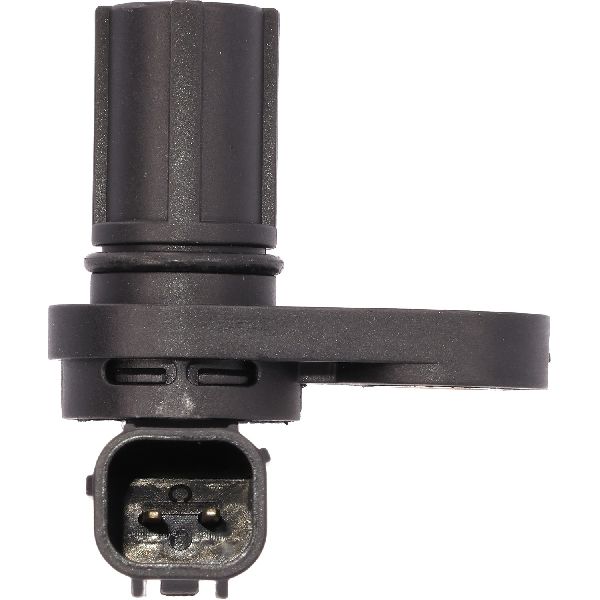
Typically a 2-pin, bolt-in magnetic sensor with an O-ring seal.
We Have This Part in Stock


The information in this article is provided for general reference and educational purposes only. Vehicle specifications, procedures, and part compatibility can vary by production date, trim level, and region. Always consult your vehicle's factory service manual and verify part numbers before purchasing or performing repairs. Safety-critical components such as airbags, seat belts, and braking systems should be installed by a qualified professional.
- Ford Explorer:
- 🛍️ Shop This Part
- Understanding Speed Sensor Issues on Your Explorer
- Transmission Output Shaft Speed (OSS) Sensor vs. ABS Wheel Speed Sensor
- Common Ordering Mistake
- Choosing the Right Aftermarket Speed Sensor
- Cost of Replacing a Ford Explorer Speed Sensor (2003-2010)
- Frequently Asked Questions
- 🎟️ Get 5% Off