

Ford Explorer Brake Light Switch Guide for 2006-2011 Models
Fixing common brake light, cruise control, and shifting problems in your Ford Explorer.
- A faulty brake light switch can cause brake lights to fail on or off, prevent shifting from Park, and disable cruise control.
- Before replacing the switch, always check the two 15-amp fuses in the interior fuse panel.
- Replacement is a simple DIY task, requiring no tools and taking less than 15 minutes.
- Motorcraft is the OEM brand for guaranteed fit, while reputable aftermarket brands like Standard and Dorman offer a cost-effective, reliable alternative.
Is Your Ford Explorer's Brake Light Switch Failing?

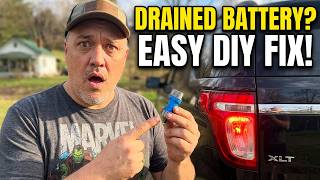
A faulty brake light switch on a 2006-2011 Ford Explorer can cause a range of confusing electrical issues. Because this small part is tied into multiple vehicle systems, its failure can mimic other, more serious problems. Understanding the specific symptoms can save you time and money on diagnostics. The most common failures are the brake lights either not turning on at all or, more frequently, staying on and draining the battery.
A Critical Safety Check
Before you suspect the switch, check the fuses. In the 2006-2010 Explorer, there are two key 15-amp fuses in the interior fuse panel behind the driver's side kick panel. One fuse provides power directly to the brake light switch. A second fuse provides power to the Smart Junction Box (what Ford calls a body control module). A failure in the Smart Junction Box can sometimes cause only the third brake light to work, while the main two are out. Always check fuses and bulbs before replacing parts.
Choosing the Right Aftermarket Brake Light Switch

When replacing the brake light switch, you have a choice between the original equipment manufacturer (OEM) part and several aftermarket brands. For this specific part on the 2006-2011 Explorer, the decision often comes down to cost versus peace of mind.
OEM vs. Aftermarket Quality
Motorcraft: This is Ford's OEM parts brand. A Motorcraft switch is identical to the one your Explorer was built with. It guarantees perfect fitment and electrical compatibility. For a critical safety component, many owners prefer to stick with the proven reliability of the OEM part, even if it costs more.
Top-Tier Aftermarket (Standard Ignition, Dorman): Brands like Standard Ignition and Dorman are well-known in the aftermarket industry. They produce parts that are designed to meet or exceed OEM specifications. For a common replacement part like a brake light switch, these brands offer a reliable and more affordable alternative to Motorcraft. Owner reviews are generally positive, indicating they are a solid choice for most repairs.
Economy Aftermarket (Vemo, VNE, True Tech, etc.): These brands provide the most budget-friendly options. While they will function, their long-term durability and the quality of internal components may not match that of OEM or top-tier aftermarket parts. For a part that is relatively inexpensive and simple to replace, some owners choose this route, but the risk of premature failure is higher.
| Tier | Brands | Why Choose? |
|---|---|---|
| OEM | Motorcraft | Original part quality and guaranteed compatibility. The benchmark for performance and longevity. |
| Premium Aftermarket | Standard Ignition, Dorman, Holstein | Reputable brands offering a balance of quality and cost savings. Often have lifetime warranties. |
| Economy | Replacement, Rostra, True Tech, Vemo, VNE | The lowest-cost option for immediate repairs, but may have a shorter service life. |
Pro Tip: Try Adjusting It First
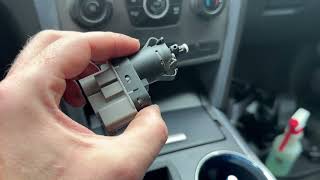
Some brake light switches on Ford vehicles are self-adjusting. Over time, they can lose their proper alignment, causing the brake lights to stay on. Before buying a new part, you can try removing the switch, resetting the plunger, and reinstalling it. If the problem goes away, you've saved yourself the cost of a new switch. 🎬 Watch: How to fix a sticky or misaligned brake switch If it returns, a replacement is necessary.
Known Issues, Recalls, and TSBs
Our research found no specific recalls or Technical Service Bulletins (TSBs) from the NHTSA related to the brake light switch for the 2006-2011 Ford Explorer model years. While Ford has had recalls for brake switches on other models and years, notably for a fire risk associated with a cruise control deactivation switch, that issue does not apply to this specific part and vehicle.
Frequently Asked Questions (FAQ)

How hard is it to replace the brake light switch myself?
This is a very DIY-friendly job. It requires no special tools, just the ability to work in the footwell under the steering wheel. You simply disconnect the electrical connector, rotate the switch clockwise to remove it from the brake pedal bracket, and install the new one by rotating it counter-clockwise. The entire process usually takes less than 15 minutes.
Why are my brake lights stuck on?
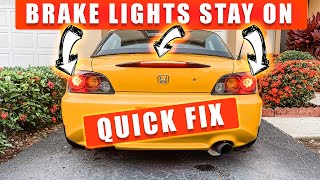
This is a classic symptom of a failed brake light switch. The switch has failed in the 'on' position, continuously sending power to the lights and draining your battery. It can also be caused by a misadjusted switch or a missing plastic stopper on the brake pedal, although the latter is less common on this model.
🎬 Watch this easy fix if your brake lights are stuck onWhy won't my Explorer shift out of Park?
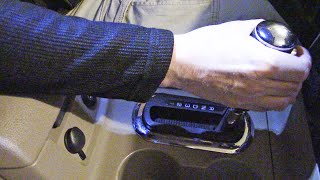
The brake light switch is part of the shift interlock system. To shift out of Park, the vehicle's computer needs a signal from the switch confirming that the brake pedal is pressed. If the switch is broken, it can't send this signal, and the shifter will remain locked.
🎬 See how to troubleshoot an Explorer that won't shift out of ParkWill a bad brake light switch cause the ABS light to come on?
Yes, it can. The Anti-lock Braking System (ABS) also relies on the brake light switch to know when you are braking. If the signal is intermittent or missing, the ABS module may interpret this as a fault in the system and illuminate the ABS warning light on your dashboard.
Helpful Videos
Technical Specifications
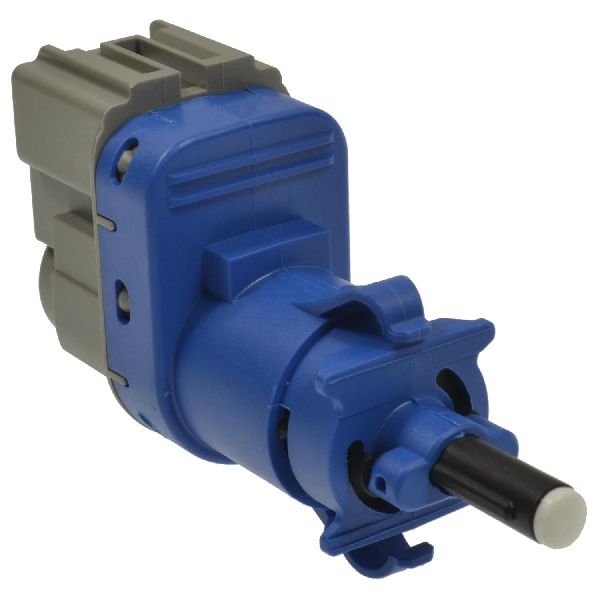
OEM Part Numbers: 4L2Z-13480-AB 4L2Z-13480-AA 3M5Z-13480-AB
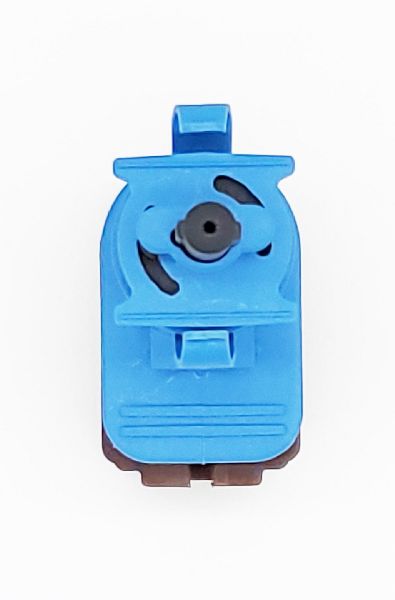
Located on the brake pedal support bracket. Two-pin electrical connector. Twist-and-lock installation type.
We Have This Part in Stock


The information in this article is provided for general reference and educational purposes only. Vehicle specifications, procedures, and part compatibility can vary by production date, trim level, and region. Always consult your vehicle's factory service manual and verify part numbers before purchasing or performing repairs. Safety-critical components such as airbags, seat belts, and braking systems should be installed by a qualified professional.
- Ford Explorer: