

GMC Acadia Ambient Air Temperature Sensor Guide for 2007-2012 Models
An incorrect temperature reading on your dash or faulty A/C could be a simple fix.
- A faulty sensor is a common cause for incorrect dash temperature readings and A/C issues in 'Auto' mode.
- Replacement is an easy DIY task that takes less than 30 minutes and does not require removing the bumper.
- Check the wiring connector for corrosion, as this is a known failure point according to a GM service bulletin.
- Cost-effective aftermarket brands like Dorman and Standard Ignition are reliable choices for this part.
Is Your Acadia's Ambient Air Temperature Sensor Failing?

When the ambient air temperature sensor on a 2007-2012 GMC Acadia starts to go bad, the signs are usually straightforward. Because this sensor provides key data to your automatic climate control, a failure can directly impact your comfort inside the car.
Common Failure Symptoms
- Incorrect Outside Temperature Display: The most obvious sign is the temperature on your dashboard or infotainment screen being clearly wrong. It might read 32°F on a hot summer day, or be stuck on one temperature regardless of the weather.
- Automatic A/C Not Working: If you use the 'Auto' setting for your climate control, it may stop working correctly. For example, the A/C might not blow cold air because the system thinks it's cold outside based on the faulty sensor reading. The A/C compressor might not turn on at all.
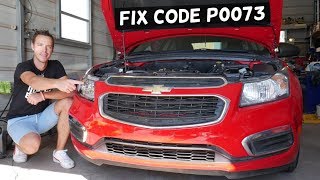
- Check Engine Light: A failed sensor can trigger the check engine light. A common trouble code associated with this is P0073 (Ambient Air Temperature Sensor Circuit High Input), which can point to a bad sensor or a wiring issue. 🎬 See how to diagnose a P0073 code and check your wiring.
Known Issue: Connector Corrosion
General Motors issued a Technical Service Bulletin (TSB 16-NA-051) that applies to many vehicles, including the Acadia platform. It notes that moisture can get into the sensor's wiring connector, causing corrosion and leading to sensor failure. When replacing the sensor, it is critical to inspect the wiring harness connector for any green or white crusty buildup. If corrosion is present, the connector may also need to be cleaned or replaced.
Choosing the Right Aftermarket Sensor

For a simple part like the ambient air temperature sensor, you don't necessarily need to buy the original equipment (OEM) part from a dealer. Reputable aftermarket brands offer a reliable and cost-effective alternative. For the 2007-2012 Acadia, brands like Dorman, Standard Ignition (SMP), and Walker Products are common choices.
- OEM (ACDelco): The original part is a safe bet, but often costs slightly more than aftermarket versions. The primary OEM part number for this generation is 25775833.
- Dorman: A widely available brand known for producing parts that match the fit and function of the original. They are a common choice for DIY repairs.
- Standard Ignition (SMP): A well-regarded brand in the aftermarket. For some parts, they are known to be the supplier for the genuine GM part, so you may get an OEM-quality item in a Standard box.
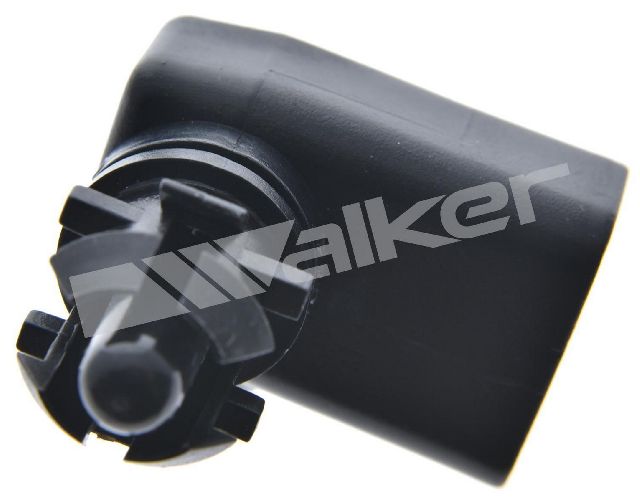
- Walker Products: Another established manufacturer of sensors for the automotive aftermarket.
The Verdict: For this specific sensor, the quality difference between a reputable aftermarket brand and OEM is minimal. Given the low cost of the part, choosing a trusted aftermarket brand like Dorman or Standard Ignition is a smart way to save money without sacrificing reliability. The key is to avoid unbranded, no-name parts.
Cost of Replacing the Sensor
| Part Type | Estimated Cost |
|---|---|
| New Aftermarket Sensor | $10 - $15 |
| New OEM (Dealer) Sensor | $15 - $25 |
| Shop Labor | $50 - $100 |
| Total DIY Cost | $10 - $15 |
| Total Professional Repair | $60 - $125 |
DIY Installation Guide

Replacing the sensor on the 2007-2012 Acadia is a beginner-friendly job that doesn't require removing the whole bumper.
- Locate the Sensor: The sensor is behind the front grille, typically on the passenger side of the center support beam.
- Access the Area: Open the hood and remove the plastic radiator shroud cover by carefully prying up the center pins of the plastic clips and pulling them out.
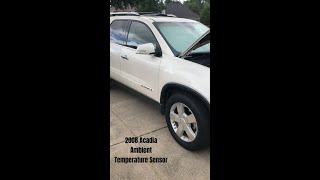
- Loosen the Grille: Remove the handful of bolts (usually 10mm) along the top of the grille. This allows you to gently pull the top of the grille forward a few inches, creating enough space to reach down. 🎬 Watch this quick walkthrough of the sensor's location and removal.
- Remove the Old Sensor: Reach down behind the grille. First, press the tab on the electrical connector to unplug it. Then, squeeze the tabs on the side of the sensor itself and push or pull it out of its mounting bracket.
- Install the New Sensor: Push the new sensor into the mounting bracket until it clicks into place. Plug the electrical connector back in.
- Reassemble: Re-install the grille bolts and the plastic radiator shroud cover with its clips. The car's computer should recognize the new sensor after a few minutes of driving.
Frequently Asked Questions (FAQ)
Where is the ambient air temperature sensor located on a 2007-2012 GMC Acadia?
It is located behind the front grille, mounted to the radiator core support, usually on the passenger side. You can access it from the top by removing the plastic cover under the hood and loosening the top of the grille.
Can I drive my Acadia with a bad ambient air temperature sensor?
Yes, but with some issues. A bad sensor will not prevent the engine from running, but your automatic climate control will not function correctly, which can be uncomfortable in hot or cold weather.
Will a bad sensor stop my A/C from getting cold?
Yes, it can. If the sensor is telling the car's computer that it's freezing outside, the computer will prevent the A/C compressor from turning on to save energy, even if it's 90°F.
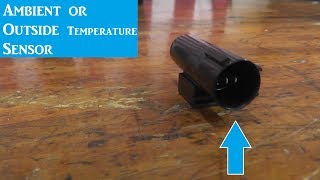
🎬 Learn how to test your sensor if the A/C stops working.What does the code P0073 mean on my GMC Acadia?
P0073 stands for "Ambient Air Temperature Sensor Circuit High Input." It means the computer is seeing a voltage from the sensor that is higher than expected. This is often caused by a broken wire, a corroded connector, or an internal failure of the sensor itself.
Do I need to reset the computer after replacing the sensor?
Usually, no. After replacing the sensor and clearing any related check engine codes with a scanner, the system should begin reading the correct temperature after a short drive. If you don't have a scanner, the light may turn off on its own after several drive cycles.
Helpful Videos
Technical Specifications
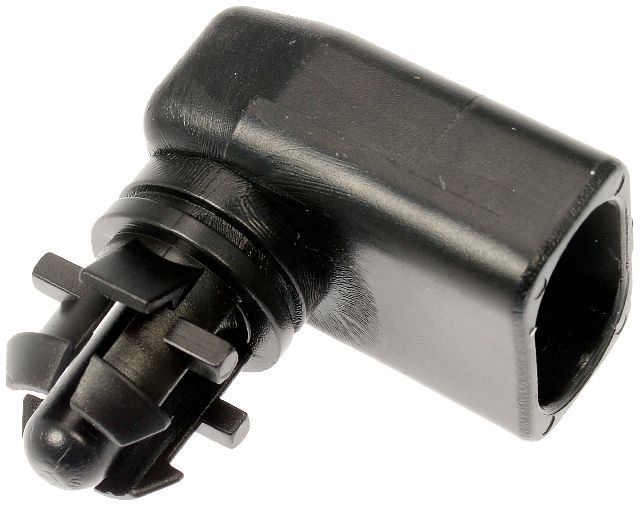
OEM Part Numbers: 25775833
2-pin connector, typically mounted behind the front grille.
We Have This Part in Stock


The information in this article is provided for general reference and educational purposes only. Vehicle specifications, procedures, and part compatibility can vary by production date, trim level, and region. Always consult your vehicle's factory service manual and verify part numbers before purchasing or performing repairs. Safety-critical components such as airbags, seat belts, and braking systems should be installed by a qualified professional.
- GMC Acadia: