

A Comprehensive Guide to the 2013-2022 Mazda CX-5 Brake Light Switch
If your CX-5 won't start or has random warning lights, the problem might be this small, inexpensive switch.
- A faulty brake light switch is a common cause for a no-start condition in push-button start Mazda CX-5s.
- Symptoms include brake light failure, multiple dashboard warning lights (TCS, Check Engine), and being stuck in Park.
- Replacement is an easy DIY job located above the brake pedal that takes less than 30 minutes.
- Using an OEM or a premium aftermarket brand like Beck Arnley is recommended to ensure the problem is fixed correctly the first time.
Is Your CX-5 Acting Strange? Check the Brake Light Switch

A failing brake light switch in the 2013-2022 Mazda CX-5 can cause a surprising number of problems that might seem unrelated. Before you suspect a major electrical issue, it's worth checking this simple component. Because it's tied into multiple systems, including starting, shifting, and safety systems, its failure can be confusing. Symptoms often appear intermittently at first, making them hard to diagnose.
Symptoms of a Failing Brake Light Switch

Watch for these common signs of a bad brake light switch on your CX-5:
- Car Won't Start: With the push-button start, the vehicle must confirm the brake is pressed. If the switch fails, the start button won't turn green, and the engine won't crank.
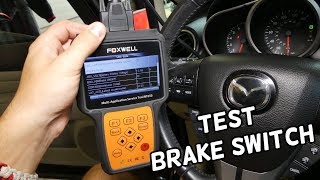
- Brake Light Issues: Your brake lights may not turn on, may stay on constantly even when the car is off, or flicker intermittently. 🎬 Watch: How to test your brake light switch for failure.
- Warning Lights on Dash: A faulty switch can trigger the check engine light, traction control light (a car with skid marks), and the master warning light (an exclamation point in a triangle).
- Stuck in Park: The shift interlock safety feature may not disengage, preventing you from moving the shifter out of the Park position.
- Cruise Control Problems: You may be unable to set the cruise control, or it might cancel unexpectedly while driving.
Check for Diagnostic Codes
A common trouble code associated with a failing brake light switch is P0504 - Brake Switch A/B Correlation. If you see this code with a diagnostic scanner, the switch is the most likely culprit.
🎬 See how to diagnose and fix the P0504 trouble code.Choosing the Right Aftermarket Part: Quality Matters

While many aftermarket parts offer great value, some CX-5 owners have reported that budget-friendly, generic switches did not solve their problems. For this specific part, spending a few extra dollars on a higher-quality brand can prevent the headache of doing the job twice.
- Premium Aftermarket (Recommended): Brands like Beck Arnley and Standard Ignition (SMP) have a strong reputation. Beck Arnley is known for sourcing parts that match original equipment (OE) form, fit, and function. These are your best bet for a reliable, long-lasting repair.
- Standard Replacement: Brands like Holstein, Facet, and others offer a balance of price and quality. They are typically reliable for this type of component but may not have the same rigorous testing as premium or OEM parts.
- OEM (Original Equipment Manufacturer): The Mazda genuine part is a guaranteed fit and fix. Some owners recommend sticking with the OEM part to ensure all electrical issues are resolved correctly.
Brake Light Switch Cost for 2013-2022 Mazda CX-5

| Part Type | Price Range |
|---|---|
| New Aftermarket | $18.12 - $29.52 |
| New OEM (Estimate) | $40 - $75 |
| Shop Labor (Estimate) | $80 - $150 |
Pro Tip: Replacing this switch is a simple DIY job that usually takes less than 30 minutes and requires no special tools. Doing it yourself can save you over $100 in labor costs.
Frequently Asked Questions (FAQ)
Can I still drive my CX-5 with a bad brake light switch?
It is not recommended. If your brake lights are not working, it is a serious safety hazard that could lead to a rear-end collision. If the lights are stuck on, they will not indicate when you are actually braking, which is also dangerous.
Why won't my CX-5 start if the brake light switch is bad?
For safety, your CX-5's push-button start system requires a signal that the brake pedal is depressed before it will allow the engine to start. A faulty switch fails to send this signal, so the car's computer prevents the engine from cranking.
Is there a recall on the Mazda CX-5 brake light switch?
No, there are no active NHTSA safety recalls specifically for the brake light switch on the 2013-2022 Mazda CX-5. However, some owners have mentioned a Technical Service Bulletin (TSB) related to the switch causing various electrical problems.
How do I replace the brake light switch myself?
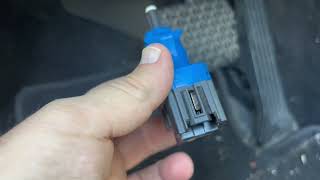
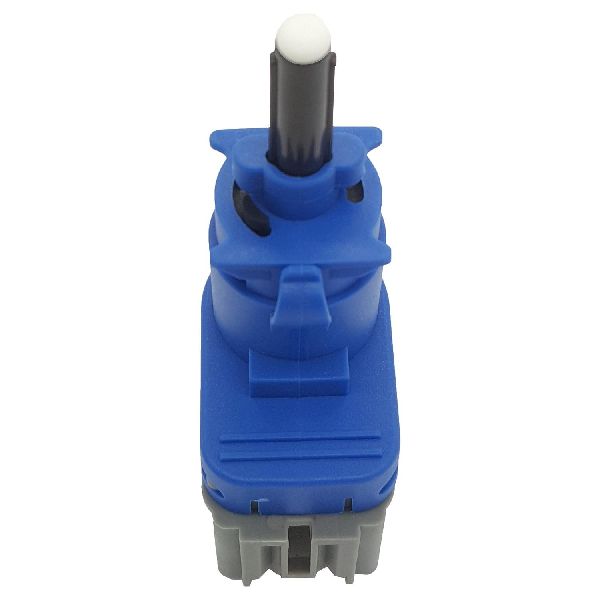
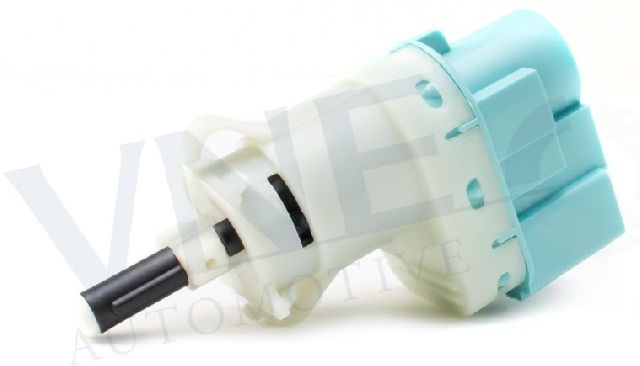
The switch is located on a bracket just above the brake pedal arm. To replace it, you typically disconnect the electrical connector, give the switch a slight twist (usually clockwise) to unlock it, and pull it out. Installation is the reverse of removal.
🎬 Watch this step-by-step guide to replacing the switch yourself.Helpful Videos

Technical Specifications
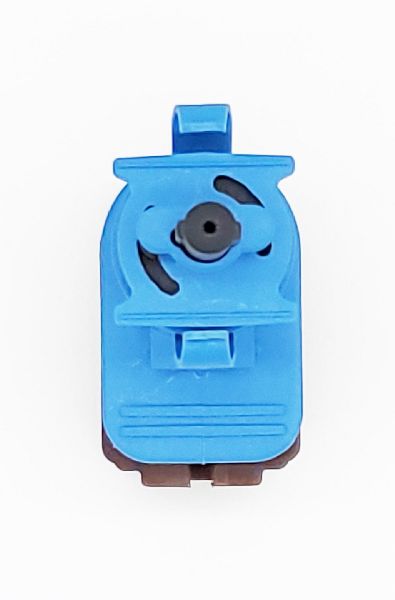
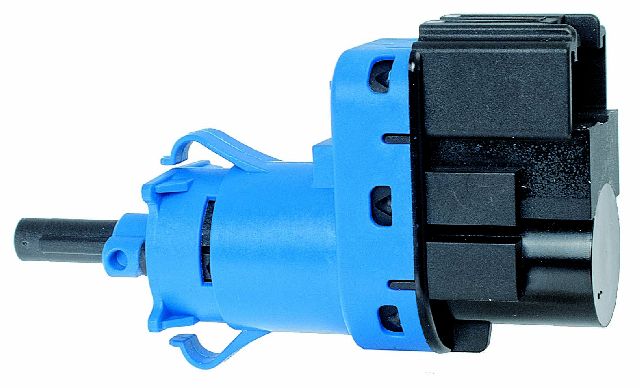
OEM Part Numbers: BN7N-66-490 BN7N-66-490A
4-terminal, push-on connector, spring-activated plunger switch.
We Have This Part in Stock


The information in this article is provided for general reference and educational purposes only. Vehicle specifications, procedures, and part compatibility can vary by production date, trim level, and region. Always consult your vehicle's factory service manual and verify part numbers before purchasing or performing repairs. Safety-critical components such as airbags, seat belts, and braking systems should be installed by a qualified professional.
- Mazda CX-5:
- 🎬 Helpful Videos
- 🛍️ Shop This Part
- Is Your CX-5 Acting Strange? Check the Brake Light Switch
- Symptoms of a Failing Brake Light Switch
- Check for Diagnostic Codes
- Choosing the Right Aftermarket Part: Quality Matters
- Brake Light Switch Cost for 2013-2022 Mazda CX-5
- Frequently Asked Questions (FAQ)
- 🎟️ Get 5% Off