

Nissan Frontier Steering Column Guide (2016-2023): Clicks, Clock Springs, and the D40/D41 Split
This guide covers the critical differences between the 2016-2021 and 2022-2023 Nissan Frontier steering columns, including common failures, part numbers, and buying advice.
- The 2016-2023 Frontier covers two different generations (D40: 2016-21, D41: 2022-23); steering columns are NOT interchangeable.
- An airbag light combined with non-working steering wheel buttons is a classic sign of a failed clock spring, a critical safety issue.
- A widespread clicking/popping noise from the column is a known issue on 2022+ models that may not have a permanent fix.
- When buying used, you must match the generation, tilt/non-tilt feature, and electrical connectors exactly to your vehicle.
Critical Note: The 2016-2023 Nissan Frontier spans two completely different vehicle generations. Parts are generally NOT interchangeable between them. Failure to identify the correct generation for your truck will result in buying a part that does not fit.
- 2016-2021: Second Generation (D40 Platform). This is a continuation of the design that began in 2005.
- 2022-2023: Third Generation (D41 Platform). This is a complete redesign with a new frame, body, and interior.
Symptoms of a Failing Steering Column (All Generations)

While specific issues can vary by generation, some common symptoms indicate a problem with the steering column assembly on any Frontier.
1. Airbag Warning Light is On
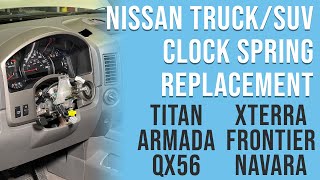
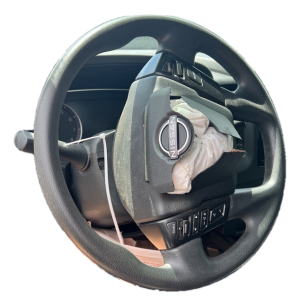
This is the most serious symptom. An illuminated airbag or SRS (Supplemental Restraint System) light often means the clock spring has failed. The clock spring is a coiled ribbon of wire that maintains the electrical connection to the driver's airbag. If this connection is broken, the airbag will not deploy in a crash. This is a critical safety failure that requires immediate attention.
2. Steering Wheel Buttons Don't Work
If your cruise control, radio volume, or horn buttons work intermittently or not at all, the clock spring is the most likely culprit. The wires inside the ribbon can fray and break from the constant turning of the steering wheel over time, severing the connection to these controls. On the 2016-2021 Frontier, this was a common reason for replacement.
3. Noises When Turning the Wheel
A variety of noises can point to different issues within the column or shaft:
- Clicking, Scraping, or Grinding: A repetitive noise that corresponds with wheel rotation often points to a mechanically broken clock spring inside the column.
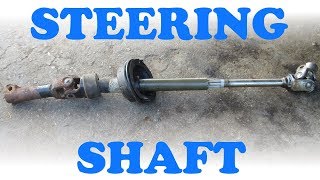
- Clunking or Popping: A single clunk or pop when turning, especially at low speeds, can indicate a worn universal joint (U-joint) in the lower intermediate steering shaft that connects the column to the steering rack. This issue was common enough on older Frontiers that it led to recalls.
4. Stiff or Binding Steering
If the steering wheel feels unusually stiff or seems to catch and release as you turn, it could be a sign of a seized U-joint in the intermediate shaft. In some cases, a severely damaged clock spring can also create internal resistance that makes the wheel harder to turn.
2016-2021 (D40) vs. 2022-2023 (D41) Generation-Specific Issues

Beyond the general symptoms, each generation has its own unique set of common problems.
Known Issues: 2016-2021 Frontier (D40)
Problems on the second-generation (D40) trucks are typically related to age and wear. The most common failure is the clock spring (part number 25560-9BM0C for many common trims), leading to loss of steering wheel controls and an airbag light. The lower intermediate steering shaft (part 48080-EA00A) is also a known failure point, where the U-joint can wear out or corrode, causing clunking noises and steering stiffness.
Known Issues: 2022-2023 Frontier (D41)
The third-generation (D41) trucks are known for a widespread and annoying clicking or popping sound coming from the steering column area while driving. Owners report hearing this noise when turning slightly or driving over small bumps. Dealerships have struggled to find a consistent fix, with some replacing the clock spring, the entire steering column, or even the steering rack, often with the noise returning after a short time. Some owners have found temporary relief by applying white lithium grease to the moving parts of the tilt mechanism or tightening bolts on the steering rack. While typically not a safety issue, it is a well-documented annoyance for many owners of the new-generation Frontier.
Buying a Used Steering Column: What to Check

A used OEM steering column is an excellent, cost-effective alternative to an expensive new part. However, careful verification is essential to ensure you get a compatible and functional part. Here’s what to check:
- Confirm the Generation: This is the most important step. A column from a 2021 truck will NOT fit a 2022 truck. Verify the donor vehicle's year model matches your required generation (2016-2021 or 2022-2023).
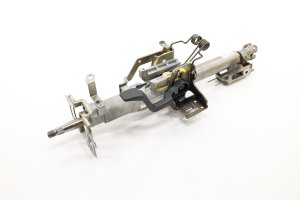
- Tilt vs. Non-Tilt: The physical mounting and design of tilt and non-tilt columns are different. Check your truck for a lever on the left side of the column; if it has one, you need a tilt column. The part number for a common D40 tilt column is 48810-9BF0A.
- Verify Electrical Connectors: Match the connectors on the used column to your original. Pay close attention to the main harness plugs and the clock spring connectors. Different trim levels have different features (e.g., with or without fog lamps, premium audio), which can change the wiring.
- Inspect the Clock Spring: Ask the seller if the donor vehicle had an airbag light on. Physically inspect the clock spring ribbon if possible, looking for any creases, tears, or damage. A used column with a known-good clock spring is a huge value.
- Check the Shaft and U-Joints: If the lower intermediate shaft is included, try to move the U-joints by hand. They should move smoothly without any binding or excessive play. Check for heavy rust or corrosion, which was the cause of an earlier generation recall.
- Physical Condition: Look for any signs of crash damage, such as a bent main shaft, cracked plastic housings, or cut wires. Ensure the key cylinder (if included) turns smoothly.
Pro Tip: When ordering, provide your vehicle's VIN to the seller. This allows them to use a dealership catalog to verify that the specific part number of the used column is an exact match for your truck's trim and options.
Cost Comparison for Nissan Frontier Steering Column
Prices can vary based on the specific part needed (upper column, clock spring, or lower shaft) and the vehicle's generation. The table below provides an estimated range for the complete upper column assembly.
| Part Type | Estimated Cost | Notes |
|---|---|---|
| New OEM | $600 - $950 | Price from a Nissan dealership. For example, part 48810-9BF0A (D40 tilt column) is often in this range. |
| New Aftermarket | $300 - $600 | Availability can be limited for the full assembly, but individual components like clock springs are common. |
| Used OEM | $150 - $400 | Offers the best value, providing an original factory part at a significant discount. A used lower shaft may sell for around $175. |
| Shop Labor | $250 - $600 | Typically 2-4 hours of labor. Involves airbag removal, which increases labor time and cost. |
Replacement Overview & Difficulty

- Difficulty Rating: 4 out of 5
- Estimated Time: 2-4 hours
- DIY Feasible: For experienced mechanics only.
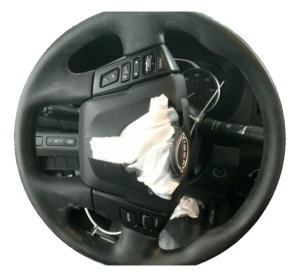
Replacing the steering column is a complex job primarily because it requires handling the driver's side airbag. Failure to follow proper safety procedures can result in accidental deployment and serious injury.
The basic steps include:
- Disconnect the battery and wait at least 10-15 minutes to allow the airbag system's backup power to discharge.
- Remove the airbag module from the steering wheel.
- Remove the main steering wheel retaining nut and use a puller to remove the wheel.
- Remove the plastic column shrouds and lower dash panels.
- Disconnect all electrical connectors for the clock spring, ignition switch, and multi-function stalks.
- Unbolt the intermediate shaft from the base of the column.
- Unbolt the main column mounting brackets from the dashboard support structure and carefully remove the assembly from the vehicle.
Warning: The clock spring must be centered before installing the steering wheel. A new clock spring comes with a lock pin to hold it in the centered position. Failure to center it will cause the internal ribbon to snap on the first full turn of the wheel, destroying the part.
Frequently Asked Questions (FAQ)
Why is my new (2022+) Frontier's steering wheel clicking?
This is a very common issue with the D41 generation Frontier. The exact cause is not officially confirmed by Nissan, but owners and technicians suspect it relates to plastic components, bushings, or the tilt mechanism within the column. In most cases, it is considered an annoyance and not a direct safety risk, but any unusual noise in the steering system should be inspected.
Can I install a tilt column in a non-tilt truck?
No, this is not a direct swap. The mounting points to the dashboard and the plastic shrouds that cover the column are different between tilt and non-tilt models. You must replace your column with the same type that was originally equipped.
Is it safe to replace a steering column myself?
This is not recommended for beginners. The primary danger is the airbag. If you are not trained in handling supplemental restraint systems (SRS), it is best to leave this job to a professional mechanic. Improper handling can lead to accidental deployment or a non-functional airbag in a crash.
How do I know if my Frontier has a tilt steering wheel?
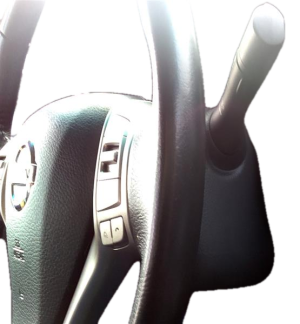
Look on the left side of the steering column, just below the turn signal stalk. If you see a lever that you can pull or push to adjust the steering wheel's angle up and down, you have a tilt steering wheel. If there is no lever, you have a fixed, non-tilt column.
Helpful Videos
Technical Specifications
OEM Part Numbers: 25560-9BM0C 255603TP1B 48080-EA00A 48810-9BF0A 488109BU0A 48810ZZ70A 48811-9BF0A 48822-ZS00A
Key variants include Second Generation (D40, 2016-2021) vs. Third Generation (D41, 2022-2023), Tilt vs. Non-Tilt, and various electrical configurations based on trim level (S, SV, Pro-4X) and options.
We Have This Part in Stock

The information in this article is provided for general reference and educational purposes only. Vehicle specifications, procedures, and part compatibility can vary by production date, trim level, and region. Always consult your vehicle's factory service manual and verify part numbers before purchasing or performing repairs. Safety-critical components such as airbags, seat belts, and braking systems should be installed by a qualified professional.
- Nissan Frontier:
- 🎬 Helpful Videos
- 🛍️ Shop This Part
- Symptoms of a Failing Steering Column (All Generations)
- 1. Airbag Warning Light is On
- 2. Steering Wheel Buttons Don't Work
- 3. Noises When Turning the Wheel
- 4. Stiff or Binding Steering
- 2016-2021 (D40) vs. 2022-2023 (D41) Generation-Specific Issues
- Known Issues: 2016-2021 Frontier (D40)
- Known Issues: 2022-2023 Frontier (D41)
- Buying a Used Steering Column: What to Check
- Cost Comparison for Nissan Frontier Steering Column
- Replacement Overview & Difficulty
- Frequently Asked Questions (FAQ)
- 🎟️ Get 5% Off