

2021-2025 Ford Bronco USB Port: Diagnosing Disconnects, Charging Failures, and Replacement
This guide covers the common causes of USB port failure in the Ford Bronco, from simple software glitches to hardware replacement for models with automatic transmissions.
- Many USB issues are software-related; always perform a SYNC system reset (Power + Seek Forward) and test with a new, high-quality cable before replacing hardware.
- This USB media hub is ONLY for 2021-2025 Bronco models with an Automatic Transmission; it will not fit manual transmission vehicles.
- Symptoms like charging but no data connection strongly suggest the port itself has failed, as the data pins are damaged.
- Replacement is a simple plug-and-play process that requires no programming, but care must be taken not to damage the console trim during removal.
Diagnosing Bronco USB Port Problems: Software vs. Hardware

Many issues that seem like a broken USB port on the 2021-2025 Ford Bronco are actually software-related. Before assuming the hardware is bad, perform these troubleshooting steps in order, as they solve the majority of connection problems.
Step 1: Check Your Phone and Cable
The connection between your phone and the vehicle is the most common point of failure. A faulty or low-quality cable is a frequent culprit for intermittent Apple CarPlay and Android Auto disconnects.
- Use a High-Quality Cable: Use the original cable that came with your phone or a certified, data-capable replacement. Many cheap aftermarket cables are designed for charging only and lack the proper wiring for a stable data connection. Ford officially recommends using a manufacturer-approved cable.
- Clean Your Phone's Port: Pocket lint and debris can build up inside your phone's charging port, preventing a secure connection. Carefully clean the port with a non-metallic tool like a plastic toothpick or compressed air.
- Test a Different Device: If possible, try connecting a different phone to see if the problem persists.
Step 2: Reset the SYNC Infotainment System
If your cable and phone are known to be good, the next step is to perform a soft reset of the SYNC system. This is a common fix for a frozen or glitchy connection and does not erase any of your settings.
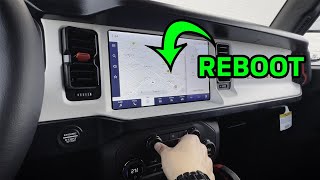
🎬 Watch this quick video to see the SYNC reset process.- Start the vehicle.
- Press and hold the main Power button (the volume knob) and the Seek Forward button (>>) simultaneously.
- Continue holding both buttons for about 10 seconds until the screen goes black and the Ford logo reappears.
- Allow the system to fully reboot before plugging your phone back in.
Pro Tip: Some owners report that connection issues happen frequently in specific geographic locations, which may be related to Wi-Fi or cellular interference with the wireless CarPlay/Android Auto function. If you primarily use a wired connection, consider deleting the wireless pairing profile from both your phone and the Bronco's SYNC settings to prevent conflicts.
Symptoms of a Failing Ford Bronco USB Port

If software resets and cable swaps don't solve the issue, the USB port module itself may have failed. Here are the common symptoms of a hardware problem:
- Intermittent or No Charging: The phone fails to charge or cycles between charging and not charging.
- Constant CarPlay/Android Auto Disconnects: The connection drops frequently, especially when the cable is wiggled or the vehicle hits a bump. This often points to a physically loose or worn-out port.
- Power But No Data: The phone receives a charge, but the SYNC system never recognizes the device to launch CarPlay or Android Auto. This indicates the data transfer pins inside the port are damaged while the power pins are still functional.
- Completely Dead Port: Neither charging nor data works. In some cases, the blue light around the port will still be illuminated, but the port itself is non-functional.
Known Issues, TSBs, and Recalls

As of early 2026, there are no specific recalls for the USB port on the 2021-2025 Ford Bronco.
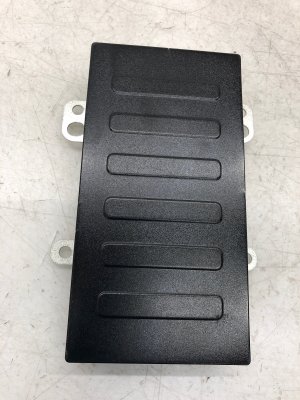
Compatibility Warning: The primary USB media hub, part number M1PT-19J235-AA, is designed for models equipped with an Automatic transmission only. The center console design and wiring harness are different on manual transmission models, and this part will not fit.
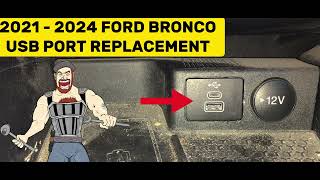
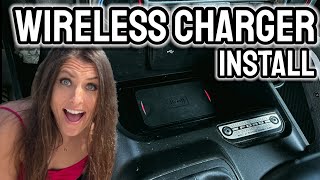
- Part Number Clarification: The OEM part number M1PT-19J235-AA often refers to the entire wireless charging module assembly, which includes the USB ports. 🎬 See how the wireless charger and USB assembly are installed. The USB hub itself is a smaller component within this assembly. When buying a used part, it's best to visually match your exact part to the photos in the listing.
- Software TSBs: Ford has issued Technical Service Bulletins (TSBs) like TSB 21-2342, which involve updating the Accessory Protocol Interface Module (APIM) software to resolve various connectivity issues that can mimic a faulty USB port. If your vehicle is under warranty, a dealer may perform a software update before replacing hardware.
- Loose Connectors: Some owners have reported that the electrical connector on the back of the USB module can become loose, causing a total failure. Reseating this connection during replacement can sometimes resolve the issue.
Buying a Used 2021-2025 Bronco USB Port: What to Check

A used OEM USB port is an excellent value, as it's the same quality as a new dealer part. Aftermarket options are rare and may not offer the same reliability. Here’s what to inspect before buying.
- Confirm Compatibility: Double-check that the part is from a Bronco with an automatic transmission.
- Inspect the Ports (USB-A and USB-C): Look inside each port with a flashlight. The internal plastic block should be centered and intact. Check for any bent, broken, or missing metal pins. Avoid any units with signs of corrosion or sticky residue from liquid spills.
- Examine the Housing: Check the plastic housing for cracks or damage. Ensure the mounting clips that hold it into the console trim are present and not broken off.
- Check the Rear Connector: Inspect the electrical connector socket on the back of the module. Ensure the pins inside are straight and free of corrosion.
| Part Type | Estimated Cost |
|---|---|
| New OEM (Dealer) | $100 - $150 (for hub only) |
| New Aftermarket | Not Widely Available |
| Used OEM | $40 - $75 |
| Shop Labor for Replacement | $100 - $175 |
Installation Guide: Replacing the Center Console USB Port

Replacing the USB port is feasible for a DIYer with the right tools and patience. The main challenge is removing the module without damaging the surrounding trim.
- Difficulty: 2/5 (Requires care but no special mechanical skills)
- Estimated Time: 0.5 hours
- Tools Needed: Plastic trim removal tool set.
Procedure:
- Using a plastic pry tool, carefully work around the edges of the USB module to release the retaining clips holding it into the console trim. This is the most delicate step; apply firm, steady pressure to avoid scratching the plastic. 🎬 Watch this tutorial for a step-by-step USB port replacement walkthrough.
- Once the clips are released, pull the module out from the console.
- Depress the tab on the electrical connector and unplug it from the back of the old module.
- Plug the connector into the new module until it clicks.
- Push the new module into the console opening until the clips snap securely into place.
- Test the functionality with your phone and cable. No programming is required.
Frequently Asked Questions (FAQ)
Why did my Bronco's USB port suddenly stop working?
The most common reasons are a software glitch with the SYNC system, a bad cable, or debris in your phone's port. Always try a SYNC reset and a different, high-quality cable before assuming the port itself has failed.
Will this USB port fit my Bronco with a manual transmission?
No. The part number M1PT-19J235-AA and similar media hubs are specifically for 2021-2025 Ford Broncos with an automatic transmission. The center console layout is different on manual-equipped models.
My phone charges but CarPlay won't connect. Is the port bad?
This is a strong indicator of a hardware failure. The USB port has separate pins for power and data. If the data pins are damaged or worn, your phone will still charge, but the SYNC system won't be able to establish a data connection for CarPlay or Android Auto.
Do I need to have the dealer program a new USB port?
No, the USB media hub itself is a plug-and-play component. You can swap it out, and it should work immediately without any special programming.
Helpful Videos
Technical Specifications
OEM Part Numbers: M1PT-19J235-AA M1PT19J235
Contains one USB-A and one USB-C port. Designed for center console media bin mounting in automatic transmission models.
We Have This Part in Stock

The information in this article is provided for general reference and educational purposes only. Vehicle specifications, procedures, and part compatibility can vary by production date, trim level, and region. Always consult your vehicle's factory service manual and verify part numbers before purchasing or performing repairs. Safety-critical components such as airbags, seat belts, and braking systems should be installed by a qualified professional.
- Ford Bronco:
- 🎬 Helpful Videos
- 🛍️ Shop This Part
- Diagnosing Bronco USB Port Problems: Software vs. Hardware
- Step 1: Check Your Phone and Cable
- Step 2: Reset the SYNC Infotainment System
- Symptoms of a Failing Ford Bronco USB Port
- Known Issues, TSBs, and Recalls
- Buying a Used 2021-2025 Bronco USB Port: What to Check
- Installation Guide: Replacing the Center Console USB Port
- Frequently Asked Questions (FAQ)
- 🎟️ Get 5% Off