

2006-2009 Cadillac XLR Head-Up Display: Fading, Failure, and Replacement Guide
Diagnose a dim, flickering, or completely dead Head-Up Display (HUD) in your Cadillac XLR and learn what to look for when buying a used replacement.
- The most common failure is the internal mirror mechanism breaking, causing the display to drop out of sight, which requires replacing the entire unit.
- This part is only for vehicles with the factory HUD option (RPO code UV6). A special windshield is required; a standard windshield will cause a double image.
- New OEM units (part #15229315) are discontinued, making a tested, used part the only viable replacement option.
- Replacement is a difficult, labor-intensive job requiring the removal of the entire upper dashboard pad.
Symptoms of a Failing Head-Up Display
Failure of the Head-Up Display (HUD) in a 2006-2009 Cadillac XLR can manifest in several ways. Understanding these symptoms can help you determine if the HUD unit itself is the problem or if another component is at fault.
1. Display Has Dropped or Disappeared
One of the most common failures is when the projected image seems to sink down into the dashboard or disappears entirely. Forum users have described the internal reflector mirror falling inside the housing, sometimes temporarily reappearing before failing completely. You may still hear a whirring noise from the adjustment motors when you press the control buttons, but the image is either gone or not in the correct position. This typically points to a mechanical failure within the projector unit itself.
2. Dim or Flickering Display
Over time, the light source within the HUD projector can weaken, resulting in a display that is difficult to see, especially in daylight. The display might also flicker intermittently. While low battery voltage can cause various electrical issues in an XLR, a dim HUD is more often a sign of an aging projector. Before assuming the unit is bad, check that the brightness is turned up using the 'DIMMER' switch, which toggles between adjusting the instrument panel and the HUD.
3. No Display at All
If the HUD is completely dead with no image and no response from the adjustment controls, the first step is to check the fuse. Fuse #26 in the Body Control Module (BCM) fuse block protects both the HUD and the instrument cluster. If the instrument cluster works but the HUD doesn't, the fuse is likely fine. The problem could be the HUD unit, the control switch, or the wiring between them. A diagnostic scan with a GM Tech 2 tool can specifically test the HUD module to confirm if it has failed.
4. Hazy or Ghostly/Double Image
A hazy image can sometimes be caused by a film forming on the HUD lens from fumes emitted by the dashboard materials. This can often be cleaned gently with isopropyl alcohol. A 'ghost' or double image is almost always an issue with the windshield, not the HUD projector. HUD-equipped vehicles use a special windshield with a laminated wedge to focus the projection into a single, crisp image. If a non-OEM or incorrect windshield has been installed, it will cause a double image because it lacks this special laminate.
Pro Tip: Before assuming your HUD is broken, make sure you are not wearing polarized sunglasses. The polarization will make the HUD projection invisible.
Buying a Used 2006-2009 XLR Head-Up Display
Since new OEM HUD units (part number 15229315) have been discontinued by GM, buying a quality used part is often the only option for repair. Here’s what to look for to ensure you get a good one.
Key Inspection Points:
- Verify Compatibility: This guide covers part number 15229315, which fits 2006-2009 Cadillac XLR models. Note that units for 2004-2005 models are different. Your vehicle MUST have been originally equipped with the HUD option (RPO code UV6). Retrofitting this system is extremely difficult and not recommended.
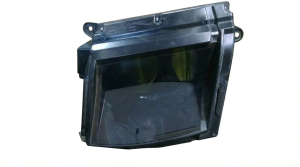
- Inspect the Projector Lens: Check the upward-facing lens for deep scratches, cracks, or any signs of heat damage. The initial data for this article mentioned a cracked projection screen, which is a critical point of inspection. A damaged lens will distort the display.
- Check the Housing and Connectors: Examine the plastic housing for cracks or broken mounting tabs. Ensure the electrical connector pins are straight and free of corrosion.
- Ask About Functionality: Whenever possible, purchase from a reputable auto recycler who tests parts. Ask if they can confirm the unit was tested and working before it was removed from the donor vehicle. Inquire about the mileage of the donor car, as lower mileage units may have a brighter display.
Known Issues, TSBs, and Recalls
There are no specific recalls for the Head-Up Display unit on the 2006-2009 Cadillac XLR. However, General Motors has issued a Technical Service Bulletin (TSB), #PIC3379D, that addresses several common owner concerns.
The TSB covers issues like a hazy image, which can be caused by film on the lens, and a 'ghost' or double image, which is related to using an incorrect non-HUD windshield. It clarifies that seeing all segments illuminated when the sun shines directly into the projector is a normal characteristic and not a defect.
Installation and Replacement
Replacing the HUD projector is a labor-intensive process that requires significant disassembly of the dashboard.
Difficulty: 4 out of 5
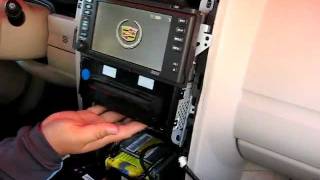
The procedure involves removing the center console trim, driver's knee bolster, instrument panel side trim, and various switch panels before the entire upper dashboard pad can be unbolted and removed to access the HUD unit. This is a complex job that carries the risk of breaking old plastic trim clips. Disconnecting the battery and disabling the SIR (airbag) system by pulling the fuse is a critical safety step. Due to the complexity, this repair is best suited for experienced DIY mechanics or a professional technician.
Warning: The replacement process requires removing trim pieces near the airbag systems. Always disable the SIR system by disconnecting the battery and pulling the correct fuse before starting work to prevent accidental deployment.
Cost of Replacement
Pricing can vary based on condition and availability.
| Part Type | Estimated Cost |
|---|---|
| New OEM | $0 (Discontinued) |
| New Aftermarket | Not Available |
| Used OEM | $100 - $250 |
| Shop Labor | $400 - $600 |
Frequently Asked Questions (FAQ)
Can I add a Head-Up Display to my XLR if it didn't come with one?
This is not recommended. It would require installing the HUD projector, the specific HUD control switches, extensive new wiring, and most importantly, replacing the standard windshield with a special, more expensive HUD-compatible one. Without the correct windshield, the image will be doubled and blurry.
Why did my HUD image just drop out of sight?
This is a common mechanical failure where the internal mirror mechanism that aims the projection breaks or comes loose, causing the image to fall into the housing. The entire HUD unit will need to be replaced.
Why is my HUD display invisible when I wear sunglasses?
The light from the HUD is polarized. If you are wearing polarized sunglasses, they will filter out the display, making it appear dim or completely black. This is a normal characteristic of this technology, not a defect.
My HUD is blurry and shows a double image. Do I need a new projector?
No, a double or 'ghost' image is almost certainly caused by having the wrong type of windshield installed. HUD systems require a special windshield with a reflective, laminated wedge to properly focus the image. If the windshield was replaced with a standard, non-HUD version, you will see a double image.
Helpful Videos

Technical Specifications
OEM Part Numbers: 15229315
Vehicle must be equipped with RPO code UV6 (Head-Up Display). Requires a HUD-specific windshield for proper image clarity.
We Have This Part in Stock

The information in this article is provided for general reference and educational purposes only. Vehicle specifications, procedures, and part compatibility can vary by production date, trim level, and region. Always consult your vehicle's factory service manual and verify part numbers before purchasing or performing repairs. Safety-critical components such as airbags, seat belts, and braking systems should be installed by a qualified professional.
- Cadillac XLR:
- 🎬 Helpful Videos
- 🛍️ Shop This Part
- Symptoms of a Failing Head-Up Display
- 1. Display Has Dropped or Disappeared
- 2. Dim or Flickering Display
- 3. No Display at All
- 4. Hazy or Ghostly/Double Image
- Buying a Used 2006-2009 XLR Head-Up Display
- Key Inspection Points:
- Known Issues, TSBs, and Recalls
- Installation and Replacement
- Cost of Replacement
- Frequently Asked Questions (FAQ)
- 🎟️ Get 5% Off