

2019-2025 Genesis G70 Camera & HUD Guide: Failures, Part Identification, and Calibration
This guide covers the common failures of the forward camera, surround view system, and heads-up display (HUD) in the 2019-2025 Genesis G70, and explains the critical calibration required after replacement.
- Professional calibration is mandatory after replacing any camera (forward or surround view) to ensure safety systems work correctly; this is not a DIY job.
- Early 2019 G70 models had a known issue with shaky Heads-Up Displays (HUDs) that requires complete unit replacement.
- The term 'camera' can refer to the forward ADAS camera, one of four surround view cameras, or the HUD projector; correct part identification is critical.
- Failures of the surround view cameras in the mirrors are common, often presenting as a blue or distorted image, especially in cold weather.
Understanding the G70's Different Camera and Display Systems
Before diagnosing a problem or buying a part, it's essential to identify which component you're dealing with. The Genesis G70 uses several distinct units that are often broadly referred to as 'cameras'.
Forward-Facing Multifunction Camera
Located high on the interior of the windshield near the rearview mirror, this single camera is the primary sensor for safety systems. It watches the road for lane markings, other vehicles, and pedestrians. A failure here will disable features like Lane Keep Assist, Smart Cruise Control, and Forward Collision-Avoidance.
Surround View Monitor (SVM) Cameras
These are the cameras used for parking and low-speed maneuvers. On vehicles equipped with the SVM option, there is one camera in the front grille, one under each side-view mirror, and one on the trunk lid. They work together to generate the 360-degree view on the infotainment screen. A failure of a single camera will typically result in a black or distorted segment in the 360-degree display.
Heads-Up Display (HUD)
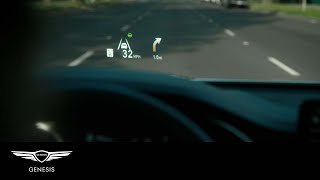
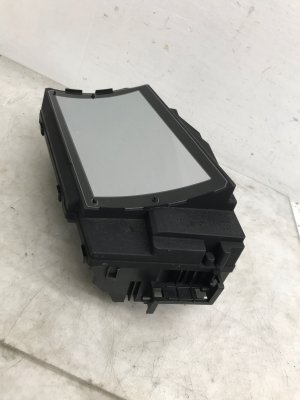
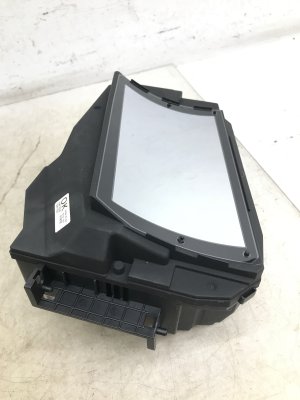
This is a projector unit located inside the top of the dashboard that beams information like speed, navigation directions, and blind-spot warnings onto a special section of the windshield. It is not a camera, but it displays information derived from the camera and radar systems. 🎬 Watch: A quick guide on how the HUD system works. There are different HUD units for vehicles with and without the Sport Package, making correct part identification critical.
Symptoms of Failure and Known Issues
Failures in these systems can range from minor annoyances to the complete loss of important safety features. Here are the most common problems reported by G70 owners.
Shaky or Blurry Heads-Up Display (2019 Models)
A widely reported issue on early 2019 G70s is a Heads-Up Display that vibrates or shimmies, making the projection appear blurry, especially on bumpy roads. Genesis acknowledged this was due to bent retention clips inside the HUD assembly from the factory. The only proper repair is to replace the entire HUD unit. Later models do not appear to have this specific manufacturing defect.
Surround View Camera Malfunctions
The most common symptom of a failing surround view camera is a distorted, flickering, or solid blue screen for one of the camera views when parking. Owners often report this issue is more frequent in cold weather. Sometimes, a software glitch can cause the blind-spot or surround view cameras to stop working temporarily. This may resolve itself after the car has been off overnight or by resetting the infotainment system.
ADAS Warning Lights and Forward Camera Issues
A failure of the forward-facing camera will typically trigger a warning message on the instrument cluster, such as 'Check LKA System' or 'Forward Safety System Disabled'. This indicates the camera is not functioning correctly. A less common but known issue is the plastic housing around the camera becoming loose, which can be caused by an out-of-place clip. Additionally, a dirty or obstructed windshield can cause a 'Camera Obscured' message, so the area should be cleaned before assuming the part has failed.
Intermittent HUD or Camera Operation
Some owners have experienced the HUD failing to turn on intermittently. Similarly, the backup camera may fail to display after the vehicle has warmed up. These electrical gremlins can sometimes be related to software and may require a dealer visit for an update or a hard reset of the infotainment unit.
Important: No specific recalls have been issued by the NHTSA for the camera or HUD systems on the 2019-2025 Genesis G70. However, recalls for general electrical system and ABS module issues have been issued for early model years, which could potentially impact related safety systems.
Buying a Used Genesis G70 Camera: What to Check
Purchasing a used OEM camera or HUD can offer significant savings over a new part. However, due to the complexity of these systems, careful inspection and verification are crucial.
1. Verify the Exact Part Number
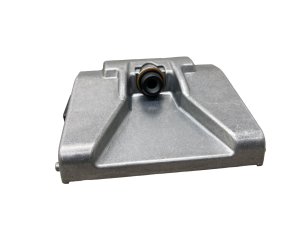
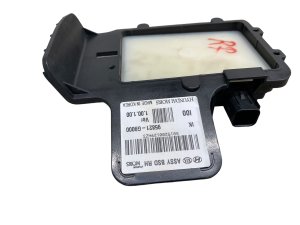
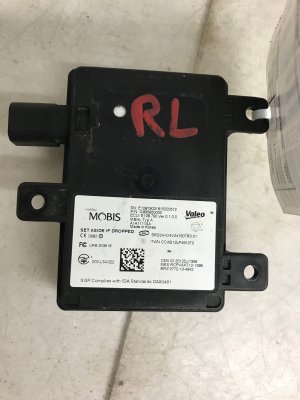
This is the most important step. Different trim levels and option packages (Sport Package, Surround View) use different parts. For example, the HUD for a Sport Package car is different from a non-Sport model. The only way to guarantee compatibility is to match the OEM part number from your old unit to the used one you are buying.
2. Physical Inspection
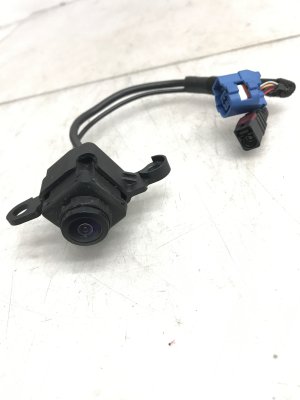
- Lenses: For any camera, inspect the lens for deep scratches, cloudiness, or cracks. Any damage to the lens will render the camera useless.
- Housing and Connectors: Check for cracks in the plastic housing and ensure all electrical connector pins are straight and free of corrosion. All mounting tabs must be intact for proper alignment.
- Mirror Assemblies: The side view cameras are integrated into the mirror housing. Inspect the entire assembly for damage, as a hard impact can damage the camera even if the mirror glass is intact.
3. Budget for Professional Calibration
Do not assume you can simply swap the part. A used camera, especially the forward-facing ADAS camera, will not work correctly or safely until it is professionally calibrated. This cost must be factored into your purchase decision.
Why Used OEM is a Smart Choice
OEM parts are designed to integrate perfectly with the G70's software. Aftermarket cameras often suffer from poor image quality, higher failure rates, and may not be recognized by the vehicle's diagnostic tools, making calibration impossible. A quality-inspected, used OEM part provides the same performance and compatibility as a new one at a much lower cost.
Installation and CRITICAL Calibration Requirements
Physically replacing these components is often straightforward, involving the removal of trim panels or mirror housings. However, the final step of calibration is what makes this a job for professionals.
Warning: ADAS Calibration is NOT a DIY Task. Replacing the forward-facing camera, or any of the surround view cameras, requires a process called ADAS calibration. This procedure uses special targets, a perfectly level surface, and dealer-level diagnostic software to align the camera's view with the vehicle's centerline. Failure to perform this calibration can cause safety systems to work incorrectly, potentially leading to dangerous situations on the road. This service must be performed by a dealership or a qualified auto glass or repair shop with the proper equipment.
Cost Comparison for Genesis G70 Camera Systems
Prices for these components can be high, especially from the dealer. A used OEM part offers a significant financial advantage.
| Part | New OEM (Dealer) | Used OEM (Recycled) | Shop Labor (Install & Calibrate) |
|---|---|---|---|
| Forward-Facing Camera | $500 - $1,300+ | $150 - $400 | $250 - $500+ |
| Side Mirror Assembly (with Camera) | $1,400 - $1,600 | $300 - $700 | $100 - $200 |
| Heads-Up Display (HUD) | $2,100 - $2,400+ | $400 - $900 | $200 - $350 |
| Rear View Camera | $500 - $700 | $150 - $300 | $100 - $150 |
Frequently Asked Questions (FAQ)
Do I have to get the camera calibrated after a windshield replacement?
Yes. Any time the forward-facing camera is detached from the windshield, it must be recalibrated to ensure the ADAS features function safely and accurately. Most reputable auto glass installers are equipped to perform this service.
My blind spot camera stopped working, but then it started working again. Is the part failing?
It could be an early sign of failure, but it's often a temporary software glitch. Before replacing parts, try resetting the infotainment system by pressing the small reset button (on some models) or holding the MAP and SETUP buttons. If the problem persists, then the camera or wiring may be at fault.
Why is my Heads-Up Display invisible when I wear sunglasses?
This is normal if you are wearing polarized sunglasses. The HUD works by projecting a polarized image onto the windshield, and polarized lenses are designed to block this type of light. Try viewing the HUD with the sunglasses off to confirm it is working correctly.
Can I just replace a single broken surround view camera?
Yes, you can typically replace a single faulty camera in the surround view system. However, after replacement, the system will still require a calibration procedure to properly 'stitch' the image from the new camera together with the others for a seamless 360-degree view.
Helpful Videos
Technical Specifications
OEM Part Numbers: 94310-G9040 94310-G9240 94310-G9340 95760-G9010 95780-G9000 99110-G9100 99220-G9000 99250-G9000
System requires professional ADAS calibration after component replacement.
We Have This Part in Stock

The information in this article is provided for general reference and educational purposes only. Vehicle specifications, procedures, and part compatibility can vary by production date, trim level, and region. Always consult your vehicle's factory service manual and verify part numbers before purchasing or performing repairs. Safety-critical components such as airbags, seat belts, and braking systems should be installed by a qualified professional.
- Genesis G70:
- 🎬 Helpful Videos
- 🛍️ Shop This Part
- Understanding the G70's Different Camera and Display Systems
- Forward-Facing Multifunction Camera
- Surround View Monitor (SVM) Cameras
- Heads-Up Display (HUD)
- Symptoms of Failure and Known Issues
- Shaky or Blurry Heads-Up Display (2019 Models)
- Surround View Camera Malfunctions
- ADAS Warning Lights and Forward Camera Issues
- Intermittent HUD or Camera Operation
- Buying a Used Genesis G70 Camera: What to Check
- 1. Verify the Exact Part Number
- 2. Physical Inspection
- 3. Budget for Professional Calibration
- Why Used OEM is a Smart Choice
- Installation and CRITICAL Calibration Requirements
- Cost Comparison for Genesis G70 Camera Systems
- Frequently Asked Questions (FAQ)
- 🎟️ Get 5% Off