

2017-2022 Genesis G90 Front Camera: ADAS Failures and Calibration Explained
This guide covers common failure symptoms for the front-facing ADAS camera in the 2017-2022 Genesis G90, and explains why professional calibration is essential after replacement.
- After replacing the front camera, professional ADAS calibration is mandatory for the safety systems to function. This is not a DIY procedure.
- Failure symptoms typically involve warning lights for the Lane Keeping Assist and Forward Collision-Avoidance systems.
- Verify the exact OEM part number before buying a used camera, as different parts were used for pre-facelift (2017-2019) and post-facelift (2020-2022) models.
- A used OEM camera can offer over 90% cost savings on the part, but you must factor in the cost of professional calibration.
Symptoms of a Failing Front Camera
When the front ADAS camera begins to fail, you will typically see warning messages on the instrument cluster, as the safety systems that rely on it will be disabled. The car is alerting you that these critical features are no longer active.
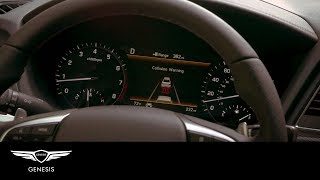
- Warning Lights: The most common symptom is the appearance of multiple warning lights and messages. These often include "Check Forward Collision-Avoidance Assist system," "Check Lane Keeping Assist system," or a more general "Check driver assistance system."
- Disabled Safety Features: Lane Keeping Assist (LKA) will stop providing steering input, and Forward Collision-Avoidance Assist (FCA) will not provide warnings or automatic braking. 🎬 Watch: How the Forward Collision-Avoidance system works when functioning properly. High Beam Assist, if equipped, may also stop working.
- Erratic Behavior: In some rare cases, a malfunctioning camera can send incorrect data to the car's computer. This could potentially lead to dangerous situations like "phantom braking," where the vehicle brakes suddenly for no apparent reason. Forum users have reported this can be caused by an overheating camera module.
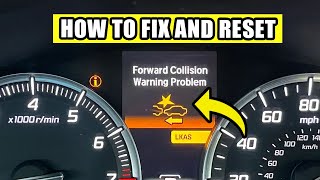
- Obscured Camera Message: Sometimes, the issue is not a faulty camera but an obstructed view. A message like "Driver Assistance system limited. Camera obscured" can appear if the windshield is dirty, fogged, or covered in snow or ice in front of the camera lens. Always ensure this area is clean before assuming the camera has failed. 🎬 See how to quickly reset and fix common collision warning errors.
Buying a Used Video Camera for Your G90
Given the high cost of a new OEM camera, a used unit from a reputable recycler is an excellent value. However, this is a sensitive electronic component, and careful purchasing is key.
1. Verify The Part Number
Genesis used different cameras during this generation. It is absolutely critical to match the part number from your original camera to the used replacement. The part number is printed on the camera's housing.
- 2017-2019 G90: Commonly uses part number 95780-D2000.
- 2020-2022 G90 (Facelift): Commonly uses part number 99211-D2000.
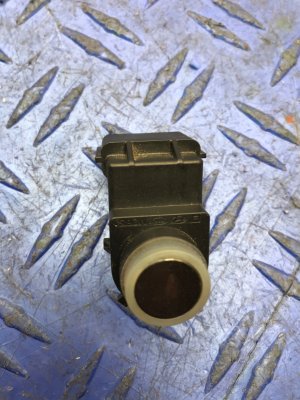
Warning: Do not confuse the windshield-mounted ADAS camera with the camera in the front grille, which is for the Surround View Monitor parking system. They have different functions and part numbers (like 99250-D2000). Ensure you are buying the correct camera for the system you are repairing.
2. Physical Inspection
When you receive the used camera, inspect it carefully before installation.
- Lens: Check the lens for any deep scratches, hazing, or cloudiness that could obstruct its view.
- Connectors: Look at the electrical connector pins. They should be straight, clean, and free of any corrosion.
- Housing: The plastic housing should be free of cracks or damage from the donor vehicle's removal.
3. Budget for Professional Calibration
This is the most important step. A used camera will not work correctly until it is calibrated to your specific vehicle. This is not a DIY-friendly procedure. You must have the calibration performed by a dealership or an independent shop that has specialized ADAS calibration equipment. Skipping this step will result in the safety systems not working and persistent warning lights. Factor this cost into your total repair budget.
Known Issues, TSBs, and Recalls
As of early 2026, there are no specific recalls or widespread Technical Service Bulletins (TSBs) issued by Genesis for front camera failure on the 2017-2022 G90.
Most issues reported by owners are isolated electronic failures. Some owners on forums have reported camera modules overheating, leading to erratic system behavior and phantom braking events. However, this does not appear to be a universal problem.
It is worth noting that newer 2023-2026 G90 models were recalled because the 'Savile Silver' paint color contained aluminum particles that could interfere with the separate front radar sensors, causing false braking events. While this does not apply to the camera or the 2017-2022 model years, it illustrates the sensitive nature of these ADAS components.
Installation and Calibration Requirements
The replacement process involves two distinct stages: physical installation and electronic calibration.
| Stage | Difficulty | Notes |
|---|---|---|
| Physical Installation | 1 out of 5 | The camera is located in a plastic housing behind the rearview mirror. This housing can typically be removed with plastic trim tools, and the camera unplugs and unclips from its mount. The physical swap can take as little as 5-10 minutes. |
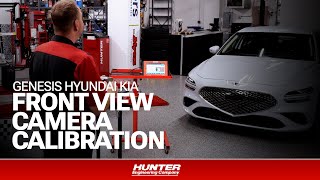
| Electronic Calibration | 5 out of 5 (Professional Only) | This is a mandatory step that cannot be done at home. A technician uses a scan tool and a special rig with targets placed at precise distances and heights in front of the car. The scan tool then initiates a calibration routine where the camera learns its exact position and alignment relative to the vehicle's centerline. 🎬 Watch a professional technician perform a Genesis forward-facing camera calibration. This ensures it can accurately judge distances and lane positions. |
Warning: Do not attempt to drive the vehicle relying on ADAS features after installing a new or used camera without performing the calibration. The systems will be inaccurate and unreliable.
Cost Comparison
The cost of replacing the G90's front camera can vary dramatically depending on the parts source and labor.
| Item | Estimated Cost | Notes |
|---|---|---|
| New OEM Part | $1,200 - $1,700 | This is for the camera itself from a Genesis dealer. Part number 95780-D2000 has an MSRP over $1,600. |
| Used OEM Part | $50 - $250 | Prices on platforms like eBay vary based on condition and seller. This offers a massive savings. |
| Shop Labor (Installation & Calibration) | $400 - $800 | Labor for the physical install is minimal, but the ADAS calibration is a specialized, time-consuming procedure that requires expensive equipment, which accounts for the bulk of the cost. |
Frequently Asked Questions (FAQ)
Can I replace the front camera myself?
You can perform the physical swap of the camera module, which is a simple process. However, you cannot complete the job yourself because the mandatory electronic calibration requires specialized tools that only professional shops have. You must plan to take the vehicle to a qualified facility after you install the part.
What is ADAS camera calibration?
Calibration is an electronic aiming process. It teaches the camera its precise position and orientation on the car. This ensures that when the camera sees a lane marking or another vehicle, it can accurately calculate its distance and position relative to your G90. Without correct calibration, all measurements will be wrong, and the safety systems will not work properly.
Why did my safety systems turn off after a windshield replacement?
The front camera is mounted to the windshield. When a new windshield is installed, the camera is removed and reinstalled. This small change in position is enough to require a recalibration. Reputable glass shops that work on modern cars will perform an ADAS calibration as a standard part of the windshield replacement process.
Is the front camera the same as the Smart Cruise Control sensor?
No. The front camera is a visual sensor on the windshield used for LKA and FCA. The Smart Cruise Control (SCC) system primarily uses a radar sensor located in the front grille. While the systems work together, the camera and radar are two separate parts.
Helpful Videos
Technical Specifications
OEM Part Numbers: 95780-D2000 99211-D2000
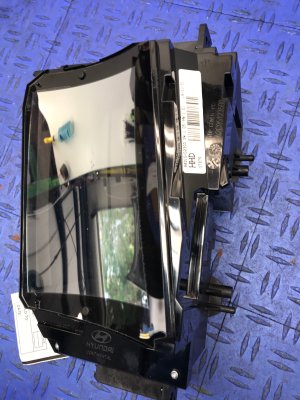
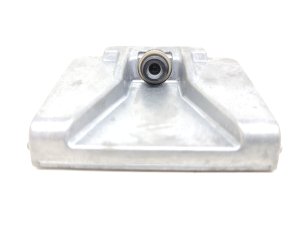
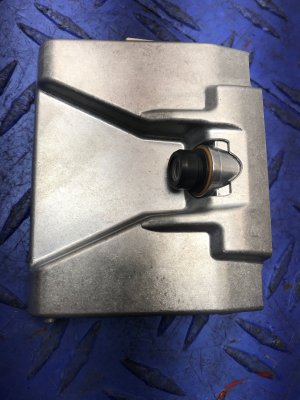
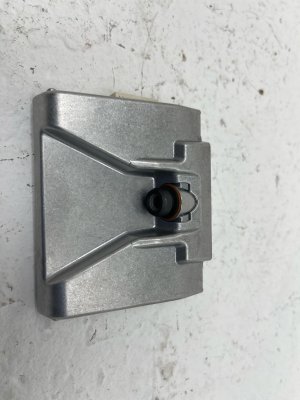
Windshield-mounted digital video camera for ADAS (Advanced Driver-Assistance Systems).
We Have This Part in Stock

The information in this article is provided for general reference and educational purposes only. Vehicle specifications, procedures, and part compatibility can vary by production date, trim level, and region. Always consult your vehicle's factory service manual and verify part numbers before purchasing or performing repairs. Safety-critical components such as airbags, seat belts, and braking systems should be installed by a qualified professional.
- Genesis G90:
- 🎬 Helpful Videos
- 🛍️ Shop This Part
- Symptoms of a Failing Front Camera
- Buying a Used Video Camera for Your G90
- 1. Verify The Part Number
- 2. Physical Inspection
- 3. Budget for Professional Calibration
- Known Issues, TSBs, and Recalls
- Installation and Calibration Requirements
- Cost Comparison
- Frequently Asked Questions (FAQ)
- 🎟️ Get 5% Off