

2014-2020 Kia Optima Backup Camera: Solving Black Screens and Fitment Issues
This guide covers the common causes of backup camera failure in the 2014-2020 Kia Optima, including critical compatibility differences between model years and manufacturing locations.
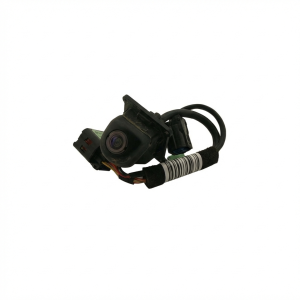
- Compatibility is critical and complex. 2014-2015 models and 2016 Hybrid models often use part number 95760-2T650.
- The most common failure symptom is a black screen when in reverse, often with the parking guidelines still visible.
- Moisture intrusion is a frequent cause of failure, leading to a blurry image or complete malfunction. A TSB was issued to address this.
- When buying a used camera, always match the part number from your original unit and inspect the lens for any signs of internal condensation.
Key Compatibility Warnings: Read Before Buying

The backup camera for the Kia Optima has highly specific fitments that changed between the third and fourth generations. Ordering the wrong part is a common and frustrating mistake. Pay close attention to your vehicle's model year and, for 2016 models, the specific variant.
Third Generation (2014-2015) & 2016 Hybrid
For these model years, the fitment is generally more straightforward. The most common OEM part number is 95760-2T650. This part fits:
- 2014-2015 Kia Optima (all non-hybrid trims)
- 2014-2016 Kia Optima Hybrid
Warning: For the 2016 model year, part number 95760-2T650 ONLY fits the Hybrid model. It will not fit the standard, non-hybrid 2016 Optima, which was a completely redesigned vehicle.
Fourth Generation (2016-2020) Non-Hybrid
The fourth-generation Optima introduced new cameras and more complex compatibility. Fitment often depends on whether your vehicle is equipped with the standard backup camera or the more advanced surround-view camera system. There are multiple part numbers for this generation, including 95760-D4600 and 95766-D5000. It is crucial to match the part number from your original camera to ensure you purchase the correct replacement.
Symptoms of a Failing Kia Optima Backup Camera

When the backup camera begins to fail, it can present several distinct symptoms. These issues are often caused by internal camera failure, wiring problems, or moisture intrusion.
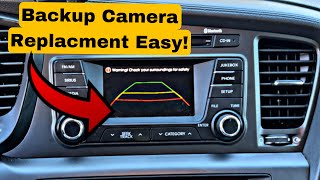
- Black Screen: The most common symptom is a completely black screen when you shift into reverse. Often, the parking guidelines will still appear, indicating the head unit is receiving the signal to switch to camera mode, but no video signal is coming from the camera itself.
- Flickering or Distorted Image: The video feed may flicker, roll, or appear distorted. This can be intermittent and is often an early sign of camera failure or a loose connection.
- Blurry or Foggy Image: If the camera lens seal fails, moisture can get inside, causing a blurry, foggy, or discolored image. This is particularly common in areas with high humidity or after a car wash.
- No Image, Only "Check Surroundings" Message: The screen may switch over but only display the warning message without any video feed.
How to Diagnose the Problem

Before replacing the camera, perform a few simple checks:
- Check the Fuse: A blown fuse can cause the camera to lose power. Check the fuse panel for the fuse related to the backup camera system.
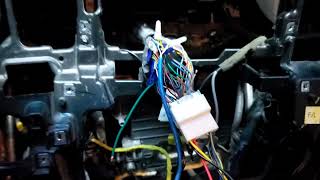
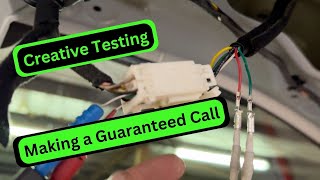
- Inspect the Wiring Harness: The wires that run from the trunk lid to the body of the car are constantly flexed when the trunk is opened and closed. Over time, these wires can fray or break. Open the trunk and inspect the rubber conduit for any visible damage to the wiring. 🎬 See how to test your camera for common electrical issues.
- Check for Loose Connections: Slamming the trunk can sometimes jostle the camera's electrical connector. Access the back of the camera by removing the trunk lid liner and ensure the connector is securely plugged in.
- Reset the System: Sometimes, a simple system reset can resolve a software glitch. You can do this by disconnecting the car's battery for about 10-15 minutes to clear the system's memory.
Buying a Used Video Camera

A used OEM camera can be a reliable and cost-effective alternative to an expensive new part. Here’s what to look for:
- Verify the Part Number: This is the most critical step. Remove your old camera first and match the OEM part number exactly. Do not rely on model year alone, especially for 2016+ models.
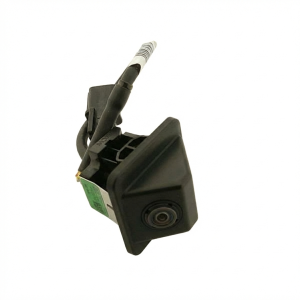
- Inspect the Lens: Look for deep scratches, cracks, or any signs of yellowing. Check carefully for any evidence of moisture or condensation inside the lens, as this indicates a failed seal and the unit will likely fail soon.
- Examine the Connector: The electrical connector pins should be straight and free of corrosion. Any green or white crust indicates water damage.
- Ask About the Donor Vehicle: If possible, get the VIN of the vehicle the part came from. This can help you verify compatibility, especially for models with VIN-specific fitments.
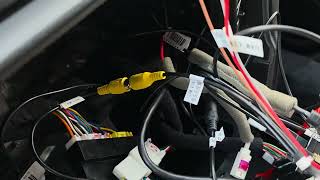
- Why Used OEM is a Good Choice: A used original Kia camera is designed to work perfectly with your car's wiring and infotainment system. Many cheap aftermarket cameras have lower quality video, lack the correct parking guidelines, and may not be truly "plug-and-play," requiring you to cut and splice wires. 🎬 Learn how to hardwire an aftermarket camera if needed.
Cost Comparison
Prices can vary, but this table provides a general estimate for replacing the backup camera on a 2014-2020 Kia Optima.
| Part Type | Estimated Cost |
|---|---|
| New OEM | $310 - $470 |
| New Aftermarket | $40 - $110 |
| Used OEM | $50 - $150 |
| Shop Labor | $60 - $150 |
Replacement Overview

Replacing the backup camera is a straightforward job for a DIYer with basic tools. The process generally involves these steps:
- Open the trunk.
- Remove the plastic clips and screws holding the trunk lid's interior trim panel.
- Carefully detach the trim panel to expose the back of the trunk's exterior garnish.
- Locate the camera and disconnect its electrical harness.
- Unbolt the nuts holding the camera and/or the garnish piece it's attached to.
- Install the new camera, reconnect the wiring, and test it by putting the car in reverse before reassembling everything. 🎬 Watch this step-by-step guide to replacing your backup camera.
Pro Tip: When removing the plastic trim clips, use a dedicated trim removal tool to avoid breaking them. If they do break, they are inexpensive to replace.
Recalls and Technical Service Bulletins (TSBs)
While there are no specific recalls for the 2014-2020 Kia Optima backup camera, Kia has issued related TSBs and recalls for other models due to moisture intrusion.
TSB ELE 077: In December 2014, Kia released a technical service bulletin for several models, including the 2013-2014 Optima, addressing issues like blurry image quality, water intrusion, intermittent operation, and black screens. The bulletin provides diagnostic procedures and advises replacing the camera with an improved part if moisture intrusion is found.
Frequently Asked Questions
Why is my screen black but the parking guidelines are still there?
This usually means the head unit is working correctly and has received the signal to switch to reverse mode, but it is not receiving a video signal from the camera itself. This points to a faulty camera, a broken wire in the harness, or a poor connection.
Do I need to program a replacement backup camera?
No. If you are replacing a failed camera with a direct OEM part (new or used), no special programming or calibration is required. It should be a plug-and-play installation.
Can I install a camera if my Optima didn't come with one?
Adding a backup camera to a car not originally equipped with one is a complex process. It involves more than just the camera itself; you would need the correct wiring harness and potentially a different head unit that can accept a video input. It is generally not a simple or cost-effective modification.
What voltage should the camera receive?
The Kia Optima's factory camera operates on approximately 6-7 volts, not the typical 12 volts found in many aftermarket systems. This is a key reason why using a direct OEM replacement is important for proper function.
Helpful Videos
Technical Specifications
OEM Part Numbers: 95760-2T650 95760-D4001 95760-D4600 95760-C5500 95766-D4000 95766-D4500 95766-D5000
Operating Voltage: Approx. 6-7V DC
We Have This Part in Stock

The information in this article is provided for general reference and educational purposes only. Vehicle specifications, procedures, and part compatibility can vary by production date, trim level, and region. Always consult your vehicle's factory service manual and verify part numbers before purchasing or performing repairs. Safety-critical components such as airbags, seat belts, and braking systems should be installed by a qualified professional.
- Kia Optima:
- 🎬 Helpful Videos
- 🛍️ Shop This Part
- Key Compatibility Warnings: Read Before Buying
- Third Generation (2014-2015) & 2016 Hybrid
- Fourth Generation (2016-2020) Non-Hybrid
- Symptoms of a Failing Kia Optima Backup Camera
- How to Diagnose the Problem
- Buying a Used Video Camera
- Cost Comparison
- Replacement Overview
- Recalls and Technical Service Bulletins (TSBs)
- Frequently Asked Questions
- 🎟️ Get 5% Off