

Mazda 3, 6 & CX-3 Active Driving Display Guide (2014-2018): Failures, Fixes & Replacement
Diagnose a blank, stuck, or misaligned Head-Up Display (HUD) on your Mazda 3, Mazda 6, or Mazda CX-3 and learn what to check before buying a used unit.
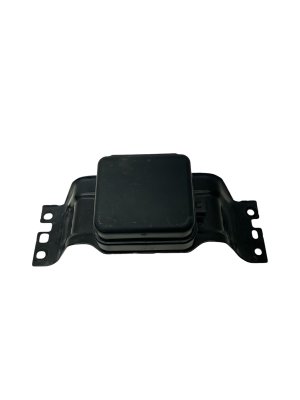
- The part is the Active Driving Display (ADD/HUD) pop-up unit, not a video camera.
- For 2014-2016 Mazda 3s with part number BHR1-55-44X, replacing the ADD also requires replacing the instrument cluster.
- Many alignment and non-deployment issues can be fixed with a 'zero-point reset' by pulling the 'ROOM' fuse before attempting a costly replacement.
- Failure symptoms are either mechanical (not moving), optical (bad image), or alignment-based (wrong position).
Symptoms of a Failing Active Driving Display


Problems with the Active Driving Display (ADD) on the Mazda 3, Mazda 6, and CX-3 typically fall into three categories: mechanical issues with the pop-up screen, problems with the projected image, or alignment and positioning errors.
1. Mechanical Failure: Screen Won't Open or Close Correctly
This is one of the most common failures. You might experience:
- The combiner screen does not rise when you start the car.
- The screen gets stuck partially open or closed.
- The screen fails to retract when you turn the car off.
- The screen opens and closes by itself while driving.
These issues can stem from a few causes. A Technical Service Bulletin (TSB 09-008/18) identified that voltage fluctuations can trigger the unit's anti-pinch protection, causing it to stop moving or reverse direction unexpectedly. In other cases, a weak or dying car battery can provide insufficient voltage for the motor to operate correctly. Less commonly, an internal gear or bracket issue can prevent movement. Before assuming the unit is bad, check for any objects that may have fallen into the dash opening and are physically blocking the screen.
2. Image Failure: Screen is Up, But Display is Blank or Distorted
Sometimes the mechanical pop-up function works perfectly, but the display itself fails. Symptoms include:
- The screen is completely blank (no speed or other information is projected).
- The projected image is dim, flickering, or difficult to read.
- You see strange rings, spots, or 'bubbles' in the display that can get worse in the heat. This is caused by moisture entering the LCD projector.
- The edges of the display appear fuzzy or have tiny cracks.
These symptoms almost always point to a failure within the internal projector or LCD unit. Unfortunately, these are not separately serviceable parts, and the entire ADD module must be replaced.
3. Alignment Failure: Display is Out of View
A frustrating issue is when the display works, but it's positioned too high or too low to be seen from a normal driving position. This is often caused by the system learning an incorrect 'zero-point' or closed position. This can happen after the car battery has been disconnected or has gone flat. Before resorting to replacement, you can try a simple reset procedure.
How to Reset the ADD Zero-Point
If your display is misaligned, a reset can often fix it. Many owners have had success by pulling the 'ROOM' fuse from the fuse box in the engine bay for a few minutes and then reinstalling it. This forces the unit to re-learn its home position. Consult your owner's manual for the exact location of this fuse. If this fixes the problem, you can then use the settings in the Mazda Connect infotainment system to fine-tune the height to your preference.
Warning: Do not manually force the combiner screen open or closed. Doing so can damage the delicate motor and gear mechanism. Also, avoid leaving items in the storage area where the screen retracts, as this can cause the system to learn an incorrect zero-point.
Known Issues, TSBs, and Recalls

While there are no major recalls for this part, Mazda has issued several Technical Service Bulletins (TSBs) related to the Active Driving Display.
- TSB 09-008/18: Addresses improper opening/closing for the 2014-2016 Mazda 3, 2016 Mazda 6, and 2016 CX-3. It notes that voltage fluctuation is a likely cause.
- TSB for Cracks: A bulletin was issued for some 2015-2016 models that develop a 'fuzzy appearance (tiny cracks)' around the display edge, recommending replacement of the ADD unit.
- TSB for Rattle: TSB 09-010/20 was released for a rattling noise caused by the cover lens warping due to sun exposure.
CRITICAL MAZDA 3 COMPATIBILITY NOTE: TSB 09-008/18 contains a crucial warning for 2014-2016 Mazda 3 owners. If your car is equipped with an ADD unit with part number BHR1-55-44X or BHR1-55-44XA, and it needs to be replaced, the instrument cluster (speedometer) must also be replaced at the same time with an updated version due to a compatibility issue. This is a significant extra cost and complexity. It is vital to verify the part number of the original unit in your vehicle before purchasing a replacement.
Buying a Used Active Driving Display
A used OEM unit is often the most cost-effective way to fix a failed ADD. Since aftermarket options are non-existent for this integrated part, your choice is between an expensive new part from the dealer or a recycled original part. Here’s what to look for:
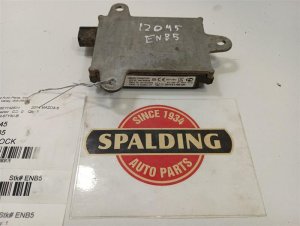
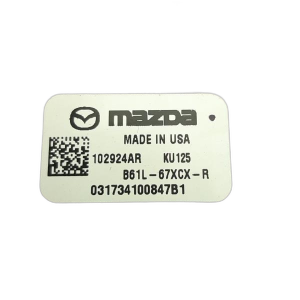
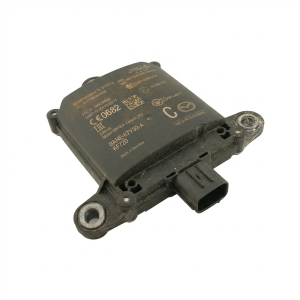
- Verify Part Numbers: The most important step. Use the OEM part numbers (B62S-55-459, BHR1-55-459, D10J-55-459, DB1M-55-459) to find a match. For Mazda 3 owners, it is critical to know the part number of the unit currently in your car to avoid the instrument cluster incompatibility issue.
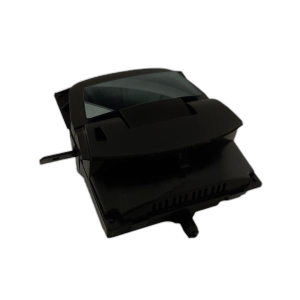
- Inspect the Combiner Screen: Check for deep scratches, cracks, or any signs of delamination on the clear plastic pop-up screen.
- Inspect the Projector Lens: Look at the small lens inside the unit where the light comes from. It should be clear and free of scratches or a hazy, burnt appearance.
- Check for Physical Damage: Inspect the housing and mounting tabs for any cracks or breakage that could have occurred during removal from the donor vehicle.
- Ask About the Donor Vehicle: If possible, find out the mileage of the vehicle the part came from. A lower-mileage part is always preferable.
Replacement Difficulty
Replacing the Active Driving Display is a complex job that requires significant disassembly of the dashboard.
- Difficulty Rating: 5 out of 5 (Very Difficult)
- Estimated Time: 3-5 hours for a professional. Some dealer estimates have gone as high as 8 hours.
- DIY Feasibility: Not recommended for beginners. The job requires removing parts of the instrument panel, steering column covers, and potentially the instrument cluster itself. There is a high risk of damaging plastic trim pieces.
Cost Comparison
Prices can vary significantly based on location and the specific failure.
| Part/Service | Estimated Cost (USD) |
|---|---|
| New OEM Unit | $900 - $1200+ |
| Used OEM Unit | $150 - $400 |
| Shop Labor for Replacement | $400 - $800+ |
| Total (New OEM Installed) | $1300 - $2000+ |
| Total (Used OEM Installed) | $550 - $1200+ |
Frequently Asked Questions (FAQ)
Can I add an Active Driving Display to my car if it didn't come with it from the factory?
No, this is not a feasible upgrade. The ADD system is deeply integrated with the vehicle's wiring, dashboard structure, and instrument cluster. The cost and complexity would be prohibitive.
My display works but it's crooked. How do I fix it?
You can adjust the tilt and height through the settings menu in your Mazda Connect infotainment system. If the adjustment range is not enough, try the zero-point reset procedure by temporarily removing the 'ROOM' fuse.
The dealer said I need a new instrument cluster too. Is this true?
For some 2014-2016 Mazda 3 models, this is true. If your car was originally equipped with ADD part number BHR1-55-44X, an official Mazda TSB states the instrument cluster must be replaced along with the ADD unit due to a compatibility change.
Why did my display stop working right after I replaced my car battery?
This is a common complaint. The voltage change during a battery replacement can cause the ADD unit to 'forget' its proper alignment. The first thing to try is the zero-point reset by pulling the 'ROOM' fuse. This often resolves the issue without needing any parts replaced.
Technical Specifications
OEM Part Numbers: B62S-55-459 BHR1-55-459 D10J-55-459 DB1M-55-459
Pop-up 'combiner' type Head-Up Display (HUD) projector unit.
We Have This Part in Stock

The information in this article is provided for general reference and educational purposes only. Vehicle specifications, procedures, and part compatibility can vary by production date, trim level, and region. Always consult your vehicle's factory service manual and verify part numbers before purchasing or performing repairs. Safety-critical components such as airbags, seat belts, and braking systems should be installed by a qualified professional.
- Mazda 3:
- Mazda CX-3:
- Mazda 6:
- 🛍️ Shop This Part
- Symptoms of a Failing Active Driving Display
- 1. Mechanical Failure: Screen Won't Open or Close Correctly
- 2. Image Failure: Screen is Up, But Display is Blank or Distorted
- 3. Alignment Failure: Display is Out of View
- Known Issues, TSBs, and Recalls
- Buying a Used Active Driving Display
- Replacement Difficulty
- Cost Comparison
- Frequently Asked Questions (FAQ)
- 🎟️ Get 5% Off