

B1000 on 2006-2011 Buick Lucerne: ECU Performance and Module Failure Guide
Code B1000 on a Buick Lucerne indicates an internal failure within an electronic control module. A professional scan tool is needed to see which module is at fault. On this specific vehicle, it is most commonly caused by a faulty OnStar module (VCIM), which became obsolete after the 2G cellular network shutdown. This failure often leads to a 'Phone Unavailable' message and can cause a parasitic battery drain.
- B1000 means a control module has failed its internal self-test.
- The first step is always to use a scan tool to find out WHICH module is at fault.
- On a 2006-2011 Lucerne, if you hear a 'Phone Unavailable' message, the obsolete OnStar module is the most likely culprit.
- A faulty OnStar module can also cause a significant parasitic battery drain.
- Module replacement is the most common fix, and it requires professional programming. However, simply unplugging the OnStar module is a common and effective DIY solution if the service is not needed.
What's Unique About the 2006-2011 Buick LUCERNE
While B1000 can be set by various modules, the 2006-2011 Buick Lucerne has a well-documented issue where this code is specifically triggered by an internal fault in the OnStar module (VCIM). This is often due to the module's reliance on the now-decommissioned 2G analog cellular network. The module can enter a fault state while endlessly searching for a signal, triggering the B1000 code and an accompanying 'Phone Unavailable' audio message, as noted in official GM Technical Service Bulletins. This provides a key, vehicle-specific symptom that can point directly to the cause without extensive initial diagnostics.
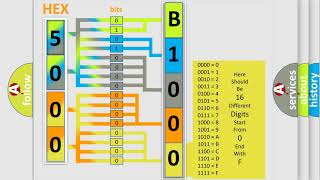
🎬 Watch a short explanation of the B1000 fault code.Diagnostic Flowchart
Tap your situation to follow the diagnostic path that matches what you're seeing on this vehicle.
Symptoms You May Notice
- "Phone Unavailable" audio message (specific to OnStar module failure)
- Parasitic battery drain leading to a dead battery if the car sits for several days
- Airbag warning light illuminated (if the SDM is the cause)
- Erratic behavior of interior electronics like door locks, windows, or lights (if the BCM is the cause)
- Check Engine Light or other service messages on the dash
- Red light on the OnStar button panel
- Replacing random electronic parts without first identifying which module set the code. The B1000 code is specific to a module's internal state, not an external sensor or wire.
- Replacing the battery to fix a parasitic drain without first diagnosing the cause. A faulty VCIM is a known cause of battery drain on these vehicles and will drain a new battery as well.
Most Likely Causes
- Internal Failure of the OnStar Module (VCIM) 🔴 High Probability → Shop Telematics Interface Module This is a documented issue for this platform, confirmed by TSBs PIC3278F/G. The module's 2G cellular hardware is obsolete, causing it to fault while searching for a non-existent network. This can also cause a parasitic battery drain.
How to confirm: Confirm with a GM-specific scan tool that the VCIM is the module setting the B1000 code. The 'Phone Unavailable' audio message is a strong indicator. A simple test is to physically unplug the VCIM; if the message stops and the code can be cleared, the module is the fault.
Typical fix: For owners who do not use OnStar, the most common and cost-effective fix is to locate the VCIM in the rear compartment and disconnect its electrical connectors. 🎬 Watch this simple walkthrough to disconnect your OnStar module. For restoration of service, the module must be replaced and programmed by a dealer.
Est. part cost: $100-$300 - Internal Failure of the Body Control Module (BCM) 🟡 Medium Probability → Shop Body Control Module The BCM controls a wide range of body electronics and is a complex module prone to failure from age, voltage spikes, or moisture.
How to confirm: Use a professional scan tool to confirm the BCM is the source of the B1000 code. Symptoms often include malfunctioning lights, locks, security system issues, or windows.
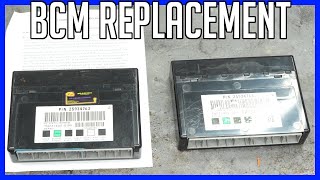
Typical fix: Replace the Body Control Module and program the new unit to the vehicle's VIN and options.
Est. part cost: $200-$450 - Internal Failure of the Sensing and Diagnostic Module (SDM / Airbag Module) ⚪ Low Probability → Shop Air Bag Control Module An SDM can fail due to internal memory errors, voltage issues, or if it has stored crash data. A low voltage event from a weak battery can sometimes corrupt the module's memory.
How to confirm: A scan tool will show the B1000 code originating from the SDM. The airbag warning light will be illuminated on the dashboard.
Typical fix: Replace the SDM. This is a critical safety component and must be done by a professional, followed by proper setup and programming.
Est. part cost: $250-$600
Rare But Worth Checking
- Module Programming Corruption: A low battery event, jump-start, or failed software update can sometimes corrupt a module's memory, triggering a B1000 code without an actual hardware failure. Attempting to reprogram the existing module is a valid first step before replacement.
Diagnosis Steps
- Connect a professional, GM-capable scan tool to the OBD-II port.
- Perform a full system scan to identify which specific module (e.g., VCIM, BCM, SDM) is storing the B1000 code as 'current' or 'active'.
- If the code is listed as 'history' and not 'current', clear the code, perform several ignition cycles, and re-scan. If it does not return, no action is needed.
- If the VCIM is the source: As a simple diagnostic test, locate the VCIM in the rear compartment trim area. Disconnect the module's electrical and antenna connectors. Start the vehicle and observe if the 'Phone Unavailable' message is gone. If so, the VCIM is confirmed as the fault.
- If the code is 'current' in another module (BCM, SDM): Check for any available software updates for that specific module. Reprogramming the module may resolve corruption issues.
- If reprogramming is not an option, inspect the wiring harness and connectors to the identified module for any signs of damage, corrosion, or loose pins.
- If the wiring and connections are secure and the code remains, the module itself has an internal hardware fault and must be replaced.
- After installing a new module, it must be programmed and configured for the specific vehicle using a dealer-level tool.
Parts You'll Likely Need
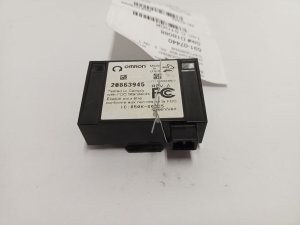
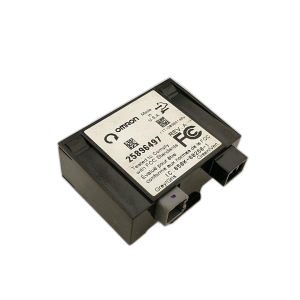
- OnStar Module (VCIM)
(OEM #25984283 (Verify with VIN, part may be superseded or discontinued))— This is the most specifically documented cause for a B1000 code on the 2006-2011 Lucerne, per manufacturer TSBs and widespread owner reports related to the 2G cellular network sunset.
Trusted brands: ACDelco
OEM price range: $200-$400
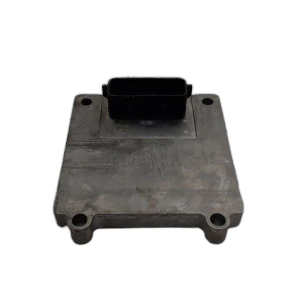
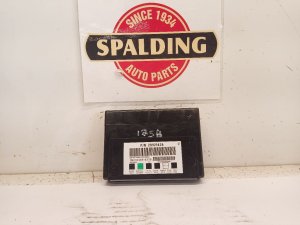
Aftermarket price range: $100-$250 - Body Control Module (BCM) — A common module to fail on many GM vehicles, setting a B1000 code when it detects an internal checksum or memory error.
Trusted brands: ACDelco, Dorman
OEM price range: $250-$450
Aftermarket price range: $150-$300
Related Codes That Often Appear With This One
- U1500 — As cited in TSBs PIC3278F and PIC3278G, U1500 is another diagnostic code that can appear alongside B1000 when the OnStar module has an internal fault.
Technical Service Bulletins (TSBs) & Recalls
- PIC3278F: Addresses an OnStar module internal fault that can produce a B1000 code and a 'Phone Unavailable' message.
- PIC3278G: An updated version of the previous bulletin with the same information regarding the OnStar module fault and B1000 code.
- 14395: A customer satisfaction program addressing OnStar modules causing battery drain, even when the service is inactive. The fix is to replace the module.
Platform-Specific Known Issues
- Per TSBs PIC3278F and PIC3278G, an internal fault in the OnStar module can set a B1000 or U1500 code and produce a 'Phone Unavailable' audio message. This is primarily because the module's integrated 2G cellular technology is obsolete and can no longer connect to a network, causing a persistent fault state.
- The faulty OnStar (VCIM) module is a known source of parasitic battery drain on this platform, which can lead to a no-start condition if the vehicle is parked for several days.
Mechanic-Grade Diagnostic Values
- Module Power Supply Voltage — expected: ~12.0–14.6 V with engine running.. Failure: Voltage below 9.5V during cranking can corrupt module memory and potentially set a false B1000 code.
- Module Ground Resistance — expected: < 1.0 Ω between the module's ground pin and a clean chassis ground point.. Failure: High resistance indicates a poor ground, which can cause unpredictable module behavior and mimic an internal fault.
Hidden / Shadow Codes Worth Checking
- B1000 04: ECU RAM Failure. This indicates a failure in the module's temporary Random Access Memory. (see via GM Tech 2, GDS2, or other professional scan tool capable of reading manufacturer-specific symptom bytes.)
- B1000 31: ECU General Checksum Problem. This indicates a data corruption error within the module's programmed memory. (see via GM Tech 2, GDS2, or other professional scan tool capable of reading manufacturer-specific symptom bytes.)
- B1000 35: ECU Performance ROM Integrity. This indicates a failure in the module's permanent Read-Only Memory where core software is stored. (see via GM Tech 2, GDS2, or other professional scan tool capable of reading manufacturer-specific symptom bytes.)
- B1000 39: ECU Performance Internal Electronic Failure. This is a general, non-recoverable hardware failure inside the module. (see via GM Tech 2, GDS2, or other professional scan tool capable of reading manufacturer-specific symptom bytes.)
- B1000 0F: ECU Performance Erratic. This indicates an inconsistent or unpredictable internal fault. (see via GM Tech 2, GDS2, or other professional scan tool capable of reading manufacturer-specific symptom bytes.)
Scan Tool Commands That Help
- GDS2 / Tech 2 with SPS: Service Programming System (SPS) - Module Programming/Setup — This function is required after replacing a BCM or VCIM to load the correct software and vehicle-specific configuration into the new module. Without this step, the new module will not function.
- GDS2 / Tech 2 with SPS: OnStar Activation (ONSA) — This is a specific SPS application used after installing a new VCIM. It sends the new module's identification data to the OnStar network to activate the subscription service.
- GDS2: Module Diagnostics - Control Functions — While not a direct test for B1000, if the BCM is suspected, a technician can use bidirectional controls to command outputs like lights, locks, and windows to see if the module is responsive at all. A complete lack of response supports the diagnosis of a failed module.
Wiring & Ground Locations
- VCIM (OnStar Module) — Located in the trunk, behind the rear seat back trim panel.. This is the most common module to fail and set a B1000 code on this vehicle. Knowing its location is essential for the common DIY fix of unplugging it to resolve the 'Phone Unavailable' message and parasitic battery drain.
- BCM (Body Control Module) — Located behind the right side of the dashboard, accessible after removing the glove box.. This is the second most likely module to set a B1000. Access is required for inspection of connectors or for replacement.
- SDM (Airbag Module) — Typically located under the center console or one of the front seats, bolted to the floor pan. On related GM platforms, it is found under the carpet below the center console.. If the B1000 code is accompanied by an airbag light, this module is the likely source. Its location makes it susceptible to water damage from spills or leaks.
- BCM Ground Path — The BCM ground path can be part of various splice packs or inline harness connectors.. GM issued a specific bulletin (07-08-47-004D) warning that disconnecting a BCM ground while the battery is connected can cause internal damage to the BCM, which could trigger a B1000 code. The negative battery cable must be disconnected first.
Real Owner Repair Stories
- Consensus from multiple owner forums and TSBs (2006-2011 Buick Lucerne (all trims)) — A 'Phone Unavailable' message appears on the radio display, and the vehicle's battery dies if it sits for a few days.
❌ Tried (didn't work) Replacing the battery (the new battery also drains), Ignoring the message
✅ What actually fixed it The universally accepted fix for owners not using OnStar is to physically disconnect the OnStar (VCIM) module. The module is located in the trunk behind the rear seat trim. Unplugging its electrical and antenna connectors permanently stops the 'Phone Unavailable' message and resolves the parasitic battery drain.
OEM Part Supersession History
25984283 (and others)→Varies; Restricted Part— Module hardware/software updates and component changes.
Heads up: The OnStar VCIM is a restricted part. A replacement cannot be ordered directly using a part number. A dealer must contact the GM Technical Assistance Center (TAC) to receive a one-time authorization number linked to the VIN. The replacement module received may have a different part number than the original and must be programmed to the vehicle.
Model Year Variations Within This Range
- 2006-2008 vs 2009-2011: The procedure for programming a replacement OnStar module (VCIM) differs. For 2008 and prior models, setup is performed using a Tech 2 scan tool. For 2009 and later models, the setup procedure was integrated into the Service Programming System (SPS) application, similar to other modules.
Helpful Videos


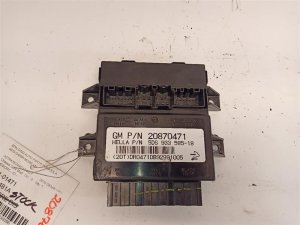
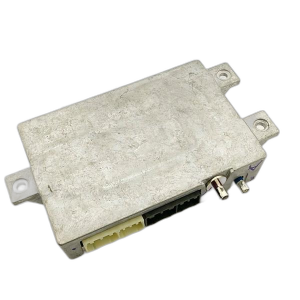
Used OEM Parts in Stock
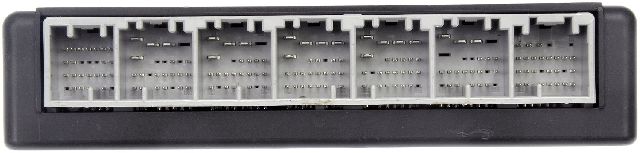
New Aftermarket Parts Available


The information in this article is provided for general reference and educational purposes only. Vehicle specifications, procedures, and part compatibility can vary by production date, trim level, and region. Always consult your vehicle's factory service manual and verify part numbers before purchasing or performing repairs. Safety-critical components such as airbags, seat belts, and braking systems should be installed by a qualified professional.
- Buick LUCERNE:
- 🧭 Diagnostic Flowchart
- 🎬 Helpful Videos
- 🛍️ Shop This Part
- What's Unique About the 2006-2011 Buick LUCERNE
- Symptoms You May Notice
- Most Likely Causes
- Rare But Worth Checking
- Diagnosis Steps
- Parts You'll Likely Need
- Related Codes That Often Appear With This One
- Technical Service Bulletins (TSBs) & Recalls
- Platform-Specific Known Issues
- Mechanic-Grade Diagnostic Values
- Hidden / Shadow Codes Worth Checking
- Scan Tool Commands That Help
- Wiring & Ground Locations
- Real Owner Repair Stories
- OEM Part Supersession History
- Model Year Variations Within This Range
- 🎟️ Get 5% Off