

B1000 on 2000-2002 Oldsmobile Bravada: ECU, BCM, and OnStar Module Faults
Code B1000 on a 2000-2002 Bravada indicates an internal failure in one of the vehicle's electronic control modules. While it can mean a fault in the main ECU or Body Control Module (BCM), manufacturer service bulletins specifically point to a faulty OnStar module as a common cause, often accompanied by a 'Phone Unavailable' message. This is especially true for the analog OnStar systems in this era which are now obsolete.
- B1000 means a control module has failed internally, but it doesn't tell you which one.
- A professional scan tool is required to find the source module (e.g., BCM, SRS, OnStar). Do not guess.
- On this specific vehicle, a faulty OnStar module is a very common cause, as documented in GM service bulletins.
- If the airbag light is on with a B1000 code, the airbag system is likely disabled and should be repaired immediately for safety.
- Most replacement modules will require programming by a dealer or qualified shop to work correctly with your vehicle.
What's Unique About the 2000-2002 Oldsmobile BRAVADA
This vehicle range spans two distinct generations: the S-10-based 2000-2001 models and the completely redesigned GMT360 platform for 2002. While the B1000 code's general meaning is consistent, the specific modules, wiring, and potential points of failure differ. The most notable platform-specific issue, documented in TSBs, is the tendency for the OnStar module to fail internally and set this code. [TSB #PIC3278G, TSB #PIC3278F] This makes the OnStar system a primary suspect, which is a unique characteristic for this vehicle compared to other makes where B1000 might point more directly to an airbag or body module. For the 2002 GMT360 model, the OnStar module is located under the rear passenger-side seat.
Diagnostic Flowchart
Tap your situation to follow the diagnostic path that matches what you're seeing on this vehicle.
Generation note: The 2000-2002 range covers two generations. The 2000-2001 models are the second generation, based on the Chevy S-10 Blazer platform with a 4.3L V6. The 2002 model is the first year of the third generation (GMT360 platform), featuring a new 4.2L inline-6 engine and significantly different electronics. While the cause could be similar, part numbers and locations will vary. For example, the BCM for a 2001 model is a different part than for a 2002 model. The OnStar module on the 2002 GMT360 platform is located under the rear passenger seat.
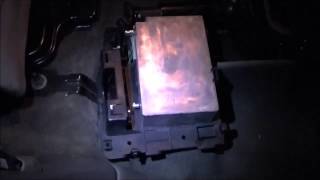
🎬 Watch: How to locate and remove the OnStar moduleSymptoms You May Notice
- Check Engine Light (SES) or other service warning light is on
- Airbag warning light is illuminated
- "Phone Unavailable" message from the OnStar system [TSB #PIC3278G, TSB #PIC3278F]
- Erratic operation of power windows, door locks, or climate controls
- No specific drivability issues may be present
- Security light flashing or staying on
- Remote keyless entry not working
- Replacing the main computer (PCM/ECU) without confirming it is the source of the code. The B1000 code is often set by other modules like the BCM, SRS, or OnStar.
- Replacing a module without first checking its connectors and ground connections for corrosion or damage.
Most Likely Causes
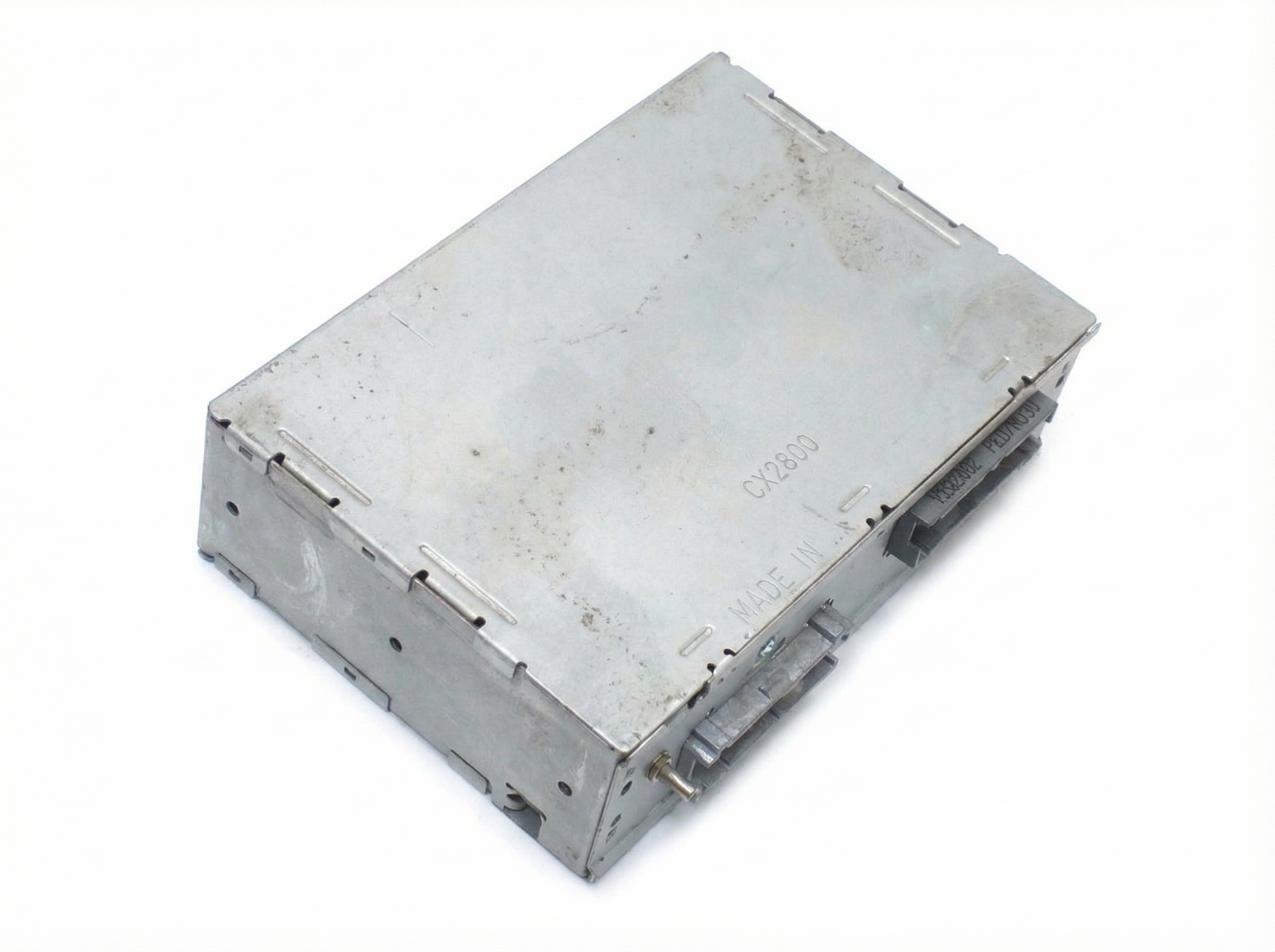
- Internal OnStar Module Failure 🔴 High Probability → Shop Telematics Interface Module This is a documented issue in GM Technical Service Bulletins for this platform. The OnStar module (VCIM) contains analog cellular hardware that is now obsolete. This can lead to internal faults as the module repeatedly fails to connect to a non-existent network, triggering a B1000 or U1500 code.
How to confirm: Scan the vehicle with a GM-specific tool to see if the OnStar/VCIM module is the source of the B1000 code. The most common real-world symptom is a recurring 'Phone Unavailable' audio message. On 2002 models, the module is located under the rear passenger seat.
Typical fix: Disconnect the OnStar module. Since the service is obsolete for these models, the easiest and most common fix shared by owners is to simply unplug the electrical connectors from the module to stop it from communicating on the vehicle's data bus. Replacement is not necessary if you do not use the service.
Est. part cost: $0 (if disconnecting) - Internal Body Control Module (BCM) Failure 🟡 Medium Probability → Shop Body Control Module The BCM controls many body and electrical functions and is a common point of failure on many GM vehicles of this era. An internal checksum or write error (like a B1000:35 ROM Integrity failure) can trigger a B1000 code.
How to confirm: Use a professional scan tool to confirm the BCM is the module setting the code. Check for widespread, seemingly unrelated electrical issues like faulty interior lights, locks, security system, and HVAC controls.
Typical fix: Replace the Body Control Module. This part must be programmed to the vehicle's VIN and specific options. Some vendors sell pre-programmed modules. After installation, an 'SDM Primary Key Setup' may be needed with a scan tool if the airbag light comes on.
Est. part cost: $150-$400 - Internal Airbag (SRS) Module Failure 🟡 Medium Probability The SRS module (SDM) can set a B1000 code due to an internal fault, often caused by voltage spikes (like from jump-starting), moisture, or age. A low voltage event from a dying battery is a commonly cited trigger for this code in the SRS module.
How to confirm: An active airbag light along with a B1000 code is a strong indicator. A specialized scanner is needed to confirm the SRS module is the source. The code often cannot be cleared with a standard tool once it's set in the SDM.
Typical fix: Replace the SRS module. This is a critical safety component and replacement/programming should be done by a professional. Some services offer reprogramming of the existing module if it hasn't been physically damaged.
Est. part cost: $100-$300 - Wiring or Connector Issue ⚪ Low Probability Corrosion at connectors (especially the main BCM connector or ground points) or damage to wiring harnesses can cause communication errors that a module may interpret as an internal fault.
How to confirm: After identifying the faulting module with a scan tool, visually inspect its wiring harness and connectors for damage, corrosion, or loose pins. Forum users have reported resolving airbag-related B1000 codes by cleaning and re-seating harness connectors to the module.
Typical fix: Repair the damaged wiring or clean/replace the faulty connector.
Est. part cost: $10-$50
Rare But Worth Checking
- Low Battery Voltage/Voltage Spike: → Shop Vehicle Battery
Diagnosis Steps
- Connect a professional, bi-directional scan tool capable of communicating with all vehicle modules (e.g., GM Tech 2 or equivalent).
- Perform a full system scan to identify which specific module (BCM, SRS, OnStar, etc.) has stored the B1000 code. Note any symptom bytes (e.g., '35' for ROM failure) which can confirm an internal fault.
- If the code is in the OnStar (VCIM) module and you hear a 'Phone Unavailable' message, the module has failed. The easiest fix is to physically access and disconnect it. On 2002 models, it's under the rear passenger seat.
- If the code is in the BCM or SRS module, check for any other accompanying codes.
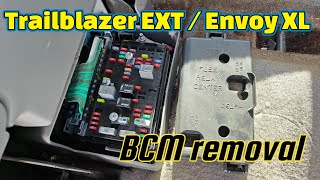
- Carefully inspect the wiring harness and connectors going to the identified module for any signs of damage, corrosion, or moisture. Pay close attention to the main BCM connectors and associated grounds (e.g., G200/G201 for 2001 models). 🎬 See how to access the BCM on 2001 models
- Using a multimeter, verify the module is receiving proper power (12V+) and has a solid ground connection.
- If connections and power/ground are good, the likely cause is internal failure of the module itself.
- Before replacing, check for any available software updates or re-flashes for the module, as this can sometimes resolve internal logic errors, though it is less common for vehicles of this age.
- If replacing the BCM, be prepared for a security relearn procedure (often a 30-minute key cycle process) and a potential SDM configuration with a scan tool to extinguish the airbag light. 🎬 Watch: BCM replacement, 30-minute relearn, and SDM setup guide
Parts You'll Likely Need
- OnStar Module (VCIM) — This is a specifically documented cause of code B1000 on this vehicle per GM service bulletins. Often fixed by simply disconnecting the module.
Trusted brands: ACDelco
OEM price range: $150-$300
Aftermarket price range: $0 (if disconnected) - Body Control Module (BCM)
(OEM #15122670 (2002-2004))— A common failure point for electrical issues on this platform, leading to a B1000 internal fault code.
Trusted brands: ACDelco, Dorman
OEM price range: $250-$400
Aftermarket price range: $150-$300 - Airbag Control Module (SDM) — Can fail due to voltage spikes or age, setting a B1000 code and disabling the airbag system.
Trusted brands: ACDelco
OEM price range: $200-$350
Aftermarket price range: $100-$250
Related Codes That Often Appear With This One
- U1500 — The official GM TSB for the OnStar issue states that either B1000 or U1500 may be set by the same internal module fault. [TSB #PIC3278G, TSB #PIC3278F]
- B1001 — This code for 'Option Configuration Error' often appears after a BCM or SRS module has been replaced but not correctly programmed or synchronized with other modules on the vehicle.
Technical Service Bulletins (TSBs) & Recalls
- PIC3278G: Addresses an internal fault in the OnStar module that can cause a B1000 code and a 'Phone Unavailable' message.
- PIC3278F: An earlier version of the same bulletin, also pointing to the OnStar module as the cause for code B1000.
Platform-Specific Known Issues
- Per TSBs #PIC3278G and #PIC3278F, the OnStar module is a known point of failure that can produce a 'Phone Unavailable' message and set a B1000 or U1500 trouble code. This is largely due to the discontinuation of the analog cellular service the module relies on.
- On 2002 GMT360 platform models (Bravada, Trailblazer, Envoy), the OnStar VCIM is physically located under the rear passenger-side seat, beneath a plastic cover, making it relatively accessible to disconnect.
Hidden / Shadow Codes Worth Checking
- B1000 with symptom byte: A GM-specific scan tool like the Tech 2 can display a two-digit symptom byte with the B1000 code, which pinpoints the type of internal failure. Common bytes include: '35' (ROM Integrity), '36' (EEPROM Integrity), '37' (Watchdog/Safety Failure), '39' (Internal Electronic Failure), and '3C' (Internal Communications Failure). (see via GM Tech 2 or equivalent professional-grade scan tool that can read manufacturer-specific symptom bytes.)
Scan Tool Commands That Help
- GM Tech 2 / Professional Scan Tool: Setup SDM Primary Key in BCM — This function is required after replacing the Body Control Module (BCM) to re-establish communication and trust with the original Airbag Control Module (SDM). Failure to perform this step is a common reason for the airbag light to remain on with a B1001 code after a BCM swap.
- GM Tech 2 / Professional Scan Tool: Setup New SDM — This function is used after installing a new Airbag Control Module (SDM). It configures the new module to the vehicle's specific equipment.
- GM Tech 2 / Professional Scan Tool: BCM RPO Configuration — When replacing a BCM with a new, unprogrammed unit, a Tech 2 connected to GM's TIS/SPS software is needed to download the vehicle's specific options (RPOs) and VIN into the module. This ensures all features like power windows, security, and lighting work correctly.
Wiring & Ground Locations
- G200 / G201 — For 2000-2001 S-10 platform models, these grounds are located on the left and right sides of the dash, respectively. G200 is often found above the main bulkhead connector on the driver's side.. These are primary interior ground points for the Body Control Module (BCM). A poor connection at G200 or G201 can cause erratic BCM behavior and may lead to a false B1000 code due to unstable voltage.
- G103 / G108 (GMT360) — For the 2002 GMT360 platform, G103 is located on the cowl in the left rear of the engine compartment, above the brake booster. G108 is on the left radiator support.. G103 serves as a ground for the BCM and SDM (Airbag Module). G108 is a common failure point for headlights and other front-end electronics; corrosion here can cause widespread electrical issues that could be misdiagnosed as a module failure.
- Splice Pack SP202 — For 2000-2001 models, this splice pack is located in the wiring harness above the accelerator pedal.. The BCM ground circuits run through this splice pack before connecting to G200/G201. Corrosion or a loose pin within this pack can interrupt the ground path and cause BCM faults.
Real Owner Repair Stories
- ClubLexus Forum User (Lexus IS350 (similar SRS architecture)) — Persistent airbag light with code B1000 after hitting a pothole. Resetting the module and even replacing it with a used one did not clear the code.
❌ Tried (didn't work) Resetting the original airbag module., Replacing the airbag module with a used unit from a wrecker.
✅ What actually fixed it The final fix was addressing a poor connection at the airbag module's main harness connector. A technician unplugged the harness, slightly expanded the female pins inside the connector to ensure a tighter fit, and reconnected it. This resolved the B1000 code permanently.
OEM Part Supersession History
09352135, 15065293, 15114669→15122670, 19370406— Standard part evolution for GM, likely incorporating minor hardware revisions or software bug fixes.
Heads up: When replacing the BCM on a 2002-2004 Bravada, multiple part numbers will fit, but they must be programmed with the vehicle's specific VIN and RPO codes to function. A part from a donor vehicle will cause a VIN mismatch and likely trigger a B1001 code or security lockout.
Model Year Variations Within This Range
- 2000-2001: The BCM and its grounding points (G200/G201, SP202) are specific to the S-10 platform and differ significantly in location and part number from the 2002 model.
- 2002: This model uses the GMT360 platform. The BCM is located at the front fuse box side, and the relevant grounds are in the engine bay (e.g., G103). The OnStar module, a common cause of B1000, is located under the rear passenger seat.
Helpful Videos
We Have This Part in Stock
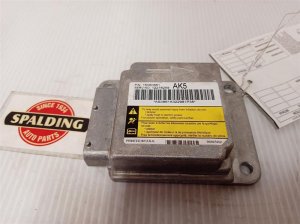
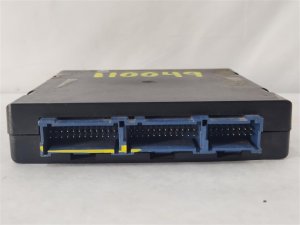
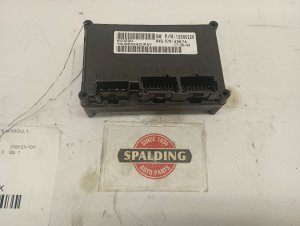

The information in this article is provided for general reference and educational purposes only. Vehicle specifications, procedures, and part compatibility can vary by production date, trim level, and region. Always consult your vehicle's factory service manual and verify part numbers before purchasing or performing repairs. Safety-critical components such as airbags, seat belts, and braking systems should be installed by a qualified professional.
- Oldsmobile BRAVADA:
- 🧭 Diagnostic Flowchart
- 🎬 Helpful Videos
- 🛍️ Shop This Part
- What's Unique About the 2000-2002 Oldsmobile BRAVADA
- Symptoms You May Notice
- Most Likely Causes
- Rare But Worth Checking
- Diagnosis Steps
- Parts You'll Likely Need
- Related Codes That Often Appear With This One
- Technical Service Bulletins (TSBs) & Recalls
- Platform-Specific Known Issues
- Hidden / Shadow Codes Worth Checking
- Scan Tool Commands That Help
- Wiring & Ground Locations
- Real Owner Repair Stories
- OEM Part Supersession History
- Model Year Variations Within This Range
- 🎟️ Get 5% Off