

B2924 on 2018-2022 Chevrolet Equinox: No Start, Key Fob Inoperative, Causes and Fixes
On a 2018-2022 Equinox, code B2924 almost always indicates a software corruption in the Body Control Module (BCM), often triggered by a low battery or jump-start. The fix is not a part replacement but a special software reset performed by a GM dealer or qualified shop, typically costing 1-2 hours of labor. Do not replace the BCM.
- B2924 on a 2018-2022 Equinox means your Body Control Module (BCM) has a software glitch, not a failed part.
- This issue is almost always caused by a recent dead battery, jump-start, or battery change.
- Do NOT replace the BCM, key fobs, or any other parts. This will not fix the problem and will be a waste of money.
- The vehicle must be taken to a GM dealer or a specialized shop that can perform the software recovery procedure outlined in TSB 21-NA-277.
- The primary symptom is a car that will not start or starts and immediately dies, with key fobs that do not work.
- This is a known issue that also affects the GMC Terrain, Buick Envision, Chevy Traverse, and Cadillac XT5.
What's Unique About the 2018-2022 Chevrolet EQUINOX
The third-generation Equinox and its platform-mates, like the GMC Terrain and Buick Envision, use a specific Body Control Module (BCM) that is highly susceptible to memory corruption after a low-voltage event (like a dead battery, jump-start, or battery replacement). Unlike other vehicles where a 'key not detected' issue might point to a faulty key fob or antenna, on this platform, the root cause is overwhelmingly a software glitch. GM has issued Technical Service Bulletin 21-NA-277 specifically to address this known issue, which requires a special dealer-level software procedure to fix, not a hardware replacement.
Diagnostic Flowchart
Tap your situation to follow the diagnostic path that matches what you're seeing on this vehicle.
Symptoms You May Notice
- No crank, no start condition 🎬 Watch: Real-world example of a 2018 Equinox no-start fix.
- Engine starts and immediately stalls
- Key fobs are inoperative or not detected
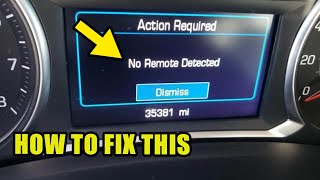
- "No Remote Detected&quo 🎬 See how to use the key fob pocket for emergency starting.t; message on the instrument cluster
- "Service Theft Deterrent System" message may appear
- Complete inability to turn the ignition on, cluster may be black.
- Replacing the key fob battery
- Replacing the key fob itself
- Replacing the vehicle's 12V battery (though a weak battery is the trigger, a new battery won't solve the resulting BCM corruption)
- Replacing the Body Control Module (BCM) before performing the TSB-specified software recovery
Most Likely Causes
- Body Control Module (BCM) Software Corruption 🔴 High Probability → Shop Body Control Module As documented in GM TSB 21-NA-277, the BCM used in this generation is known to be sensitive to low voltage events, which can corrupt its memory and security environment identifiers. This can happen during a battery replacement, a jump-start, or after the battery has been drained.
How to confirm: The presence of B2924 along with two or more other codes from the B3924-B3927 range is a strong indicator. The problem almost always appears immediately after a battery replacement, jump-start, or significant battery drain. A key hidden code, B389A 00 (Multiple Environment IDs Present), will also be set; if not, a battery disconnect for 30 seconds may be required to make it appear.
Typical fix: A special software recovery procedure must be performed by a GM dealer or a qualified shop with access to GM's Technical Assistance Center (TAC) or Service Programming System (SPS). The exact procedure depends on the BCM hardware version. DO NOT replace the BCM.
Est. part cost: $0
Rare But Worth Checking
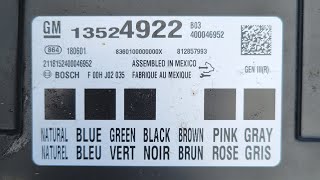
- Failed Body Control Module (BCM): → Shop Body Control Module While rare, a true hardware failure of the BCM is possible. However, this should only be considered after the software recovery procedure detailed in TSB 21-NA-277 has been attempted and failed. Misdiagnosing this as a hardware failure is a common expensive mistake. If replacement is deemed necessary, common part numbers include 13522387 and 13524922. 🎬 Watch this walkthrough on how to access and remove the BCM.
Diagnosis Steps
- Verify the customer complaint: No crank/no start, key fobs inoperative.
- Scan for Diagnostic Trouble Codes (DTCs) with a professional scan tool capable of reading BCM codes (like GM GDS2).
- Confirm that B2924 is present, typically with at least two other codes from the B3924-B3927 range, and possibly P0513.
- Crucially, check for a current DTC B389A 00. If it is not present, disconnect the battery for at least 30 seconds, reconnect, and re-scan for the code.
- Question the owner about recent low-voltage events, such as a dead battery, jump-start, or battery replacement. This history is a key indicator.
- If codes and history align, DO NOT replace any modules or perform a standard BCM relearn.
- Using GDS2, identify the BCM type (standard Gen III or GEN3R) to determine the correct service bulletin to follow (21-NA-277 or 23-NA-163).
- For most BCMs, follow TSB #21-NA-277: Contact GM Technical Assistance Center (TAC) with a GDS2 report to receive a special two-part Vehicle Configuration Index (VCI) for reprogramming.
- For newer GEN3R BCMs, follow TSB #23-NA-163: Use the GM Service Programming System (SPS) to perform a 'Special Data Reset B' function on the BCM.
- After the procedure, clear all DTCs and confirm the vehicle starts and the key fobs function correctly.
Parts You'll Likely Need
- No parts typically required — The most common fix is a software procedure performed by the dealer to restore the existing Body Control Module (BCM). TSB 21-NA-277 explicitly states that no parts are required for this repair.
OEM price range: $0
Aftermarket price range: $0 - Body Control Module (BCM)
(OEM #13522387, 13524922, 13594646)— Only needed in the rare event that the BCM has a true hardware failure and the TSB software recovery procedure does not work. This is an uncommon and expensive last resort.
Trusted brands: ACDelco (OEM)
OEM price range: $200 - $350
Aftermarket price range: $150 - $280
Related Codes That Often Appear With This One
- B3925 — Part of the same family of BCM 'Incorrect Environmental Identifier' codes triggered by the same event.
- B3926 — Part of the same family of BCM 'Incorrect Environmental Identifier' codes triggered by the same event.
- B3927 — Part of the same family of BCM 'Incorrect Environmental Identifier' codes triggered by the same event.
- P0513 — Incorrect Immobilizer Key. This code is set because the BCM's corrupted software can no longer validate the key signal.
- B389A 00 — Multiple Environment IDs Present. This is a key diagnostic code that confirms the BCM memory corruption scenario outlined in GM service bulletins.
Technical Service Bulletins (TSBs) & Recalls
- 21-NA-277: No Crank, No Start, Quick Start/Stall, Key Fobs Inoperative with DTCs B2924 00, B3925 00, B3926 00, B3927 00, or P0513 set. This TSB provides the specific dealer procedure to restore the BCM software after a low-voltage event. It explicitly warns against replacing the BCM for this condition and outlines the VCI recovery process with TAC.
- 23-NA-163: A successor to 21-NA-277 that applies specifically to newer 'GEN3R' BCMs. It outlines a different recovery procedure using a 'Special Data Reset B' function in the Service Programming System (SPS) rather than requiring a VCI from TAC.
Platform-Specific Known Issues
- The 2018-2022 Equinox is subject to GM Technical Service Bulletin 21-NA-277, which details a known issue where the Body Control Module's memory can be corrupted by a low-voltage event, leading to a no-start condition and setting codes B2924, B3925, B3926, B3927, or P0513. The official fix is a software restoration, not hardware replacement.
Hidden / Shadow Codes Worth Checking
- B389A 00: Multiple Environment IDs Present. This is the primary 'hidden' code that confirms the BCM memory is corrupted as described in TSB 21-NA-277 and 23-NA-163. Its presence, along with B2924 and other B392x codes, is the main trigger for the special software recovery procedure. (see via A professional scan tool like the GM GDS2. The TSB notes that if this code is not initially present, a battery disconnect/reconnect for at least 30 seconds may be required to trigger it.)
- B2924 00: The '00' is a symptom byte meaning 'No Additional Symptom Information'. While not truly hidden, its presence confirms the code is being set without a specific circuit fault, pointing towards the internal software issue. (see via GM GDS2 or other professional scan tools capable of reading manufacturer-specific symptom bytes.)
Scan Tool Commands That Help
- GDS2 / SPS: BCM Recovery via VCI from TAC — For most Gen III BCMs as per TSB 21-NA-277. This is not a direct command but a process where the tech sends a vehicle scan to the GM Technical Assistance Center (TAC), who then provides a special two-part Vehicle Configuration Index (VCI) to be used with the Service Programming System (SPS) to restore the BCM.
- SPS (Service Programming System): K9 Body Control Module 'Special Data Reset B' — For newer 'GEN3R' BCMs as specified in TSB 23-NA-163. This is a specific function within SPS that resets the corrupted data without needing to contact TAC. This is the correct procedure if the BCM part number is on the list in the TSB.
- GDS2: Module Diagnostics > [K9] Body Control Module > Identification Information — This is a critical first step to identify the BCM's Base Model Part Number (BMPN) to determine if it is a standard Gen III or a newer GEN3R module. This dictates whether TSB 21-NA-277 or 23-NA-163 applies.
Wiring & Ground Locations
- K9 Body Control Module (BCM) — Under the center console, toward the front of the vehicle. It can be accessed by removing the right-side console trim panel.. This is the module where the software corruption occurs. Physical access is only needed for inspection, final replacement (if the software fix fails), or to check its part number/connectors.
- G218 — A critical body ground located on the left side of the dash, typically behind the driver's side kick panel or lower dash trim.. A separate GM TSB (PIT5405C) for similar vehicles identifies a poor connection at G218 as a direct cause for BCM-related issues, including no-start, stalling, and setting DTC P0513. A loose or corroded G218 can cause intermittent low voltage to the BCM, which is the known trigger for the B2924 software corruption. This ground should be inspected and cleaned as a preventative measure or if the software fix does not hold.
Real Owner Repair Stories
- Chevy Equinox Forum user 'Funky' (2019 Chevrolet Equinox) — Car won't start (single 'tick' sound, no crank), despite having a new battery and new alternator. Full power to lights and accessories. This occurred after a period of frequent jump-starts due to a failing alternator and parasitic drain.
❌ Tried (didn't work) Replacing the battery (twice), Replacing the alternator, Jumping the vehicle, Checking starter fuses, New battery terminals, Remote start
✅ What actually fixed it The user was advised by another forum member that the repeated jump-starts likely caused damage to the BCM or ECM, which aligns perfectly with the cause described in GM's service bulletins. The thread points the user toward inspecting BCM fuses and acknowledges the likely BCM software corruption.
OEM Part Supersession History
13522387→13594646, 13534188— Part revision/update.
Heads up: While these parts may be physically interchangeable, a major incompatibility exists based on the BCM's hardware generation. TSB 23-NA-163 lists specific Base Model Part Numbers (BMPNs) for 'GEN3R' BCMs that require a different software recovery procedure ('Special Data Reset B') than older modules. Eligible GEN3R part numbers include 13518569, 13518570, 13519619, 13527252, and others. Using the wrong TSB procedure for the installed hardware will fail.
Model Year Variations Within This Range
- 2018-2022 (approx.): Within this model range, GM introduced a newer generation of Body Control Module known as 'GEN3R'. Vehicles with this module require a different, updated software recovery procedure as detailed in TSB 23-NA-163. Older 'Gen III' modules use the procedure from TSB 21-NA-277. A technician must use a GDS2 scan tool to check the BCM's part number to determine which procedure is correct.
Helpful Videos

Used OEM Parts in Stock
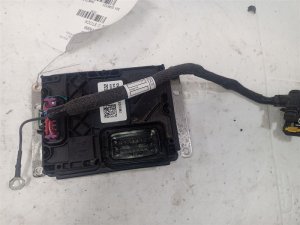
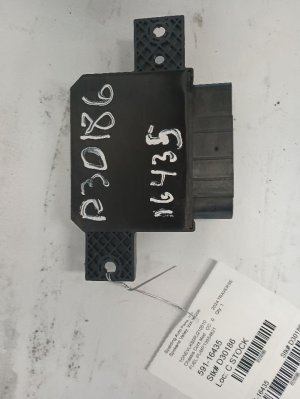
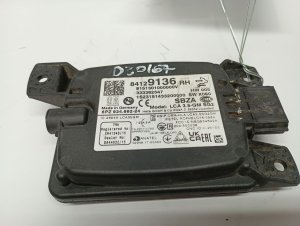
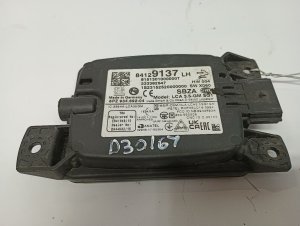
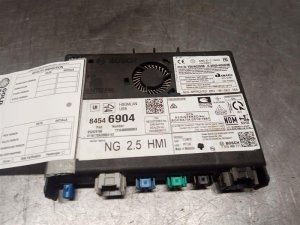
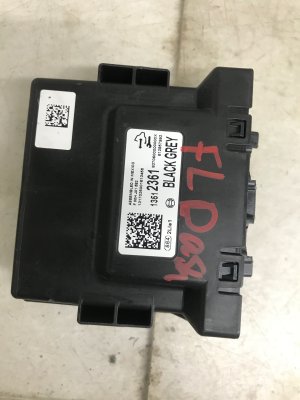
New Aftermarket Parts Available
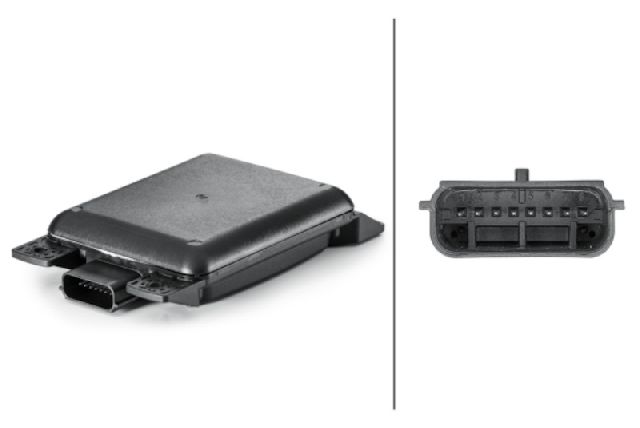
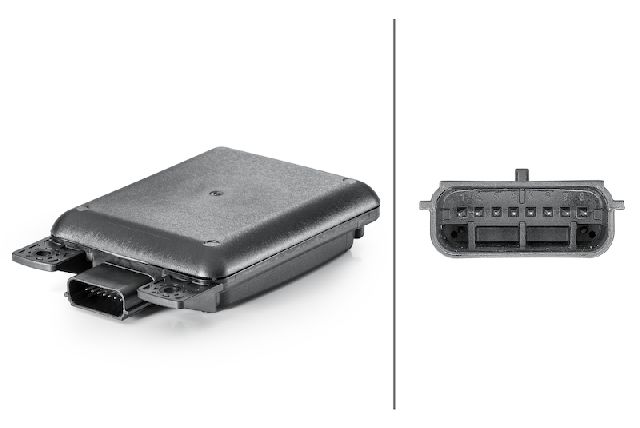

The information in this article is provided for general reference and educational purposes only. Vehicle specifications, procedures, and part compatibility can vary by production date, trim level, and region. Always consult your vehicle's factory service manual and verify part numbers before purchasing or performing repairs. Safety-critical components such as airbags, seat belts, and braking systems should be installed by a qualified professional.
- Chevrolet EQUINOX:
- 🧭 Diagnostic Flowchart
- 🎬 Helpful Videos
- 🛍️ Shop This Part
- What's Unique About the 2018-2022 Chevrolet EQUINOX
- Symptoms You May Notice
- Most Likely Causes
- Rare But Worth Checking
- Diagnosis Steps
- Parts You'll Likely Need
- Related Codes That Often Appear With This One
- Technical Service Bulletins (TSBs) & Recalls
- Platform-Specific Known Issues
- Hidden / Shadow Codes Worth Checking
- Scan Tool Commands That Help
- Wiring & Ground Locations
- Real Owner Repair Stories
- OEM Part Supersession History
- Model Year Variations Within This Range
- 🎟️ Get 5% Off