

B3060 on 2016-2023 Buick Envision: Unprogrammed Key and No-Start Fixes
Code B3060 on a Buick Envision means the vehicle's security system received a signal from a key that has not been programmed to the car. This results in a no-start or intermittent start-stall condition. The most common causes are external radio interference, a weak key fob battery, or using a new, unprogrammed key.
- B3060 means your Envision doesn't recognize the key you're using, triggering the anti-theft system.
- Before panicking, the first step is to remove all other keys and electronic cards from your keychain to eliminate radio frequency interference.
- If you have a spare key, try it. If it works, the problem is your primary key, likely just a dead battery.
- If you have a new key, it must be programmed. A 30-minute relearn procedure may work without a trip to the dealer.
- Do not immediately replace the starter or car battery; the security light is the key symptom pointing to an immobilizer issue.
What's Unique About the 2016-2023 Buick ENVISION
The Buick Envision, like most modern GM vehicles, uses a sophisticated Pass-Key III+ (PK3+) or a push-button start immobilizer system that operates at 125 kHz. This system is highly sensitive to radio frequency (RF) interference, which can mimic the signal of an unprogrammed key and trigger a B3060 code. A widely circulated GM Technical Service Bulletin (TSB PIC5650 series) highlights that devices like toll passes, building access cards, or even other car keys on the same keychain can interfere with the key-to-vehicle communication, causing intermittent no-start issues. This sensitivity to external RF signals is a common point of confusion for owners, who may not realize their keychain is causing the problem.
Diagnostic Flowchart
Tap your situation to follow the diagnostic path that matches what you're seeing on this vehicle.
Generation note: The 2016-2023 range covers two generations of the Buick Envision (Gen 1: 2016-2020, Gen 2: 2021-2023). While the fundamental operation of the anti-theft system is similar, specific modules, key fobs, and transmitter pocket locations for emergency starts differ. The issue of RF interference is common to both generations.
Symptoms You May Notice
- Engine will not crank or start.
- Engine starts briefly and then immediately stalls.
- Security indicator light is flashing or stays on solid on the dashboard.
- "Service Theft Deterrent System" message on the driver information center.
- "No Remote/Fob Detected" message, even with the key inside the vehicle.
- Car alarm may trigger randomly.
- Replacing the car battery. While a very low vehicle battery can cause various electrical issues and should be fully charged before diagnosis, B3060 specifically points to a key recognition problem, not a general power issue.
- Replacing the starter. A no-crank symptom might lead one to suspect the starter, but the security system actively disables the starter. If the security light is on, the anti-theft system should be diagnosed first.
Most Likely Causes
- Radio Frequency (RF) Interference 🔴 High Probability As noted in GM TSB PIC5650M, the vehicle's Passkey theft system is sensitive to interference from other RFID devices operating in the 120-135 kHz range. This includes toll passes, gate access cards, other vehicle key fobs, or even some phone cases. The module can't distinguish the valid key signal from the noise.
How to confirm: Remove all other keys, cards, and electronic devices from the keychain and from the area near the ignition or start button. Try starting the vehicle with only the Envision key present. If the vehicle starts, RF interference was the cause. This is the first and easiest diagnostic step.
Typical fix: Keep other RFID-emitting devices separate from the vehicle's key fob. Do not store them on the same keychain.
Est. part cost: $0 - Using an Unprogrammed or New Key 🔴 High Probability
How to confirm: This code will set if you attempt to start the car with a newly cut key that has not been through the key learning procedure. Confirm if the key being used is a new replacement. A diagnostic tool will show the key's status as 'unprogrammed'.
Typical fix: The new key must be programmed to the vehicle using a compatible diagnostic scan tool or by following the specific GM key relearn procedure, which can sometimes be done without a tool.
Est. part cost: $0 (if DIY relearn is possible) - Weak or Dead Key Fob Battery 🟡 Medium Probability → Shop Vehicle Battery A weak battery can cause the fob to transmit a corrupted or incomplete signal, which the car may interpret as an invalid key, sometimes leading to a no-start condition.
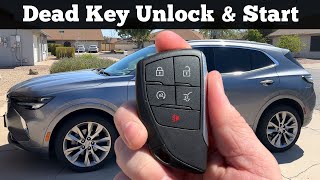
How to confirm: Try starting the vehicle with the spare key fob. If it works, the battery in the primary fob is the issue. For push-button start models, placing the weak fob in the designated transmitter pocket may allow the car to start. For Gen 1 (2016-2020) Envisions, this pocket is in the front cupholder. For Gen 2 (2021-2023), it's a small depression inside the front of the center console storage area. 🎬 See how to start your Envision with a dead fob.
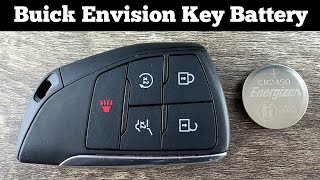
Typical fix: Replace the battery in the key fob (typically a CR2032). 🎬 Watch: How to replace your Envision key fob battery.
Est. part cost: $2-$10 - Faulty Key Fob ⚪ Low Probability → Shop Keyless Entry Transmitter
How to confirm: If replacing the battery and eliminating RF interference doesn't work, and the spare key works fine, the transponder chip in the primary key fob may have failed. This is an internal hardware failure.
Typical fix: Replace the key fob and have the new one programmed to the vehicle.
Est. part cost: $75-$250
Rare But Worth Checking
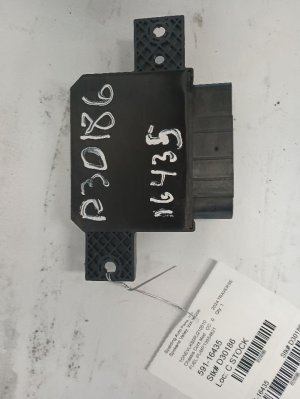
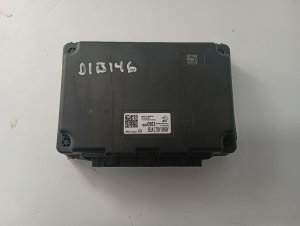
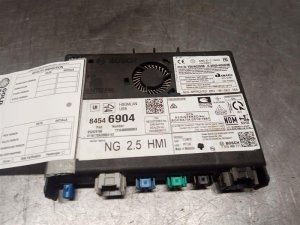
- Faulty Body Control Module (BCM) or Theft Deterrent Module (TDM): → Shop Anti-Theft Control Module While less common, the module responsible for reading the key can fail. This is often accompanied by other seemingly unrelated electrical issues like erratic lights, door locks, or battery drain. A scan tool may show 'U' codes indicating loss of communication with the BCM. The TSB PIC5650M mentions this as a possibility in persistent cases.
- Damaged Wiring or Antenna Ring: The antenna ring around the ignition cylinder (on keyed models) or the receiver for the push-button start system can be damaged, leading to poor signal reception from the key. This can also be caused by a loose ground bolt for the PCM/BCM.
Diagnosis Steps
- Check for a flashing or solid security light on the instrument cluster. This confirms an active anti-theft issue.
- Simplify the keychain. Remove all other keys, fobs, and RFID cards as per TSB PIC5650M. Try starting the vehicle again with only the Envision key.
- Try the spare key. If the spare key works, the problem lies with the primary key fob (likely the battery or the fob itself).
- Replace the battery in the non-working key fob (usually a CR2032).
- For push-button start models, place the key fob in the transmitter pocket and attempt to start. Gen 1 (2016-2020): in the front cupholder. Gen 2 (2021-2023): inside the center console storage area.
- If a new key was recently acquired, perform the key relearn procedure. For many GM vehicles, this is a 30-minute process: Turn the key to ON for 10 minutes (until the security light goes out), turn OFF for 10-30 seconds, and repeat this two more times for a total of three 10-minute cycles. The key should be learned on the next start attempt. 🎬 Watch this walkthrough of the 30-minute key relearn procedure.
- If none of the above steps work, use a professional scan tool to read codes from the Body Control Module (BCM) and monitor the theft deterrent system data. This can confirm if the module is receiving a signal and why it's being rejected.
- Inspect wiring and ground connections to the BCM and the immobilizer antenna (if applicable) for any visible damage or looseness.
Parts You'll Likely Need
- Key Fob Battery
(OEM #CR2032)— This is the most common and cheapest fix for a weak or corrupted signal from the key fob.
Trusted brands: Energizer, Duracell, Panasonic
OEM price range: $5-$10
Aftermarket price range: $2-$5 - Key Fob / Transmitter
(OEM #13532385, 13584500 (For Gen 1, 2016-2020); 13537970, 13547571 (For Gen 2, 2021-2023))— If the internal transponder fails, the entire key fob must be replaced and programmed.
Trusted brands: ACDelco (OEM), Dorman
OEM price range: $150-$250
Aftermarket price range: $75-$150 - Body Control Module (BCM) — In rare cases where the module itself fails, it will need to be replaced and programmed to the vehicle and its keys. This is not plug-and-play and requires dealer-level tools.
Trusted brands: ACDelco
OEM price range: $300-$450
Aftermarket price range: $200-$350
Related Codes That Often Appear With This One
- B3055 — Stands for "No Transponder Modulation or No Transponder." This code often appears with B3060 as it indicates a failure to communicate with the key, which can happen right before an unprogrammed key signal is detected.
- B3935 — Stands for "Transponder Authentication Failed." This is another closely related security code that indicates the challenge-and-response process between the key and the car failed. The TSB PIC5650M lists these codes together.
Technical Service Bulletins (TSBs) & Recalls
- PIC5650M: Addresses intermittent no crank/no start or start/stall with security light on, potentially caused by RF interference or module issues, and lists B3060, B3055, and B3935 as related codes.
Platform-Specific Known Issues
- Emergency Start Pocket Location: A common point of confusion is the location for starting the vehicle with a weak key fob battery. For the first generation (2016-2020), the pocket is located within the front cupholder. For the second generation (2021-2023), the spot is a small, flat depression inside the main center console storage bin, toward the front.
Scan Tool Commands That Help
- GDS2 (GM Global Diagnostic System 2): Module Diagnostics -> Remote Control Door Lock Receiver -> Configure/Reset Functions -> Add/Replace Key Fobs — This function is used to program a new or additional key fob to the vehicle when you have at least one working key. It will guide the technician to place the new fob in the transmitter pocket to learn it.
- GDS2 with SPS (Service Programming System): Service Programming -> Immobilizer Learn — This more involved procedure is required when replacing the Body Control Module (BCM) or when all keys are lost. It reprograms the security relationship between the BCM, ECM, and the keys, and often involves a 10-minute security wait time as part of the process.
Wiring & Ground Locations
- K9 Body Control Module (BCM) — For 2016-2019 models, the BCM is located in the center console, accessible by removing the lower panel in the passenger side footwell.. The BCM is the central module that manages the immobilizer system. All key-related signals are processed here. Physical access is required for module replacement or to test wiring connections at its connectors.
- G103 — Located at the left rear of the engine compartment on the cowl, above the brake booster.. This is a primary ground point for the Body Control Module (BCM). A loose or corroded G103 ground can cause intermittent BCM operation, leading to a variety of electrical issues including the no-start condition and security codes like B3060.
- BCM Connector X1, Pin 21 — On the K9 BCM, this is one of the main multi-pin connectors.. Pin 21 on the X1 connector is the 'Security Indicator Control' circuit. A technician can probe this pin (typically a Gray wire) to verify if the BCM is commanding the security light on, confirming the BCM has detected a fault.
- BCM Connector X2, Pin 2 — On the K9 BCM, this is another of the main multi-pin connectors.. Pin 2 on the X2 connector is a 'Signal Ground' for the BCM. Verifying continuity to ground at this pin (typically a Black/White wire) is a key step in diagnosing a potentially faulty BCM or grounding issue.
Model Year Variations Within This Range
- 2016-2020 (Gen 1): The BCM is located behind the passenger side lower center console panel. The emergency start pocket is in the front cupholder. The passenger compartment fuse box is under the dashboard on the driver's side.
- 2021 (Gen 2): The passenger compartment fuse box is located under the dashboard on the driver's side, behind a panel.
- 2022-2023 (Gen 2): The passenger compartment fuse box is located beneath the instrument panel on the driver's side. The emergency start pocket is a small depression inside the front of the center console storage area.
Helpful Videos
Used OEM Parts in Stock
New Aftermarket Parts Available


The information in this article is provided for general reference and educational purposes only. Vehicle specifications, procedures, and part compatibility can vary by production date, trim level, and region. Always consult your vehicle's factory service manual and verify part numbers before purchasing or performing repairs. Safety-critical components such as airbags, seat belts, and braking systems should be installed by a qualified professional.
- Buick ENVISION:
- 🧭 Diagnostic Flowchart
- 🎬 Helpful Videos
- 🛍️ Shop This Part
- What's Unique About the 2016-2023 Buick ENVISION
- Symptoms You May Notice
- Most Likely Causes
- Rare But Worth Checking
- Diagnosis Steps
- Parts You'll Likely Need
- Related Codes That Often Appear With This One
- Technical Service Bulletins (TSBs) & Recalls
- Platform-Specific Known Issues
- Scan Tool Commands That Help
- Wiring & Ground Locations
- Model Year Variations Within This Range
- 🎟️ Get 5% Off