

B3924 on 2018-2024 Chevrolet Equinox: No Start, 'No FOB Detected' Causes and Fixes
On a 2018-2024 Equinox, code B3924, often with other similar codes, points to a Body Control Module (BCM) software glitch, usually triggered by a low voltage event like a jump-start or battery change. The fix is typically a BCM software update or reset performed by a dealer, not a hardware replacement.
- B3924 on a 2018-2024 Equinox, especially with other similar codes, almost always means a BCM software glitch, not a failed part.
- The problem is often triggered by a jump-start, new battery, or any event that causes vehicle voltage to fluctuate.
- Do not replace the BCM or key fob antennas. The vehicle needs to go to a dealer or qualified shop for a software update per TSB #23-NA-163.
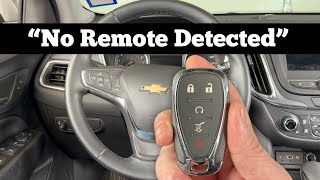
- As a first step, try placing the key fob in the front cupholder pocket to start the car; if it works, you may only need a new CR2032 fob battery.
What's Unique About the 2018-2024 Chevrolet EQUINOX
This issue is so common on the third-generation Equinox and other GM vehicles of the same era that GM issued a specific Technical Service Bulletin (TSB #23-NA-163). The problem is rarely a faulty physical part like an antenna. Instead, it's a software corruption event within a specific version of the Body Control Module (the 'GEN3R' BCM) that gets triggered by voltage fluctuations. The TSB outlines a specific reprogramming procedure that must be followed and explicitly warns technicians not to replace modules before attempting the software fix.
Diagnostic Flowchart
Tap your situation to follow the diagnostic path that matches what you're seeing on this vehicle.
Symptoms You May Notice
- Vehicle will not crank or start
- Engine starts and then immediately stalls
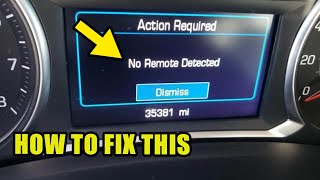
- "No FOB Detected" or "No Remote Detected" message on the driver information center
- Key fob buttons (lock/unlock) are inoperative for passive entry, but may still work for active button presses
- Security or anti-theft light is illuminated on the dashboard
- Electronic parking brake is stuck on and cannot be released.
- Replacing the key fob
- Replacing the vehicle's main 12V battery without addressing the BCM software
- Replacing one or more keyless entry antennas without first attempting the BCM reprogram
- Replacing the Body Control Module (BCM) before following the specific reprogramming steps in TSB 23-NA-163.
Most Likely Causes
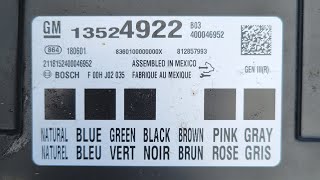
- Body Control Module (BCM) Software Corruption 🔴 High Probability → Shop Body Control Module As documented in TSB #23-NA-163, certain 'GEN3R' BCMs are susceptible to memory corruption after a low voltage event. This can happen after a jump-start, battery replacement, or even just a weak battery. The TSB identifies specific Base Model Part Numbers (BMPNs) for affected GEN3R BCMs, including 13518569, 13519619, 13527260, 13533809, and many others.
How to confirm: A GM dealer or qualified shop must use a GDS2 scan tool to check for DTC B389A and three or more codes from the B3924-B3927 range. They must then verify the BCM is a 'GEN3R' type by navigating to Module Diagnostics > [K9] Body Control Module > Identification Information and checking the BMPN against the list in the TSB.
Typical fix: The official fix involves a special two-part reprogramming of the BCM using GM's Service Programming System (SPS). Technicians perform "Programming A" and an immobilizer relearn. If that fails, they proceed to "Programming B" and a different immobilizer learn procedure. This is a software-based repair, not a hardware replacement.
Est. part cost: $0
Rare But Worth Checking
- Radio Frequency Interference (RFI): Aftermarket electronic devices like cell phone chargers, USB power banks, or even non-factory LED lights can sometimes 'jam' the signal between the key fob and the vehicle, causing similar symptoms. Before extensive diagnostics, unplug all aftermarket accessories.
- Weak Key Fob Battery: → Shop Vehicle Battery While this usually triggers a specific 'Replace Battery in Remote Key' message, it's a simple first step. If the vehicle starts when the fob is placed in the designated transmitter pocket (in the front cup holder), the fob battery (CR2032) is the likely culprit.
- Faulty Keyless Entry Antenna or Wiring: → Shop Antenna While less common for this specific code pattern, a single faulty antenna or its wiring could theoretically set a code. However, the TSB indicates that when B3924 appears with several other similar codes, the BCM is the primary suspect.
Diagnosis Steps
- First, try the simplest solution: Place the key fob flat in the transmitter pocket located in the front cupholder and attempt to start the vehicle. If it starts, replace the CR2032 battery in your key fob.
- If the vehicle still won't start, remove any and all aftermarket electronic devices plugged into USB or 12V outlets to eliminate potential Radio Frequency Interference.
- Check the main vehicle battery. A low battery can cause these symptoms. Ensure it has a full charge and is in good health. Note that a battery replacement itself can trigger this fault if not done carefully.
- If the issue persists, the vehicle must be towed to a shop with a GM GDS2 scan tool.
- The technician should confirm the presence of DTC B389A along with three or more codes in the B3924-B3928 range.
- Using the GDS2, the technician must identify the BCM type. If it is a 'GEN3R' BCM, they must proceed with TSB #23-NA-163.
- Follow the specific BCM reprogram and immobilizer relearn steps ('Programming A' or 'Programming B') as outlined in the TSB.
- Do NOT replace the BCM or other modules unless explicitly directed by the TSB procedure after the reprogramming fails.
Parts You'll Likely Need
- No parts usually required — The most common cause is a software issue fixed by reprogramming at the dealership. The only part you might need is a new CR2032 battery for your key fob.
Trusted brands: Energizer, Duracell, Sony
Aftermarket price range: $2-$10 - Body Control Module (BCM) - GEN3R
(OEM #e.g., 13533809, 13529493, etc.)— Only needed in the rare case that the BCM reprogramming per TSB 23-NA-163 fails and the module itself is determined to be faulty. The TSB lists over 20 different part numbers for the affected GEN3R BCM.
Trusted brands: ACDelco (OEM)
OEM price range: $300-$500
Related Codes That Often Appear With This One
- B389A — According to TSB 23-NA-163, this code for 'Environment Identification' is the primary trigger that, when seen with B3924 and others, points directly to the BCM software corruption issue.
- B3925, B3926, B3927, B3928 — These codes are for the other keyless entry antennas. When three or more of these appear together, it strongly indicates a central BCM problem rather than multiple simultaneous antenna failures.
- P0513 — This code for 'Incorrect Immobilizer Key' can also be set when the BCM and Engine Control Module (ECM) lose their security synchronization due to the software glitch.
- U01B0 — This code, indicating lost communication with the Battery Monitor Module, can appear after a battery replacement and points to the general electrical sensitivity of the platform.
Technical Service Bulletins (TSBs) & Recalls
- 23-NA-163: No Crank, No Start, Quick Start/Stall, No FOB Detected, Key FOBs Inoperative, B3924 00, B3925 00, B3926 00, B3927 00, B3928 00 Set. This is the primary document outlining the cause (GEN3R BCM memory corruption) and specific, multi-step software-based repair for this issue.
Platform-Specific Known Issues
- TSB #23-NA-163 directly addresses the symptoms of No Crank, No Start, Quick Start/Stall, and No FOB Detected associated with code B3924 and its companion codes. The bulletin confirms the cause is often a BCM memory corruption event following a low voltage situation and provides a specific software reprogramming procedure as the fix.
- Owners on forums have reported related electrical issues after battery changes, such as code U01B0 for lost communication with the battery monitor module, highlighting the platform's sensitivity to voltage changes.
Scan Tool Commands That Help
- GM SPS (Service Programming System): K9 Body Control Module “Programming A Per Bulletin 23-NA-163 and 23-NA-165 Only.” — This is the first reprogramming step attempted to fix the BCM memory corruption, as per TSB 23-NA-163.
- GM SPS (Service Programming System): Immobilizer procedure “Body Control Module IMMO Learn with Existing Transponder or Remote Key.” — This must be performed immediately after 'Programming A' to relearn the existing keys to the newly reprogrammed BCM.
- GM SPS (Service Programming System): K9 Body Control Module “Programming B Per Bulletin 23-NA-163 Only”. — This is the second, more intensive reprogramming step, only to be used if 'Programming A' and the subsequent key relearn do not resolve the no-start condition.
- GM SPS (Service Programming System): Immobilizer procedure “Engine Control Module and Body Control Module IMMO Learn.” — This is the specific immobilizer learn procedure required after performing 'Programming B'.
- GDS2: Vehicle DTC Information — Used to perform a vehicle-wide scan to confirm the presence of B389A along with three or more codes from the B3924-B3928 range, which is the entry condition for the TSB procedure.
- GDS2: Module Diagnostics > [K9] Body Control Module > Identification Information — Used to view the Base Model Part Number (BMPN) of the BCM to verify it is a 'GEN3R' type and is covered by TSB 23-NA-163.
Wiring & Ground Locations
- K9 Body Control Module — Located under the front of the center console, typically accessed by removing the passenger side trim panel of the console.. This is the module that stores the fault code and is the subject of the reprogramming procedure. Physical access is only needed if the module requires replacement after all software fixes have failed.
- BCM Ground Pin — On the K9 BCM X2 connector, Pin 2 (typically a Black/White wire) serves as the main ground for the module.. While the primary cause of B3924 is software corruption from a voltage event, a poor ground connection at the BCM itself could cause erratic behavior and communication faults. This should be checked in rare cases where reprogramming does not work and the module is suspected to be faulty.
Real Owner Repair Stories
- YouTube user Peter L. (2018 Chevrolet Equinox) — No crank, no start, single click sound when trying to start. All other electronics like radio and dash lights worked normally.
❌ Tried (didn't work) Cleaning battery terminal corrosion with Coke, attempting to start the car multiple times.
✅ What actually fixed it The owner found the negative battery terminal was slightly loose. Although it didn't seem very loose, tightening it properly resolved the no-start condition. This highlights that while a low voltage event can trigger the B3924 software fault, sometimes the root cause is a simple, physical loose connection at the battery, which presents with similar symptoms but may not set the B3924 code cluster.
OEM Part Supersession History
13517711→Not explicitly stated, but this PN is listed for 2018-2020 models.— Standard part evolution and software/hardware updates.
Heads up: When replacing a BCM, it is critical to use a part number specified for the vehicle's VIN and option list. Even if a module is physically identical, it is locked to the original vehicle's VIN and requires dealer-level programming (using SPS) to function in a new vehicle.
Helpful Videos

We Have This Part in Stock

The information in this article is provided for general reference and educational purposes only. Vehicle specifications, procedures, and part compatibility can vary by production date, trim level, and region. Always consult your vehicle's factory service manual and verify part numbers before purchasing or performing repairs. Safety-critical components such as airbags, seat belts, and braking systems should be installed by a qualified professional.
- Chevrolet EQUINOX:
- 🧭 Diagnostic Flowchart
- 🎬 Helpful Videos
- 🛍️ Shop This Part
- What's Unique About the 2018-2024 Chevrolet EQUINOX
- Symptoms You May Notice
- Most Likely Causes
- Rare But Worth Checking
- Diagnosis Steps
- Parts You'll Likely Need
- Related Codes That Often Appear With This One
- Technical Service Bulletins (TSBs) & Recalls
- Platform-Specific Known Issues
- Scan Tool Commands That Help
- Wiring & Ground Locations
- Real Owner Repair Stories
- OEM Part Supersession History
- 🎟️ Get 5% Off