

B3925 on 2018-2024 GMC Terrain: 'No FOB Detected' Causes and Fixes
This code almost always indicates a software glitch in the Body Control Module (BCM), usually after a dead battery or jump-start. The fix is typically not a part replacement, but a software reset procedure performed by a dealer or qualified shop with GM-specific tools. Expect to pay for 1-2 hours of labor.
- If your Terrain won't start and shows 'No FOB Detected' along with code B3925, the problem is very likely a software glitch in the Body Control Module (BCM), not a bad part.
- This issue is commonly triggered by a weak or dead battery, a jump-start, or a battery replacement.
- Do NOT replace the BCM or any keyless entry antennas before a qualified shop has attempted the software reset procedure detailed in TSB #23-NA-163.
- This is not a DIY-friendly repair; it requires dealer-level diagnostic tools (GM SPS) to reprogram the BCM.
- The most likely expense will be 1-2 hours of shop labor for the reprogramming, not the cost of new parts. The specific labor operation code for this repair is #2889808.
What's Unique About the 2018-2024 Gmc TERRAIN
Unlike many vehicles where a key detection code points to a bad antenna in a door handle or console, on this GM platform (including the Terrain and its sibling, the Chevrolet Equinox), the cause is most often a software issue. GM has released multiple Technical Service Bulletins (TSBs) detailing that a low battery, jump-start, or battery replacement can corrupt the memory of the specific 'GEN3R' BCM used in these vehicles. This triggers a cascade of faults that disable the passive entry and start system, making a software reset the first and most critical step, rather than physical parts replacement.
Diagnostic Flowchart
Tap your situation to follow the diagnostic path that matches what you're seeing on this vehicle.
Symptoms You May Notice
- Vehicle will not crank or start
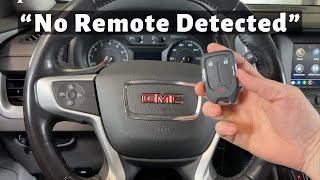
- Message on dash: 'No FOB Detected' or similar
- Key fobs are completely inoperative (passive and button functions)
- Engine starts but immediately stalls.
- Vehicle may not lock or unlock using door handle buttons
- Multiple other seemingly unrelated electrical issues (lights, locks, etc.)
- Replacing the key fob battery. While a good first step for any fob issue, it will not fix a BCM-related B3925 code.
- Replacing a PEPS antenna. Mechanics not aware of the TSBs may assume the code points to a bad antenna, leading to unnecessary parts replacement.
- Replacing the BCM without attempting the software reset first. The TSBs explicitly advise performing the software procedure before considering module replacement.
Most Likely Causes
- Body Control Module (BCM) Memory Corruption After Low Voltage 🔴 High Probability → Shop Body Control Module As documented in GM TSBs #23-NA-163 and #21-NA-277, the GEN3R BCM used in these vehicles is susceptible to memory corruption following a low battery, jump-start, or battery replacement. This is a known issue across multiple GM models using this BCM.
How to confirm: A professional scan tool will show B3925 set alongside DTC B389A and usually two or more other codes from the B392x range (e.g., B3924, B3926). The condition's onset will correlate with a recent low-voltage event. The TSB specifically states to check for B389A, and if it's not present, to disconnect and reconnect the battery for 30 seconds to see if it appears.
Typical fix: Perform a special BCM software reset and immobilizer relearn procedure using the GM Service Programming System (SPS), as outlined in TSB #23-NA-163. This is a software-only repair. The specific function in the SPS software is called "Programming A Per Bulletin 23-NA-163 and 23-NA-165 Only."
Est. part cost: $0
Rare But Worth Checking
- Faulty Passive Start/Entry (PEPS) Antenna: While the TSBs point to a software issue, a true hardware failure of an antenna or its wiring is still possible, though much less likely. This would typically require replacement of the specific antenna (e.g., in the center console or rear bumper). Diagnosis should only proceed down this path after the TSB software procedure has been completed and failed.
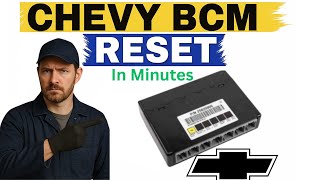
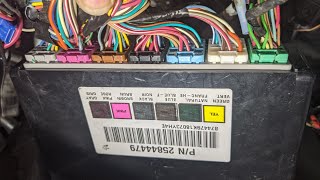
- Failed Body Control Module (BCM): → Shop Body Control Module If the software reset procedures outlined in the TSBs fail to resolve the issue, the BCM itself may have a permanent hardware fault and require replacement and programming. This is rare, and the TSB explicitly warns against replacing the module before attempting the software fix. In some cases, physical damage to the BCM circuit board from vibration or shorts can cause failure. 🎬 See this walkthrough on how to locate and remove the BCM
- Poor Ground Connection: Some GM vehicle owners have reported that seemingly complex BCM issues were ultimately traced back to a faulty or corroded main ground wire, particularly the negative battery cable ground. Before expensive module replacement, verifying all major BCM and battery grounds are clean and tight is a worthwhile step.
Diagnosis Steps
- Verify the customer complaint (No Start, No Fob Detected).
- Check and confirm the vehicle's battery is fully charged and healthy. Address any underlying low voltage issues first. A weak battery can cause these codes and must be replaced before proceeding.
- Using a professional scan tool (like GM's GDS2), check the Body Control Module (BCM) for DTCs.
- Confirm that DTC B389A is present along with B3925 and at least two other codes in the B392x range. If B389A is not present, TSB #23-NA-163 instructs the technician to disconnect the battery for 30 seconds and recheck.
- Refer to GM Technical Service Bulletin #23-NA-163 for the specific repair path.
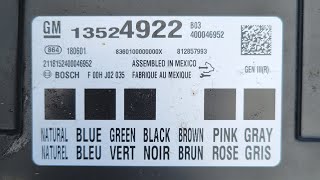
- Using the scan tool, navigate to Module Diagnostics > [K9] Body Control Module > Identification Information to identify the BCM part number and confirm it is a 'GEN3R' model eligible for the TSB procedure. The TSB lists specific eligible part numbers.
- Connect the vehicle to the GM Service Programming System (SPS).
- Follow the TSB instructions to perform the 'Programming A Per Bulletin 23-NA-163 and 23-NA-165 Only' function on the K9 Body Control Module.
- Perform the immobilizer relearn procedure as directed by the TSB, which may be called 'Body Control Module IMMO Learn with Existing Transponder or Remote Key'.
- Clear all DTCs and confirm that the vehicle starts and all key fob functions are restored.
Parts You'll Likely Need
- Body Control Module (BCM) Reprogramming — This is not a physical part, but the labor service to perform the software reset outlined in TSB #23-NA-163, which is the most common fix. The labor operation code for this specific job is #2889808.
OEM price range: $150-$300
Aftermarket price range: N/A - Body Control Module (BCM)
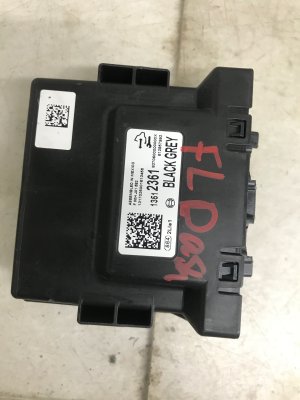
(OEM #13519672 (example for 2018-2019))— Only needed in the rare case that the software reset fails and the module is determined to have a hardware fault. Part number varies by year and options.
Trusted brands: ACDelco
OEM price range: $350-$500
Aftermarket price range: $250-$400
Related Codes That Often Appear With This One
- B389A — This DTC for 'Environment Identification' is a key indicator that the BCM has entered the specific faulted state that triggers the B392x codes, as per TSB #23-NA-163. Its presence is required to proceed with the TSB fix.
- B3924, B3926, B3927, B3928 — These are sibling codes to B3925. The TSBs state that three or more of these 'Environment ID' codes will be set together when the BCM memory corruption occurs.
- P0513 — Incorrect Immobilizer Key. This code is also mentioned in TSB #21-NA-277 as being related to this BCM fault condition.
Technical Service Bulletins (TSBs) & Recalls
- 23-NA-163: No Crank, No Start, Quick Start/Stall, No FOB Detected, Key FOBs Inoperative, B3924 00, B3925 00, B3926 00, B3927 00, B3928 00 Set. This is the primary document outlining the software-based repair.
- 21-NA-277: No Crank, No Start, Quick Start/Stall, Key Fobs Inoperative with DTCs B2924 00, B3925 00, B3926 00, B3927 00, or P0513 set. An earlier TSB describing the same issue and emphasizing not to replace modules before contacting technical assistance.
Platform-Specific Known Issues
- The 2018-2024 GMC Terrain is subject to TSB #23-NA-163, which describes a condition where a low voltage event can cause memory corruption in the Body Control Module, leading to a no-start condition and setting DTC B3925.
- The TSB procedure is only applicable to vehicles with a 'GEN3R' BCM. Technicians must verify this using a scan tool (GDS2) to check the Base Model Part Number (BMPN) against a list of eligible numbers (e.g., 13519619, 13527252, 13533817, etc.) before proceeding.
Mechanic-Grade Diagnostic Values
- BCM Ground Pin Voltage Drop — expected: Less than 0.2 Volts. Failure: A reading significantly higher than 0.2V indicates a poor ground connection, which can cause low-voltage events that trigger BCM memory corruption.
Hidden / Shadow Codes Worth Checking
- B389A 00: Environment Identification. This code's presence is the primary trigger to follow the procedure in TSB 23-NA-163. It confirms the BCM is in the specific corrupted memory state. (see via GM GDS2 scan tool. The TSB notes that if it's not present, a battery disconnect/reconnect for 30 seconds may cause it to set.)
Scan Tool Commands That Help
- GM GDS2: Module Diagnostics > [K9] Body Control Module > Identification Information — To verify the BCM is a 'GEN3R' model and check its Base Model Part Number (BMPN) against the list of eligible parts in TSB 23-NA-163 before attempting to reprogram.
- GM SPS (Service Programming System): K9 Body Control Module “Programming A Per Bulletin 23-NA-163 and 23-NA-165 Only” — This is the primary software repair function to correct the BCM memory corruption that causes code B3925.
- GM SPS (Service Programming System): Immobilizer procedure “Body Control Module IMMO Learn with Existing Transponder or Remote Key” — This must be performed immediately after the BCM reprogramming to allow the vehicle to recognize the existing keys and start.
- GM SPS (Service Programming System): K9 Body Control Module “Programming B Per Bulletin 23-NA-163 Only” — This is a secondary procedure to be used only if the initial 'Programming A' and immobilizer learn do not resolve the no-start condition.
Wiring & Ground Locations
- K9 Body Control Module (BCM) — Inside the passenger cabin, under the driver's side dashboard, near the steering column and interior fuse block.. This is the module that sets the code. Physical access is required for inspection for water damage or replacement.
- BCM Connector X2, Pin 2 — On the K9 Body Control Module, this is a Black/White wire. The service connector part number for X2 is 13576032.. This is a primary signal ground for the BCM. A poor connection at this pin could cause the low voltage condition that leads to the memory corruption and sets code B3925. It should be tested for high resistance or voltage drop.
Real Owner Repair Stories
- Verified Purchaser Review on Go-Parts.com (2020 Chevrolet Silverado) — BCM died during a jump start. Vehicle would not start, remote start did not work.
❌ Tried (didn't work) Jump start
✅ What actually fixed it Replacing the Body Control Module (BCM) with a new OEM unit brought the truck 'back to life immediately'. - Verified Purchaser Review on Go-Parts.com (2020 GMC Yukon Denali) — Intermittent 'service trailer brake system' message and random vehicle shutoffs.
✅ What actually fixed it Replacing the Body Control Module (BCM) with a new OEM unit resolved the issues.
"I Checked Everything" — The Actual Cause
- A common diagnostic dead-end for this code occurs when a technician replaces the key fob batteries and tests or replaces the passive entry (PEPS) antennas, finding no issues. The vehicle still exhibits the 'No FOB Detected' and no-start symptoms because the actual root cause is not a component failure, but a software corruption within the Body Control Module (BCM) triggered by a prior low-voltage event. The fix is not parts replacement, but performing the specific BCM reprogram outlined in TSB 23-NA-163.
OEM Part Supersession History
Varies (e.g., 13519672)→Varies— Part revision or consolidation.
Heads up: The critical factor is not supersession, but whether the BCM is a 'GEN3R' model. Only specific GEN3R part numbers are eligible for the TSB 23-NA-163 software fix. Eligible BMPNs include 13519619, 13527252, 13533817, and others listed in the TSB. Installing a non-GEN3R BCM will not allow for the software fix.
Model Year Variations Within This Range
- 2018-2024: The cause and fix for B3925 do not vary by the vehicle's model year, but by the hardware of the installed Body Control Module. The software fix described in TSB 23-NA-163 is only applicable to vehicles equipped with a 'GEN3R' BCM. A technician must verify the BCM's Base Model Part Number (BMPN) using a GDS2 scan tool to confirm eligibility before proceeding with the reprogram.
Helpful Videos
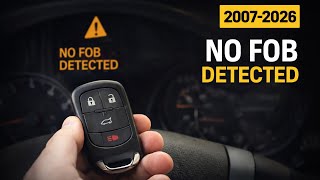
We Have This Part in Stock
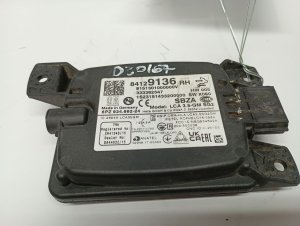
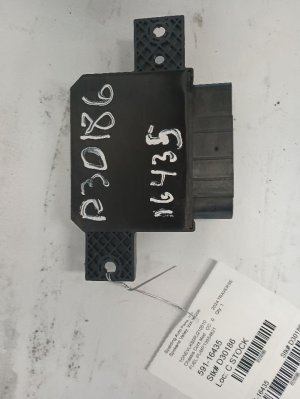

The information in this article is provided for general reference and educational purposes only. Vehicle specifications, procedures, and part compatibility can vary by production date, trim level, and region. Always consult your vehicle's factory service manual and verify part numbers before purchasing or performing repairs. Safety-critical components such as airbags, seat belts, and braking systems should be installed by a qualified professional.
- Gmc TERRAIN:
- 🧭 Diagnostic Flowchart
- 🎬 Helpful Videos
- 🛍️ Shop This Part
- What's Unique About the 2018-2024 Gmc TERRAIN
- Symptoms You May Notice
- Most Likely Causes
- Rare But Worth Checking
- Diagnosis Steps
- Parts You'll Likely Need
- Related Codes That Often Appear With This One
- Technical Service Bulletins (TSBs) & Recalls
- Platform-Specific Known Issues
- Mechanic-Grade Diagnostic Values
- Hidden / Shadow Codes Worth Checking
- Scan Tool Commands That Help
- Wiring & Ground Locations
- Real Owner Repair Stories
- "I Checked Everything" — The Actual Cause
- OEM Part Supersession History
- Model Year Variations Within This Range
- 🎟️ Get 5% Off