

B3926 on 2022 GMC Terrain: 'No Fob Detected' & No-Start Causes
On a 2022 GMC Terrain, code B3926 almost always indicates a Body Control Module (BCM) software glitch, especially after a jump-start or battery change. This is a known issue outlined in GM TSB #23-NA-163. The fix is a dealer-level BCM reprogram using a 'Special Data Reset' procedure, not expensive part replacement.
- B3926 on a 2022 Terrain is most likely a software glitch in the Body Control Module (BCM), not a failed part.
- The issue is almost always triggered by a low battery, jump-start, or battery replacement.
- Do NOT replace the BCM or key fobs. The official fix is a software reprogram by a dealer per TSB #23-NA-163.
- This is a known issue that also affects the Chevrolet Equinox, GMC Acadia, and Buick Envision.
What's Unique About the 2022-2022 Gmc TERRAIN NA
The 2022 GMC Terrain and its platform-mate, the Chevrolet Equinox, are highly susceptible to this specific software fault in their GEN3R BCM. GM has acknowledged the issue by releasing multiple Technical Service Bulletins (TSBs), including #23-NA-163 and #21-NA-277. These bulletins explicitly state that a low voltage event (like a dead battery or jump-start) can corrupt the BCM's memory, triggering code B3926 along with others. The official repair procedure is a software reset, and the TSBs warn technicians *not* to replace modules until this procedure has been attempted.
Diagnostic Flowchart
Tap your situation to follow the diagnostic path that matches what you're seeing on this vehicle.
Symptoms You May Notice
- Vehicle will not crank or start.
- "No FOB Detected" message on the Driver Information Center (DIC).
- Engine starts but immediately stalls.
- Key fob is inoperative (cannot lock or unlock doors passively, but buttons may still work).
- Unable to use remote start function.
- Key fob not detected even when placed in the backup pocket/transmitter pocket.
- Replacing the Body Control Module (BCM). TSB #23-NA-163 explicitly warns against module replacement until the software reset procedure has been performed.
- Replacing the Key Fobs. The problem is with the vehicle's ability to detect the fob, not the fob itself. A dead fob battery is a separate issue. 🎬 Watch: How to open and start your vehicle with a dead fob.
- Replacing the wrong antenna. Without a proper scan tool diagnosis to pinpoint the exact antenna circuit, replacing them by guessing is a waste of money.
Most Likely Causes
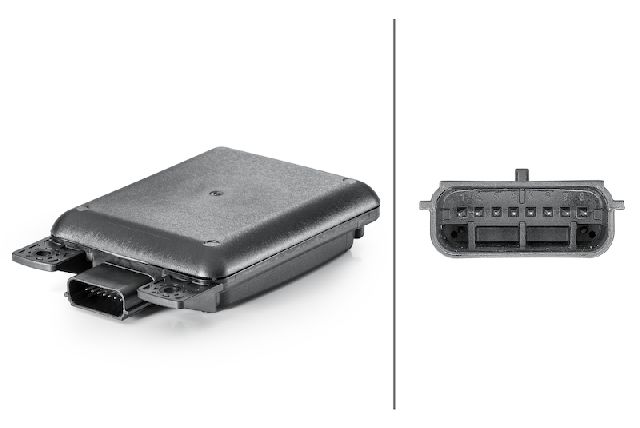
- Body Control Module (BCM) Memory Corruption 🔴 High Probability → Shop Body Control Module This platform uses a GEN3R BCM that is sensitive to low voltage. A dead battery, jump-start, or battery replacement can corrupt its memory, causing it to lose the 'Environmental ID' handshake with other modules.
How to confirm: Scan the vehicle with a GM-compatible tool (like GDS2). The presence of B389A (current or after a battery reset) along with three or more B392x codes (B3924, B3925, B3926, B3927) after a low-voltage event confirms the TSB condition.
Typical fix: Reprogram the BCM using the specific 'Special Data Reset A' or 'Special Data Reset B' procedure outlined in TSB #23-NA-163, followed by an immobilizer relearn. This is a software-only fix performed by a dealer.
Est. part cost: $0 - Weak or Failing 12V Battery 🟡 Medium Probability → Shop Vehicle Battery A weak battery is the primary trigger for the BCM memory corruption. Modern vehicles have a high parasitic draw, and a marginal battery can easily drop to a low voltage state, initiating the fault.
How to confirm: Test the battery with a digital multimeter or a professional load tester. A resting voltage below 12.4V is a sign of a weak battery that can trigger this issue.
Typical fix: Replace the 12V battery. This should be done in conjunction with or before the BCM reprogram to prevent the issue from reoccurring immediately.
Est. part cost: $150-$350 - Failed Passive Entry (PEPS) Antenna ⚪ Low Probability → Shop Antenna While less common than the software issue, the antennas (located in bumpers, console, etc.) can fail from moisture or vibration, particularly the one in the rear bumper which is exposed to road spray.
How to confirm: If B3926 appears alone without other B39xx codes or B389A, a scan tool can monitor the signal from each antenna to identify the one that is not responding.
Typical fix: Replace the specific faulty antenna. The antennas themselves are typically plug-and-play and do not require programming.
Est. part cost: $40-$110
Rare But Worth Checking
- Wiring Harness Damage: Wiring to antennas, especially the connector for the rear bumper antenna, can get damaged or corroded from moisture and road debris. A visual inspection and continuity check with a multimeter can rule this out.
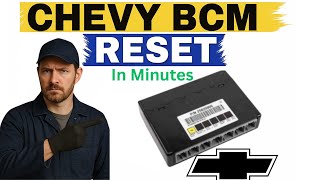
- Internal BCM Fault (Not Low-Voltage Related): In rare cases, an internal BCM fault can cause a loss of immobilizer function and a 'No Fob Detected' message even with a healthy battery. TSB #21-NA-244 describes this scenario, which may require BCM replacement if a battery reset does not resolve it. 🎬 See this guide on how to perform a BCM reset.
Diagnosis Steps
- Attempt to start the vehicle using the backup method: place the key fob in the transmitter pocket located in the front cup holder of the center console. 🎬 Watch: How to find the key fob backup pocket location. If the vehicle starts, it points to an issue with the passive detection antennas, but if it fails, it reinforces the likelihood of the BCM glitch.
- Check the health of the 12V battery with a multimeter or load tester. A voltage below 12.4V indicates a weak battery that needs charging or replacement. A low voltage state is the most common trigger for this entire fault condition.
- Connect a professional, GM-compatible scan tool (like GDS2) to read codes from the Body Control Module (BCM).
- Analyze the codes. If B3926 is present with B389A and at least two other B392x codes, the cause is BCM memory corruption. The fix is the TSB #23-NA-163 reprogramming procedure. Do not replace parts.
- If B3926 is the only code present, use the scan tool's live data function to monitor the status of each PEPS antenna to identify the faulty one.
- Inspect the wiring and connector for the identified faulty antenna for any visible damage, corrosion, or loose pins, paying close attention to the rear bumper area.
- If the cause was confirmed to be BCM corruption, the vehicle must be taken to a dealer or qualified shop for the specific SPS reprogramming.
Parts You'll Likely Need
- Body Control Module (BCM) Reprogramming
(OEM #TSB #23-NA-163 Procedure)— This is not a physical part, but a software service. It is the most common and official fix for the BCM memory corruption that triggers code B3926 after a low voltage event.
OEM price range: $150-$300 (Labor for diagnosis and programming)
Aftermarket price range: N/A - Passive Entry Antenna
(OEM #e.g., 22868913 (check specific location))— In the less common scenario where the code appears alone and is not caused by a software glitch, a single antenna may have failed.
Trusted brands: ACDelco
OEM price range: $70-$110
Aftermarket price range: $40-$80 - Eligible GEN3R BCM Part Numbers (for TSB reference)
(OEM #13518569, 13518570, 13518602, 13519619, 13527252, 13527260, 13529492, 13533809, etc.)— This is not a replacement part list, but a reference from TSB 23-NA-163. If your BCM has one of these part numbers, it is eligible for the software fix.
OEM price range: N/A
Aftermarket price range: N/A
Related Codes That Often Appear With This One
- B3924, B3925, B3927, B3928 — These are codes for the other passive entry antennas. When three or more appear together with B3926, it strongly indicates the BCM memory corruption issue described in TSBs.
- B389A — This 'Environment Identification' code is the primary indicator of the BCM memory corruption. TSB #23-NA-163 states that if this code is current, it will be accompanied by three or more of the antenna DTCs.
- P0513 — This 'Incorrect Immobilizer Key' code is set by the Engine Control Module (ECM) as a direct consequence of the BCM being unable to validate the key. It is mentioned in TSB #21-NA-277 as a key indicator.
Technical Service Bulletins (TSBs) & Recalls
- 23-NA-163: The most current bulletin. Outlines the BCM memory corruption issue on GEN3R BCMs after a low voltage event and provides the specific 'Special Data Reset A/B' software procedure as the primary fix.
- 21-NA-277: An earlier TSB describing the same no-start condition with codes B3926, P0513, etc., on Gen III BCMs and pointing to a software-based repair, sometimes requiring contact with the GM Technical Assistance Center (TAC).
- 21-NA-244: Describes a less common cause where an internal BCM fault (not related to low voltage) causes a 'No Fob Detected' message that even the backup pocket cannot override, potentially requiring BCM replacement.
Platform-Specific Known Issues
- A known software defect in the GEN3R Body Control Module can cause memory corruption after a low-voltage event, triggering code B3926 and a no-start condition. This is officially documented in GM TSB #23-NA-163.
- Owners on forums for related GM vehicles (like Cadillac) have reported similar 'no fob detected' issues that were ultimately traced back to module communication errors rather than faulty fobs or antennas.
Mechanic-Grade Diagnostic Values
- PEPS Antenna Signal Circuit Voltage to Ground — expected: Less than 1 V. Failure: A reading of 1 V or greater indicates a short to voltage in the circuit.
- PEPS Antenna Circuit Resistance to Ground — expected: Less than 2 Ω. Failure: A reading of 2 Ω or greater indicates an open or high resistance in the circuit.
Hidden / Shadow Codes Worth Checking
- B3926 00: The '00' is a symptom byte that often accompanies the main DTC. For this group of codes (B3924, B3925, B3926, etc.), the '00' symptom byte is specifically mentioned in TSB #21-NA-277, confirming the condition. (see via A professional scan tool capable of reading GM-specific body codes and their symptom bytes, such as a GM GDS2/Tech2.)
Scan Tool Commands That Help
- GM GDS2 (Global Diagnostic System 2): K9 Body Control Module “Programming A Per Bulletin 23-NA-163 and 23-NA-165 Only.” — This is the specific software reflash procedure required to correct the BCM memory corruption on eligible GEN3R BCMs as instructed by the TSB. It must be performed before attempting any key relearns.
- GM GDS2 (Global Diagnostic System 2): Immobilizer procedure “Body Control Module IMMO Learn with Existing Transponder or Remote Key.” — This function is used immediately after the 'Programming A' function to relearn the vehicle's existing keys to the newly flashed BCM.
Wiring & Ground Locations
- K9 Body Control Module (BCM) — Located under the front of the center console, typically accessed by removing the passenger side trim panel of the console.. This is the central module that sets code B3926 and stores the corrupted data. All diagnostic and reprogramming efforts are focused on this component. Ensuring its connectors are secure is a basic check.
- Main Engine/PCM Ground — On the engine block, often near the A/C compressor or alternator. On the LFX V6 (used in some Terrains), there are multiple grounds on the engine itself.. A loose or corroded main engine ground can cause a wide range of communication issues and no-start problems, mimicking a module failure.
- G303 / G304 — Located on the left (G303) and right (G304) side B-pillars, behind the trim panels.. These are major body grounds. While not directly tied to the BCM in all documentation, poor grounding in this area can cause intermittent issues with modules located within the cabin.
Real Owner Repair Stories
- Go-Parts.com Citation (2018-2024 Chevrolet Traverse (platform-mate)) — No-start condition, 'No FOB Detected' message, DTC B3926 present.
❌ Tried (didn't work) Replacing the key fob battery, Replacing the BCM (warned against), Replacing antennas without scan tool diagnosis
✅ What actually fixed it The owner took the vehicle to a dealer, who performed a BCM software update according to the procedure in TSB #23-NA-163, which resolved the issue.
"I Checked Everything" — The Actual Cause
- The electronic equivalent of a 'smoke test clean' scenario is explicitly described in GM TSB #23-NA-163 for this code. A technician can test the PEPS antenna and its wiring, finding no shorts or opens, and all components may test as good. However, the 'No Fob Detected' message and no-start condition persist. The actual root cause is not a hardware failure but a BCM memory corruption triggered by a low voltage event. The only fix is to perform the specific BCM reprogramming procedure, not to replace the parts that test correctly.
Helpful Videos


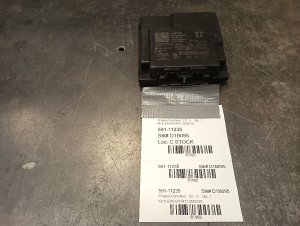
Used OEM Parts in Stock
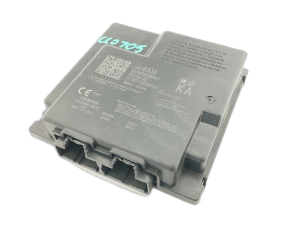
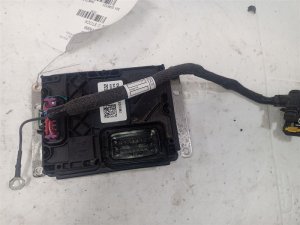
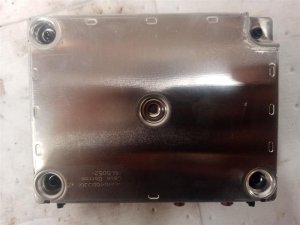
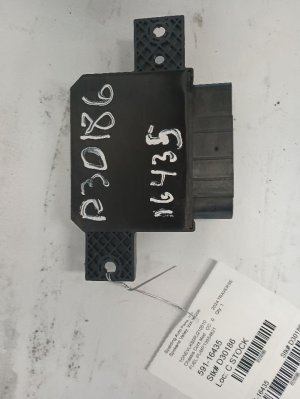
New Aftermarket Parts Available
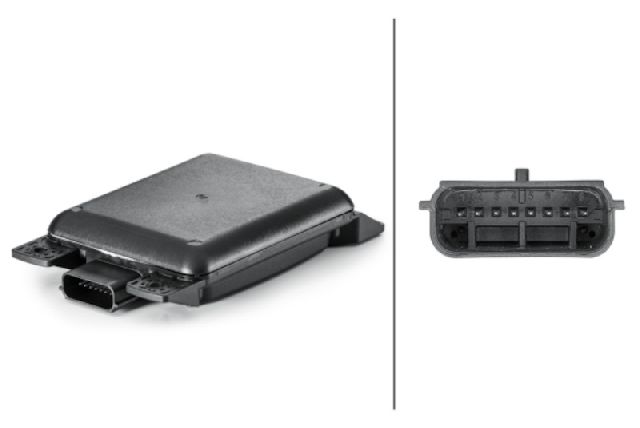

The information in this article is provided for general reference and educational purposes only. Vehicle specifications, procedures, and part compatibility can vary by production date, trim level, and region. Always consult your vehicle's factory service manual and verify part numbers before purchasing or performing repairs. Safety-critical components such as airbags, seat belts, and braking systems should be installed by a qualified professional.
- Gmc TERRAIN NA:
- 🧭 Diagnostic Flowchart
- 🎬 Helpful Videos
- 🛍️ Shop This Part
- What's Unique About the 2022-2022 Gmc TERRAIN NA
- Symptoms You May Notice
- Most Likely Causes
- Rare But Worth Checking
- Diagnosis Steps
- Parts You'll Likely Need
- Related Codes That Often Appear With This One
- Technical Service Bulletins (TSBs) & Recalls
- Platform-Specific Known Issues
- Mechanic-Grade Diagnostic Values
- Hidden / Shadow Codes Worth Checking
- Scan Tool Commands That Help
- Wiring & Ground Locations
- Real Owner Repair Stories
- "I Checked Everything" — The Actual Cause
- 🎟️ Get 5% Off