

C0045 on 2010-2015 Chevrolet Camaro: Left Rear Wheel Speed Sensor Fixes
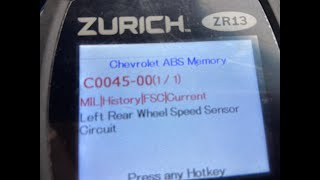
Code C0045 on a 2010-2015 Camaro indicates a fault with the left rear wheel speed sensor circuit. This usually triggers ABS and StabiliTrak warnings. The most common causes are a damaged wiring harness, a faulty sensor, or a failed magnetic ring on the wheel hub assembly. Cleaning debris from the hub's magnetic ring is a common first step per GM TSBs.
- Code C0045 means your Camaro's ABS and StabiliTrak systems are offline due to a fault in the left rear wheel speed sensor circuit.
- Do not immediately replace the sensor. The most common cause on this car is debris on, or damage to, the magnetic ring on the wheel hub assembly, per GM TSBs.
- Start your diagnosis by cleaning and inspecting the wheel hub's magnetic ring before spending money on parts.
- If cleaning the hub doesn't work, thoroughly inspect the wiring harness for breaks before replacing the hub itself.
What's Unique About the 2010-2015 Chevrolet Camaro
On the 5th Generation Camaro, the C0045 code is a frequent issue. While the sensor itself can fail, the two most common culprits are the wiring harness that runs down the suspension to the wheel, and the magnetic encoder ring that is integrated into the wheel hub assembly. Per GM Technical Service Bulletin PIC5428, this ring can collect ferrous metallic debris, leading to an erratic signal. It can also become brittle and crack. Owners often misdiagnose the issue by replacing only the sensor when the fault lies in the wiring or, most commonly, the hub's magnetic ring.
Symptoms You May Notice
- ABS warning light is on
- "Service StabiliTrak" or "Traction Control Off" message on the driver information center
- StabiliTrak/Traction Control warning light is on
- Cruise control is disabled
- Grinding or ratchet noise from the ABS pump at low speeds (under 20 mph) before the warning lights appear
- Replacing the wheel speed sensor when the actual problem is metallic debris on the magnetic ring, a cracked magnetic ring on the hub, or a broken wire in the harness.
Most Likely Causes
- Contaminated or Damaged Left Rear Wheel Hub / Bearing Assembly 🔴 High Probability → Shop Hub Assembly The magnetic encoder ring (or reluctor ring), which the sensor reads, is integrated into the wheel hub. This ring is highly susceptible to collecting metallic debris (ferrous particles) from the road and brakes. This debris disrupts the magnetic signal. The ring can also crack or have pieces break off. GM has issued multiple TSBs (PIC5428 series, 17-NA-047) about this exact issue.
How to confirm: After confirming the sensor and wiring are good, remove the wheel and brake rotor. Visually inspect the magnetic ring on the hub for a build-up of metallic 'fuzz' or debris. Also check for visible cracks or missing sections of the ring. A definitive test is if a new sensor and good wiring don't solve the problem. Often, cleaning the ring with a nylon brush and brake cleaner resolves the issue.
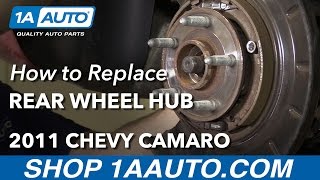
Typical fix: First, attempt to clean the magnetic ring thoroughly. If the code returns or the ring is physically damaged, replace the entire left rear wheel hub and bearing assembly. 🎬 Watch: How to replace the rear wheel bearing hub assembly
Est. part cost: $100-$250 - Damaged Wheel Speed Sensor Wiring or Connector 🟡 Medium Probability → Shop ABS Wheel Speed Sensor The wiring harness follows the suspension's movement, making it susceptible to stretching, chafing, and breaking over time. Wires can break internally with no visible damage to the outer insulation, often near the connector or where it's clipped to the control arm.
How to confirm: Visually inspect the entire length of the harness from the sensor to the main body connector for any signs of damage, pinching, or improper routing. Perform a continuity and resistance check on the wires between the sensor connector and the EBCM connector. Wiggle the harness while checking to find intermittent breaks.
Typical fix: Repair the damaged section of wire or replace the wiring pigtail. Ensure the new harness is properly secured away from moving parts.
Est. part cost: $20-$50 - Faulty Left Rear Wheel Speed Sensor ⚪ Low Probability → Shop ABS Wheel Speed Sensor The sensor is an electronic component exposed to heat, vibration, and moisture at the wheel. While it can fail, it's less common than hub or wiring issues on this platform and is often replaced unnecessarily.
How to confirm: Swap the left and right rear wheel speed sensors. If the code changes to C0050 (Right Rear), the sensor is bad. Alternatively, use a scan tool to watch the live data from the sensor while spinning the wheel; it should show a smooth, increasing speed. A reading of zero or an erratic signal indicates a bad sensor or, more likely, a problem with the hub's ring.
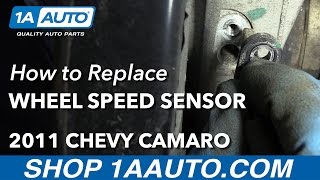
Typical fix: Replace the left rear wheel speed sensor. This involves removing a single 10mm bolt. 🎬 See this walkthrough for replacing the rear wheel speed sensor
Est. part cost: $40-$90
Rare But Worth Checking
- Faulty Electronic Brake Control Module (EBCM): → Shop ABS Control Module This is very rare and should only be considered after all other possibilities (sensor, hub, and wiring) have been exhaustively tested and ruled out. The EBCM is an expensive component and requires programming upon replacement.
Diagnosis Steps
- Connect a scan tool capable of reading ABS codes to confirm C0045 is the active code.
- Use the scan tool to monitor live data. Compare the wheel speed readings from all four wheels while driving slowly in a straight line. The Left Rear (LR) sensor will likely read 0 mph, have an erratic signal, or show a speed variance of 3 mph or more compared to the others.
- Raise and safely support the rear of the vehicle. Remove the left rear wheel.
- Thoroughly inspect the wiring harness for the left rear wheel speed sensor. Look for any cuts, chafing, melting, or stretched wires from the sensor up to where it connects to the main body harness. Pay close attention to the connector and any points where the harness is clipped to the suspension.
- Disconnect the sensor and inspect the connector for corrosion or bent pins.
- Remove the brake caliper and rotor to gain access to the wheel hub. Visually inspect the magnetic encoder ring on the inboard side of the hub. Look for a build-up of metallic debris, which may look like dark 'fuzz'. Also inspect for cracks, chips, or peeling of the ring's surface.
- Per GM TSB PIC5428, attempt to clean the ring first using a soft nylon brush and brake cleaner. Do not use magnets to clean the area.
- If cleaning is not possible or the ring is damaged, the wheel hub assembly needs to be replaced. If the ring and wiring look good, consider swapping the left and right rear wheel speed sensors. Clear the codes and drive the vehicle. If the code returns as C0050 (Right Rear), the sensor you moved is faulty.
- If the C0045 code returns after the swap and cleaning, the problem is most likely an internal break in the wiring harness or a non-visible failure of the hub's magnetic ring.
- If the sensor, wiring, and hub are all confirmed to be good, the final step would be to diagnose the EBCM, which may require a professional technician.
Parts You'll Likely Need
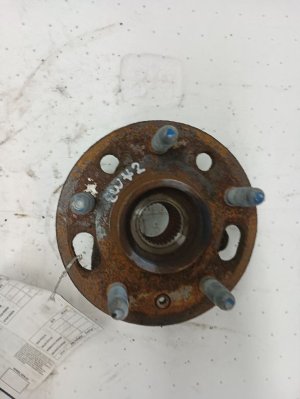
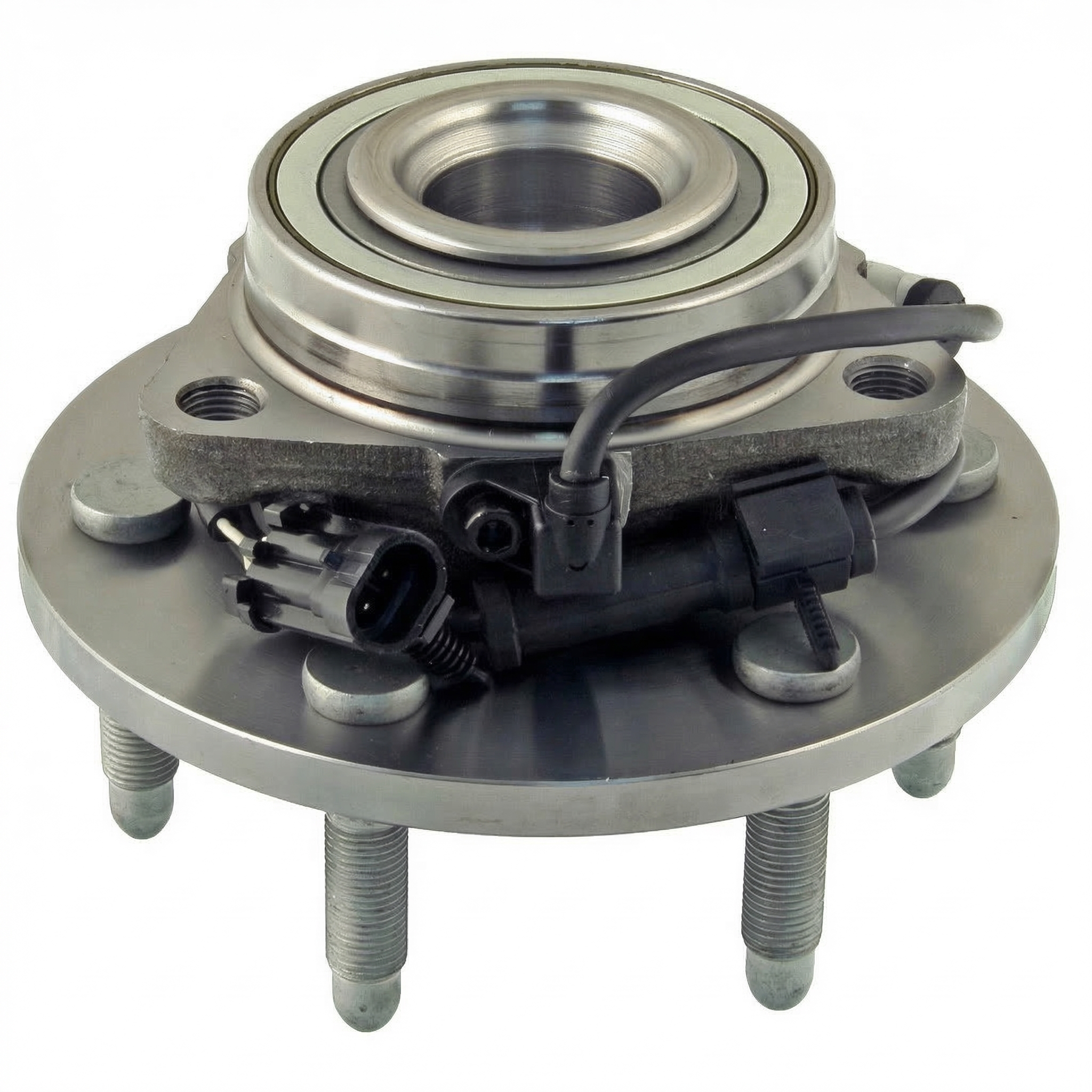
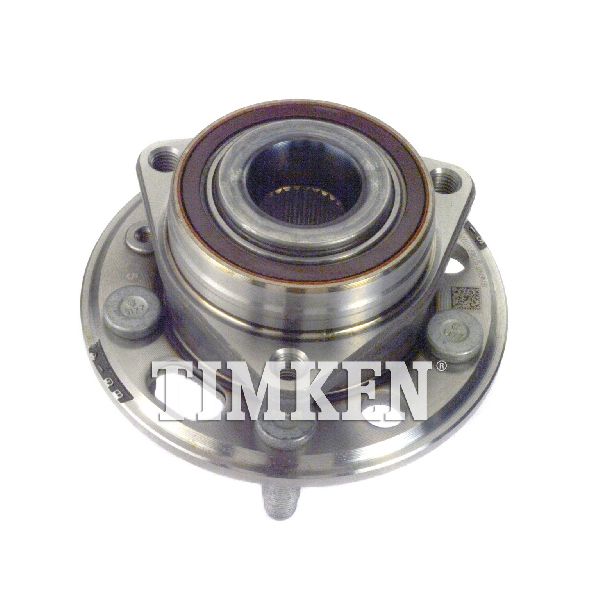
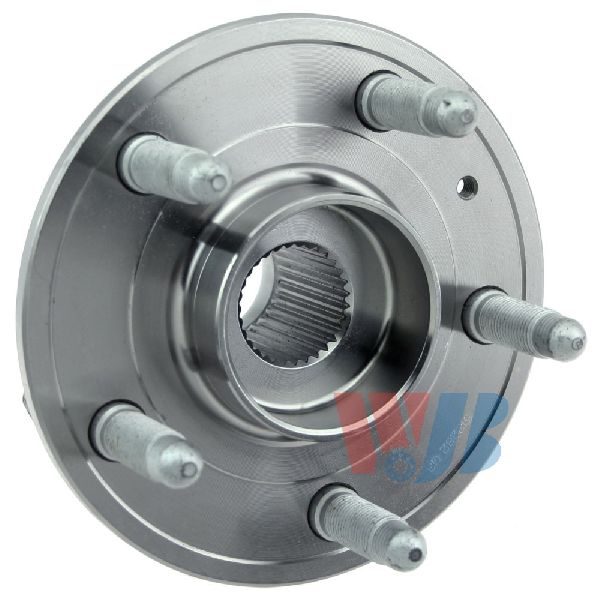
- Rear Wheel Hub and Bearing Assembly
(OEM #ACDelco FW426 / GM 22811333 (Verify by VIN))— The integrated magnetic encoder ring is the most common failure point for this code, either due to debris or physical damage.
Trusted brands: ACDelco, Timken, MOOG
OEM price range: $200-$250
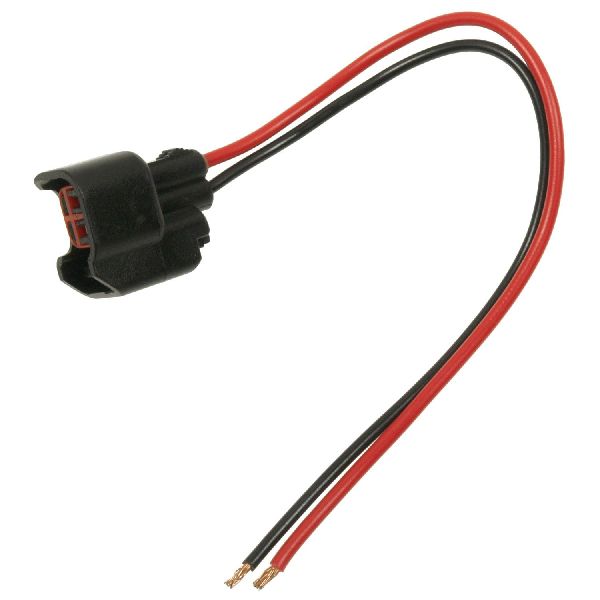
Aftermarket price range: $100-$180 - Rear Wheel Speed Sensor Wiring Harness Pigtail
(OEM #ACDelco PT247 / GM 88988963 (Verify by VIN))— The wiring is a common point of failure due to stretching or chafing from suspension movement. A pigtail allows for repair without replacing the entire body harness.
Trusted brands: ACDelco, Dorman 645-746
OEM price range: $40-$60
Aftermarket price range: $20-$40 - Rear Wheel Speed Sensor
(OEM #ACDelco 20856306 (Verify by VIN))— The sensor itself can fail electronically. It's a common replacement item, though often misdiagnosed when the wiring or hub is the real issue.
Trusted brands: ACDelco, Bosch, Delphi
OEM price range: $70-$90
Aftermarket price range: $40-$60
Related Codes That Often Appear With This One
- C0050 — This is the code for the Right Rear Wheel Speed Sensor. If you swap sensors for diagnosis, a C0045 might become a C0050, indicating the sensor is the faulty part.
- C0035, C0040 — These are the codes for the front wheel speed sensors. It is common for any of the four corners to experience the same failure mode (debris on hub ring), so seeing multiple codes is possible.
Technical Service Bulletins (TSBs) & Recalls
- PIC5428G / 17-NA-047: Addresses DTCs C0035-C0050 caused by ferrous metallic debris on the wheel speed sensor magnetic encoder ring and provides a cleaning procedure.
- 16-NA-298: Describes a ratchet or grind noise from the front of the vehicle at low speeds caused by an erratic wheel speed sensor signal, which can occur even without a DTC.
- Bulletin #PIE0533A: Notes that field information is no longer required for wheel speed sensor inoperative conditions involving DTCs C0035, C0040, and C0045.
- Bulletin #PIT5499B: Advises technicians to inspect the Electronic Brake Control Module connector for water intrusion when codes including C0045 are present.
- Bulletin #PIT5427B: Recommends inspecting the X411 connector for damage if C0045 is found alongside other stability control or steering codes.
Platform-Specific Known Issues
- TSB for Debris on Magnetic Encoder Ring: GM issued Technical Service Bulletins (PIC5428 series, later superseded by 17-NA-047 and 16-NA-298) that directly address this family of codes (C0035-C0050). The bulletins state the most common cause is ferrous metallic debris accumulating on the hub's magnetic encoder ring, and the primary fix is to clean it.
Mechanic-Grade Diagnostic Values
- Passive Wheel Speed Sensor Resistance — expected: 850 - 1350 Ohms. Failure: A reading of OL (open circuit) or near zero ohms indicates a failed sensor.
- Passive Wheel Speed Sensor AC Voltage Output — expected: Greater than 100mV AC while spinning the wheel by hand.. Failure: No AC voltage produced while spinning the wheel indicates a failed sensor or bad magnetic ring.
- Active Wheel Speed Sensor Bias Voltage (Key On, Sensor Connected) — expected: Around 2.5V on the signal wire.. Failure: A voltage of 0V or 5V, or a voltage that drops out when wiggling the harness, indicates a wiring problem.
- Active Wheel Speed Sensor Supply Voltage (Key On, Sensor Unplugged) — expected: 5V or 12V (depending on system) on one pin, and ground on the other.. Failure: Missing supply voltage or ground points to a problem with the EBCM or wiring, not the sensor.
Hidden / Shadow Codes Worth Checking
- C0045 0F: Signal Erratic. The EBCM has detected a signal that is unstable or fluctuating illogically. This often points to a damaged magnetic encoder ring, metallic debris, or electrical interference. (see via GM GDS2 or equivalent professional scan tool that can read manufacturer-specific symptom bytes.)
- C0045 18: Signal Circuit Low Signal Amplitude / Missing Signal. This suggests a complete loss of signal, often due to a failed sensor, an open circuit in the wiring, or a disconnected connector. (see via GM GDS2 or equivalent professional scan tool that can read manufacturer-specific symptom bytes.)
- C0045 5A: Signal Plausibility Failure. The EBCM is receiving a signal, but it doesn't logically match the signals from the other wheel speed sensors. This can be caused by a severely damaged tone ring, an incorrect part, or a significant tire size mismatch. (see via GM GDS2 or equivalent professional scan tool that can read manufacturer-specific symptom bytes.)
- C0045 06: Signal Circuit Low Voltage/Open. This points specifically to an open wire, a poor connection at a connector, or a short to ground. (see via GM GDS2 or equivalent professional scan tool that can read manufacturer-specific symptom bytes.)
Scan Tool Commands That Help
- GDS2 / Tech2: Live Data > Wheel Speed Sensors — This is the primary diagnostic function. It allows you to view the speed readings from all four sensors in real-time while driving slowly. A faulty left rear sensor will read 0, be erratic, or not match the other sensors.
- GDS2 / Tech2: Clear DTCs — After a repair, the codes must be cleared. On some GM systems, clearing the code is necessary to restore the 12V supply to the sensor circuit for testing, as the EBCM will shut down the driver when a fault is detected.
Wiring & Ground Locations
- EBCM Connector — The Electronic Brake Control Module (EBCM) is located on the driver's side frame rail, typically under the driver's door area.. This is the termination point for the wheel speed sensor harness. Final continuity and resistance checks must be performed between the sensor pigtail and the pins at this connector to rule out a break in the main harness.
- G401 — Near the battery in the trunk.. This is a major chassis ground point in the rear of the vehicle. While not directly for the EBCM, a poor connection here can cause various electrical issues and interference.
- G107 / G108 — On the left rear and left side of the engine block, respectively.. These are primary engine-to-chassis grounds. Poor connections can create ground loops and electrical noise that may interfere with sensitive sensor signals like the WSS.
- Intermediate Connectors (e.g., C184) — Varies by GM platform, but often there is an intermediate connector between the sensor and the EBCM (e.g., on a Corvette, it's C184 near the battery). While a specific Camaro connector isn't detailed, be aware that the harness is not always a single run and these junction points are common areas for corrosion and pin-fitment issues.. These connectors are exposed to the elements and are a common, often overlooked, failure point for corrosion and poor connections, leading to an open or high-resistance circuit.
Real Owner Repair Stories
- OldGuyDIY on YouTube (2013 Chevrolet Impala (similar GM W-body platform and failure mode)) — C0045 code would not clear after replacing the left rear hub assembly.
❌ Tried (didn't work) Replacing the wheel hub assembly.
✅ What actually fixed it The plastic connector at the wheel hub had been damaged/deformed when the old hub failed, causing a poor connection. The terminals inside the connector were no longer making good contact with the pins on the new hub's sensor. A temporary fix of inserting small strands of copper wire into the connector to ensure contact resolved the code, confirming the connector pigtail was the fault. - Camaro5 Forum User (2011 Chevrolet Camaro LT2 Manual) — C0045 5A: Left Rear Wheel Speed Sensor Circuit Not Plausible.
❌ Tried (didn't work) Replacing the wheel speed sensor.
✅ What actually fixed it The user was still diagnosing, but the failure of a new sensor to fix the code points directly to the other common causes: a wiring/connector issue or a faulty magnetic ring on the hub assembly. This is a classic example of the most common misdiagnosis. - Camaro5 Forum User Frarey17 (2010-2015 Chevrolet Camaro 3.6L) — Service Stabilitrak with code C0045.
❌ Tried (didn't work) Replacing the left rear wheel speed sensor., Replacing the left rear wheel hub assembly.
✅ What actually fixed it The issue was unresolved in the thread, but the user was advised to check for a bad ground at the sensor and in the harness. This highlights that even after replacing the two most common parts, the code can persist due to a wiring or ground fault, which should have been checked first.
OEM Part Supersession History
92199862→19435262— Standard part lifecycle update. The new part number is the current replacement for the original rear wheel speed sensor.
Diagnostic Flowchart
Other Known Issues on This Vehicle
Issues unrelated to this code that are worth knowing about as an owner of this generation:
- Premature Timing Chain Stretch (3.6L V6 LLT/LFX) 🔴 High — Common on 2010-2012 models, often appearing from 50,000 miles. Triggers codes P0008, P0009, P0017. Caused by chain design and long oil change intervals. (Ref: TSB #12-06-01-009F)
- Torque Converter Shudder (Automatic Transmission) 🟠 Medium — Common issue causing a vibration or shudder feeling at light throttle, often between 40-50 mph. Feels like driving over rumble strips. (Ref: TSB #18-NA-355 (recommends a specific transmission fluid flush))
- Water Leak in Trunk 🟡 Low — Common on models with a sunroof. The sunroof drain tubes can disconnect or become clogged inside the trunk, allowing water to pool in the trunk floor and battery area.
- Ignition Key Can't Be Removed / Accidental Shutdown 🟠 Medium — A faulty shifter interlock can prevent key removal on automatics. Also, the folding key design on 2010-2014 models could be bumped by the driver's knee, shutting off the engine while driving. (Ref: Part of a major GM ignition switch recall campaign.)
- AFM Lifter Failure (6.2L V8 L99) 🟠 Medium — The Active Fuel Management (AFM) system lifters can fail, causing a ticking noise and potential engine misfires. Often occurs after the engine has been off for several hours. (Ref: Multiple TSBs exist regarding AFM lifter issues on various GM V8s.)
Used vs. New Parts: Buying Guide for This Vehicle
When a used part is the smart pick: A used wiring harness pigtail from a junkyard is a very smart choice. If your connector housing is damaged or you have a wire break near the connector, cutting off a known-good pigtail from a donor car is often more reliable and cheaper than buying a new aftermarket pigtail. Other components like the EBCM could be sourced used, but carry risk and may require programming.
Donor-vehicle mileage cap: roughly under 100000 miles for the part to have meaningful remaining life.
What to inspect on the donor part:
- For a wiring pigtail, inspect for any signs of cracking, brittleness, or previous repairs.
- Ensure the connector clicks firmly and the internal pins are clean and straight.
- Check the donor vehicle's history if possible to avoid parts from flood or severe collision vehicles.
OEM-only on this vehicle (don't cheap out):
- Wheel Hub / Bearing Assembly: While top-tier aftermarket brands are good, many forum users and mechanics report premature failure from lesser-known, cheaper aftermarket hubs. Given the integrated magnetic ring is critical, sticking with OEM ACDelco or a premium brand like Timken is highly recommended to avoid repeat labor.
Aftermarket brands forum-validated for this vehicle:
- Timken (for wheel hub assembly)
- MOOG (for wheel hub assembly, though some users report mixed results)
- ACDelco (OEM supplier, considered best for hubs and sensors)
Brands owners have reported issues with on this vehicle:
- Unbranded, 'white box' wheel hub assemblies from online marketplaces. The quality of the bearing and, more importantly, the magnetic encoder ring is often poor, leading to a quick return of the C0045 code.
Real Owner Stories
Aggregated from forums and TSBs cited above. Mileages and costs reflect what owners reported in those sources.
2010-2015 Chevrolet Camaro
Symptoms: A user replaced both the wheel speed sensor and the hub assembly, but the C0045 code remained active.
What fixed it: The issue was eventually traced to a cut wire within the wiring harness.
Source hint: Camaro5.com: "Service Stabilitrak C0045"
Documented NHTSA Reports
NHTSA ODI #11165895: An owner reported a message duration varying from seconds to minutes before lights extinguished. A service center recommended replacing the L/R hub bearing assembly for code C0045, though the owner noted online solutions were inconsistent.
NHTSA ODI #11399819: A report mentions that even after multiple fuel level sensor installations, codes including C0045 continued to return.
Related OBD-II Codes
Frequently Asked Questions
My 2012 Camaro is making a grinding noise from the front at low speeds, but there is no ABS light yet. Is this related to C0045?
Does GM have a specific bulletin for the 'Service StabiliTrak' message and C0045 on the Camaro?
Can I just clean the sensor, or do I have to replace the whole hub assembly?
Why is my cruise control not working when the ABS light is on?
Is it common for the wiring to break on these cars?
I have a 3.6L V6 Camaro; could my C0045 code be related to my P0008 timing chain code?
Helpful Videos
Used OEM Parts in Stock
New Aftermarket Parts Available


The information in this article is provided for general reference and educational purposes only. Vehicle specifications, procedures, and part compatibility can vary by production date, trim level, and region. Always consult your vehicle's factory service manual and verify part numbers before purchasing or performing repairs. Safety-critical components such as airbags, seat belts, and braking systems should be installed by a qualified professional.
- Chevrolet Camaro:
- 🧭 Diagnostic Flowchart
- 🎬 Helpful Videos
- 🛍️ Shop This Part
- What's Unique About the 2010-2015 Chevrolet Camaro
- Symptoms You May Notice
- Most Likely Causes
- Rare But Worth Checking
- Diagnosis Steps
- Parts You'll Likely Need
- Related Codes That Often Appear With This One
- Technical Service Bulletins (TSBs) & Recalls
- Platform-Specific Known Issues
- Mechanic-Grade Diagnostic Values
- Hidden / Shadow Codes Worth Checking
- Scan Tool Commands That Help
- Wiring & Ground Locations
- Real Owner Repair Stories
- OEM Part Supersession History
- Other Known Issues on This Vehicle
- Used vs. New Parts: Buying Guide for This Vehicle
- Real Owner Stories
- 2010-2015 Chevrolet Camaro
- Documented NHTSA Reports
- Related OBD-II Codes
- Frequently Asked Questions
- 🎟️ Get 5% Off