

P0606 on 2021-2023 Buick Envision: BCM Software Fault Causes and Fixes
On 2021-2023 Buick Envisions with the 2.0L Turbo engine, code P0606 is most often caused by a software glitch in the Body Control Module (BCM), not a failed engine computer. The fix is typically a software update performed by a dealer, which is a low-cost repair often covered under the vehicle's Bumper-to-Bumper warranty.
- P0606 on a 2021-2023 Envision is almost certainly a Body Control Module (BCM) software issue, not a failed engine computer.
- Do not replace any hardware. The official fix is a BCM software update performed by a GM dealer as per TSB PIT5946C.
- This repair should be covered under the vehicle's Bumper-to-Bumper warranty.
- Symptoms may include issues with lighting or climate controls, in addition to the Check Engine Light.
- This issue is not unique to the Envision and affects many other 2020-2023 GM vehicles.
What's Unique About the 2021-2023 Buick ENVISION
Unlike the generic definition that points to a catastrophic engine computer failure, the 2021-2023 Envision's issue is a known software anomaly affecting a wide range of GM vehicles. GM has issued a specific diagnostic procedure for dealers acknowledging that the BCM can set this code due to a software parameter called 'Program Flow Monitoring Status' being 'Active' when it shouldn't be. This changes the diagnosis from a complex hardware issue to a straightforward software update.
Diagnostic Flowchart
Tap your situation to follow the diagnostic path that matches what you're seeing on this vehicle.
Symptoms You May Notice
- Check Engine Light illuminated
- Issues with HVAC (heating, ventilation, and air conditioning) operation
- Problems with vehicle lighting
- Various messages appearing on the Driver Information Center (DIC) 🎬 Watch: Common symptoms of a failing Body Control Module
- Replacing the Powertrain Control Module (PCM) or Engine Control Module (ECM). The TSB for this vehicle makes it clear the issue originates in the Body Control Module (BCM), not the engine computer. 🎬 Watch: Understanding and diagnosing P0606 processor error codes
Most Likely Causes
- Outdated Body Control Module (BCM) Software 🔴 High Probability → Shop Body Control Module A specific software condition identified in GM TSB #PIT5946C causes the 'Program Flow Monitoring Status' parameter to remain active, triggering the P0606 code. This affects many vehicles on GM's VIP electrical architecture.
How to confirm: A GM dealer or qualified technician must use a scan tool (like GDS2) to check the BCM's 'Internal Control Module Performance Data'. If only the 'Program Flow Monitoring Status' is active, this is the confirmed cause.
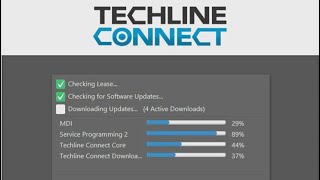
Typical fix: Reprogram the BCM with the latest software calibration using GM's Techline Connect service.
Est. part cost: $0
Rare But Worth Checking
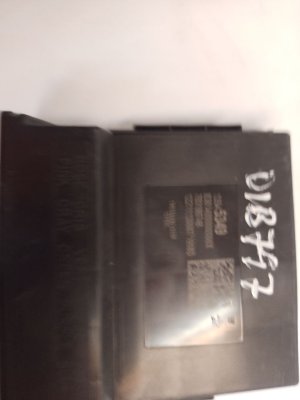
- Internal BCM Hardware Fault: While the TSB points to software, a true internal hardware failure of the BCM is still possible, though much less likely. The TSB specifically advises NOT to replace the BCM unless the software update and further diagnostics prove it's necessary. If replacement is needed, the part number is specific to the vehicle's options, with common numbers being 13537291 or 13548771.
- Wiring or Ground Issues at the BCM: Poor connections, corrosion, or damage to the BCM's power or ground circuits can cause various errors, including processor faults. This should be investigated if a software update does not resolve the issue. A technician would verify battery voltage and low reference (ground) at the BCM connectors.
- Low System Voltage: On similar GM platforms, low battery voltage during cranking, from a jump start, or during charging has been known to cause various control modules (including the BCM and EBCM) to erroneously set a P0606 code. Before extensive diagnostics, ensuring the battery is fully charged and healthy is a wise step.
Diagnosis Steps
- Connect a professional scan tool (like GM MDI2 with GDS2 software).
- Navigate to Module Diagnostics > Body Control Module > Identification Information > Internal Control Module Performance Data.
- Review the status parameters. If only the 'Program Flow Monitoring Status' is 'Active', proceed to the next step.
- If other parameters are also 'Active', follow the standard GM diagnostic procedure for P0606 as a more complex fault may be present.
- Using GM's SPS (Service Programming System) in Techline Connect, check for and install the latest BCM software calibration.
- After reprogramming, clear the DTCs. Re-check the BCM parameters to ensure 'Program Flow Monitoring Status' is now 'Inactive'.
- If the code returns or was accompanied by other active parameters, further diagnosis of the BCM and its circuits is required, including checking power and ground connections.
Parts You'll Likely Need
- Body Control Module (BCM) Software Update — This is the primary fix identified by GM to resolve a software anomaly that incorrectly triggers the P0606 code.
Trusted brands: ACDelco (GM Genuine)
OEM price range: $100-$200 (Labor for update)
Aftermarket price range: N/A - Body Control Module (BCM)
(OEM #13537291, 13548771 (Varies by options))— Only needed in the rare case of a confirmed internal hardware failure after a software update fails to resolve the issue. TSB PIT5946C explicitly warns against replacing the BCM as a first step.
Trusted brands: ACDelco (GM Genuine)
OEM price range: $120-$250 (Part only)
Aftermarket price range: N/A
Technical Service Bulletins (TSBs) & Recalls
- PIT5946: Check Engine Lamp With DTC: P0606 set in the Body Control Module (Published 10/04/2022)
Platform-Specific Known Issues
- TSB #PIT5946C explicitly calls out that on 2021-2023 Envisions (and other GM models like the Cadillac CT4/CT5/Escalade, Corvette, and various trucks/SUVs), the BCM can set a P0606 due to a software issue. The bulletin's primary instruction is to check specific software parameters and reprogram the BCM, and it specifically warns technicians *not* to replace the BCM for this condition unless further diagnosis proves it has failed.
Scan Tool Commands That Help
- GDS2 (GM Dealer Software): Control Functions (e.g., Exterior Lighting, Windows) — After confirming the BCM software is up-to-date, a technician can use bidirectional controls to command specific outputs (like turning on headlights or rolling down a window) to verify if the BCM is capable of controlling its circuits. This helps differentiate a hardware failure from other potential issues if the P0606 code persists.
- GDS2 (GM Dealer Software): Setup SDM (Sensing and Diagnostic Module) — If the BCM is physically replaced, it may be necessary to perform the 'Setup SDM' function. A failure to configure the new BCM with the airbag system (SDM) can set other codes, such as B1001, after replacement.
- GM SPS (Service Programming System): Replace and Reprogram Control Module — This function is mandatory if the BCM is replaced. It flashes the module with the correct VIN, firmware, and RPO (option) configuration for the vehicle. A new BCM will not function correctly, and may cause a no-start condition, until this is performed.
Wiring & Ground Locations
- Body Control Module (BCM) — Located on the driver's side of the vehicle, under the instrument panel/dashboard. Access is gained by removing the fuse panel access door or surrounding trim panels.. This is the module that sets the P0606 code. Physical access is required for inspection of connectors for corrosion or damage, for checking power/ground pins, and for replacement if it is proven to be faulty.
- Passenger Compartment Fuse Box — Located under the dashboard on the driver's side, behind a removable panel.. 🎬 See this guide for Envision fuse box locations and diagrams This fuse box contains the fuses that supply power to the Body Control Module. Verifying these fuses are intact is a preliminary step in diagnosing any BCM-related fault code.
- BCM Power and Ground Pins — Within the multiple connectors attached to the BCM. While specific pinouts for the 2021-2023 Envision are not available, on similar GM platforms, power is typically supplied via pink (PK) wires (Ignition 1 Voltage) and ground is provided via tan/black (TN/BK) wires (Low Reference).. If a software update does not fix the P0606 code, a technician must verify the BCM has stable power and a solid ground connection. A loss of either can cause internal processor faults.
OEM Part Supersession History
13537291→13548771 (Likely)— Part number 13548771 is listed for sale for the 2021-2023 Buick Envision, confirming it as a valid part for this range. While a direct supersession document was not found, part numbers are frequently updated for hardware or software revisions.
Heads up: BCM part numbers are highly specific to the vehicle's options (RPO codes). The incorrect part number may physically fit but will not program or operate correctly. Always verify the part number with the vehicle's VIN.
Helpful Videos

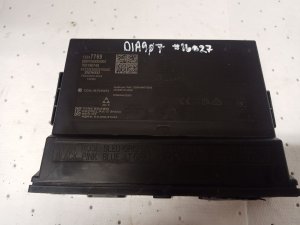
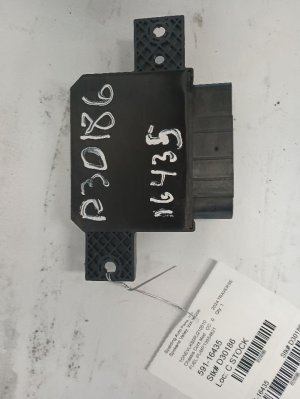
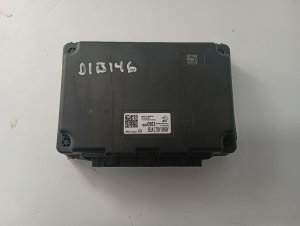
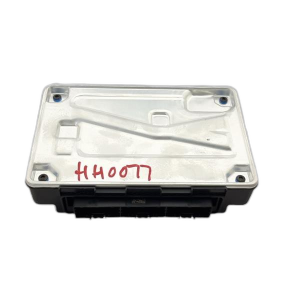
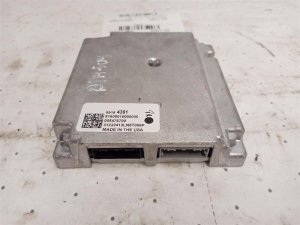
We Have This Part in Stock

The information in this article is provided for general reference and educational purposes only. Vehicle specifications, procedures, and part compatibility can vary by production date, trim level, and region. Always consult your vehicle's factory service manual and verify part numbers before purchasing or performing repairs. Safety-critical components such as airbags, seat belts, and braking systems should be installed by a qualified professional.
- Buick ENVISION:
- 🧭 Diagnostic Flowchart
- 🎬 Helpful Videos
- 🛍️ Shop This Part
- What's Unique About the 2021-2023 Buick ENVISION
- Symptoms You May Notice
- Most Likely Causes
- Rare But Worth Checking
- Diagnosis Steps
- Parts You'll Likely Need
- Technical Service Bulletins (TSBs) & Recalls
- Platform-Specific Known Issues
- Scan Tool Commands That Help
- Wiring & Ground Locations
- OEM Part Supersession History
- 🎟️ Get 5% Off