

P0606 on 2015-2022 Chevrolet Silverado 1500: Causes and Fixes
On a 2015-2022 Silverado, P0606 indicates a processor fault in one of several key modules, not just the engine computer. The most common causes are software glitches requiring a dealer update, a weak or dying battery causing voltage drops, or poor electrical connections at module grounds. Before replacing any expensive modules like the ECM, it is critical to test the battery and charging system, check for loose grounds, and have a technician check for software updates for the EBCM, BCM, or BSCM.
- P0606 on a 2015-2022 Silverado is a complex code that can originate from the Engine, Body, or Brake control modules.
- Do not automatically assume the ECM has failed. Low battery voltage and software glitches are more common culprits.
- A professional diagnosis should begin with a full system scan to see which module set the code, followed by a battery test.
- Check for available software updates with a dealer before replacing any expensive control modules, as reprogramming is a common fix documented in TSBs.
- Driving with this code is unsafe due to the risk of stalling, reduced power, and compromised brake assist.
What's Unique About the 2015-2022 Chevrolet SILVERADO 1500

Unlike many vehicles where P0606 points directly to a failed engine computer, on the Silverado and its platform mates (GMC Sierra, Tahoe, Suburban, Escalade), it's a shared fault code. GM has issued multiple Technical Service Bulletins (TSBs) indicating this code can be set by the brake or body control modules, often due to low voltage during cranking or software errors that mimic a hardware failure. This makes jumping to an ECM replacement a common and costly misdiagnosis. The EBCM is particularly sensitive and can set P0606 from a simple low battery condition, leading technicians down the wrong path if they don't check for voltage issues first.
Diagnostic Flowchart

Tap your situation to follow the diagnostic path that matches what you're seeing on this vehicle.
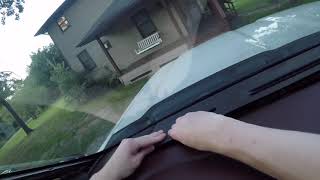
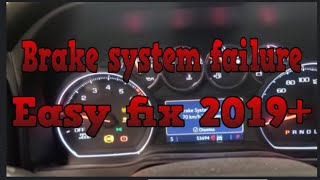
Generation note: This year range covers two Silverado 1500 generations: the 3rd Gen (K2XX, 2015-2019) and the 4th Gen (T1XX, 2019-2022). The 2019 model year is an overlap. The underlying causes (software, voltage, module faults) are common to both generations, as evidenced by TSBs that cover vehicles from both platforms. However, a key difference is the recall N192268090 for 2019 T1XX models, which required a Brake System Control Module reprogram 🎬 Watch: How to fix brake system failure on 2019+ models to fix a software error that could disable ABS and ESC.
Symptoms You May Notice
- Check Engine Light illuminated
- "Reduced Engine Power" message and limp mode
- "Service Brake System" message
- "Service ESC" message
- Hard brake pedal with a lack of power assist
- Vehicle may not start or may stall while driving
- Traction control and Stabilitrak warning lights
- Gauges may stop responding
- Radio and dash lights may flash erratically during startup
- Replacing the Engine Control Module (ECM) without confirming it was the source of the code. The fault is often in the Brake Control Module (EBCM) or Body Control Module (BCM).
- Replacing a control module when the actual problem was a weak battery or poor ground connection. TSBs repeatedly warn against this.
- Replacing the brake master cylinder when the hard pedal and codes are caused by an EBCM software or voltage issue.
Most Likely Causes

- Control Module Software Glitch 🔴 High Probability Multiple TSBs confirm that the EBCM, BSCM, and BCM can set P0606 incorrectly and require updated software calibrations. This is the most common fix recommended by GM.
How to confirm: A GM dealer or qualified shop must check the installed software version against the latest version available in GM's Techline Connect (Tis2Web) database.
Typical fix: Reprogramming the affected module (EBCM, BSCM, or BCM) with updated software. TSB 24-NA-050 mentions a new calibration was developed to make the EBCM diagnostics more robust. Recall N192268090 also involved reprogramming the Brake System Control Module for a specific software error on 2019 models.
Est. part cost: $0 - Low System Voltage 🔴 High Probability The Electronic Brake Control Module (EBCM) is particularly sensitive to low voltage during cranking, jump starts, or from a weak battery, incorrectly setting a P0606. TSB 24-NA-050 explicitly states NOT to replace the EBCM for this condition until the battery has been tested and replaced if faulty. Many owners report that simply replacing an aging battery, even one that tests as 'good,' resolves the issue.
How to confirm: Perform a battery and charging system test. Check for a resting voltage below 12.4V. A key indicator is if the code appears after a slow crank or jump start. Many owners report a new battery resolves the issue completely. During cranking, voltage at the EBCM should not drop below 9.5V.
Typical fix: Replace the weak or failing battery. Ensure the replacement is a high-quality AGM battery if specified for the vehicle. If the charging system is at fault, replace the alternator. After replacement, the code must be cleared with a scan tool, as disconnecting the battery may not clear it.
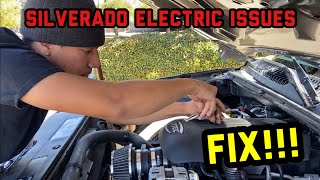
Est. part cost: $150-$400 - Poor Electrical Connections or Grounds 🟡 Medium Probability Corrosion or loose connections at the ECM, BCM, or EBCM can interrupt power or data, causing a processor fault code. Important ground locations include the main engine block to chassis grounds 🎬 See this guide for fixing common GM truck ground issues, firewall ground straps, and grounds located near the A-pillar inside the cabin. GM has noted issues with loose grounds at points G110 and G114 on 2019-2020 models.
How to confirm: Visually inspect the main connectors and ground straps for the primary control modules. Check for corrosion, damage, or looseness. Pay special attention to the ground strap from the engine block to the firewall on the passenger side. Also inspect ground G218 behind the passenger kick panel, which is a known failure point. 🎬 Watch: How to locate and repair the G218 ground connection
Typical fix: Clean all relevant electrical connections and ground points with a wire brush and secure them tightly. Apply dielectric grease to prevent future corrosion.
Est. part cost: $0-$20 - Faulty Control Module (ECM, BCM, EBCM) ⚪ Low Probability While it's the textbook definition of the code, actual hardware failure is less common than software or voltage issues on this platform. It should be the last resort after all other possibilities are exhausted.
How to confirm: This is a process of elimination. If all software, voltage, and wiring checks pass, and the code persists, the module itself is the likely culprit. This diagnosis should be confirmed by a professional.
Typical fix: Replace the failed module and program the new unit to the vehicle's VIN using dealer-level tools.
Est. part cost: $400-$1100
Rare But Worth Checking
- Faulty Camshaft Position Sensor Circuit: → Shop Engine Camshaft Position Sensor A GM TSB (#17-NA-132) notes that an open in the cam sensor circuit can cause a P0606 to set during cranking without ever setting a specific cam sensor code. The bulletin explicitly states 'Do Not replace the Engine Control Module (ECM) for this condition' until the cam sensor circuit is checked, as the P0606 sets and aborts the crank before the cam sensor code has a chance to log.
- Aftermarket Accessories: Improperly installed aftermarket electronics (such as remote starters, alarms, or lighting) can interfere with module communication or cause voltage drops, leading to a P0606 code.
Diagnosis Steps
- Perform a full vehicle diagnostic scan with a tool that can read codes from all modules (Engine, Brake, Body). Identify which module stored the P0606 code. This is the most critical first step.
- Check for relevant TSBs based on the module that set the code. TSBs #PIT5946C, #20NA073, #PIT5728D, #PIP5609, #PIT5634, #24-NA-050, and #17-NA-132 are highly relevant.
- Thoroughly test the battery and charging system, even if the battery seems fine. Use a digital tester. Ensure battery voltage is stable and above 12.4V at rest and that the alternator maintains 13.5-14.5V when running. TSB 24-NA-050 explicitly states this is a primary check.
- Inspect the electrical connectors and ground points for the identified module (ECM, BCM, or EBCM). Check main engine-to-chassis grounds, especially on the passenger side firewall. Check grounds G110, G114, and G218, which are known problem areas.
- If TSB #17-NA-132 is relevant (crank-no-start condition), inspect the camshaft position sensor circuit for opens or damage before considering ECM replacement.
- If TSBs indicate a software fix, consult a dealer or qualified shop to have the module reprogrammed with the latest calibration. This is a very common resolution.
- If all other steps fail to resolve the issue, the control module itself is likely faulty and will require replacement and programming. This is a process of elimination.
Parts You'll Likely Need
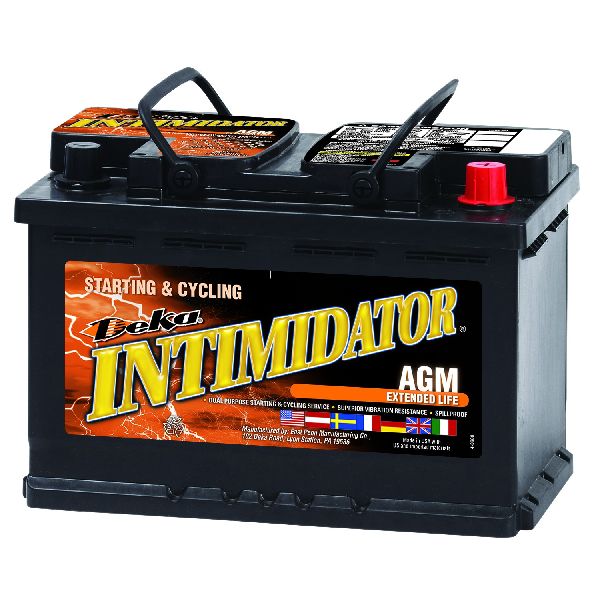
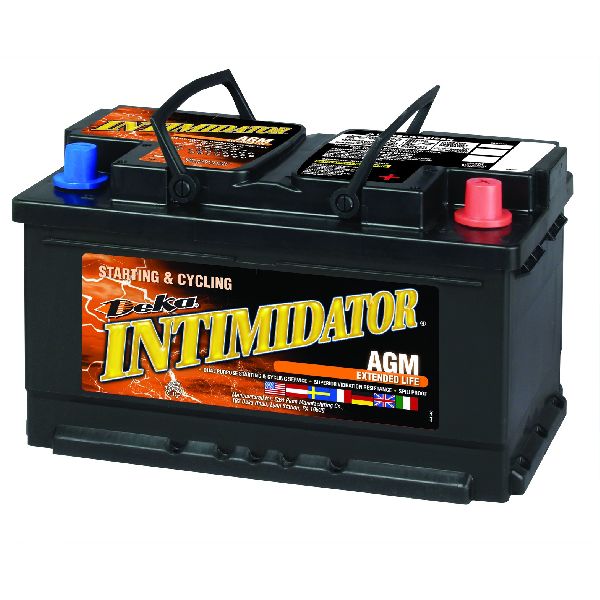
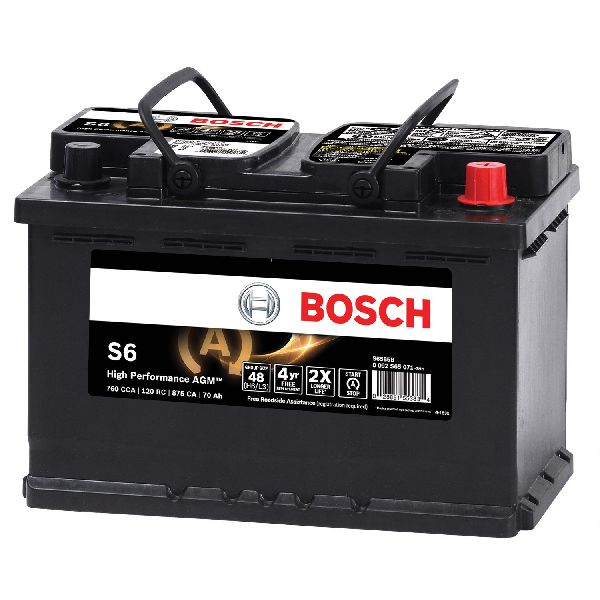
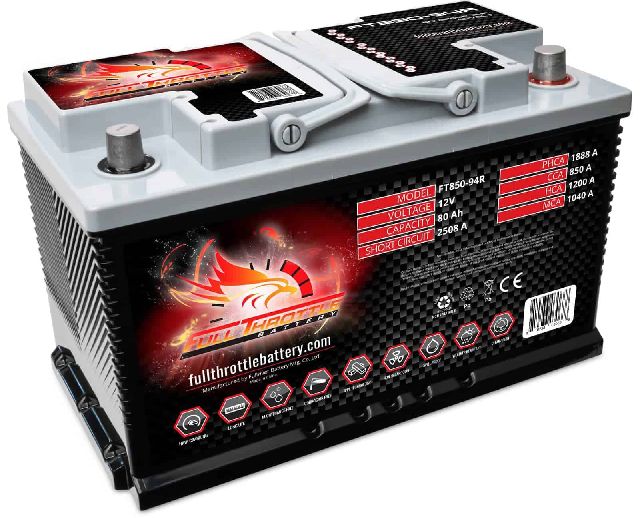
- Battery — A weak or failing battery is a primary cause of voltage drops that can incorrectly trigger a P0606 in the brake control module. TSB 24-NA-050 identifies this as a key cause.
Trusted brands: ACDelco, DieHard, Interstate
OEM price range: $200-$350
Aftermarket price range: $150-$250 - Electronic Brake Control Module (EBCM)
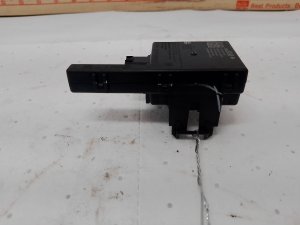
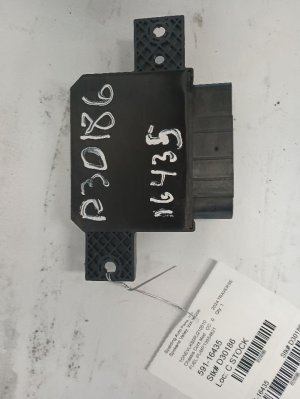
(OEM #84527624, 22858869 (Part numbers are VIN-specific, verify with dealer))— This module is a frequent source of the P0606 code, either due to software glitches or internal faults. Replacement is necessary if reprogramming and voltage checks don't solve the issue.
Trusted brands: ACDelco
OEM price range: $500-$800
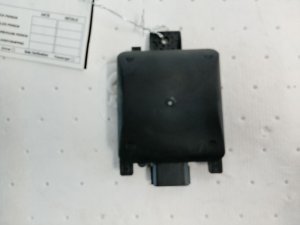
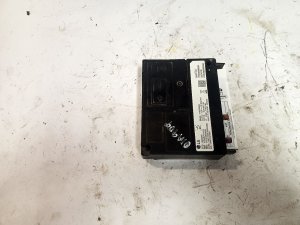
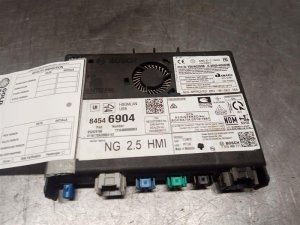
Aftermarket price range: $300-$600 - Body Control Module (BCM)
(OEM #13528941 (For 2018-2019 models, VIN-specific, verify with dealer))— TSB PIT5946C identifies the BCM as a potential source for this code, requiring diagnosis and potentially replacement if reprogramming doesn't work.
Related Codes That Often Appear With This One
- C0021 — Often appears with P0606 when the Electronic Brake Control Module (EBCM) or Brake System Control Module (BSCM) is the source of the fault, as noted in TSB #PIT5728D and #20NA073.
- P0562 or P0563 — These codes for system low or high voltage often accompany a P0606 set by the EBCM, strongly indicating a battery or charging system problem is the root cause.
- C05D2, C0595, C2A3B, C0024, C053D, P25A2 — These various chassis and powertrain codes may be set alongside P0606 when there is an issue related to the brake control system, per TSB #20NA073.
Technical Service Bulletins (TSBs) & Recalls

- PIT5946C: Notes the Body Control Module (BCM) can set P0606 and advises on specific diagnostic parameters to check before replacing the BCM.
- 20NA073: Links P0606 with numerous brake system codes (C-codes) and describes symptoms like a soft pedal or loss of brake assist, often fixed by reprogramming the BSCM.
- PIT5728D: Advises reprogramming the BSCM if P0606 and C0021 appear after a specific campaign (N192268090).
- PIP5609: Points to low voltage or momentary loss of power/ground to the ECM as a cause for P0606 and other codes, urging technicians to verify all power/ground circuits before replacing the ECM.
- PIT5634: Describes how low voltage can cause the EBCM to incorrectly set P0606, leading to a hard brake pedal and misdiagnosis.
- 24-NA-050: A recent TSB that strongly emphasizes low battery voltage as a primary cause for P0606 in the EBCM and explicitly warns against replacing the module before testing the battery.
- 17-NA-132: Warns that an open in the camshaft position sensor circuit can trigger a P0606 on crank without a specific cam sensor code, preventing incorrect ECM replacement.
Platform-Specific Known Issues
- The EBCM may incorrectly set DTC P0606 due to low voltage, causing a hard brake pedal and 'Service Brake System' message. TSB 24-NA-050 and PIT5634 directly address this, advising against module replacement as the first step.
- After certain service campaigns, a P0606 and C0021 may set, requiring the Brake System Control Module (BSCM) to be reprogrammed with an updated calibration. [Bulletin #PIT5728D]
- The Body Control Module (BCM) can also be the source of a P0606 code, triggering the Check Engine Light. TSB PIT5946C notes that even with updated software, the code may remain in some cases and advises to take no further action if specific internal parameters are met, as engineering is aware of the issue.
- An open in the camshaft position sensor circuit can cause a P0606 during cranking without setting a cam sensor DTC, leading to a common misdiagnosis of a failed ECM.
Mechanic-Grade Diagnostic Values
- System Voltage at EBCM power/ground pins during engine crank — expected: Above 9.5 Volts. Failure: A voltage drop below 9.5V during cranking strongly suggests a weak battery or high resistance in the power/ground circuit is the root cause, not a faulty EBCM.
- Alternator output voltage at battery terminals with engine running — expected: 13.5 - 14.5 Volts. Failure: Voltage below 13.5V or above 14.5V indicates a charging system fault that can cause module instability and trigger a P0606.
Scan Tool Commands That Help
- GM Techline Connect (SPS2): Module Reprogramming (e.g., 'Brake System Control Module Reprogramming') — This is the required function to install updated software calibrations to fix known glitches that cause a false P0606, as specified in multiple TSBs and recall N192268090.
- GM GDS2 / Professional Scan Tool: Clear All DTCs — After replacing a battery or performing a repair, the P0606 code may persist even after a battery disconnect. A scan tool is required to explicitly clear the code from the EBCM's memory.
- GM GDS2: Hydraulic Brake System Bleeding — If work is done on the brake system, this procedure is needed. An error during this process can sometimes be caused by swapped connectors (e.g., Brake Fluid Level Switch and Engine Coolant Temp Sensor), which could lead to other system faults.
Wiring & Ground Locations

- G110 / G114 — On the frame, passenger side of the engine compartment.. GM issued a notice (PIE0548) for engineers to collect data on loose connections at these specific grounds on 2019-2020 models, indicating they are a known source of electrical issues.
- G218 — Behind the passenger side kick panel, attached to the A-pillar frame.. This is a major ground point for the BCM and other interior modules. Factory paint under the ground lug can cause high resistance, leading to unstable voltage and a cascade of communication codes, including P0606.
- EBCM Ground — On the frame rail, typically under the driver's door area near the EBCM itself.. A poor ground connection directly at the Electronic Brake Control Module is a primary cause for faults originating from this module. The diagnostic flowchart for related codes often begins with 'clean the grounds'.
- Main Battery to Frame Ground — A cable running from the negative battery terminal to a bolt on the vehicle's frame, often on the passenger side.. Corrosion or looseness at this primary ground point can cause system-wide voltage instability, tricking sensitive modules like the EBCM into setting a P0606.
Real Owner Repair Stories
- Reddit user in r/gmcsierra (2019 GMC Sierra) — After replacing the battery, the dash lit up with 'Service ESC' and a check engine light. Codes included P0606, C0021, and P25A2.
❌ Tried (didn't work) A mechanic could not erase the codes with a standard scanner., The GMC dealer was also unable to reset the light immediately.
✅ What actually fixed it The issue stemmed from changing the battery. The user's advice was that for this generation of truck, a battery swap may require a dealer visit to have modules reset or reprogrammed, as simple code clearing may not work. - Reddit user in r/Silverado (2015 Silverado 1500LT) — Stabilitrak would stop working, radio and A/C would randomly shut off and turn back on.
❌ Tried (didn't work) Initial checks did not pinpoint the issue.
✅ What actually fixed it The owner found a bad ground connection behind the passenger side A-pillar (likely G218). Insulation was interfering with the ground contact. After cleaning the ground point, the issues were resolved. - YouTube video comment (2019+ GM Truck (Silverado/Sierra)) — After a brake job, the truck went into limp mode with 'Brake System Failure' message and multiple warning lights. Codes could not be cleared.
❌ Tried (didn't work) Attempts to delete codes with a scanner were unsuccessful.
✅ What actually fixed it A specific 'relearn' procedure was required. With the engine off, turn the ignition on (long press of start button without brake pedal). Press and hold the brake pedal firmly for ~5 minutes to allow the computer to relearn brake pressure. After this procedure, the codes could be successfully cleared with a scan tool.
OEM Part Supersession History
Various older EBCM part numbers→Newer EBCM part numbers (e.g., 84527624)— Part numbers are frequently updated to include newer, more robust software calibrations that address issues like the false P0606 code. A replacement part often contains the software fix that would otherwise be applied via a TSB reprogram.
Heads up: Always verify the correct part number with the vehicle's VIN. Using an incorrect module, even if it physically fits, can cause system malfunctions.
Model Year Variations Within This Range
- 2019 (T1XX Platform): These models were subject to GM Safety Recall N192268090. A software error in the Brake System Control Module (BSCM) could disable the ESC and ABS systems without illuminating the warning lights. The fix was a mandatory dealer reprogram of the BSCM. This highlights the prevalence of software-based issues on the newer T1XX platform.
- 2019-2020 (T1XX Platform): GM specifically requested field data regarding loose ground connections at G110 and G114 for these model years, suggesting a potential manufacturing or design issue with these ground points that is more common on the 4th generation trucks.
Helpful Videos

Used OEM Parts in Stock
New Aftermarket Parts Available


The information in this article is provided for general reference and educational purposes only. Vehicle specifications, procedures, and part compatibility can vary by production date, trim level, and region. Always consult your vehicle's factory service manual and verify part numbers before purchasing or performing repairs. Safety-critical components such as airbags, seat belts, and braking systems should be installed by a qualified professional.
- Chevrolet SILVERADO 1500:
- 🧭 Diagnostic Flowchart
- 🎬 Helpful Videos
- 🛍️ Shop This Part
- What's Unique About the 2015-2022 Chevrolet SILVERADO 1500
- Symptoms You May Notice
- Most Likely Causes
- Rare But Worth Checking
- Diagnosis Steps
- Parts You'll Likely Need
- Related Codes That Often Appear With This One
- Technical Service Bulletins (TSBs) & Recalls
- Platform-Specific Known Issues
- Mechanic-Grade Diagnostic Values
- Scan Tool Commands That Help
- Wiring & Ground Locations
- Real Owner Repair Stories
- OEM Part Supersession History
- Model Year Variations Within This Range
- 🎟️ Get 5% Off