

U1000 on 2012-2019 BMW 3 Series: Understanding this Generic Communication Code
The code U1000 on a BMW 3 Series is a generic, non-specific communication error, likely from a non-BMW scan tool. It points to a network problem, often caused by a weak battery or a faulty electronic module. Diagnosis requires a BMW-specific scan to find the true underlying fault codes.
- U1000 is not a real BMW fault code. It's a generic code from a basic scanner. You MUST get the car scanned with a BMW-compatible tool to find the actual problem.
- The most likely cause of a network communication issue on an F30 is a weak, old, or improperly registered battery. Always test the battery first.
- Do not replace any modules based on a U1000 code alone. The actual fault could be in the wiring, a ground connection, or a different module entirely.
- Diagnosis of this issue is not DIY-friendly and requires specialized tools and knowledge of BMW's network topology.
- Check for signs of water intrusion in the trunk and under the carpets, as this can damage sensitive electronics and cause network failures.
What's Unique About the 2012-2019 BMW 3 Series
The F30-generation BMW 3 Series uses multiple complex data networks (CAN, FlexRay, LIN bus) to connect dozens of electronic modules. BMW's own diagnostic system (ISTA) uses a highly specific set of fault codes to identify communication errors, such as which module is offline or which network bus is affected. The appearance of a generic U1000 code is a strong indicator that the vehicle was scanned with a basic tool incapable of interpreting these more precise, proprietary BMW codes. The U1000 code itself provides no specific information on a BMW and should be treated as a symptom that a deeper scan is needed.
Generation note: The 2012-2019 BMW 3 Series range primarily covers the F30 (Sedan), F31 (Touring), and F34 (Gran Turismo) generation. The advice here applies to all variants within this generation, as they share the same fundamental electronic architecture. The related 4 Series (F32, F33, F36) also shares this platform and can experience similar issues.
Symptoms You May Notice
- Check Engine Light or other warning lights on the dashboard
- Drivetrain Malfunction warning on the iDrive screen
- Intermittent or total failure of electronic systems (e.g., iDrive, radio, windows, climate control)
- Incorrect readings on the instrument cluster (speedometer, tachometer)
- Vehicle entering 'limp mode' with reduced engine power
- In some cases, a no-start condition, especially if the Front Electronic Module (FEM) is at fault
- Rapid battery drain overnight due to a module failing to enter sleep mode
- Key not detected or central locking problems
- Replacing a specific module based only on the U1000 code without further diagnosis. The U1000 code does not point to any single failed part; it only indicates a network-wide problem.
Most Likely Causes
- Weak or Failing Battery 🔴 High Probability → Shop Vehicle Battery Modern BMWs have a high electrical demand and complex battery management systems (IBS). A battery that is old, undercharged, or improperly registered can cause low voltage conditions, leading to random communication faults between modules during startup. The DME adjusts charging strategy based on battery age, and failure to register a new battery can lead to overcharging and premature failure.
How to confirm: Test the battery voltage with a multimeter; it should be above 12.4V at rest. Have the battery professionally load-tested. Use a BMW-specific scan tool to check the battery registration status and state of health via the Intelligent Battery Sensor (IBS) data.
Typical fix: Recharge and re-test the battery. If it fails the load test or is more than 5-7 years old, replace it. The new battery MUST be registered to the vehicle using a diagnostic tool to reset the vehicle's charging profile.
Est. part cost: $200-$400 - Faulty Electronic Control Module 🟡 Medium Probability Water intrusion is a known issue, particularly in the trunk where modules for the amplifier (HKFM) or telematics (TCB) are located, often due to clogged drains or improperly sealed tail lights. 🎬 See how water damage ruins trunk-mounted BMW amplifiers The Front Electronic Module (FEM), located in the passenger footwell, is also a common failure point and can be damaged by water from clogged sunroof drains or even fail during firmware updates.
How to confirm: A BMW-specific scan tool is needed to perform a full system scan and see which module(s) are not responding (will show as red in ISTA). Visually inspect the trunk floor on the left side and the passenger footwell for signs of water damage or corrosion on module connectors. A technician can then try to isolate the module by unplugging it to see if communication is restored to the rest of the network.
Typical fix: Replace the faulty module. The new module will require programming and coding to the specific vehicle using BMW's diagnostic software (ISTA). A used FEM cannot be programmed by a dealer and must be 'cloned' by a specialist service.
Est. part cost: $300-$1500+ - Damaged Wiring or Corroded Connectors ⚪ Low Probability While not exceptionally common, wiring can be damaged from previous repairs, rodent damage, or corrosion in wet areas (e.g., under carpets, in the trunk). The CAN bus wiring is a twisted pair of wires that runs throughout the vehicle.
How to confirm: Visually inspect major wiring harnesses and connectors for signs of damage, corrosion, or water intrusion, especially around known problem areas like the trunk modules. A technician would use a multimeter or oscilloscope to test for proper resistance (approx. 60 ohms across the CAN High and CAN Low wires when the network is asleep 🎬 Watch: Simple CAN bus diagnostic checks without special tools) and signal integrity.
Typical fix: Repair the damaged section of the wiring harness or clean/replace the corroded connector. This is labor-intensive.
Est. part cost: $10-$100
Rare But Worth Checking
- Faulty iDrive Controller (ZBE): A TSB (B610520) exists for F30 models where a faulty iDrive controller can prevent the vehicle from going to sleep, causing battery drain. While this TSB doesn't mention U1000, this type of module misbehavior could potentially trigger network faults.
- Aftermarket Electronics: Improperly installed aftermarket devices (remote starters, alarms, audio equipment) that tap into the CAN bus can disrupt network communication and cause a flood of errors.
- 3G Network Decommission: As of February 2022, the 3G cellular network was shut down, rendering the telematics control unit (TCB) in many F30s obsolete. This can cause communication faults related to the SOS system. BMW issued SIB 84 01 21 regarding this issue, which can sometimes manifest as communication errors on the bus.
Diagnosis Steps
- Acknowledge that U1000 is a generic code and that further, more specific codes must be retrieved.
- Connect a BMW-specific diagnostic tool (e.g., ISTA, BimmerLink with a quality adapter).
- Perform a full vehicle scan and record all active and stored fault codes from all modules.
- Analyze the specific BMW codes. Pay attention to which modules are reporting 'no communication' (often colored red in ISTA's control unit tree).
- Check and test the vehicle's battery. Ensure it is fully charged, healthy, and properly registered to the car. This is the most common cause.
- Inspect major ground straps, especially the main engine-to-chassis and battery ground.
- Inspect common water intrusion points: the passenger footwell (for the FEM) and the left side of the trunk floor (for the amplifier and telematics modules). Look for dampness, corrosion, or water lines.
- Based on the specific codes, begin diagnosis on the non-communicating module. Check its power, ground, and CAN connections.
- If a single module is suspected, a technician may disconnect it to see if network communication is restored for the other modules.
- If wiring is suspected, check CAN bus resistance (should be ~60 ohms) and inspect for damage.
Parts You'll Likely Need
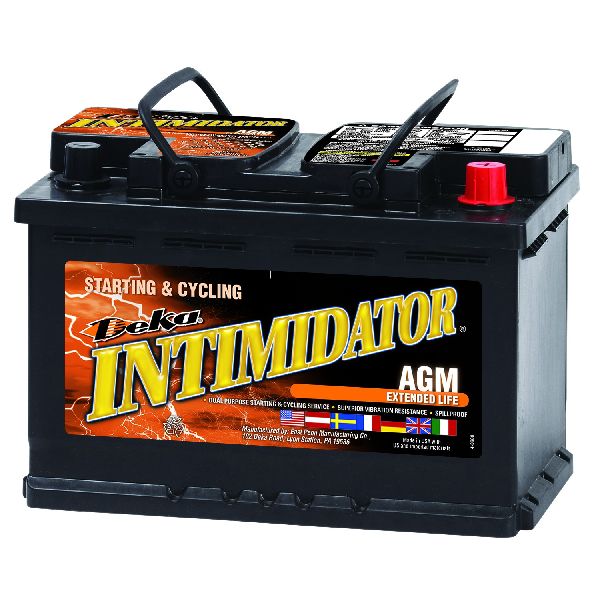
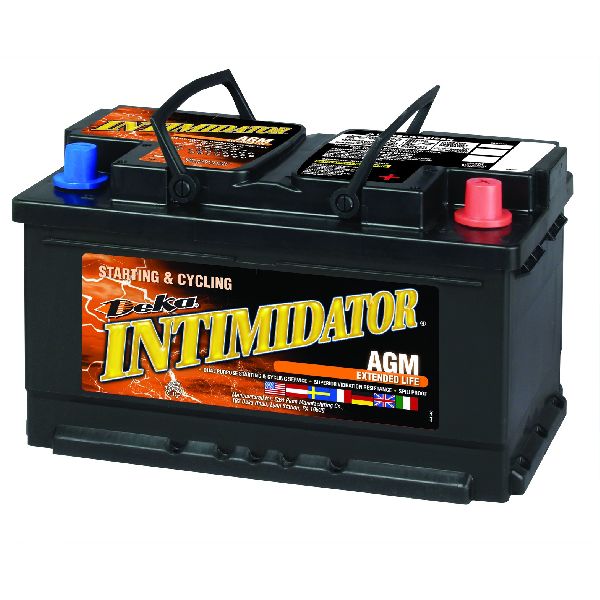
- Vehicle Battery (AGM) — A weak or unregistered battery is the most common cause of network communication faults on modern BMWs.
Trusted brands: Varta, Bosch, Exide, Interstate
OEM price range: $300-$500
Aftermarket price range: $200-$400 - Front Electronic Module (FEM) — A common point of failure due to its complexity and vulnerability to water damage or programming errors. Its failure can cause widespread electrical issues or a no-start condition.
Trusted brands: BMW (OEM)
OEM price range: $500-$800
Aftermarket price range: $200-$400 (Used, requires cloning)
Related Codes That Often Appear With This One
- Multiple U-codes (e.g., U0100, U0121, U0140) — If a BMW-specific scanner is used, it will likely show more specific 'Lost Communication' codes with individual modules (like the ECM, DSC, or FEM), which are the real root cause that a generic scanner reports as U1000.
- Various B-codes and C-codes — When modules like the Body Domain Controller (BDC/FEM) or Dynamic Stability Control (DSC) lose communication, they will store faults related to their specific functions.
Technical Service Bulletins (TSBs) & Recalls
- SI B84 01 21: Details the discontinuation of the 3G cellular network as of February 2022, which affects ConnectedDrive services and the Telematics Communication Box (TCB) module in F30 models. This can lead to related communication faults.
- SI B61 05 20: Addresses a faulty iDrive controller (ZBE) that can cause parasitic battery drain by preventing the vehicle from sleeping. This battery drain is a potential indirect cause of network communication errors.
Documented NHTSA Reports
While U1000 is often generic, other manufacturers' records provide insight into how this code behaves across different network architectures. For example, NHTSA ODI #10681194 describes a U1000 as a ground harness problem where cleaning battery terminals did not resolve a no-start condition. In another instance, NHTSA ODI #10171770 notes that a vehicle stalled due to a loss of ignition input, triggering U1000 alongside other communication codes like U1016 and U1088. Furthermore, NHTSA ODI #11727548 describes a systemic U1000 "Electrical Network Jam" caused by an obsolete or unconfigured telematics unit (TCU), which even resulted in disabled airbags. These reports emphasize that U1000 is frequently tied to foundational electrical failures, such as a TCM overheating due to its physical location (NHTSA ODI #11461728) or an instrument cluster failing to communicate despite power and ground being present (NHTSA ODI #10970695).
Platform-Specific Known Issues
- Water intrusion in the trunk is a well-documented issue on the F30 platform. Clogged drainage channels under the trunk lid or failed seals can allow water to pool in the left-side compartment, damaging the audio amplifier (HKFM) and/or telematics control unit (TCB), leading to a break in the CAN bus network.
- The Front Electronic Module (FEM) has been a recurring issue for some early F30 owners, with failures causing a variety of bizarre electrical problems, from non-stop wipers to no-start conditions.
Mechanic-Grade Diagnostic Values
- CAN Bus Network Resistance — expected: Approximately 60 Ohms. Failure: A reading of ~120 Ohms indicates an open circuit or a single missing termination resistor. A reading near 0 Ohms indicates a short between CAN High and CAN Low wires.
- CAN Bus Voltage (Key On, Engine Off) — expected: CAN High: ~2.5V to 3.5V. CAN Low: ~1.5V to 2.5V. Both signals should mirror each other around a 2.5V center point.. Failure: A line stuck high (at 5V or 12V) or low (at 0V) indicates a short to power or ground. No voltage indicates an open circuit.
Hidden / Shadow Codes Worth Checking
- CD0487: ZGM: Synchronisation process for FlexRay failed. This is a BMW-specific code indicating a problem with the Central Gateway Module (ZGW) or the high-speed FlexRay communication bus it manages. It can be caused by low battery voltage, software issues, or a failing ZGW module. (see via This code is visible using BMW-specific diagnostic software like ISTA/D. A generic OBD-II scanner will not see this code and may only report a generic U1000.)
- 801C20: ZGM: Central fault memory full. This code indicates that the Central Gateway Module has logged so many communication errors that its memory is full. It is a strong symptom of an underlying network instability issue that is causing frequent module dropouts. (see via Visible with BMW-specific diagnostic software (ISTA/D).)
Scan Tool Commands That Help
- ISTA/D: Vehicle Test / Control Unit Tree — This is the first step in any diagnosis. It provides a visual map of all vehicle modules. Modules that are not communicating will be colored red, immediately focusing the diagnosis on which part of the network has failed.
- ISTA/D: Delete Fault Memory — After recording all initial faults, use this function to clear them. The procedure requires switching the ignition off for at least 10 seconds to ensure temporary glitches are fully cleared. Faults that reappear immediately after are hard faults that need to be addressed.
- ISTA/P or E-Sys: FEM/ZGW Programming/Coding — If a module like the FEM or ZGW is replaced, it must be programmed with the vehicle's specific data (VIN, VO). A failed flash can 'brick' the module, sometimes requiring advanced recovery procedures or an online programming session (IRAP) with BMW.
- Tool32 / ISTA: Initialize FlexRay — After replacing the Central Gateway Module (ZGW), the FlexRay bus (a high-speed network) must be re-initialized. This step is crucial for restoring communication between critical modules like the ICM and DSC.
Wiring & Ground Locations
- FEM (Front Electronic Module) — Located in the passenger-side A-pillar/footwell area, behind the kick panel.. The FEM is a central hub for multiple CAN buses (e.g., K-CAN2, PT-CAN). It acts as a gateway and controls numerous body functions. Water damage or internal failure here can bring down large portions of the vehicle network.
- ZGW (Zentrales Gateway / Central Gateway Module) — Typically located behind the glove compartment.. The ZGW is the master gateway, connecting all different bus systems (MOST, FlexRay, K-CAN, PT-CAN). A failure here, often indicated by shadow code CD0487, will cause a total communication breakdown.
- A173*2B (FEM Connector) — One of the large multi-pin connectors on the FEM.. Contains critical network wiring. Pins 18 (CAN-L) and 19 (CAN-H) are for the PT-CAN (Powertrain CAN) bus. A bad connection here can sever communication with the engine (DME) and transmission (EGS) computers.
- A173*8B (FEM Connector) — Another large multi-pin connectors on the FEM.. This connector often contains the K-CAN2 (Body CAN) bus wires, typically at pins 51 and 52. This bus connects to modules like the iDrive controller and instrument cluster. Some vehicle configurations may not have these pins populated, requiring tapping in elsewhere.
- Trunk Electronics Area — On the left side of the trunk, under the floor trim.. This area houses modules like the Telematics Control Box (TCB) and Harmon Kardon amplifier (HKFM). It is a known area for water intrusion from clogged drains or bad taillight seals, which corrodes connectors and causes modules to fail, breaking the MOST or CAN bus loop.
Real Owner Repair Stories
- Reddit user in r/BmwTech (2013 F30 with N55 engine, tuned) — No start, no communication with the DME (engine computer) on ISTA.
❌ Tried (didn't work) Replacing Valvetronic actuator, checking for power at connectors.
✅ What actually fixed it Reflashing the vehicle to the stock tune with a proper battery charger connected. The user suspects the tune file became corrupted, preventing the DME from booting and communicating. - Bimmerpost user on F30POST (F30 (year not specified)) — iDrive system on but no sound, media/radio functions not working, time not displaying.
❌ Tried (didn't work) Checking battery connections, resetting service intervals.
✅ What actually fixed it The user had previously replaced a blown fuse but had inadvertently put the fuse for the speakers into the wrong slot. The fix was simply putting the correct fuse back in its designated place. This highlights the importance of checking for missing fuses, not just blown ones. - Reddit user in r/BmwTech (F30 (year not specified)) — Car would not start and had no electrical power after being at a BMW dealership for a recall that involved a firmware update.
❌ Tried (didn't work) The dealer initially asked the owner to pay for a new FEM module.
✅ What actually fixed it While the final resolution isn't posted, a BMW Master Tech commented that consequential damage during a recall (like a bricked ECU from a failed flash) should be a covered item by BMW. The owner was advised to contact BMW corporate if the dealer refused to cover the repair.
"I Checked Everything" — The Actual Cause
- A classic scenario for this code is not a physical leak but an electrical 'glitch'. In one documented case, a user had widespread communication issues. After checking for blown fuses and finding none, the actual cause was a fuse that had been put back in the wrong slot during a previous repair. All modules and wiring were perfectly fine, but the misplaced fuse for the audio system disrupted network stability.
Model Year Variations Within This Range
- 2012-2013: Early production F30 models were known to have recurring issues with the Front Electronic Module (FEM). Some owners reported multiple FEM failures and replacements, sometimes requiring intervention from BMW engineers. Later software updates were developed to make the programming process more robust and prevent the module from failing ('bricking') during updates.
Diagnostic Flowchart
Other Known Issues on This Vehicle
Issues unrelated to this code that are worth knowing about as an owner of this generation:
- N20 Engine Timing Chain Guide Failure 🔴 High — Common on models produced between 2012 and early 2015. Failure can occur from 60,000 miles. Listen for a distinct whining/whirring sound from the front of the engine. (Ref: While a class-action lawsuit was settled in the US, there was no formal recall. BMW updated the guide material in later production.)
- Oil Filter Housing Gasket Leak 🟠 Medium — Very common across most F30 engines. The gasket hardens from heat cycles and typically starts leaking oil around 60,000-100,000 miles. Leaking oil can drip onto the serpentine belt, causing it to slip or fail.
- Electric Water Pump Failure 🔴 High — Common on N20, N26, and N55 engines. The pump often fails suddenly without prior warning, typically between 60,000 and 100,000 miles, causing rapid overheating.
- Front Thrust Arm/Control Arm Bushing Failure 🟡 Low — The fluid-filled rubber bushings on the front control arms are a known wear item. They can start to leak or crack prematurely, sometimes as early as 40,000 miles, causing clunking noises, steering vibrations, and uneven tire wear.
Used vs. New Parts: Buying Guide for This Vehicle
When a used part is the smart pick: For expensive control modules like the Front Electronic Module (FEM), Body Domain Controller (BDC), amplifier (HKFM), or head unit (NBT/CIC), a used part can save hundreds or even thousands of dollars. However, it is NOT a plug-and-play repair.
Donor-vehicle mileage cap: roughly under 100000 miles for the part to have meaningful remaining life.
What to inspect on the donor part:
- Verify the part number EXACTLY matches the original module. There are many hardware variations.
- Inspect the donor part for any signs of water damage, corrosion on the pins, or physical case damage.
- Source parts from dry-climate regions if possible to minimize the risk of pre-existing corrosion.
- Ensure the seller has a good return policy in case the module is dead on arrival.
OEM-only on this vehicle (don't cheap out):
- Front Electronic Module (FEM) / Body Domain Controller (BDC): While a used OEM part is viable, it MUST be cloned. Aftermarket 'new' FEMs are not available. A new OEM unit from a dealer is the only other option.
Aftermarket brands forum-validated for this vehicle:
- For this type of repair, there are no 'aftermarket' modules. The key is finding a reputable 'cloning service' that can transfer the data from your old module to the used donor part. Services like High End Flashing, Bimmer Ltd, and ECU Saver are mentioned in forums and offer mail-in cloning.
Brands owners have reported issues with on this vehicle:
- Avoid any seller claiming a used FEM/BDC is 'plug and play' without cloning. Due to the immobilizer data stored within the FEM, it is vehicle-specific and will not work unless the data from your original module is successfully transferred to it.
Real Owner Stories
Aggregated from forums and TSBs cited above. Mileages and costs reflect what owners reported in those sources.
2013 BMW 3 Series (F30)
Symptoms: Recurring failure of the FEM module on a new vehicle; electrical issues included windshield wipers that would not turn off and a trunk that would not open.
What fixed it: Multiple replacements of the Front Electronic Module (FEM) and intervention from BMW engineers.
Source hint: BMW.SG forum thread 'F30er FEM module a recurring issue'
2012-2019 BMW 3 Series (F30)
Symptoms: Vehicle completely dead after a dealer performed a recall update.
What fixed it: Replacement of the Front Electronic Module (FEM) which was bricked during the software update.
Source hint: Reddit r/BmwTech thread 'BMW recall bricked FEM'
2012-2015 BMW 3 Series (F30) N20 — ~60000 miles
Symptoms: Distinct whining/whirring sound from the front of the engine.
What fixed it: Replacement of the N20 engine timing chain guides (updated guide material used in later production).
Source hint: Vehicle-specific issues: N20 Engine Timing Chain Guide Failure
Related OBD-II Codes
Frequently Asked Questions
My 2013 F30 is showing a U1000 code, but my mechanic says it's not a standard BMW code. Is that true?
Can the discontinuation of 3G cellular service cause communication faults on my 3 Series?
My iDrive won't let the car 'sleep' and my battery keeps dying. Is there a known issue for this?
I just replaced my battery to fix communication errors; do I really need to register it?
Could water in my trunk be causing my 'Drivetrain Malfunction' and radio failure?
Is it true that a software update can 'brick' my Front Electronic Module (FEM)?
Helpful Videos
We Have This Part in Stock



The information in this article is provided for general reference and educational purposes only. Vehicle specifications, procedures, and part compatibility can vary by production date, trim level, and region. Always consult your vehicle's factory service manual and verify part numbers before purchasing or performing repairs. Safety-critical components such as airbags, seat belts, and braking systems should be installed by a qualified professional.
- BMW 3 Series:
- 🧭 Diagnostic Flowchart
- 🎬 Helpful Videos
- 🛍️ Shop This Part
- What's Unique About the 2012-2019 BMW 3 Series
- Symptoms You May Notice
- Most Likely Causes
- Rare But Worth Checking
- Diagnosis Steps
- Parts You'll Likely Need
- Related Codes That Often Appear With This One
- Technical Service Bulletins (TSBs) & Recalls
- Documented NHTSA Reports
- Platform-Specific Known Issues
- Mechanic-Grade Diagnostic Values
- Hidden / Shadow Codes Worth Checking
- Scan Tool Commands That Help
- Wiring & Ground Locations
- Real Owner Repair Stories
- "I Checked Everything" — The Actual Cause
- Model Year Variations Within This Range
- Other Known Issues on This Vehicle
- Used vs. New Parts: Buying Guide for This Vehicle
- Real Owner Stories
- 2013 BMW 3 Series (F30)
- 2012-2019 BMW 3 Series (F30)
- 2012-2015 BMW 3 Series (F30) N20 — ~60000 miles
- Related OBD-II Codes
- Frequently Asked Questions
- 🎟️ Get 5% Off