

U1000 on 2005-2009 Saab 9-7X: Class 2 Communication Fault Causes and Fixes
Code U1000 on a Saab 9-7X indicates a Class 2 data communication failure. This is most often caused by a weak battery, poor ground connections (especially G201 under the dash), or a faulty ignition switch. Start by testing the battery and cleaning all major ground points before suspecting faulty modules. Many owners on forums for the GMT360 platform (Trailblazer, Envoy) have fixed this exact issue by cleaning grounds or replacing the ignition switch.
- U1000 on your Saab 9-7X means there's a communication problem between its computers.
- Do not immediately buy expensive modules. The problem is most likely a weak battery or a bad ground connection.
- The most important ground to check is G201, located under the driver's side of the dashboard. Cleaning this connection solves the problem in many cases.
- If grounds and battery are good, the ignition switch is the next most likely culprit.
- Diagnosing this code is a process of elimination. Be methodical and start with the simplest, most common fixes first.
What's Unique About the 2005-2009 Saab 9-7X
The Saab 9-7X is built on the General Motors GMT360 platform, shared with the Chevrolet Trailblazer and GMC Envoy. This is important because these vehicles are well-known for specific electrical vulnerabilities that directly cause the U1000 code. Issues like poor body grounds (especially G201 under the driver's side dash), failing ignition switches, and problems with the factory radio or Liftgate Module are extremely common culprits for communication loss on this platform. Therefore, diagnosing a U1000 code on a 9-7X often involves checking these known weak points first, as documented extensively in owner forums.
Symptoms You May Notice
- Check Engine Light or other warning lights (ABS, Security) are on.
- Intermittent no-crank or no-start condition.
- Engine may stall unexpectedly while driving.
- Gauges on the instrument cluster behave erratically or stop working.
- Electrical accessories like the radio, power windows, or HVAC controls stop working.
- Loss of All-Wheel Drive (AWD) functionality, with no lights on the selector switch.
- Scan tool cannot communicate with one or more modules.
- Replacing the Powertrain Control Module (PCM) or Body Control Module (BCM) without first ruling out battery, ground, and wiring issues. These modules are expensive and often not the root cause.
Most Likely Causes
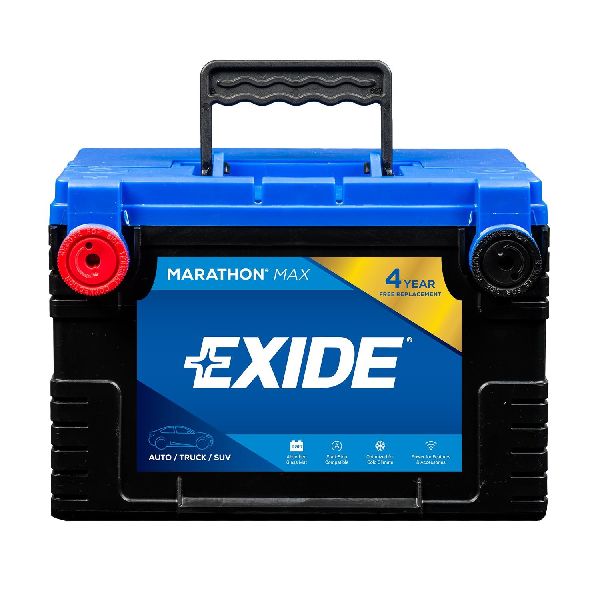
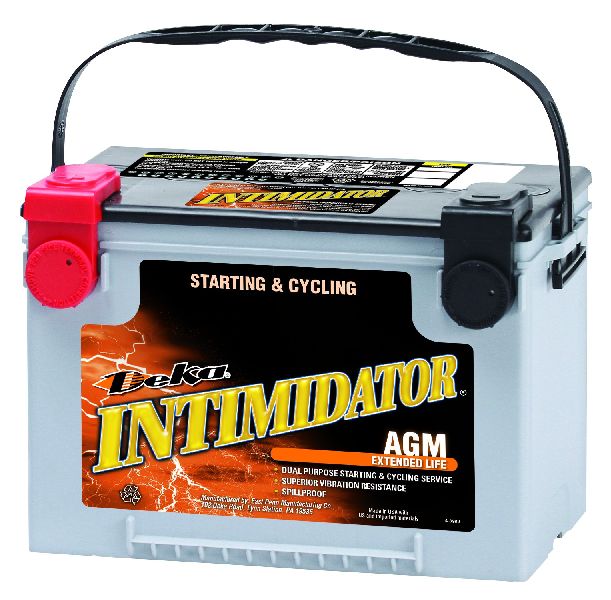
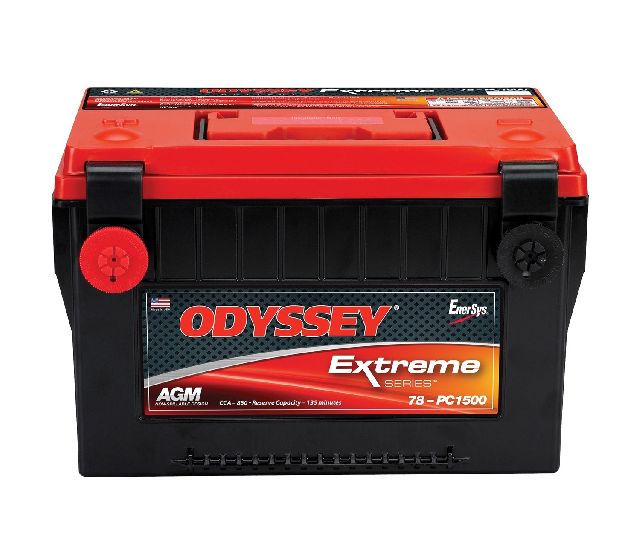
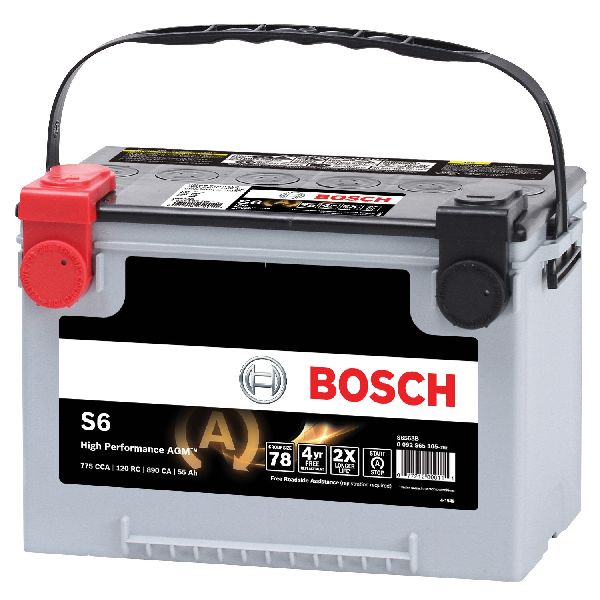
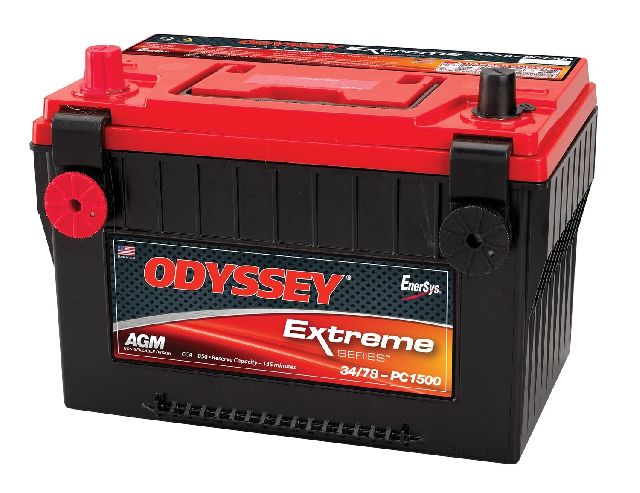
- Weak or Failing Battery 🔴 High Probability → Shop Vehicle Battery Low system voltage during startup or operation can cause modules to temporarily drop off the communication network. A battery showing below 12.4V at rest is suspect and can cause a host of electrical gremlins on this platform.
How to confirm: Test the battery with a multimeter or a load tester. A healthy battery should read ~12.6V with the engine off and ~14.0-14.7V with the engine running. Any reading below 12.4V at rest indicates a need for charging and re-testing.
Typical fix: Recharge or replace the battery. Ensure terminal connections are clean and tight.
Est. part cost: $150-$250 - Poor or Corroded Ground Connections 🔴 High Probability The GMT360 platform is notorious for having grounds that become corroded or loose over time, causing intermittent electrical issues. Key locations include the engine block, firewall, and especially the G201/SP201 ground splice pack under the driver's side of the instrument panel, near the lower console. This is one of the most cited fixes on owner forums. NHTSA ODI #10169405 notes that a U1000 code can be directly attributed to electrical and ground wire problems, requiring specific TSB procedures to resolve.
How to confirm: Visually inspect and physically check the major ground points. For G201, this involves removing the driver's side lower dash panel. Look for rust, corrosion, or looseness. Perform a voltage drop test from the negative battery terminal to the component body to check for high resistance; it should be less than 1.0 Ohm.
Typical fix: Disconnect, clean all contact surfaces with a wire brush until they are shiny, and re-secure the ground connections. Applying dielectric grease can help prevent future corrosion.
Est. part cost: $0-$10 - Faulty Ignition Switch 🟡 Medium Probability → Shop Ignition Switch The ignition switch is a very common failure point on the GMT360 platform. Internal contacts wear out, causing intermittent power loss to various modules on the Class 2 data bus, triggering communication faults and no-start conditions. NHTSA ODI #10230542 describes cases where a faulty ignition switch was the underlying cause behind incidents triggering the U1000 code.
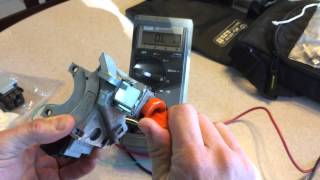
How to confirm: Wiggle the key in the ignition while the vehicle is running. If this causes gauges to flicker, warning lights to appear, or the engine to stumble, the switch is likely faulty. A scan tool may also show multiple modules losing communication simultaneously when the key is wiggled.
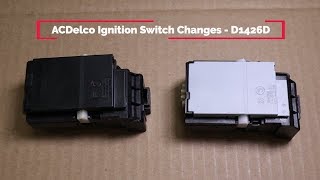
Typical fix: Replace the electrical portion of the ignition switch. The OEM part is ACDelco D1426D, which supersedes GM part numbers 12450251 and 15242754.
Est. part cost: $30-$80 - Damaged Wiring or Connectors 🟡 Medium Probability The single data wire (a dark green wire for the Class 2 bus) can become chafed, broken, or shorted to ground. Common problem areas are in the wiring harness near the OBD-II port, under the fuse box, in the flexible boot between the door and the body, or near the BCM where spilled drinks can cause corrosion. NHTSA ODI #11244385 reports that U1000 can occur alongside P0700 and U0073, leading to a loss of engine power and erratic behavior of the odometer, RPM, and temperature gauges.
How to confirm: Visually inspect the wiring harnesses in known problem areas. Use a multimeter to check for continuity and shorts on the Class 2 data wire (pin 2 at the OBD-II port). Check for corrosion at the BCM connectors under the driver's side passenger seat.
Typical fix: Repair the damaged section of the wire with a new piece of wire, solder, and heat shrink tubing. Clean corroded connectors with electrical contact cleaner.
Est. part cost: $5-$20 - Failing Control Module ⚪ Low Probability Any module on the network (BCM, PCM, Radio, HVAC, etc.) can fail. The factory radio and Liftgate Module (LGM) are surprisingly common culprits; their internal circuitry can fail and disrupt or 'scream' on the data bus, preventing other modules from communicating.
How to confirm: This is a process of elimination. With a scan tool that can show network status, unplug modules one by one until communication is restored to the others. Start with the most likely culprits like the radio, OnStar module (if equipped), and liftgate module.
Typical fix: Replace the faulty module. Note that some modules, like the PCM or BCM, will require programming with a specialized tool after installation.
Est. part cost: $100-$800
Rare But Worth Checking
- Aftermarket Electronics: A poorly installed aftermarket radio, remote starter, or alarm system can interfere with the Class 2 data bus. If you have any of these, it should be the first thing you inspect or temporarily disconnect.
Diagnosis Steps
- Check Battery Health: Start by fully charging and testing the battery. Ensure it holds a charge and provides adequate voltage (above 12.4V at rest). Clean any corrosion from the terminals.
- Scan for All Codes: Use a scan tool capable of reading codes from all modules (Engine, Body, ABS, etc.), not just a basic code reader. Note all U-codes and which modules are not communicating. This is crucial for identifying the source.
- Inspect and Clean Grounds: Locate, disconnect, clean, and re-secure the main battery ground, engine-to-chassis ground, and the G201 ground splice pack under the driver's side dash. This is the most common fix reported by owners.
- Test the Ignition Switch: With the vehicle on, gently wiggle the key in the ignition. Watch for any flickering lights or changes in gauge behavior, which would indicate a faulty switch.
- Inspect Wiring: Visually inspect the Class 2 data wire (Pin 2 at the OBD-II port, typically a dark green wire) for any signs of damage. Also check the wiring harness in the driver's door jamb and the BCM connectors for corrosion.
- Isolate Modules: If the problem persists, begin unplugging modules one at a time to see if communication is restored. Start with the radio, then the OnStar module (if present), liftgate module, and HVAC controls. After unplugging a module, clear codes and re-scan to see if other modules come back online.
- Professional Diagnosis: If you cannot find the fault after these steps, a professional technician with a factory-level scan tool (like a Tech 2) can perform a more in-depth network diagnosis.
Parts You'll Likely Need
- Battery — Low voltage is a primary trigger for communication faults on this platform.
Trusted brands: ACDelco, Interstate, DieHard
OEM price range: $200-$300
Aftermarket price range: $150-$250 - Ignition Switch
(OEM #15242754 (Superseded by ACDelco D1426D))— A very common failure point on GMT360 vehicles that directly causes intermittent power and data loss to multiple modules.
Trusted brands: ACDelco (Recommended), Standard Motor Products, Dorman
OEM price range: $40-$60
Aftermarket price range: $25-$50
Related Codes That Often Appear With This One
- U-codes (e.g., U1016, U1064, U1096) — These are also communication codes. When the main U1000 code is present, it's common to see other U-codes from various modules reporting a loss of communication with the specific module that is offline.
- P0601 — This code indicates an internal memory error in a control module. If a module like the PCM is failing internally, it can stop communicating, leading to a U1000 code being set by other modules.
Platform-Specific Known Issues
- G201 Ground Splice Pack Location: The G201 ground splice pack is a junction of multiple ground wires and a major source of U1000 codes. It is located under the driver's side dashboard, near the right side of the lower console. It often becomes corroded or loose. Cleaning and re-securing this ground point is a very common and effective fix.
- Liftgate Module (LGM) and Wiring: The wiring that passes from the body to the liftgate is a known weak point. The constant flexing can cause wires, including the Class 2 data line, to break. The LGM itself can also fail and disrupt the network. If you have issues with liftgate functions, inspect this harness carefully.
- BCM Location and Corrosion: The Body Control Module (BCM) is located under the left rear seat, attached to the fuse block. This location makes it vulnerable to corrosion if drinks are spilled or water leaks into the cabin. Inspect the BCM connectors for any green or white powder indicating corrosion.
Mechanic-Grade Diagnostic Values
- Class 2 Data Bus Voltage (Pin 2 at DLC to Ground) — expected: Switches between ~0V (recessive/inactive) and ~7.0V (dominant/active) during communication.. Failure: A constant voltage (e.g., stuck at 0V, 5V, or 12V) or no activity indicates a short or open circuit. Some modules may communicate slightly higher, up to 7.8V.
- Battery Voltage (Key Off) — expected: 12.4V - 12.6V. Failure: Below 12.4V indicates a discharged or failing battery, which is a primary cause of communication codes on this platform.
Hidden / Shadow Codes Worth Checking
- Module Status (Communicating vs. Not Communicating): The most important 'hidden' data is not a specific code, but a list of which modules are responding on the network and which are not. A U1000 code is set by a *working* module that can't hear from another module. A professional scan tool will show you the list of non-responsive modules, which is where the fault lies. (see via GM Tech 2, Snap-on, or other high-end bidirectional scan tool with network analysis capability.)
Scan Tool Commands That Help
- GM Tech 2: Module Status / Class 2 Message Monitor — This is the primary diagnostic screen. It performs a 'roll call' to show which modules are online and which are offline. This is the first step to identifying the source of the communication loss.
- GM Tech 2: Snapshot — To capture data before, during, and after an intermittent fault occurs. You can set a trigger and when the symptom appears (e.g., gauges drop out), you press the trigger to save the data stream for later analysis.
- GM Tech 2 with TIS2Web/SPS: Service Programming System (SPS) — Required after replacing certain modules, most notably the Body Control Module (BCM), to load the correct software, VIN, and vehicle options. A new BCM will not function without this step.
Wiring & Ground Locations
- G201 / SP201 — Under the driver's side dashboard, to the right of the steering column, near the center console. It is a black plastic splice pack with multiple black wires bolted to the chassis structure.. This is a master ground point for numerous interior modules, including the Instrument Cluster, HVAC controls, Radio, and the Data Link Connector itself. A poor connection here can cause multiple modules to lose power/ground simultaneously, creating network chaos and U1000 codes.
- Class 2 Data Wire Splice — In the wiring harness located in the driver's side sill plate channel, running from the dash towards the rear of the vehicle.. This area is prone to water intrusion from wet shoes or leaking seals. A factory splice for the Class 2 data bus (and other wires) is located here and can corrode, causing an open or short in the network.
- BCM (Body Control Module) — Attached to the rear fuse block, located under the left-hand (driver's side) rear seat.. The BCM is a central hub for the Class 2 network. Its location makes it vulnerable to spilled liquids from the back seat, which can corrode its connectors and cause network-wide failures.
- DLC (Data Link Connector) Pin 2 — The OBD-II port under the driver's side dashboard.. Pin 2 is the Class 2 Serial Data line. It should be a Dark Green wire. This is the primary point for testing the network's voltage activity with a multimeter or oscilloscope.
Real Owner Repair Stories
- GMTNation Forum User (2005 Chevrolet Trailblazer 4.2L) — No-crank, no-start. Multiple modules not communicating, including Engine, Radio, and Transmission. Gas gauge reads empty on a full tank. Security light comes on after a delay.
❌ Tried (didn't work) Initial scan with a basic reader failed. A Snap-On scanner could read some modules but not all. Checked fuses.
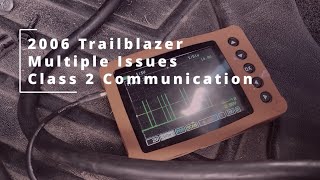
✅ What actually fixed it The user noted the Check Engine Light did not stay on with the key in the 'ON' position, indicating the PCM was not powering up correctly. The final fix was not posted in the thread, but the diagnosis correctly pointed towards a loss of power or ground to the PCM itself, which was preventing it from communicating and setting the U1000 in other modules. - YouTube video by 'ScannerDanner' (2006 Chevrolet Trailblazer) — Multiple issues, Class 2 communication problem.
❌ Tried (didn't work) Replacing the BCM without programming. Unplugging the driver's door module did not restore communication.
✅ What actually fixed it The Class 2 data wire (and other wires) had corroded at a splice point inside the wiring harness in the driver's side sill plate area. The corrosion created a short between circuits. The fix was to cut out the bad section of wire and repair the splice. - YouTube video by 'x298racer' (2002 Chevrolet Trailblazer) — U1000 code, no lights on the 4-wheel drive selector switch, 4WD inoperative.
❌ Tried (didn't work) Swapping the 4WD selector switch, checking fuses.
✅ What actually fixed it The Transfer Case Control Module (TCCM) had failed internally. It was drawing no power and shorting out, which disrupted the Class 2 data bus and prevented the scan tool from communicating. Replacing the TCCM restored 4WD function and cleared the U1000 code. - NHTSA ODI #10171770 (Chevrolet Trailblazer) — An owner reported that when the vehicle stalled, it lost ignition input. Diagnostic scans revealed codes U1000, U1016, U1152, B1372, and U1088. The issue was resolved by replacing the ignition switch with a new unit (Part #12450251).
- NHTSA ODI #10259771 (Saturn L300) — In a cross-manufacturer example, an owner reported the instrument panel cluster stopped working and the dealership found code U1000, identifying it as a Class 2 Data Link Malfunction.
OEM Part Supersession History
GM 12450251, 15242754→ACDelco D1426D— The original ignition switch design used contacts that were prone to burning and corrosion, leading to intermittent voltage drops and communication failures. The updated D1426D part uses superior materials (tungsten contacts) to prevent this.
Heads up: The updated part is visually identifiable by a grey plastic cover, whereas the original was all black. Proper gear alignment during installation is critical to prevent a parasitic battery drain. There have been reports of bad batches of even the new part number, so testing the switch's continuity before full reassembly is wise.
Model Year Variations Within This Range
- 2008-2009: The 'Aero' trim was introduced in 2008 with a 6.0L V8 engine and unique sport suspension. While the core Class 2 network is the same, these models have a different PCM and potentially other unique modules on the bus, which should be considered during diagnosis by isolation.
Diagnostic Flowchart
Other Known Issues on This Vehicle
Issues unrelated to this code that are worth knowing about as an owner of this generation:
- Rear Air Suspension Failure 🔴 High — Very common. The rubber air springs develop dry rot and leak, and the compressor burns out from overuse. Often happens after 60,000-100,000 miles, especially in colder climates.
- Instrument Cluster Gauge Failure (Stepper Motors) 🟠 Medium → Shop Instrument Cluster — Extremely common across all GMT360 vehicles. The small stepper motors (part number X27.168 is the updated version) that drive the gauge needles fail, causing gauges (speedometer, tach, fuel, etc.) to stick, read incorrectly, or stop working entirely.
- Faulty Fan Clutch 🟠 Medium — The electro-viscous fan clutch is a frequent failure point. Symptoms include a loud 'jet engine' roar at startup or all the time, or overheating at idle. The clutch can fail to engage or disengage properly.
- Cracked Exhaust Manifold 🟠 Medium — Primarily affects the 4.2L I6 engine. The manifold can develop cracks, causing an exhaust leak that presents as a ticking noise, especially when the engine is cold.
- Throttle Body Failure (Code P1516) 🟠 Medium — The electronic throttle body is a known weak point, leading to 'Reduced Engine Power' mode. This can be caused by internal electronic failure or sometimes just heavy carbon buildup. (Ref: TSB #PIP4578B, #PIP4573B)
Used vs. New Parts: Buying Guide for This Vehicle
When a used part is the smart pick: Used modules like the Radio, Liftgate Module (LGM), HVAC controls, or Transfer Case Control Module (TCCM) are excellent for diagnosis-by-swapping and are often a cost-effective final repair. They are typically plug-and-play.
Donor-vehicle mileage cap: roughly under 150000 miles for the part to have meaningful remaining life.
What to inspect on the donor part:
- Check for clean, uncorroded connector pins.
- For modules from inside the vehicle, look for any signs of water damage or staining on the case.
- Ask the seller if the donor vehicle was running and driving before being dismantled.
OEM-only on this vehicle (don't cheap out):
- Ignition Switch: Due to the known failure of the original design and reports of faulty aftermarket batches, using a genuine ACDelco D1426D is strongly recommended.
Aftermarket brands forum-validated for this vehicle:
- ACDelco (for Ignition Switch and other electronics)
Brands owners have reported issues with on this vehicle:
- Unbranded or 'white box' ignition switches have a high reported failure rate. Some owners have reported more long-term electrical issues with Dorman replacement switches compared to ACDelco.
Real Owner Stories
Aggregated from forums and TSBs cited above. Mileages and costs reflect what owners reported in those sources.
2005-2009 Saab 9-7X
Symptoms: No Start, Multiple U1000 codes, Class 2 Serial Communication Problem.
What fixed it: Checking and cleaning grounds, specifically focusing on the G201 ground splice pack and the ignition switch.
Source hint: GMTNation.com: 'No Start, Multiple U1000 codes, Class 2 Serial Communication Problem'
2005-2009 Saab 9-7X
Symptoms: Vehicle stalled while driving followed by a no-start condition with communication errors.
What fixed it: Diagnosing a failed module or a short/open on the data bus.
Source hint: GMTNation.com: '3 communication errors U1000, U1021, & U1045'
2005-2009 Saab 9-7X
Symptoms: No-power situation, vehicle won't start and is unresponsive to the key.
What fixed it: Checking for bad grounds and parasitic draw.
Source hint: Reddit r/saab: '9-7x won't start and unresponsive to key'
GMC Envoy (GMT360 Platform)
Symptoms: No-crank, no-start condition with a communication fault.
What fixed it: Repairing a loose ground connection.
Source hint: YouTube: 'GMC/Chevrolet fault communication fault U1000/ fault communication with PCM'
Related OBD-II Codes
Frequently Asked Questions
Where is the G201 ground splice pack located on my Saab 9-7X?
Can a bad ignition switch cause a U1000 code and a no-start condition?
Why did my AWD lights turn off and my gauges stop working at the same time?
Could a spilled drink under the rear seat cause this electrical code?
Is there a specific wire I should check for damage if I have a U1000?
Can my factory radio cause other modules to stop communicating?
Helpful Videos
We Have This Part in Stock


The information in this article is provided for general reference and educational purposes only. Vehicle specifications, procedures, and part compatibility can vary by production date, trim level, and region. Always consult your vehicle's factory service manual and verify part numbers before purchasing or performing repairs. Safety-critical components such as airbags, seat belts, and braking systems should be installed by a qualified professional.
- Saab 9-7X:
- 🧭 Diagnostic Flowchart
- 🎬 Helpful Videos
- 🛍️ Shop This Part
- What's Unique About the 2005-2009 Saab 9-7X
- Symptoms You May Notice
- Most Likely Causes
- Rare But Worth Checking
- Diagnosis Steps
- Parts You'll Likely Need
- Related Codes That Often Appear With This One
- Platform-Specific Known Issues
- Mechanic-Grade Diagnostic Values
- Hidden / Shadow Codes Worth Checking
- Scan Tool Commands That Help
- Wiring & Ground Locations
- Real Owner Repair Stories
- OEM Part Supersession History
- Model Year Variations Within This Range
- Other Known Issues on This Vehicle
- Used vs. New Parts: Buying Guide for This Vehicle
- Real Owner Stories
- 2005-2009 Saab 9-7X
- 2005-2009 Saab 9-7X
- 2005-2009 Saab 9-7X
- GMC Envoy (GMT360 Platform)
- Related OBD-II Codes
- Frequently Asked Questions
- 🎟️ Get 5% Off