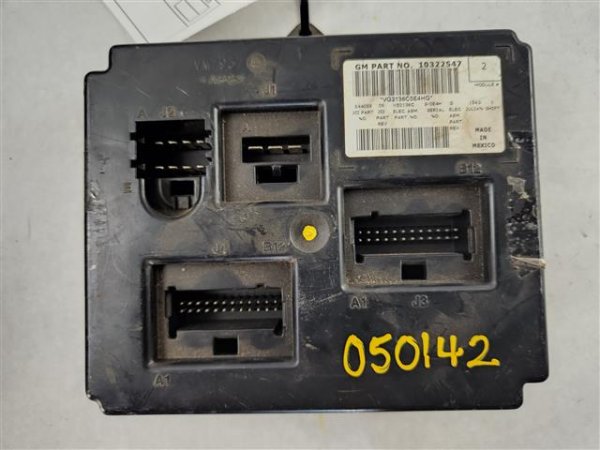
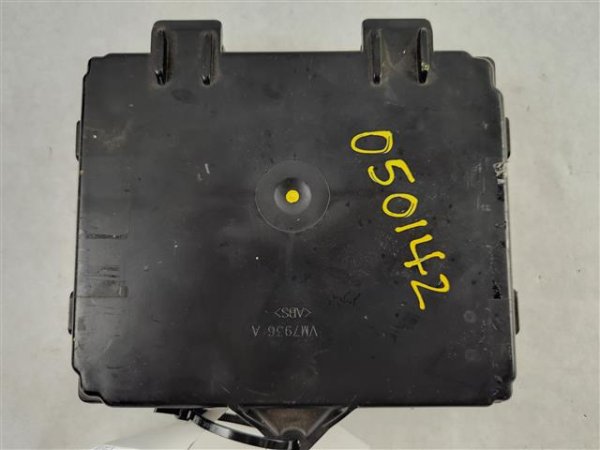
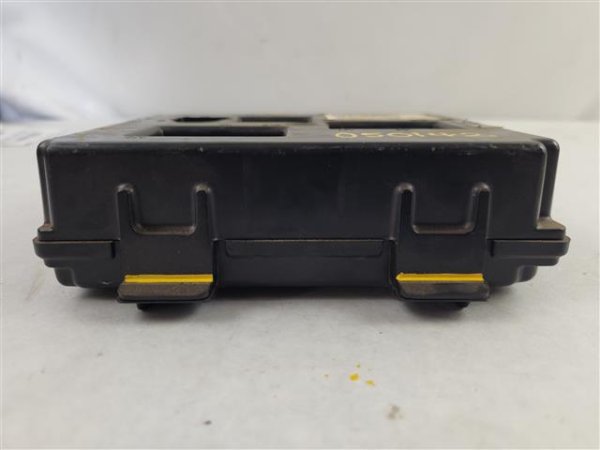
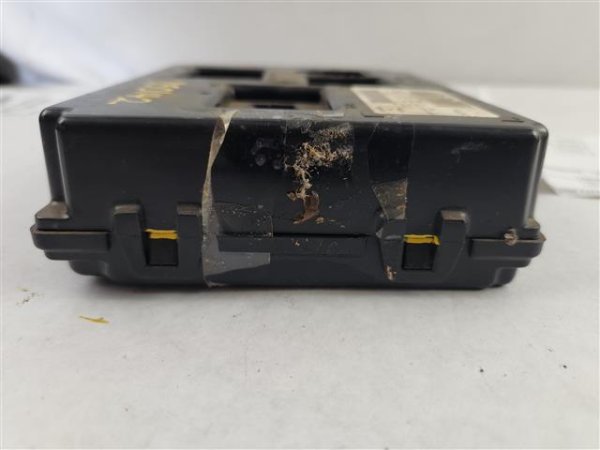
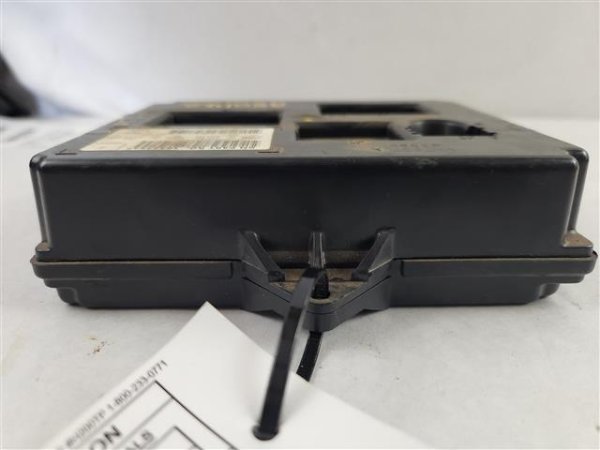
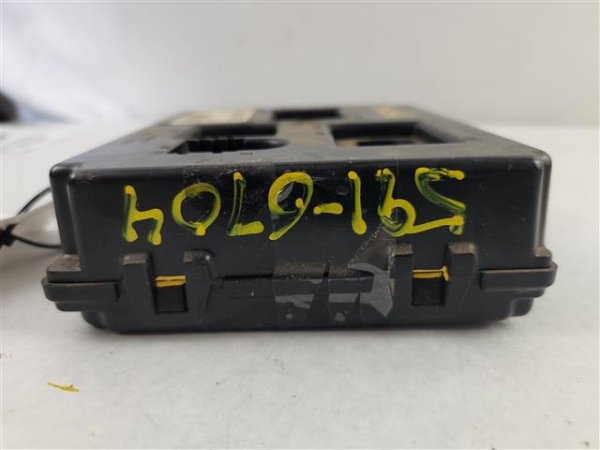
OEM OnStar Communication Control Module for 2002-2004 Buick, Cadillac, Chevrolet, GMC, Oldsmobile, Pontiac, & Saturn
Product Notes
This module is for vehicles equipped with the OnStar system (option code UE1). For Cadillac DeVille and Seville models, this fits vehicles without the mobile telephone provision. For 2003 Saturn Ion, this fits vehicles from VIN 3Z175910. This part may require programming by a dealer or qualified mechanic to function with your vehicle.
Why Buy Used OEM Parts?
- ✓ Quality-Verified: Every used OEM part we sell has been professionally inspected and tested. While it may show some cosmetic wear, it's fully functional and ready to install.
- ✓ Original Equipment: This is a genuine OEM part — the exact part that came with your vehicle from the factory. Perfect fitment and performance.
- ✓ Works Like New: Despite visual wear, internal components and functionality are intact. Same reliability you'd expect from OEM quality.
- ✓ Significant Savings: Save 50–80% vs. new. Factory quality at a fraction of the cost — the smart choice for budget-conscious owners.

Meet Wrenchy - The Amazing Parts Assistant!
Voice or type your vehicle details and Wrenchy will confirm fitment in seconds.
 Ask Wrenchy →
Vehicle Fitment Guide
This part fits the following vehicles:
| SubmodelSUB- MODEL |
Body Style | Years | Engine | Attributes |
|---|---|---|---|---|
| CX | SUV | 2003 | V6 3.4L | AWD/FWD | Automatic |
| CX Plus | SUV | 2003 | V6 3.4L | AWD/FWD | Automatic |
| CXL | SUV | 2003 | V6 3.4L | AWD/FWD | Automatic |
| CXL Plus | SUV | 2003 | V6 3.4L | AWD/FWD | Automatic |
| SubmodelSUB- MODEL |
Body Style | Years | Engine | Attributes |
|---|---|---|---|---|
| Base | Hearse | 2002 - 2004 | V8 4.6L | FWD | Automatic |
| Base | Limousine | 2002 - 2004 | V8 4.6L | FWD | Automatic |
| Base | Sedan | 2002 - 2004 | V8 4.6L | FWD | Automatic |
| DHS | Sedan | 2002 - 2004 | V8 4.6L | FWD | Automatic |
| DTS | Sedan | 2002 - 2004 | V8 4.6L | FWD | Automatic |
| Protection Series | Sedan | 2004 | V8 4.6L | FWD | Automatic |
| 2003 |
| SubmodelSUB- MODEL |
Body Style | Years | Engine | Attributes |
|---|---|---|---|---|
| SLS | Sedan | 2002 - 2004 | V8 4.6L | FWD | Automatic |
| STS | Sedan | 2002 - 2004 | V8 4.6L | FWD | Automatic |
| 2003 |
| SubmodelSUB- MODEL |
Body Style | Years | Engine | Attributes |
|---|---|---|---|---|
| Base | SUV | 2003 | L6 4.2L | RWD | Automatic |
| LS | SUV | 2003 | L6 4.2L | RWD/4WD | Automatic |
| LT | SUV | 2003 | L6 4.2L | RWD/4WD | Automatic |
| LTZ | SUV | 2003 | L6 4.2L | RWD/4WD | Automatic |
| North Face | SUV | 2003 | L6 4.2L | RWD/4WD | Automatic |
| SubmodelSUB- MODEL |
Body Style | Years | Engine | Attributes |
|---|---|---|---|---|
| Base | SUV | 2003 | L6 4.2L | RWD/4WD | Automatic |
| LS | SUV | 2003 | L6 4.2L | RWD/4WD | Automatic |
| LS | SUV | 2003 | V8 5.3L | RWD/4WD | Automatic |
| LT | SUV | 2003 | L6 4.2L | RWD/4WD | Automatic |
| LT | SUV | 2003 | V8 5.3L | RWD/4WD | Automatic |
| North Face | SUV | 2003 | L6 4.2L | RWD/4WD | Automatic |
| North Face | SUV | 2003 | V8 5.3L | RWD/4WD | Automatic |
| SubmodelSUB- MODEL |
Body Style | Years | Engine | Attributes |
|---|---|---|---|---|
| SLE | SUV | 2003 | L6 4.2L | RWD/4WD | Automatic |
| SLT | SUV | 2003 | L6 4.2L | RWD/4WD | Automatic |
| SubmodelSUB- MODEL |
Body Style | Years | Engine | Attributes |
|---|---|---|---|---|
| SLE | SUV | 2003 | L6 4.2L | RWD/4WD | Automatic |
| SLE | SUV | 2003 | V8 5.3L | RWD/4WD | Automatic |
| SLT | SUV | 2003 | L6 4.2L | RWD/4WD | Automatic |
| SLT | SUV | 2003 | V8 5.3L | RWD/4WD | Automatic |
| SubmodelSUB- MODEL |
Body Style | Years | Engine | Attributes |
|---|---|---|---|---|
| Base | SUV | 2003 | L6 4.2L | AWD/RWD | Automatic |
| SubmodelSUB- MODEL |
Body Style | Years | Engine | Attributes |
|---|---|---|---|---|
| Base | SUV | 2003 | V6 3.4L | AWD/FWD | Automatic |
| V | SUV | 2003 | V6 3.4L | AWD/FWD | Automatic |
| SubmodelSUB- MODEL |
Body Style | Years | Engine | Attributes |
|---|---|---|---|---|
| Base | Mini Cargo Van | 2003 - 2004 | V6 3.4L | AWD/FWD | Automatic |
| Base | Mini Passenger Van | 2003 - 2004 | V6 3.4L | AWD/FWD | Automatic |
| SubmodelSUB- MODEL |
Body Style | Years | Engine | Attributes |
|---|---|---|---|---|
| 1 | Sedan | 2003 - 2004 | L4 2.2L | FWD | Automatic & Manual |
| 1 | Sedan | 2003 | L4 2.2L | FWD | Automatic CVT |
| 2 | Coupe | 2003 - 2004 | L4 2.2L | FWD | Automatic & Automatic CVT & Manual |
| 2 | Sedan | 2003 - 2004 | L4 2.2L | FWD | Automatic & Automatic CVT & Manual |
| 3 | Coupe | 2003 - 2004 | L4 2.2L | FWD | Automatic & Automatic CVT & Manual |
| 3 | Sedan | 2003 - 2004 | L4 2.2L | FWD | Automatic & Automatic CVT & Manual |
| Red Line | Coupe | 2004 | L4 2.0L Supercharged | FWD | Automatic & Manual |
Policies
Shipping & Handling
- Standard shipping: 3-7 business days via UPS Ground
- Parts are carefully packaged to prevent damage during transit
Returns (30 Days)
We accept returns within 30 days of delivery for this part.
- Defective parts: We will replace the part or issue a refund at our discretion
- Electronic parts: Must be returned with the sealed inspection bag unopened. The clear bag allows full visual inspection before opening. Once opened, electronic parts can only be exchanged for a replacement if defective — no refunds
- Programming: "Needs to be programmed to my vehicle" is not a valid return reason. Many modules require dealer programming — we're happy to help connect you with resources if your dealer says it's not programmable
- Return shipping: We cover return shipping as part of our 100% money-back guarantee
- Parts must be returned in original packaging and unmodified condition
- Poorly packaged returns that arrive damaged will not be credited
6-Month Warranty
All used parts include a 6-month warranty from the date of purchase.
- If your part fails within 6 months, we will send a replacement
- Refunds are only issued if we cannot provide a suitable replacement
- Warranty covers defects — not installation errors, misuse, or damage after installation
Note: Warranty is for replacement, not refund. A part failing on day 80? We'll replace it. But the return window for refunds is 30 days.
Damaged in Shipping?
If your part arrives damaged:
- Stop immediately — do not install the part
- Keep all original packaging and boxes
- Take clear photos of the damage and packaging
- Contact us within 48 hours of delivery
We will handle the carrier claim. You are not responsible for shipping damage — we just need your help documenting it.
Order Cancellation
Orders can be cancelled before shipment for a full refund. Once shipped, cancellations follow our return policy.
2001-2005 Montana, Silhouette & Venture BCM: Solving Electrical Gremlins and No-Start Issues
This guide explains common Body Control Module failures in the Pontiac Montana, Oldsmobile Silhouette, and Chevrolet Venture, and details the critical programming steps required for replacement.
Read Full Guide →⚠️ Related Trouble Codes (OBD-II)
2 matching guidesIf your scan tool is showing one of these trouble codes, this part is a common fix. Each guide explains the code, how to diagnose it, and exactly what to replace.
Miscellaneous Information
OEM Part Numbers:
GM: 12451210, 15181835, 25737700, 25740426, 25742967, 25751433, 25765618, 25772965
Other: 15185918
Fits Years: 2002 2003 2004
Your Go-To Place
for auto parts.
In operation since 2007. Trusted by over a million DIYers, mechanics, and body shops across all 50 states.
Shop With Total Confidence
Not happy with what arrived? 30-day returns, no-questions-asked refund. We make it right.
Trusted Since 2007
Nearly two decades of shipping parts to professionals & enthusiasts.
Backed For The Long Haul
This part ships with a 6-month warranty. If it doesn't fit or stops working, we replace or refund — no hassle.
What buyers are saying.
Racing Partner Videos